Translations:LINE LIFF Custom Feature/9/de: Difference between revisions

From SimplyBook.me
Created page with ":Nachdem Sie alle oben genannten Einstellungen vorgenommen haben, klicken Sie auf die grüne Schaltfläche Hinzufügen, um LINE LIFF hinzuzufügen. :7. Dann werden Sie auf die..."
 
(No difference)

Latest revision as of 13:53, 2 January 2025

Information about message (contribute)
This message has no documentation. If you know where or how this message is used, you can help other translators by adding documentation to this message.
Message definition (LINE LIFF Custom Feature)
:After all the above settings are completed, click the green Add button to add LINE LIFF.
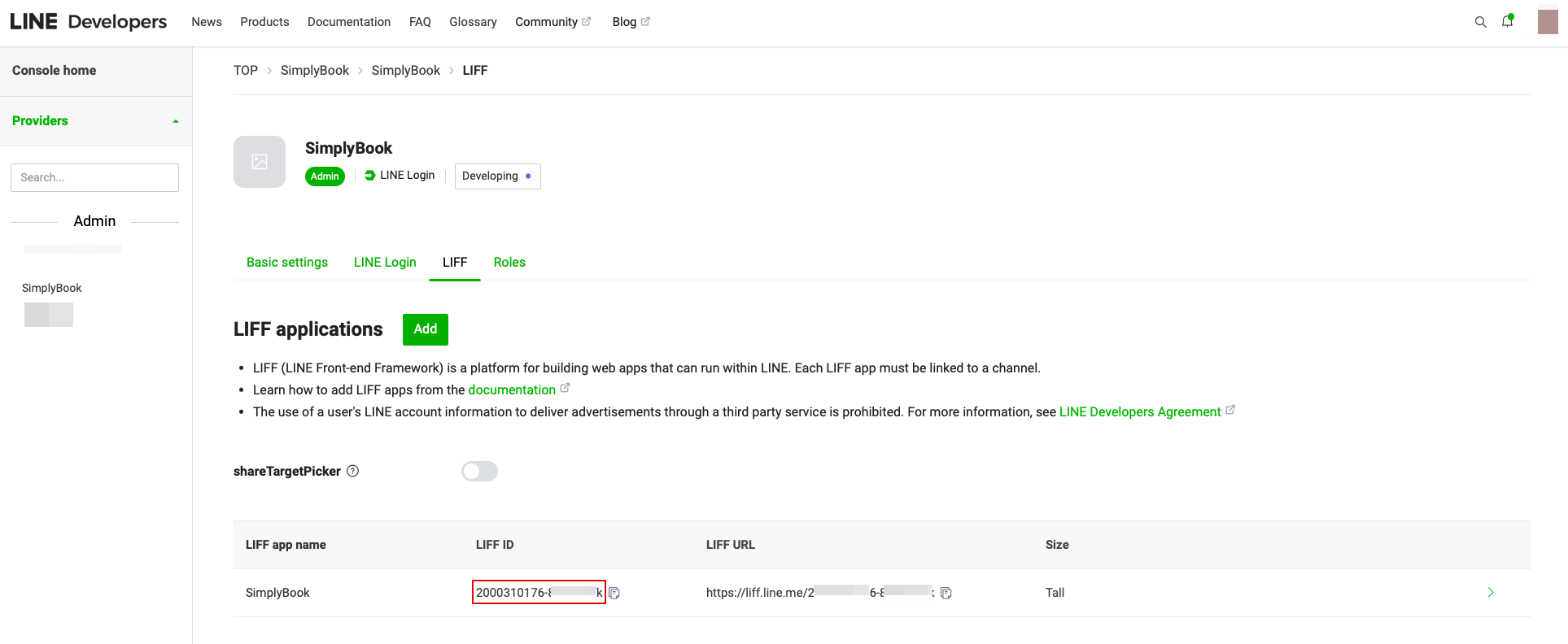
:7. Then you will be directed to the page where you can see your LIFF ID. 
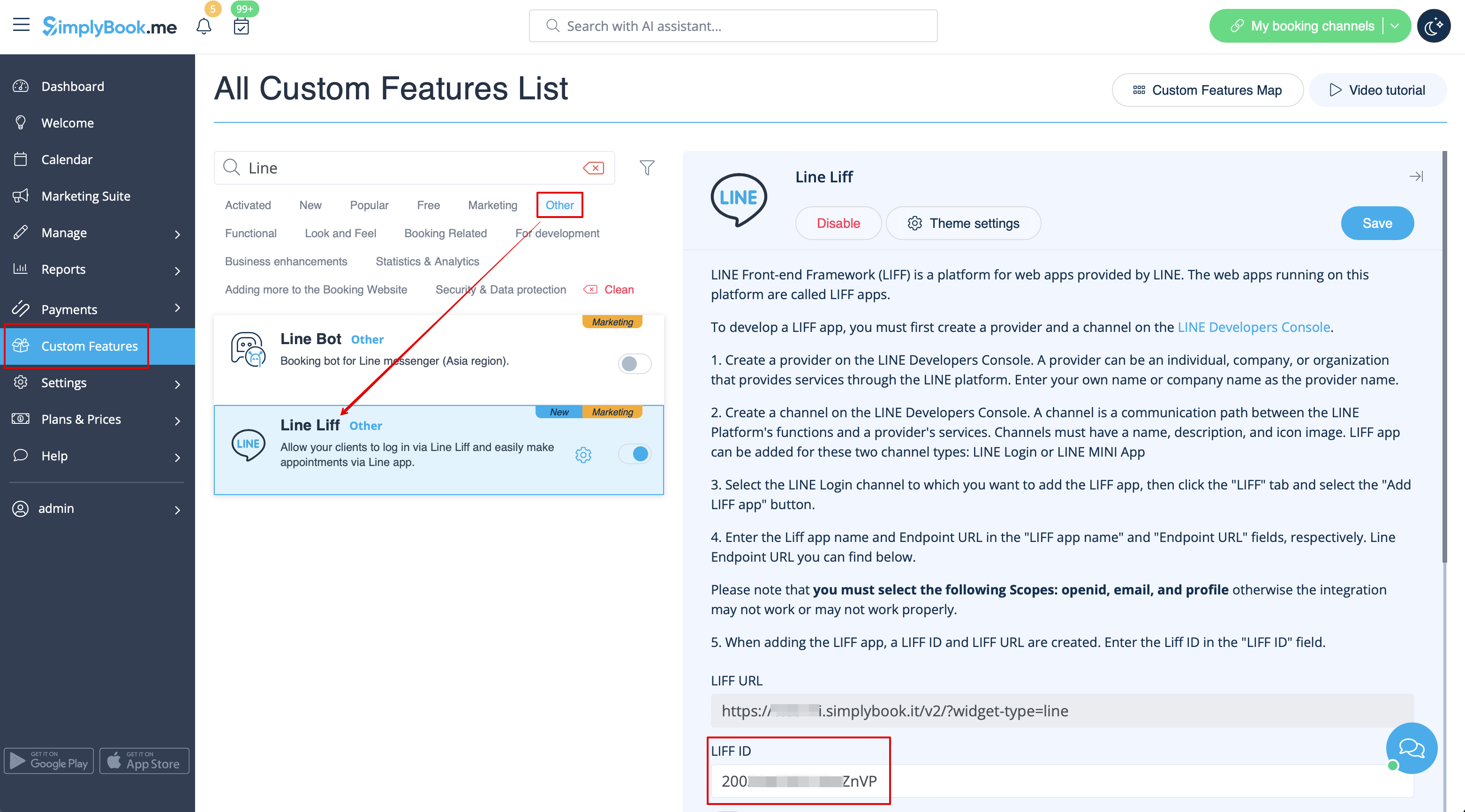
:Please copy the LIFF ID and input it to the corresponding field on the Simplybook side. 
[[File:Line liff id from.png|1200px|center|link=https://help.simplybook.me/images/5/5e/Line_liff_id_from.png]]
[[File:Liff id form redesigned.png|1200px|center|link=https://help.simplybook.me/images/8/8d/Liff_id_form_redesigned.png]]
Nachdem Sie alle oben genannten Einstellungen vorgenommen haben, klicken Sie auf die grüne Schaltfläche Hinzufügen, um LINE LIFF hinzuzufügen.
7. Dann werden Sie auf die Seite weitergeleitet, auf der Sie Ihre LIFF ID sehen können.
Bitte kopieren Sie die LIFF-ID und geben Sie sie in das entsprechende Feld auf der Simplybook-Seite ein.