Latest revision as of 12:33, 3 January 2025
Information about message (contribute ) This message has no documentation.
If you know where or how this message is used, you can help other translators by adding documentation to this message.
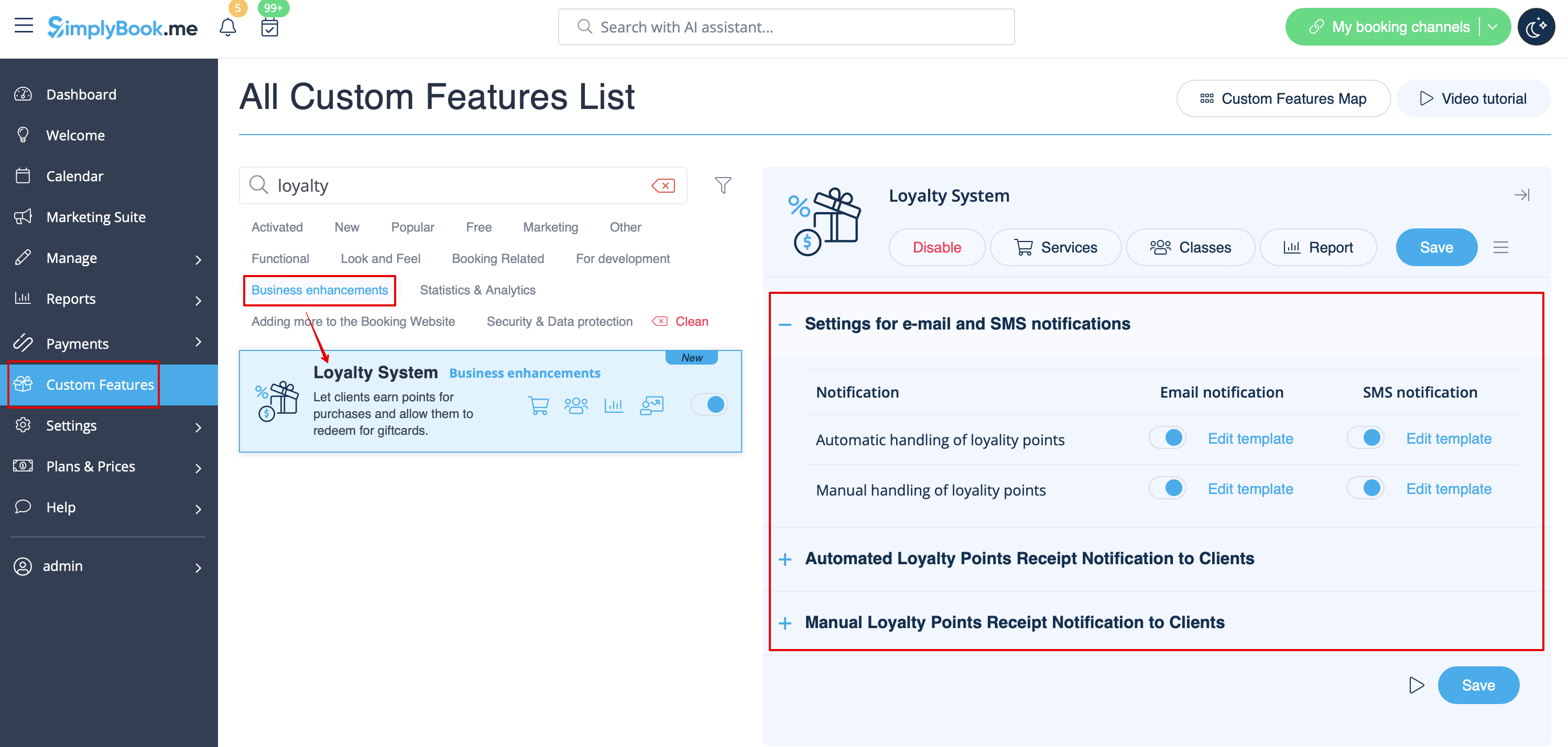
Message definition (Loyalty System custom feature ) [[File:Loyalty system notifications settings redesigned.png|1200px|center|link=https://help.simplybook.me/images/a/a1/Loyalty_system_notifications_settings_redesigned.png]] <br><br> 3. To set the points amounts please go to <span style="background-color:#d4f8e5; padding:5px; border-radius:5px;">Manage</span> -> <span style="background-color:#d4f8e5; padding:5px; border-radius:5px;">Services</span> (or use <span style="background-color:#d4f8e5; padding:5px; border-radius:5px;">Services</span> link near the custom feature) or <span style="background-color:#d4f8e5; padding:5px; border-radius:5px;">Manage</span> -> <span style="background-color:#cdeffc; padding:5px; border-radius:5px;">[[Special:MyLanguage/Classes_custom_feature|Classes]]</span> (if you are using them and wish to be a part of the loyalty program).
3. To set the points amounts please go to Manage -> Services (or use Services link near the custom feature) or Manage -> Classes (if you are using them and wish to be a part of the loyalty program).