From SimplyBook.me
Importing a new version from external source |
Importing a new version from external source |
||
| Line 1: | Line 1: | ||
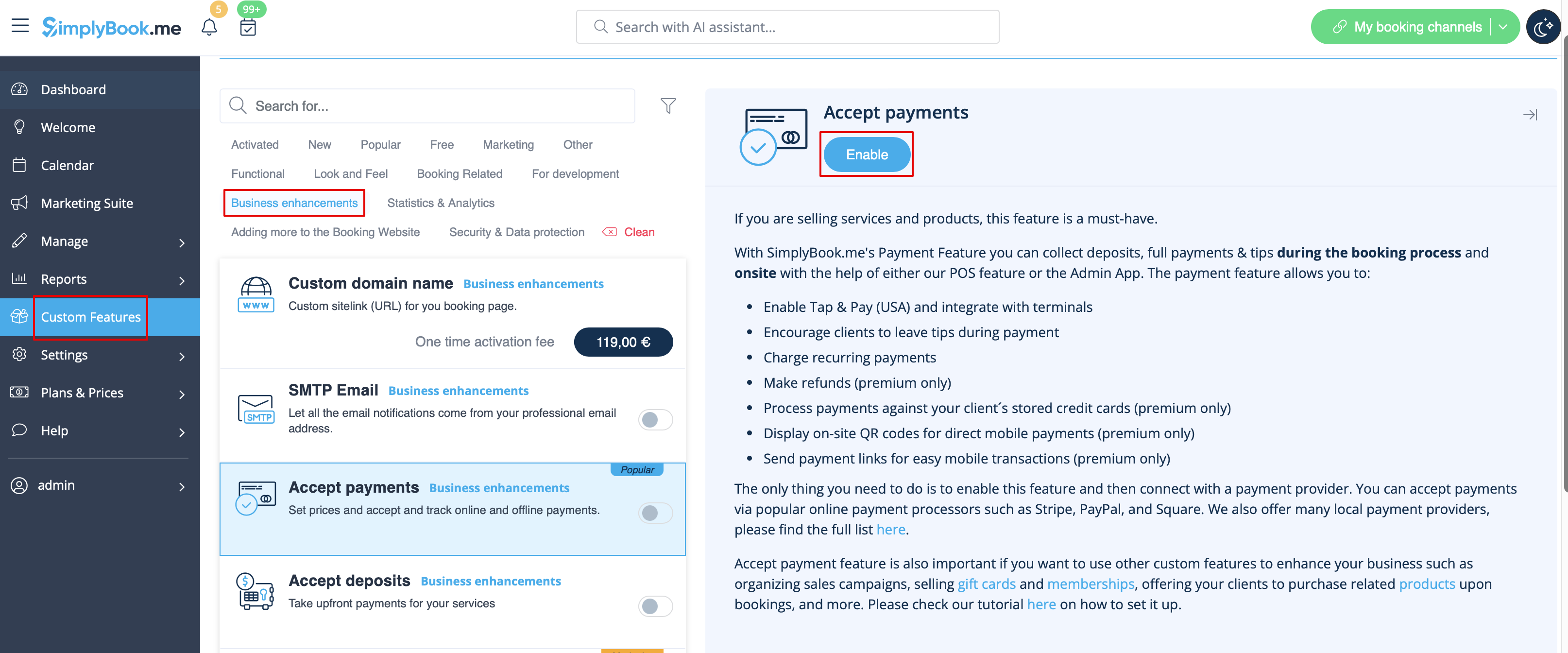
:1. Enable <span style="background-color:#d4f8e5; padding:5px; border-radius:5px;">Accept Payments</span> custom feature in <span style="background-color:#d4f8e5; padding:5px; border-radius:5px;">Custom Features</span> section. | :1. Enable <span style="background-color:#d4f8e5; padding:5px; border-radius:5px;">Accept Payments</span> custom feature in <span style="background-color:#d4f8e5; padding:5px; border-radius:5px;">Custom Features</span> section. | ||
[[File:Accept payments enable path | [[File:Accept payments enable path redesigned.png|1200px| border | center|link=https://help.simplybook.me/images/9/9e/Accept_payments_enable_path_redesigned.png]] | ||
<br><br> | <br><br> | ||
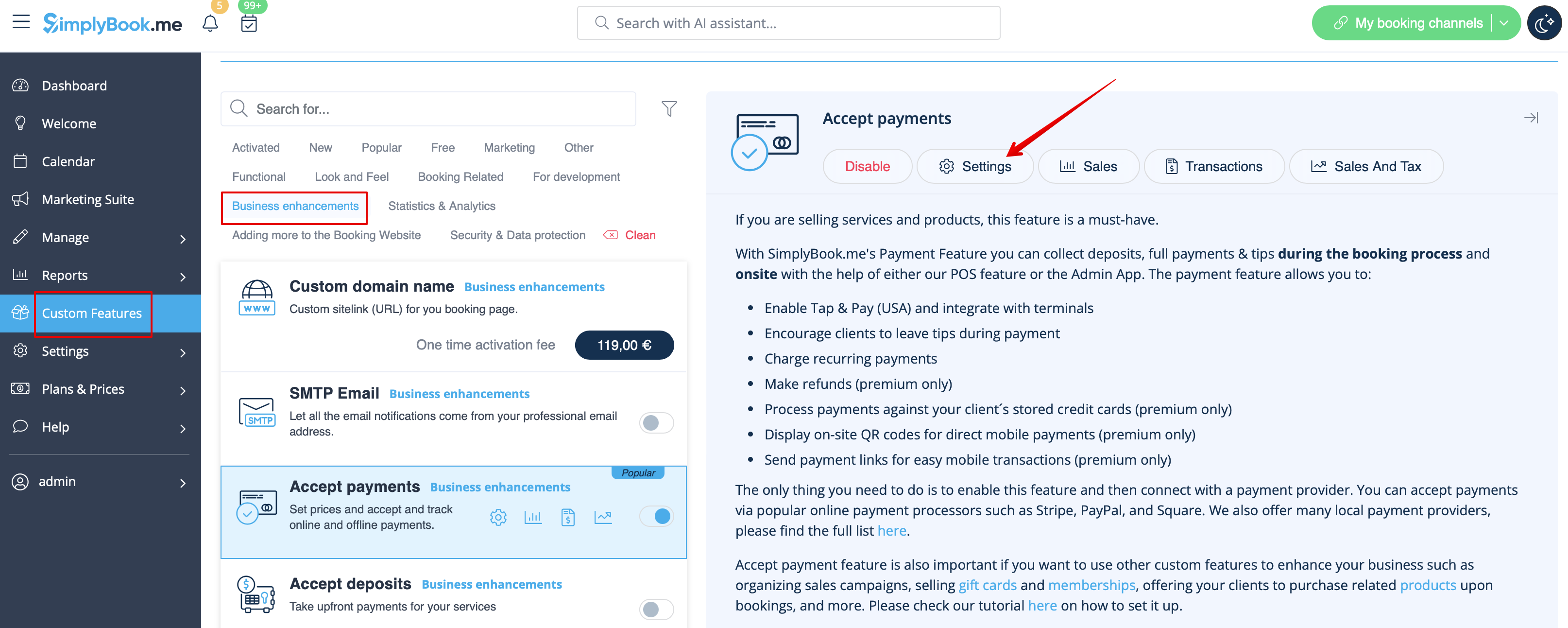
:2. Once enabled, click on the <span style="background-color:#d4f8e5; padding:5px; border-radius:5px;">Settings</span> button. | :2. Once enabled, click on the <span style="background-color:#d4f8e5; padding:5px; border-radius:5px;">Settings</span> button. | ||
[[File:Accept payments settings path | [[File:Accept payments settings path redesigned.png|1200px|border | center|link=https://help.simplybook.me/images/3/37/Accept_payments_settings_path_redesigned.png]] | ||
<br><br> | <br><br> | ||
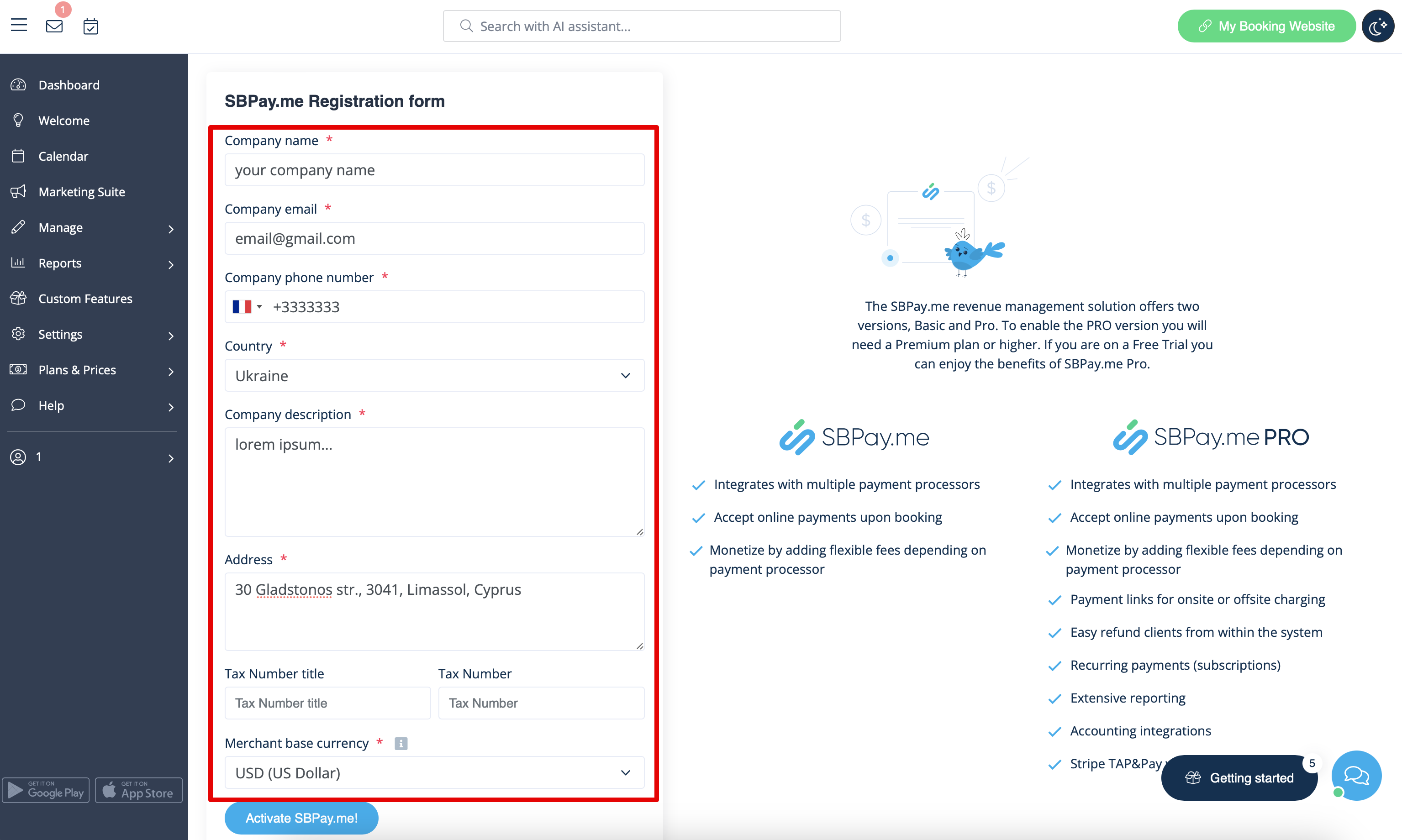
:3. Adjust your company information in the following form if necessary. | :3. Adjust your company information in the following form if necessary. | ||
:(It will be autocompleted with the company details that you already have in your system). | :(It will be autocompleted with the company details that you already have in your system). | ||
[[File: | [[File:Sbpay registration form redesigned.png|1200px|center|link=https://help.simplybook.me/images/d/dd/Sbpay_registration_form_redesigned.png]] | ||
<br><br> | <br><br> | ||
:4. Click on the <span style="background-color:#d4f8e5; padding:5px; border-radius:5px;">Activate SBPay.me</span> button. | :4. Click on the <span style="background-color:#d4f8e5; padding:5px; border-radius:5px;">Activate SBPay.me</span> button. | ||
Latest revision as of 15:44, 8 January 2025
- 1. Enable Accept Payments custom feature in Custom Features section.
- 2. Once enabled, click on the Settings button.
- 3. Adjust your company information in the following form if necessary.
- (It will be autocompleted with the company details that you already have in your system).
- 4. Click on the Activate SBPay.me button.
- Please note! The majority of your payment-related settings and configurations will be managed through SBPay.me, which becomes accessible upon enabling the Accept Payments feature through Payments item in the navigation menu. Please check more information here.
