From SimplyBook.me
Importing a new version from external source |
Importing a new version from external source |
||
| Line 1: | Line 1: | ||
<br><br> | <br><br> | ||
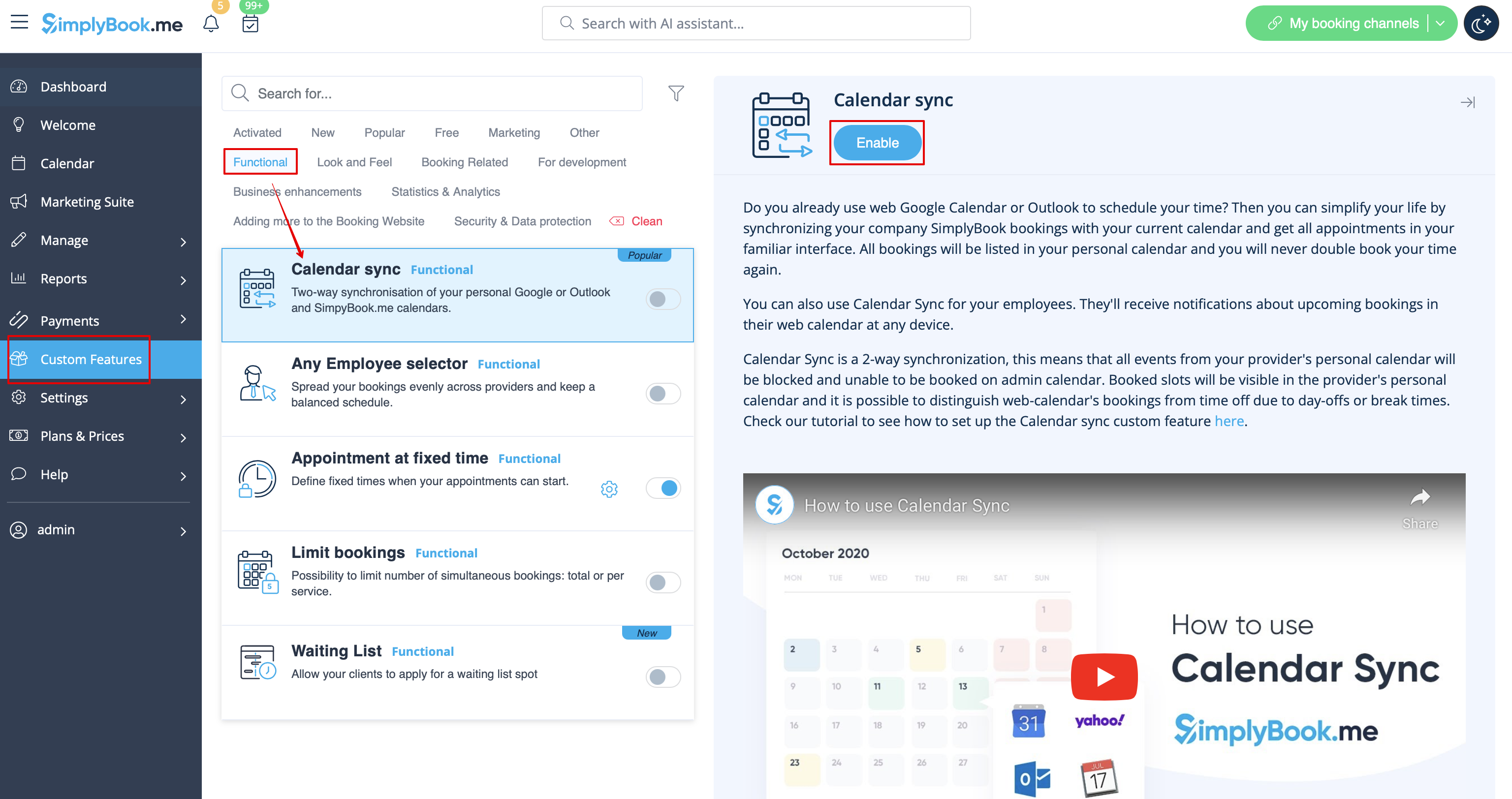
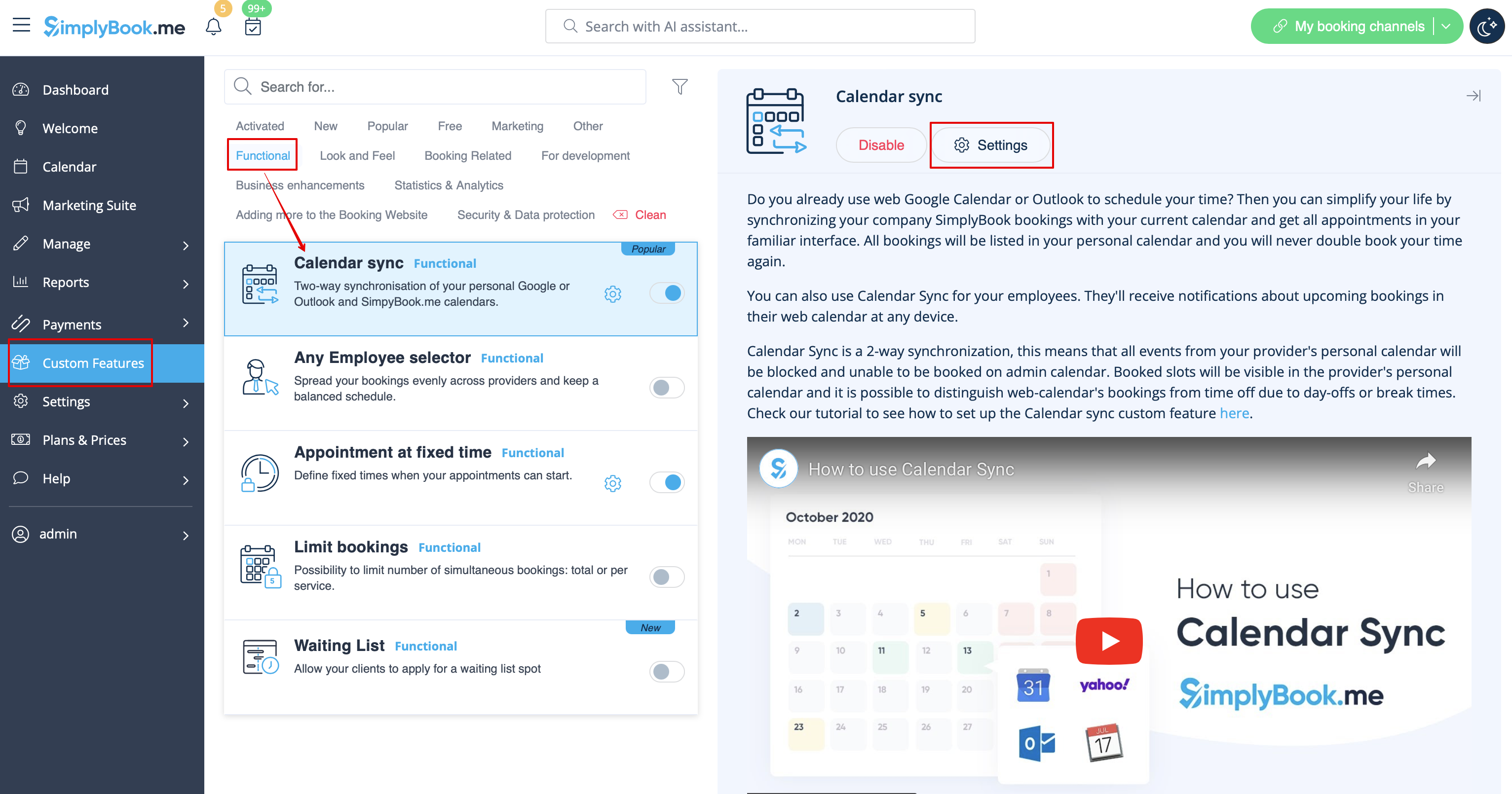
Sure! We have Calendar sync feature to make it possible. Please go to Custom features//Calendar sync to enable it and click on “Settings” to attach calendars. | Sure! We have Calendar sync feature to make it possible. Please go to Custom features//Calendar sync to enable it and click on “Settings” to attach calendars. | ||
[[File:Calendar sync enable path | [[File:Calendar sync enable path redesigned.png|1200px | center|link=https://help.simplybook.me/images/8/8a/Calendar_sync_enable_path_redesigned.png]] | ||
<br><br> | <br><br> | ||
[[File:Calendar sync settings path | [[File:Calendar sync settings path redesigned.png|1200px | center|link=https://help.simplybook.me/images/e/e6/Calendar_sync_settings_path_redesigned.png]] | ||
<br><br> | <br><br> | ||
:''Important note!'' Please do not use “sync busy time” option for classes sync if you have more than 1 participant as it will block all the spaces. | :''Important note!'' Please do not use “sync busy time” option for classes sync if you have more than 1 participant as it will block all the spaces. | ||
<br><br> | <br><br> | ||
Latest revision as of 15:53, 8 January 2025
Sure! We have Calendar sync feature to make it possible. Please go to Custom features//Calendar sync to enable it and click on “Settings” to attach calendars.
- Important note! Please do not use “sync busy time” option for classes sync if you have more than 1 participant as it will block all the spaces.
