Created page with "__FORCETOC__ __FORCETOC == Ändra texter endast för klientsidan == Om du behöver justera några texter på din bokningssida (t.ex. ändra anställd till terapeut, coach eller rum) kan du göra det i <span style="background-color:#d4f8e5; padding:5px; border-radius:5px;">Inställningar</span> -> <span style="background-color:#d4f8e5; padding:5px; border-radius:5px;">Anpassade formuleringar och översättningar</span>. File:Custom translations path redesigned.png|1..." Tags: Mobile edit Mobile web edit |
(No difference)
|
Revision as of 08:56, 15 May 2025
__FORCETOC
Ändra texter endast för klientsidan
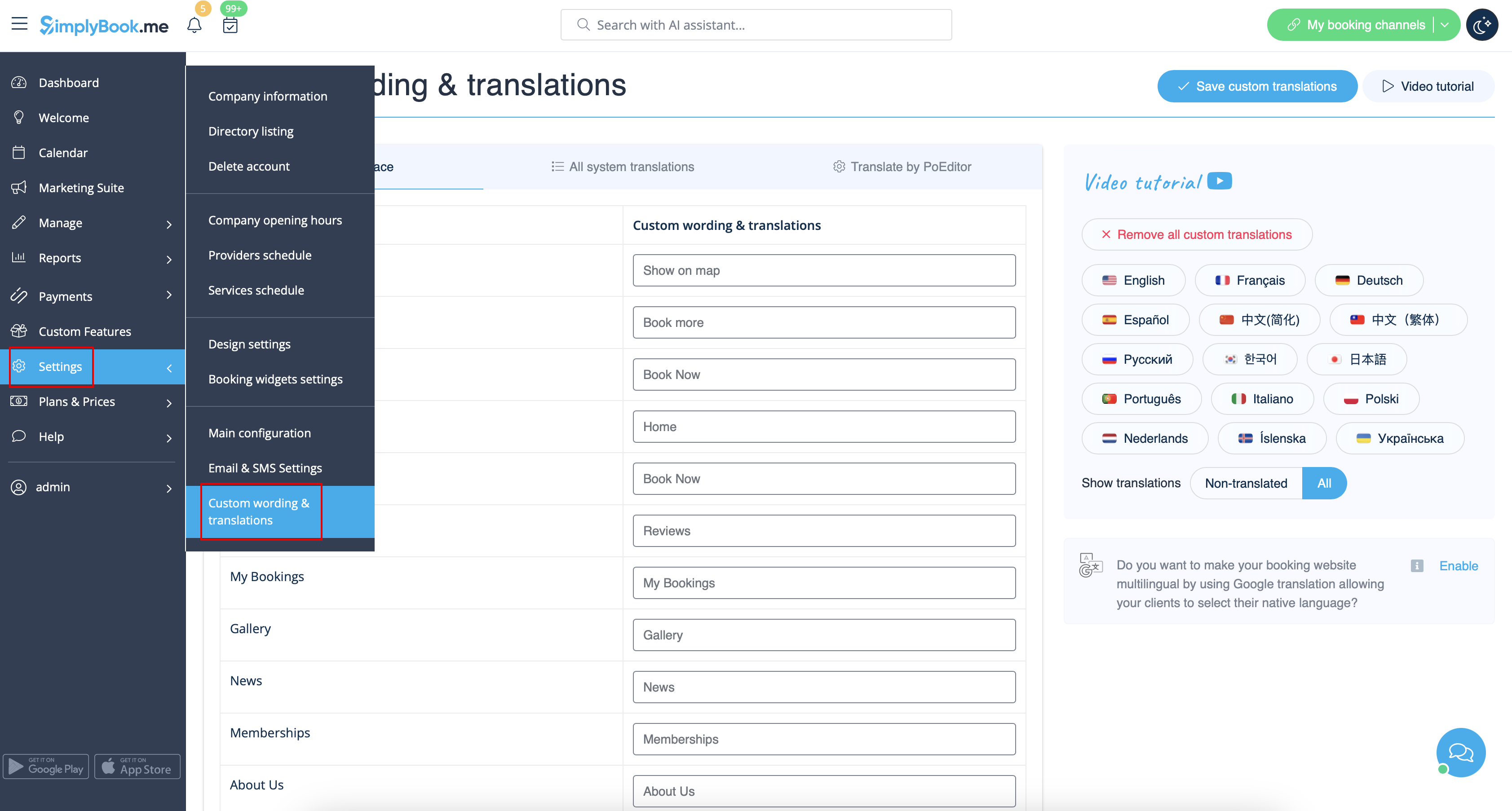
Om du behöver justera några texter på din bokningssida (t.ex. ändra anställd till terapeut, coach eller rum) kan du göra det i Inställningar -> Anpassade formuleringar och översättningar.
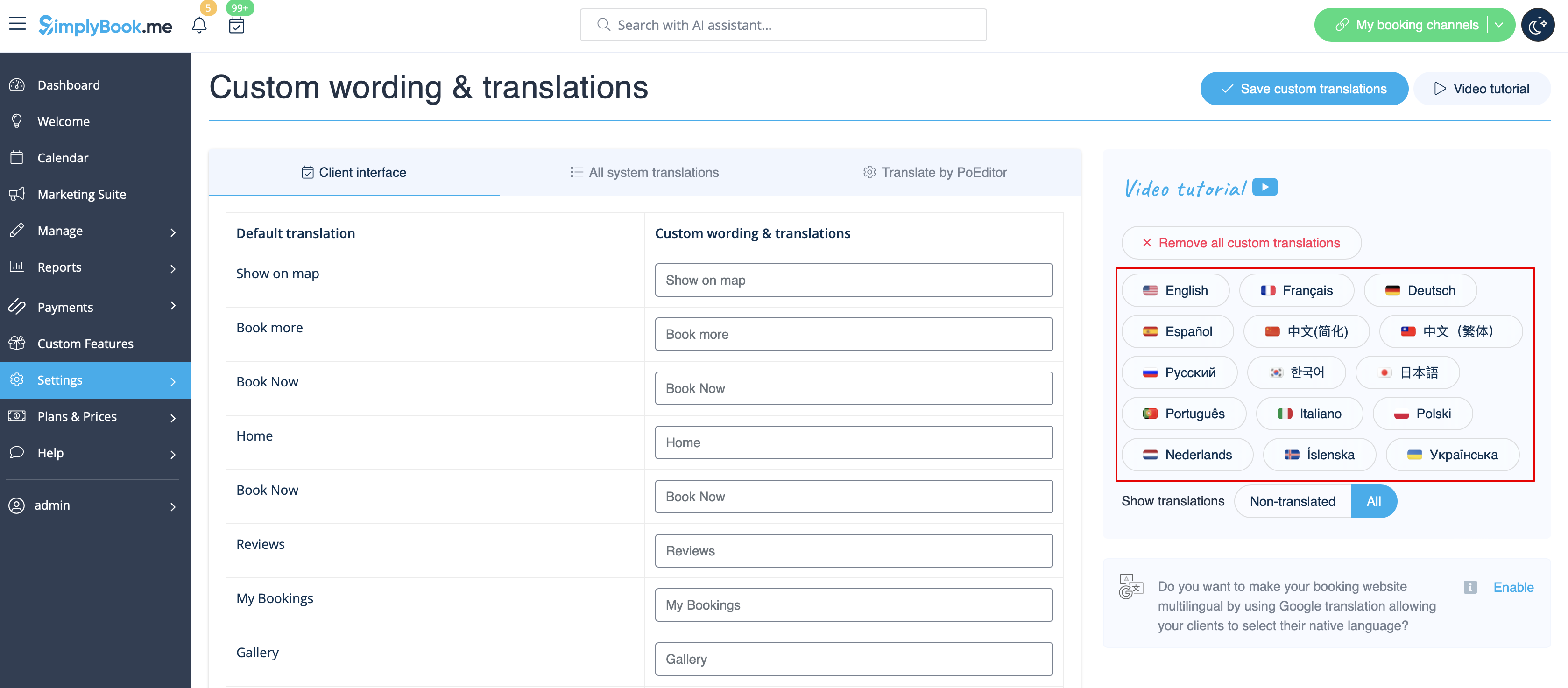
Där kan du också ändra språket på din bokningssida genom att klicka på motsvarande knapp på höger sida och trycka på Spara anpassade översättningar. Om ditt språk inte finns i listan kan du översätta systemet själv.
Om du behöver visa bokningssidan på flera språk kan du använda Google Translate anpassad funktion.
Changing language/wording for the whole system (without notifications templates)
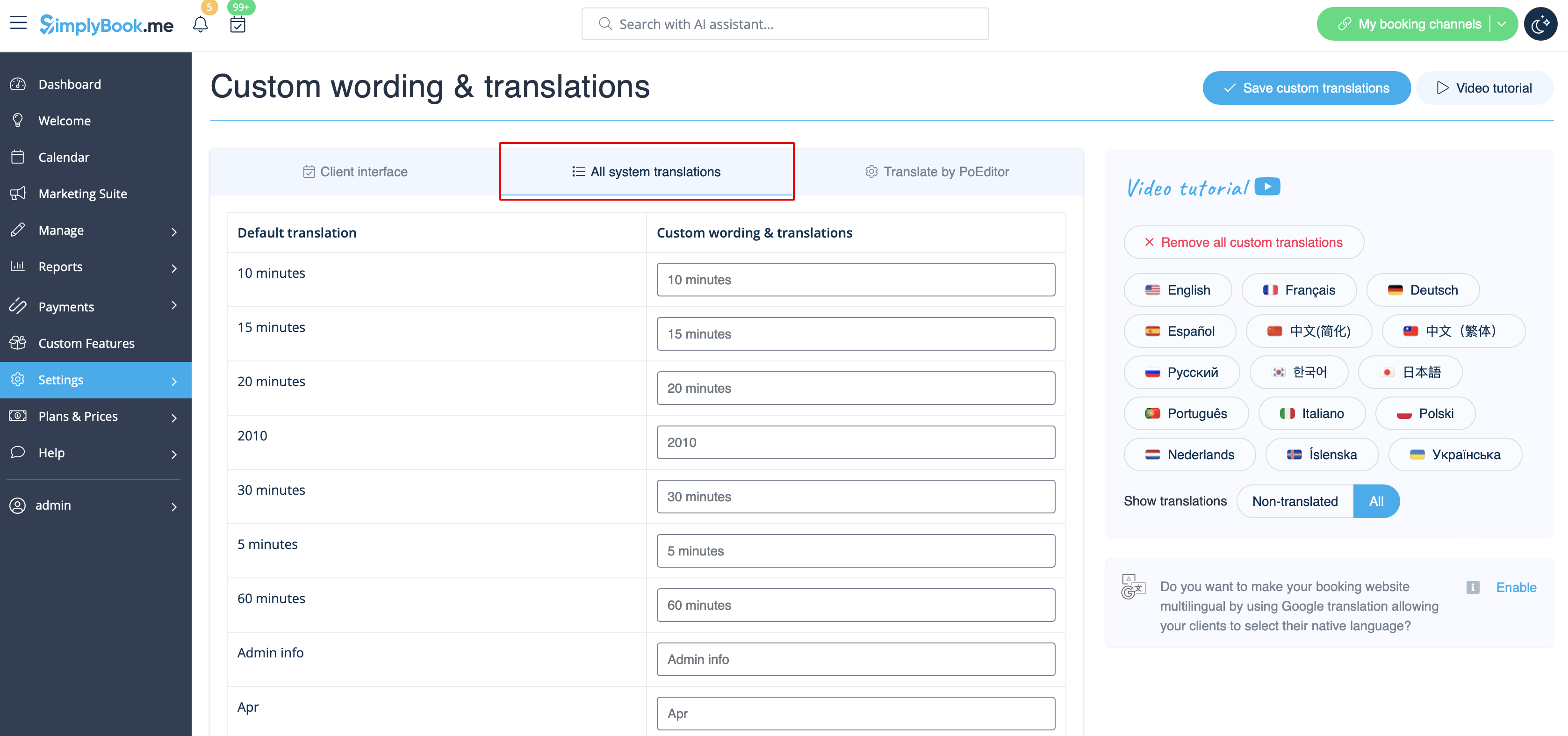
Settings -> Custom wording & translations also allows you to adjust the language of the whole system. Please select All system translations tab to change all system wording.
Please note! It is not possible to have fully separate languages for admin and client sides as some of the texts are used for both sides. So you may have client side fully translated to one language and have admin side in a different one, but with some words form the client side language.
The system as well allows to download .po file, translate it with PoEditor software, upload the texts and apply to your system.
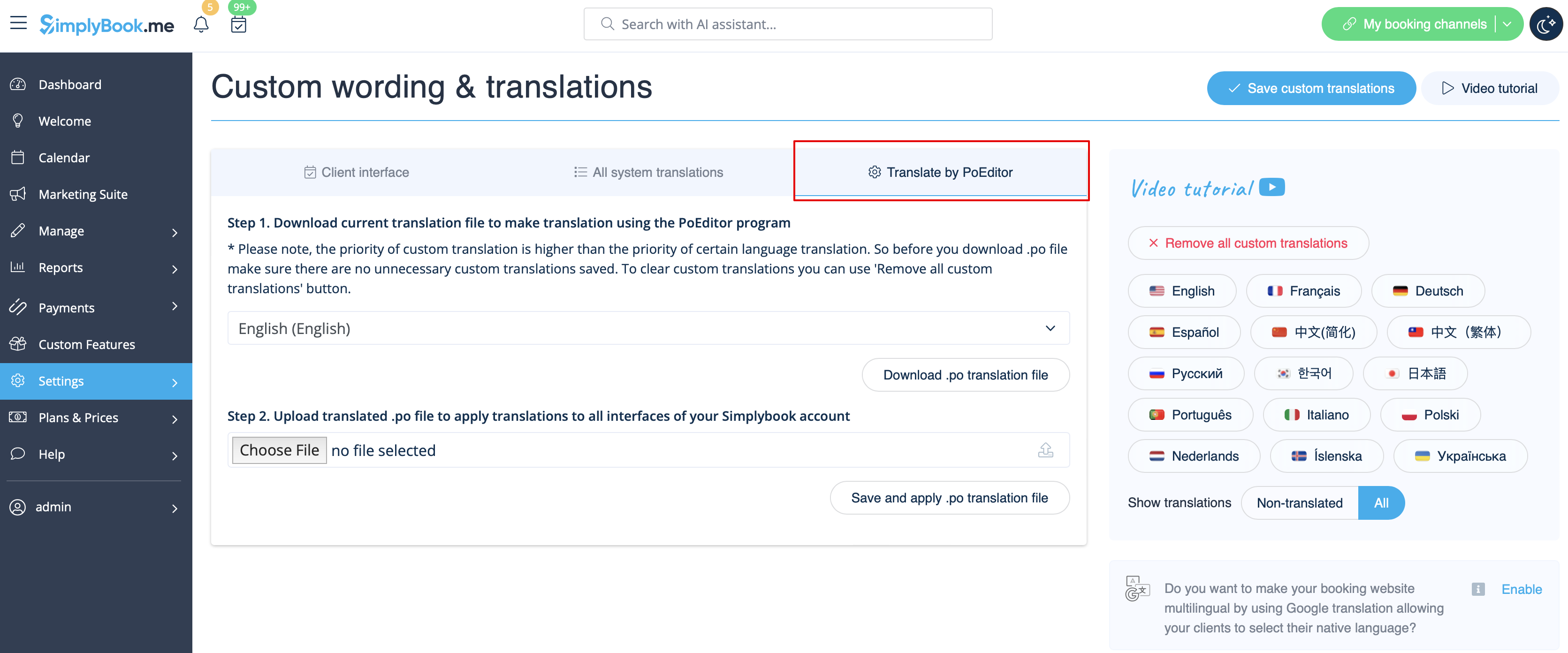
Changing language/wording for the whole system (with notifications templates)
If you need to change the language for all the interfaces, including the notifications templates:
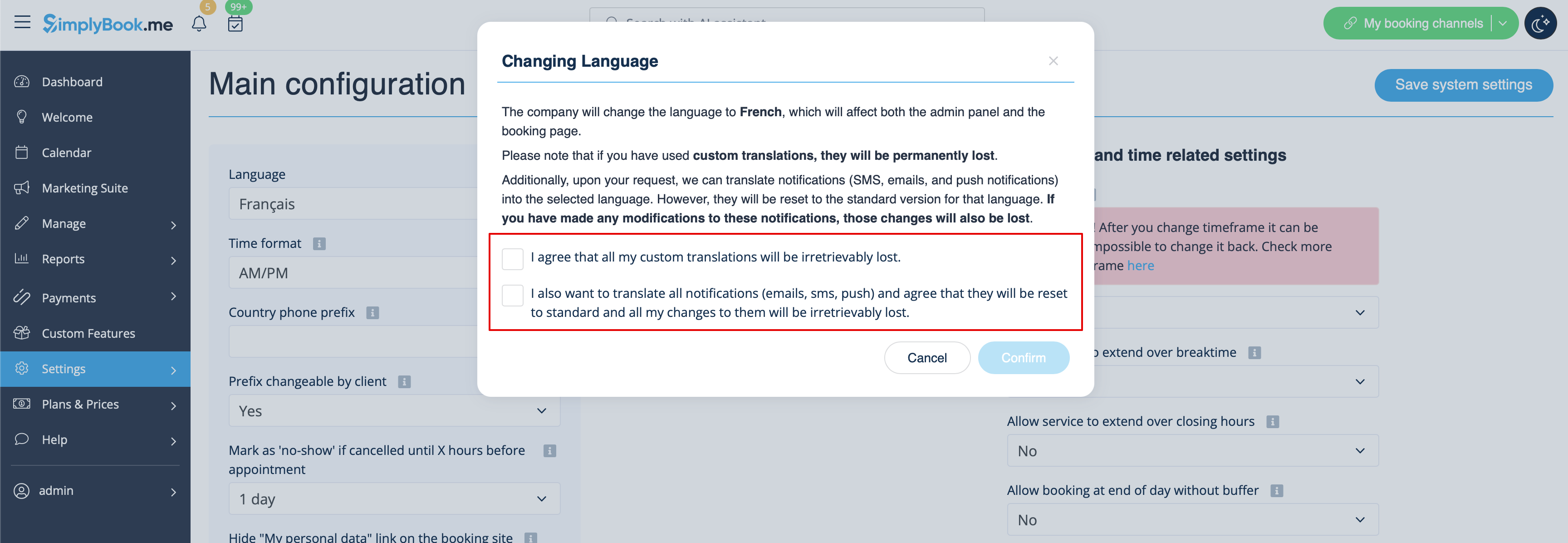
- Please navigate to Settings -> Main Configuration -> Language.
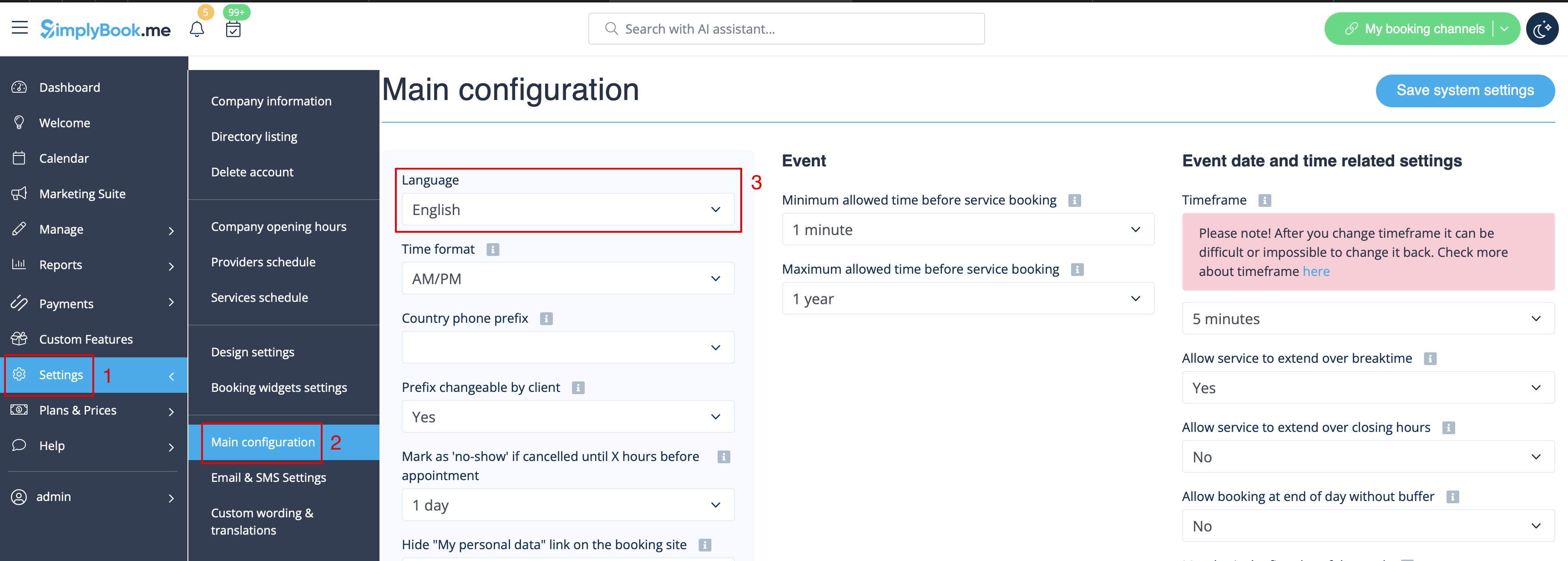
- Select the desired language from the drop-down menu.
- Confirm the selections (and whether you also need to change the language for the notifications templates)
Please note! If you have used custom translations/custom emails/sms templates texts, they will be permanently lost. You will need to add custom wording in Settings -> Custom translations after the new language has been applied.