From SimplyBook.me
Created page with "__FORCETOC___. == Зміна текстів тільки для клієнтської частини == Якщо вам потрібно змінити будь-який текст на сторінці бронювання (наприклад, замінити "Співробітник" на "Терапевт", "Тренер" або "Кімната"), ви можете зробити це в розділі " <span style="background-color:#d4f8e5; padding:5px; border-ra..." |
No edit summary |
||
| Line 1: | Line 1: | ||
__FORCETOC__ | |||
== Зміна текстів тільки для клієнтської частини == | == Зміна текстів тільки для клієнтської частини == | ||
Якщо вам потрібно змінити будь-який текст на сторінці бронювання (наприклад, замінити "Співробітник" на "Терапевт", "Тренер" або "Кімната"), ви можете зробити це в | Якщо вам потрібно змінити будь-який текст на сторінці бронювання (наприклад, замінити "Співробітник" на "Терапевт", "Тренер" або "Кімната"), ви можете зробити це в <span style="background-color:#d4f8e5; padding:5px; border-radius:5px;">Налаштуваннях</span> -> Користувацькі <span style="background-color:#d4f8e5; padding:5px; border-radius:5px;">формулювання та переклади</span>. | ||
[[File:Custom translations path redesigned.png|1200px| border|center|link=https://help.simplybook.me/images/9/91/Custom_translations_path_redesigned.png]] | [[File:Custom translations path redesigned.png|1200px| border|center|link=https://help.simplybook.me/images/9/91/Custom_translations_path_redesigned.png]] | ||
<br><br> | <br><br> | ||
Latest revision as of 09:50, 15 May 2025
Зміна текстів тільки для клієнтської частини
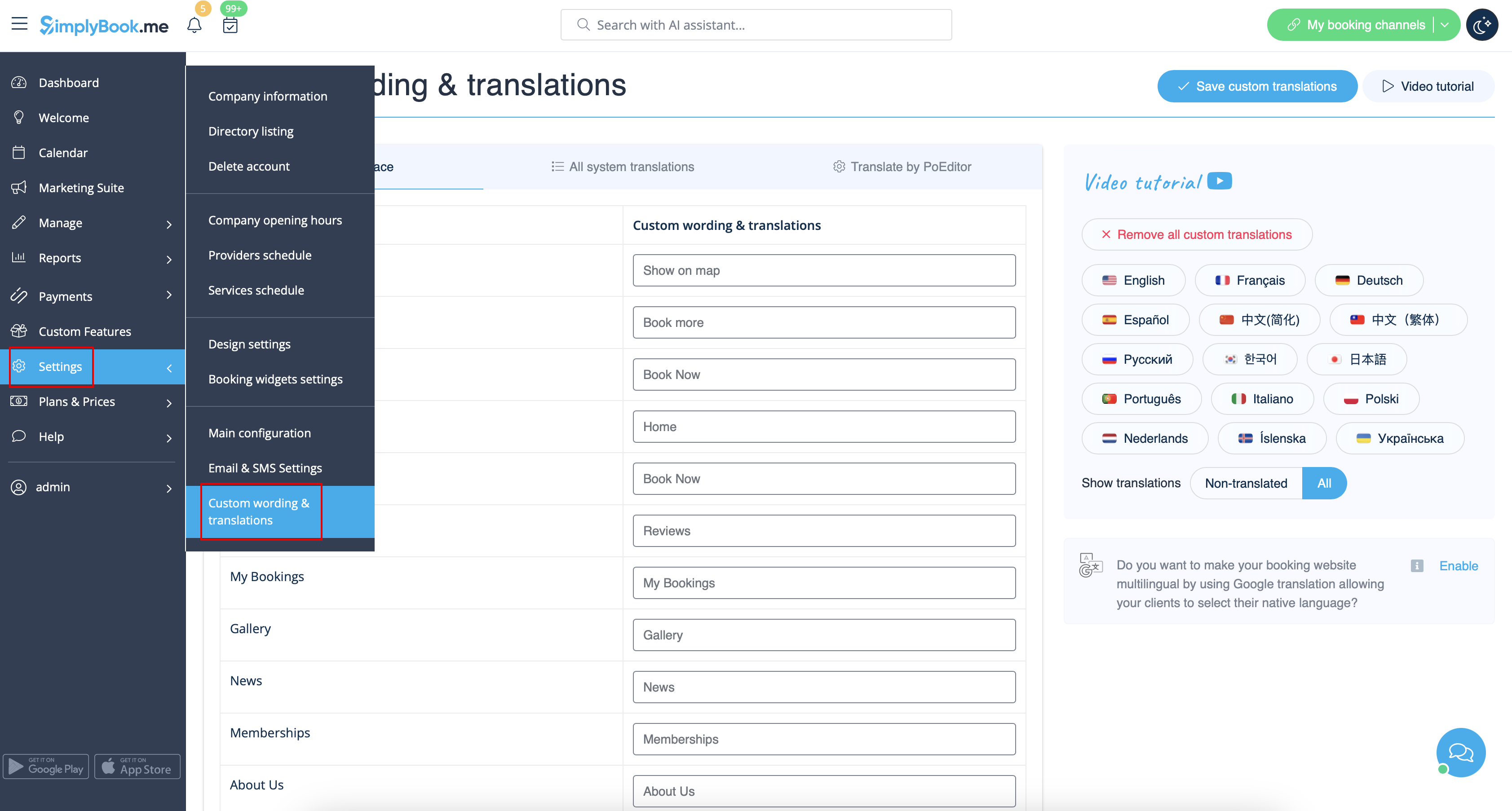
Якщо вам потрібно змінити будь-який текст на сторінці бронювання (наприклад, замінити "Співробітник" на "Терапевт", "Тренер" або "Кімната"), ви можете зробити це в Налаштуваннях -> Користувацькі формулювання та переклади.
Там же ви можете змінити мову вашої сторінки бронювання, натиснувши на відповідну кнопку праворуч і натиснувши Зберегти кастомні переклади. Якщо вашої мови немає у списку, ви можете перекласти її самостійно.
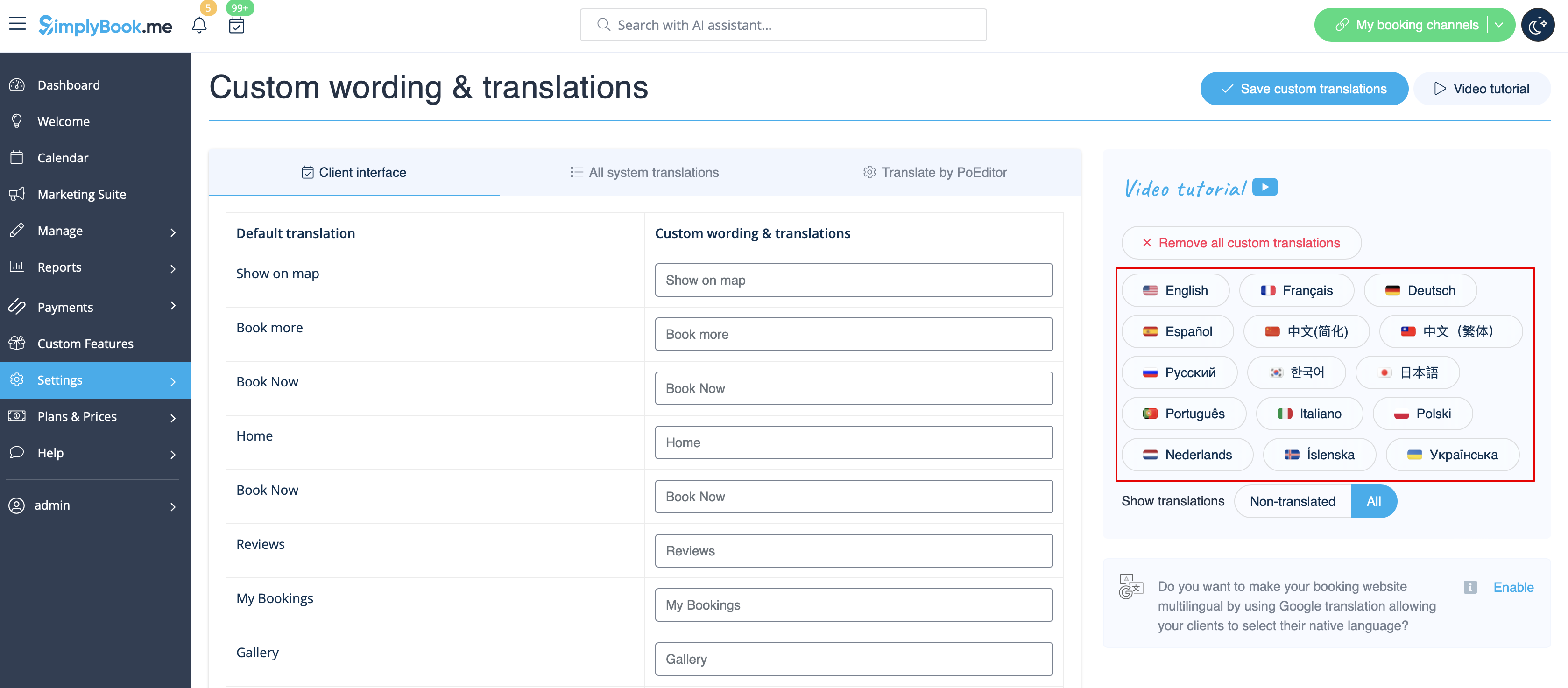
Якщо вам потрібно показати сайт бронювання кількома мовами, ви можете скористатися користувацькою функцією Google Translate.
