Latest revision as of 10:07, 15 May 2025
Information about message (contribute ) This message has no documentation.
If you know where or how this message is used, you can help other translators by adding documentation to this message.
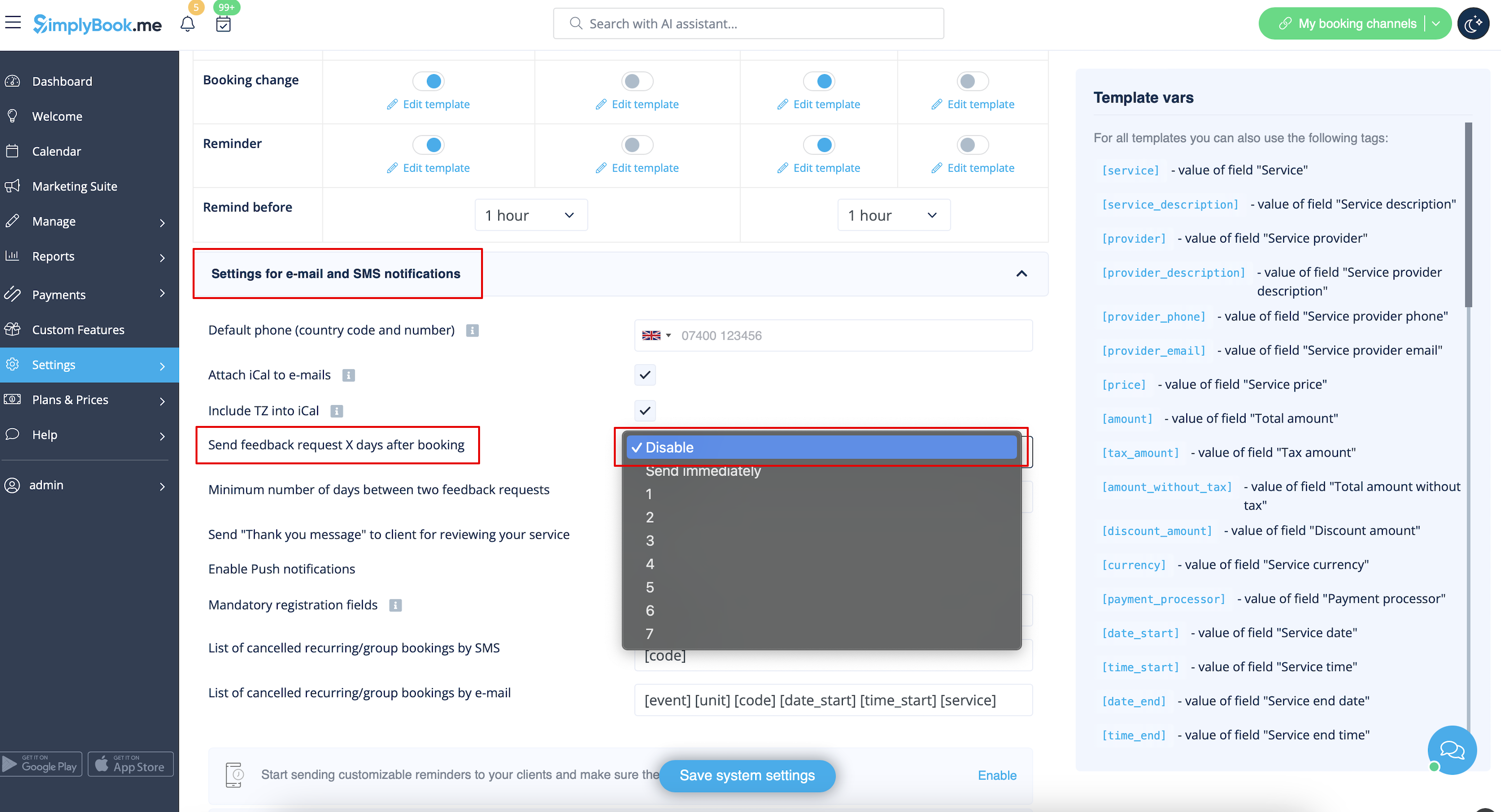
Message definition (Remove Elements from booking page ) =Reviews= You can view all your reviews in the <span style="background-color:#d4f8e5; padding:5px; border-radius:5px;">Reviews</span> tab in left-side menu, under <span style="background-color:#d4f8e5; padding:5px; border-radius:5px;">Reports</span>. You can also delete reviews there if necessary. If you wish to remove the option to leave a review on your booking site and do not send feedback request then in <span style="background-color:#d4f8e5; padding:5px; border-radius:5px;">Settings</span> -> <span style="background-color:#d4f8e5; padding:5px; border-radius:5px;">Email and SMS settings</span> -> <span style="background-color:#d4f8e5; padding:5px; border-radius:5px;">Settings for email and SMS notifications</span> -> set <span style="background-color:#d4f8e5; padding:5px; border-radius:5px;">Send feedback request X days after booking</span> to <span style="background-color:#d4f8e5; padding:5px; border-radius:5px;">Disable.</span><br/> [[File:Feedback disable path redesigned.png|1200px | center|link=https://help.simplybook.me/images/1/12/Feedback_disable_path_redesigned.png ]] <br><br>
Reviews
You can view all your reviews in the Reviews tab in left-side menu, under Reports . You can also delete reviews there if necessary. If you wish to remove the option to leave a review on your booking site and do not send feedback request then in Settings -> Email and SMS settings -> Settings for email and SMS notifications -> set Send feedback request X days after booking to Disable.