Revision as of 10:07, 15 May 2025
Information about message (contribute ) This message has no documentation.
If you know where or how this message is used, you can help other translators by adding documentation to this message.
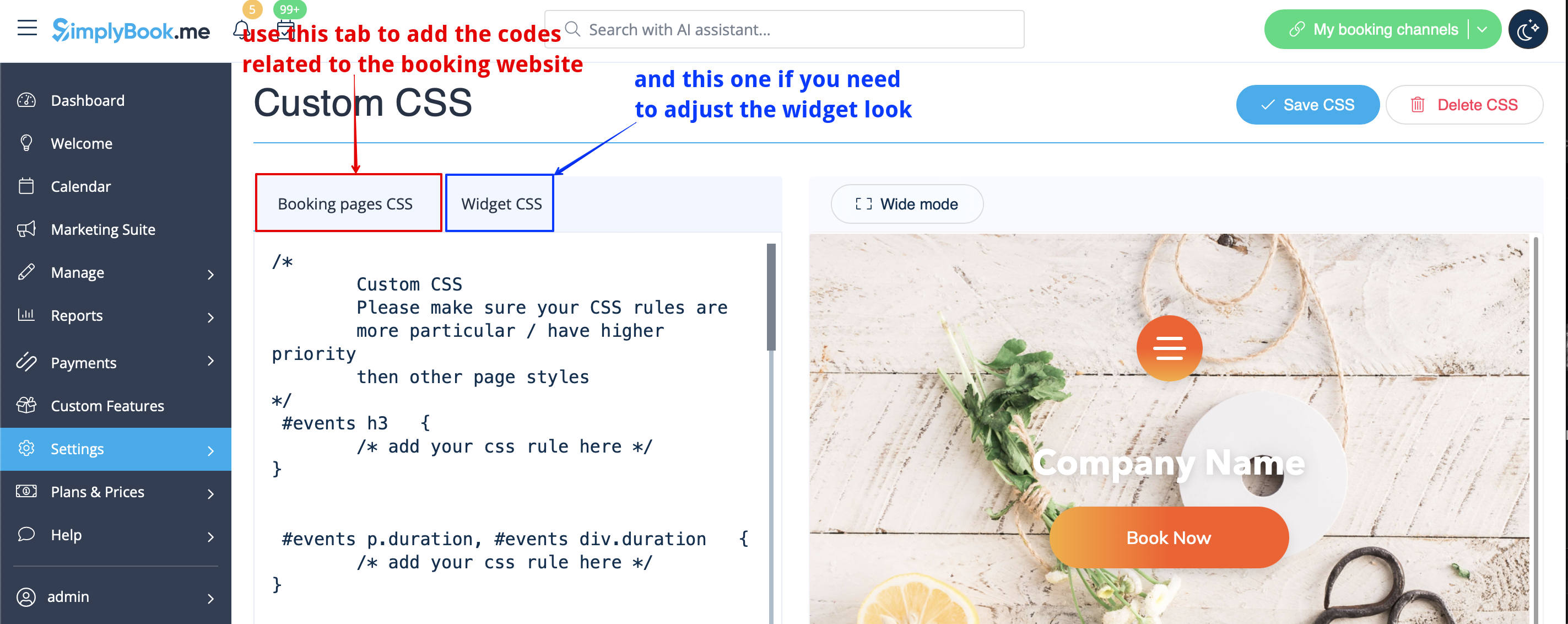
Message definition (Remove Elements from booking page ) =Removing with Custom CSS= :<span style="background-color:#ffe9e9; padding:5px; border-radius:5px;">'''Please note!''' Add the code(s) to adjust the styles to "Booking pages CSS" tab if you wish to edit the booking website</span><br> :<span style="background-color:#ffe9e9; padding:5px; border-radius:5px;">or "Widget CSS" if you are editing widget on your website.</span> [[File:Custom css tabs redesigned.png|1200px| center|link=https://help.simplybook.me/images/1/1c/Custom_css_tabs_redesigned.png]] <br><br> ==Phone field== <span style="background-color:#cdeffc; padding:5px; border-radius:5px;">([[Special:MyLanguage/Client_Login_custom_feature |Client login]]</span> feature is disabled)<br> :1. Go to <span style="background-color:#d4f8e5; padding:5px; border-radius:5px;">Settings</span> -> <span style="background-color:#d4f8e5; padding:5px; border-radius:5px;">Email and SMS settings</span> -> <span style="background-color:#d4f8e5; padding:5px; border-radius:5px;">Settings for email and SMS notifications</span> -> <span style="background-color:#d4f8e5; padding:5px; border-radius:5px;">Mandatory registration fields</span> -> <span style="background-color:#d4f8e5; padding:5px; border-radius:5px;">Email</span> (to make phone not mandatory).
Removing with Custom CSS
Please note! Add the code(s) to adjust the styles to "Booking pages CSS" tab if you wish to edit the booking website
or "Widget CSS" if you are editing widget on your website.
Phone field
(Client login feature is disabled)
1. Go to Settings -> Email and SMS settings -> Settings for email and SMS notifications -> Mandatory registration fields -> Email (to make phone not mandatory).