Translations:Remove Elements from booking page/10/nl: Difference between revisions

From SimplyBook.me
Created page with "= Werkuren = Als je dit gedeelte voor nieuwe thema's wilt verwijderen, ga dan naar <span style="background-color:#d4f8e5; padding:5px; border-radius:5px;">Instellingen</span> -> <span style="background-color:#d4f8e5; padding:5px; border-radius:5px;">Ontwerpinstellingen</span> -> <span style="background-color:#d4f8e5; padding:5px; border-radius:5px;">Overige instellingen</span> -> <span style="background-color:#d4f8e5; padding:5px; border-radius:5px;">Hoofdpagina..."
 
(No difference)

Latest revision as of 10:08, 15 May 2025

Information about message (contribute)
This message has no documentation. If you know where or how this message is used, you can help other translators by adding documentation to this message.
Message definition (Remove Elements from booking page)
=Working hours=
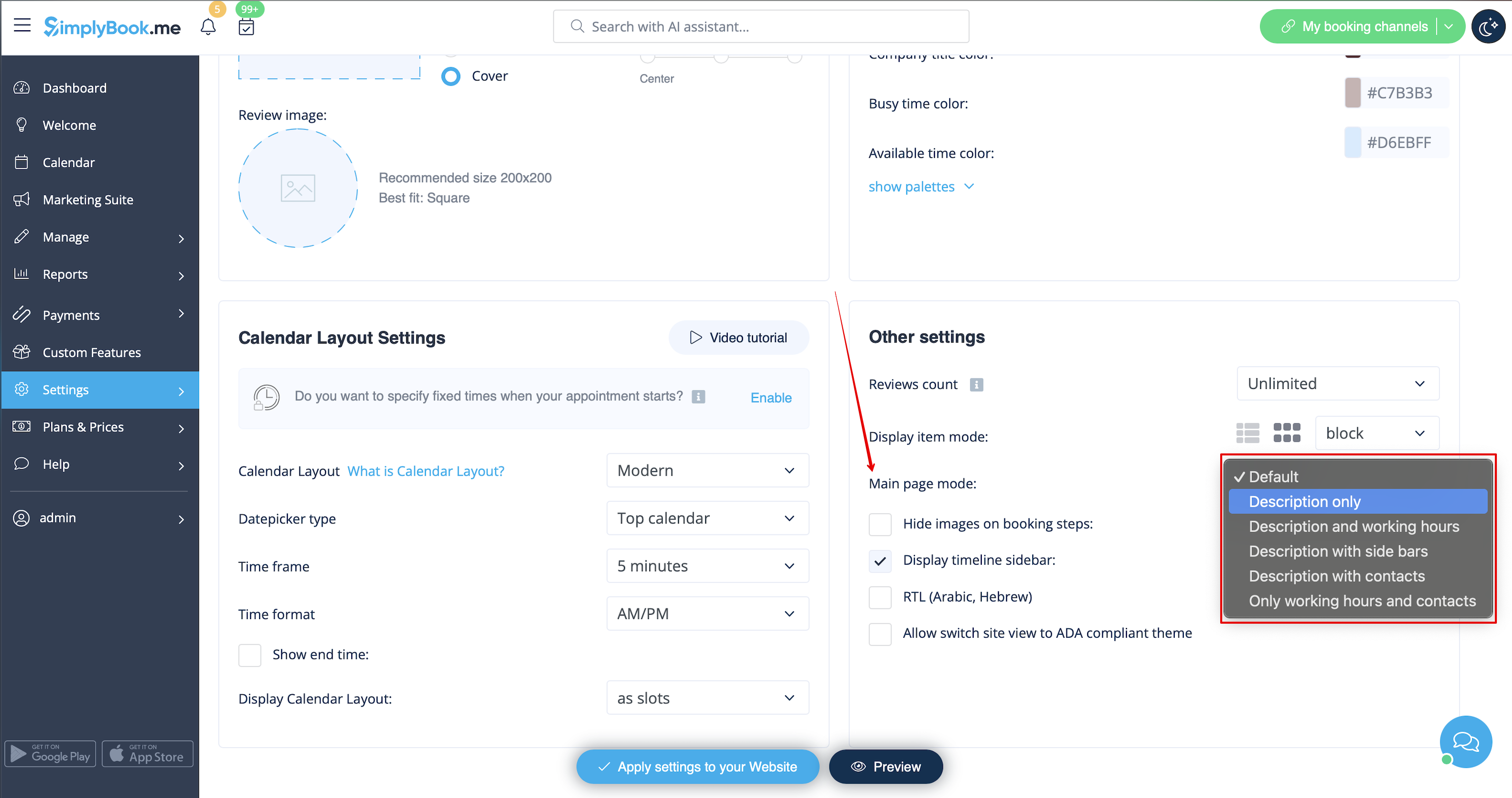
If you want to remove this section for new themes please go to <span style="background-color:#d4f8e5; padding:5px; border-radius:5px;">Settings</span> -> <span style="background-color:#d4f8e5; padding:5px; border-radius:5px;">Design settings</span> -> <span style="background-color:#d4f8e5; padding:5px; border-radius:5px;">Other settings</span> -> <span style="background-color:#d4f8e5; padding:5px; border-radius:5px;">Main page mode</span> and choose mode without working hours.
[[File:Main page mode change redesigned.png|1200px| center|link=https://help.simplybook.me/images/b/b3/Main_page_mode_change_redesigned.png]]
<br><br>

Werkuren

Als je dit gedeelte voor nieuwe thema's wilt verwijderen, ga dan naar Instellingen -> Ontwerpinstellingen -> Overige instellingen -> Hoofdpaginamodus en kies modus zonder werktijden.