Translations:Remove Elements from booking page/13/nl: Difference between revisions

From SimplyBook.me
Created page with "= Niet-beschikbare tijden = Selecteer <span style="background-color:#d4f8e5; padding:5px; border-radius:5px;">moderne,</span> <span style="background-color:#d4f8e5; padding:5px; border-radius:5px;">moderne provider,</span> <span style="background-color:#d4f8e5; padding:5px; border-radius:5px;">dagelijkse (beschikbaar met de functie Klassen ingeschakeld)</span> of <span style="background-color:#d4f8e5; padding:5px; border-radius:5px;">wekelijkse..."
(No difference)

Revision as of 10:08, 15 May 2025

Information about message (contribute)
This message has no documentation. If you know where or how this message is used, you can help other translators by adding documentation to this message.
Message definition (Remove Elements from booking page)
=Unavailable timeslots=
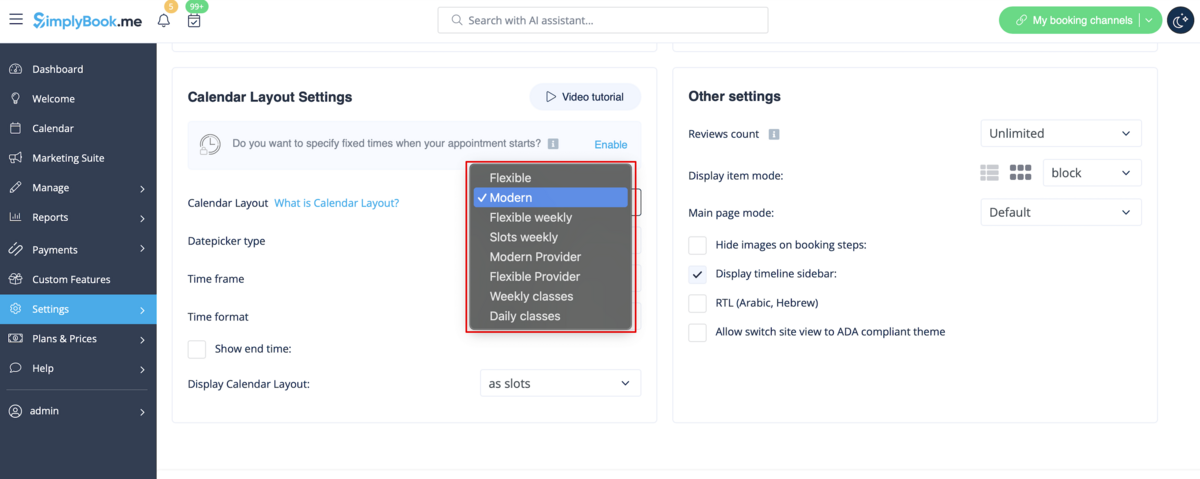
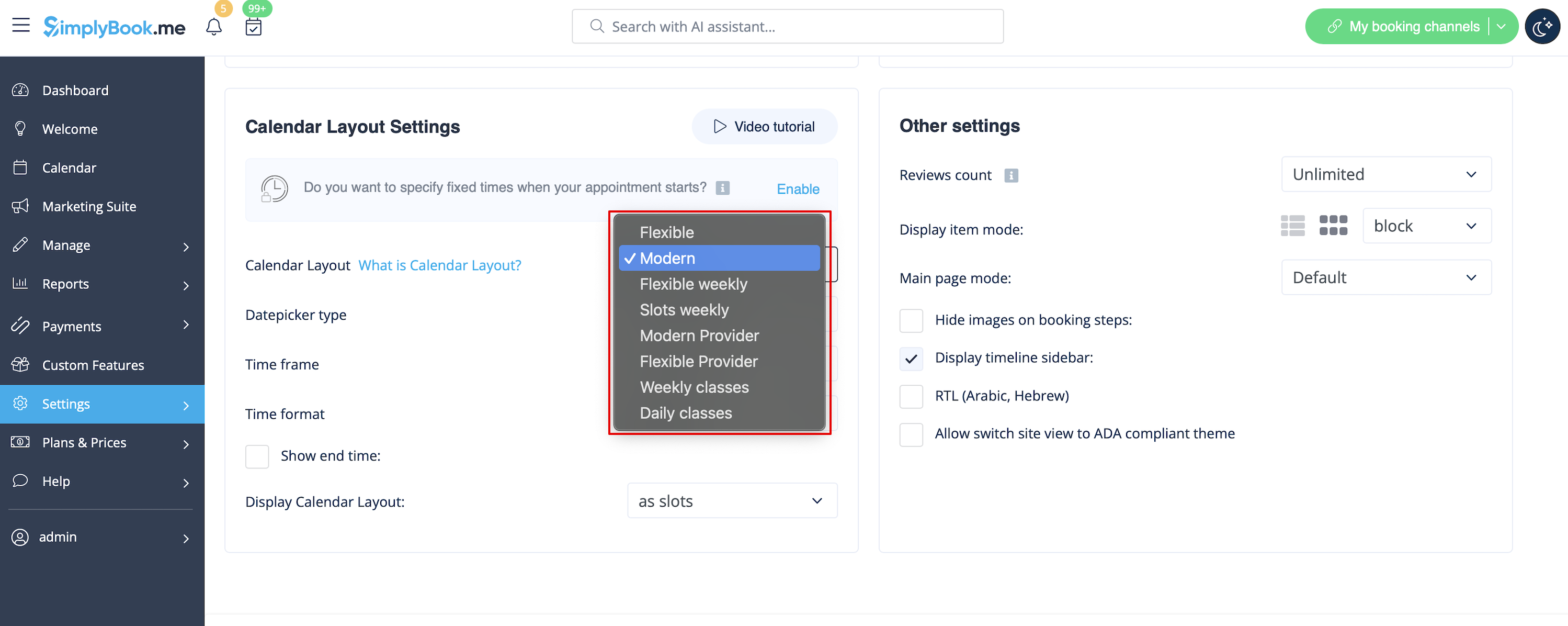
Please select <span style="background-color:#d4f8e5; padding:5px; border-radius:5px;">modern,</span> <span style="background-color:#d4f8e5; padding:5px; border-radius:5px;">modern provider,</span> <span style="background-color:#d4f8e5; padding:5px; border-radius:5px;">daily(available with [[Special:MyLanguage/Classes_custom_feature|Classes feature]] enabled)</span> or <span style="background-color:#d4f8e5; padding:5px; border-radius:5px;">weekly classes</span> calendar layout in <span style="background-color:#d4f8e5; padding:5px; border-radius:5px;">Settings</span> -> <span style="background-color:#d4f8e5; padding:5px; border-radius:5px;">Design settings</span> -> <span style="background-color:#d4f8e5; padding:5px; border-radius:5px;">Calendar Layout</span> -> <span style="background-color:#d4f8e5; padding:5px; border-radius:5px;">Calendar Layout settings</span> -> <span style="background-color:#d4f8e5; padding:5px; border-radius:5px;">Calendar Layout</span> drop-down.
[[File:Calendar layout settings redesigned.png|1200px |border|center|link=https://help.simplybook.me/images/4/4d/Calendar_layout_settings_redesigned.png]]<br/><br/>

Niet-beschikbare tijden

Selecteer moderne, moderne provider, dagelijkse (beschikbaar met de functie Klassen ingeschakeld) of wekelijkse klassen kalenderindeling in Instellingen -> Ontwerpinstellingen -> Kalenderindeling -> Kalenderindeling instellingen -> Kalenderindeling drop-down.