Translations:Remove Elements from booking page/15/fr: Difference between revisions

From SimplyBook.me
Created page with "<span style="background-color:#ffe9e9; padding:5px; border-radius:5px;">'''Attention !''' Même avec un thème vide, votre page de réservation apparaîtra dans Google et les informations seront affichées dans l'annuaire Booking.Page. Pour supprimer votre entreprise de l'annuaire, veuillez cliquer sur le bouton <span style="background-color:#d4f8e5; padding:5px; border-radius:5px;">Supprimer de la place de marché</span> <span style="background-color:#d4f8e5; padding:5p..."
 
(No difference)

Latest revision as of 10:09, 15 May 2025

Information about message (contribute)
This message has no documentation. If you know where or how this message is used, you can help other translators by adding documentation to this message.
Message definition (Remove Elements from booking page)
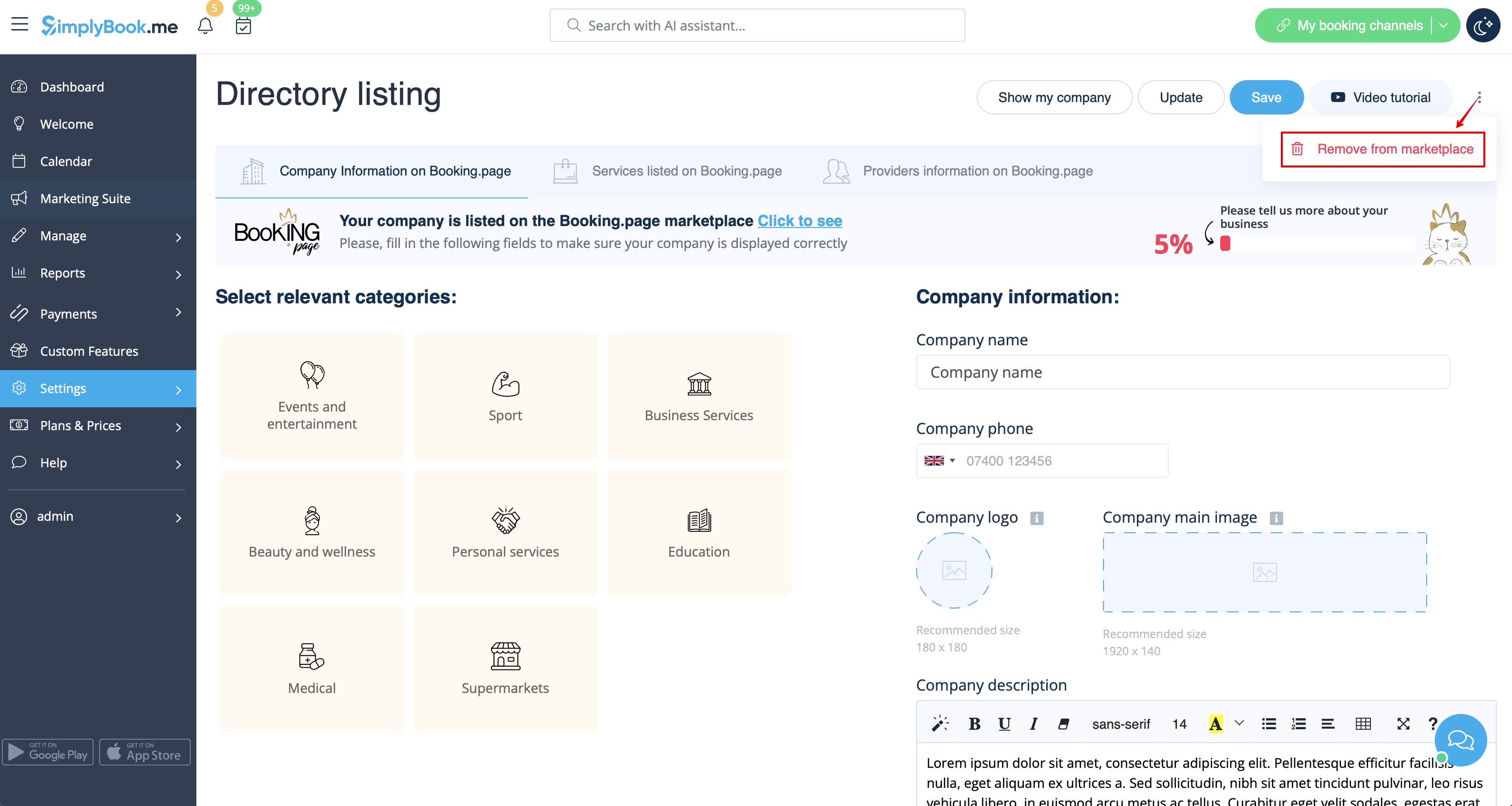
<span style="background-color:#ffe9e9; padding:5px; border-radius:5px;">'''Please note!''' Even with blank theme your booking page will appear in Google and information will be shown in Booking.Page directory. To remove your company from directory, please click on <span style="background-color:#d4f8e5; padding:5px; border-radius:5px;">Remove from marketplace</span> button <span style="background-color:#d4f8e5; padding:5px; border-radius:5px;">Settings</span> -> <span style="background-color:#d4f8e5; padding:5px; border-radius:5px;">Directory listing.</span></span>
[[File:Remove from marketplace redesigned.png|1200px| center|link=https://help.simplybook.me/images/9/90/Remove_from_marketplace_redesigned.png]]
<br><br>

Attention ! Même avec un thème vide, votre page de réservation apparaîtra dans Google et les informations seront affichées dans l'annuaire Booking.Page. Pour supprimer votre entreprise de l'annuaire, veuillez cliquer sur le bouton Supprimer de la place de marché Paramètres -> Liste de l'annuaire.