Translations:Add elements to booking page/9/en: Difference between revisions

From SimplyBook.me
FuzzyBot (talk | contribs)
Importing a new version from external source
Tags: Mobile edit Mobile web edit
 
(No difference)

Latest revision as of 10:15, 15 May 2025

Information about message (contribute)
This message has no documentation. If you know where or how this message is used, you can help other translators by adding documentation to this message.
Message definition (Add elements to booking page)
=Terms and Conditions=
<br><br>
Need your business to be bulletproof? You can add your own <span style="background-color:#cdeffc; padding:5px; border-radius:5px;">[[Custom_Features#Terms_and_Conditions| Terms and Conditions]]</span> by enabling the corresponding custom feature in <span style="background-color:#d4f8e5; padding:5px; border-radius:5px;">Custom Features</span> -> <span style="background-color:#d4f8e5; padding:5px; border-radius:5px;">Security & Data protection</span> and adding the text of your T&C in its settings.
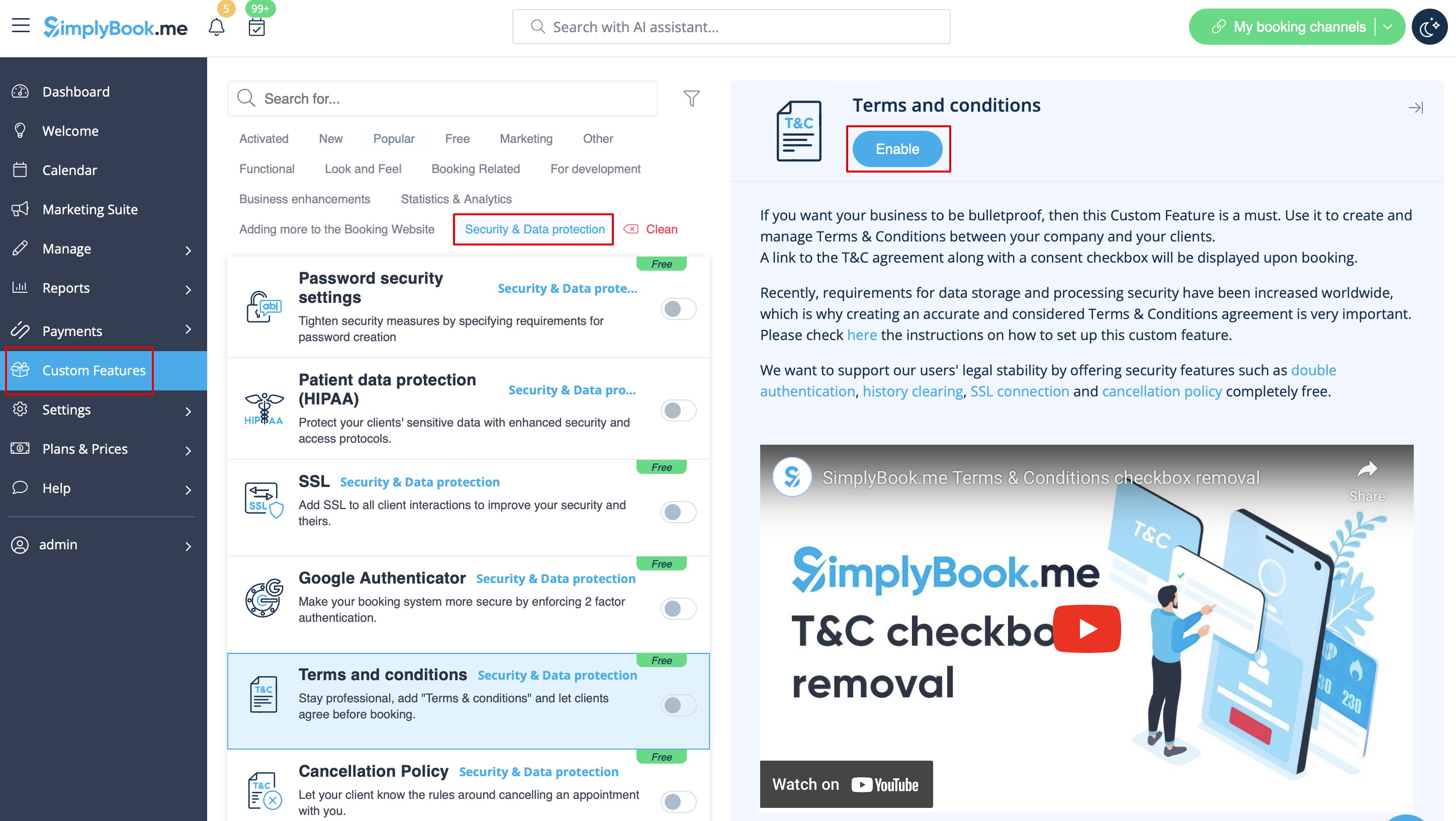
[[File:T & C enable path redesigned.png|1200px| border|center|link=https://help.simplybook.me/images/2/21/T_%26_C_enable_path_redesigned.png]]
<br><br>

Terms and Conditions


Need your business to be bulletproof? You can add your own Terms and Conditions by enabling the corresponding custom feature in Custom Features -> Security & Data protection and adding the text of your T&C in its settings.