Translations:Add elements to booking page/8/uk: Difference between revisions

From SimplyBook.me
Created page with "= Новини = <br><br> Ця опція дозволяє додавати свіжі новини на ваш сайт бронювання. Щоб активувати її, перейдіть в <span style="background-color:#d4f8e5; padding:5px; border-radius:5px;">Налаштування</span> -> <span style="background-color:#d4f8e5; padding:5px; border-radius:5px;">Додавання на сайт бронювання</span> -> <span style="background-col..."
 
(No difference)

Latest revision as of 10:15, 15 May 2025

Information about message (contribute)
This message has no documentation. If you know where or how this message is used, you can help other translators by adding documentation to this message.
Message definition (Add elements to booking page)
=News=
<br><br>
This option allows to add fresh news to your booking website.
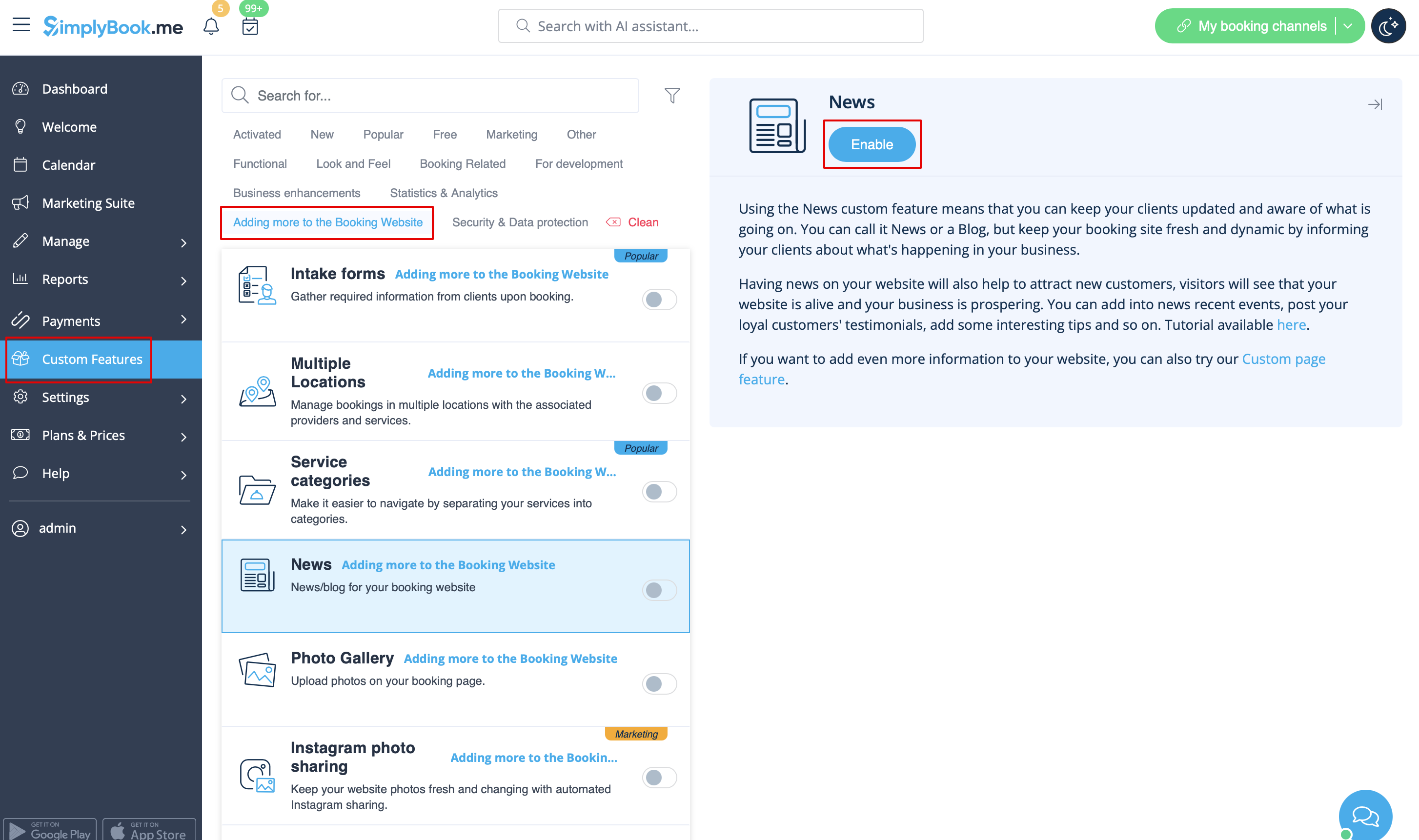
To activate it please go to <span style="background-color:#d4f8e5; padding:5px; border-radius:5px;">Custom Features</span> -> <span style="background-color:#d4f8e5; padding:5px; border-radius:5px;">Adding more to the booking website</span> -> <span style="background-color:#cdeffc; padding:5px; border-radius:5px;">[[Custom_Features#News| News ]]</span> -> <span style="background-color:#d4f8e5; padding:5px; border-radius:5px;">Enable</span>
[[File:News enable path redesigned.png|1200px| border|center|link=https://help.simplybook.me/images/5/5c/News_enable_path_redesigned.png]]
<br><br>
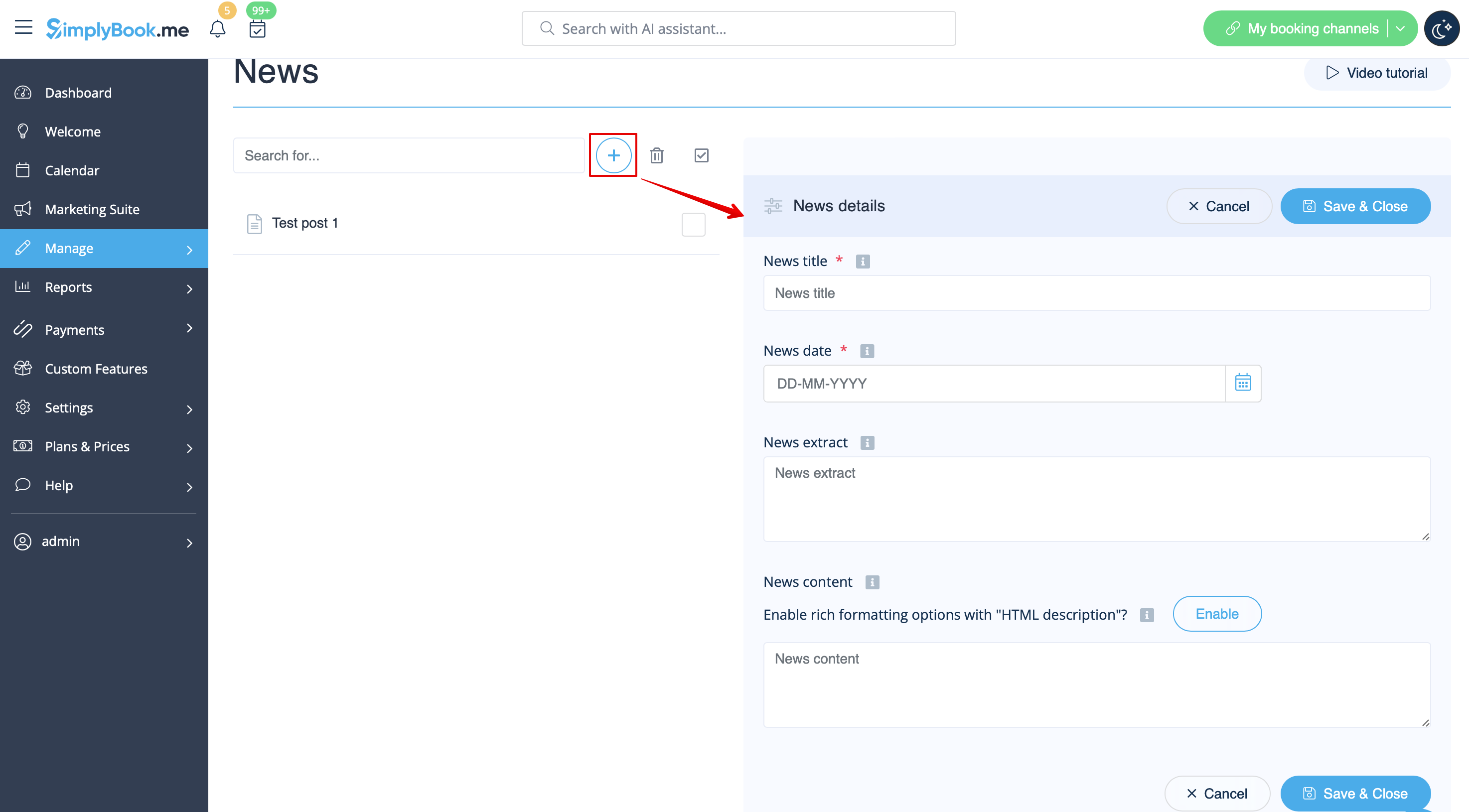
After it is enabled in <span style="background-color:#d4f8e5; padding:5px; border-radius:5px;">Custom Features</span> -> <span style="background-color:#d4f8e5; padding:5px; border-radius:5px;">News</span> -> <span style="background-color:#d4f8e5; padding:5px; border-radius:5px;">Settings</span> you can create news posts and they will be shown in the separate tab on your booking site.
[[File:Create new news post redesigned.png|1200px | border|center|link=https://help.simplybook.me/images/2/2c/Create_new_news_post_redesigned.png]]
<br><br>

Новини


Ця опція дозволяє додавати свіжі новини на ваш сайт бронювання. Щоб активувати її, перейдіть в Налаштування -> Додавання на сайт бронювання -> Новини -> Увімкнути


Після її увімкнення в Налаштування -> Новини -> Налаштування ви можете створювати новини, і вони будуть відображатися в окремій вкладці на вашому сайті бронювання.