Translations:First and Last Names/3/nl: Difference between revisions

From SimplyBook.me
Created page with "; :'''gebruiken''' 1. Schakel de aangepaste functie <span style="background-color:#d4f8e5; padding:5px; border-radius:5px;">Clientvelden</span> in op de pagina <span style="background-color:#d4f8e5; padding:5px; border-radius:5px;">Aangepaste functies</span>. 1200px|border|center|link=https://help.simplybook.me/images/e/e3/Client_fiedls_enable_path_redesigned.png <br><br> :2. Ga naar de instellingen door op de link <span..."
 
(No difference)

Latest revision as of 12:11, 15 May 2025

Information about message (contribute)
This message has no documentation. If you know where or how this message is used, you can help other translators by adding documentation to this message.
Message definition (First and Last Names)
;'''How to use'''
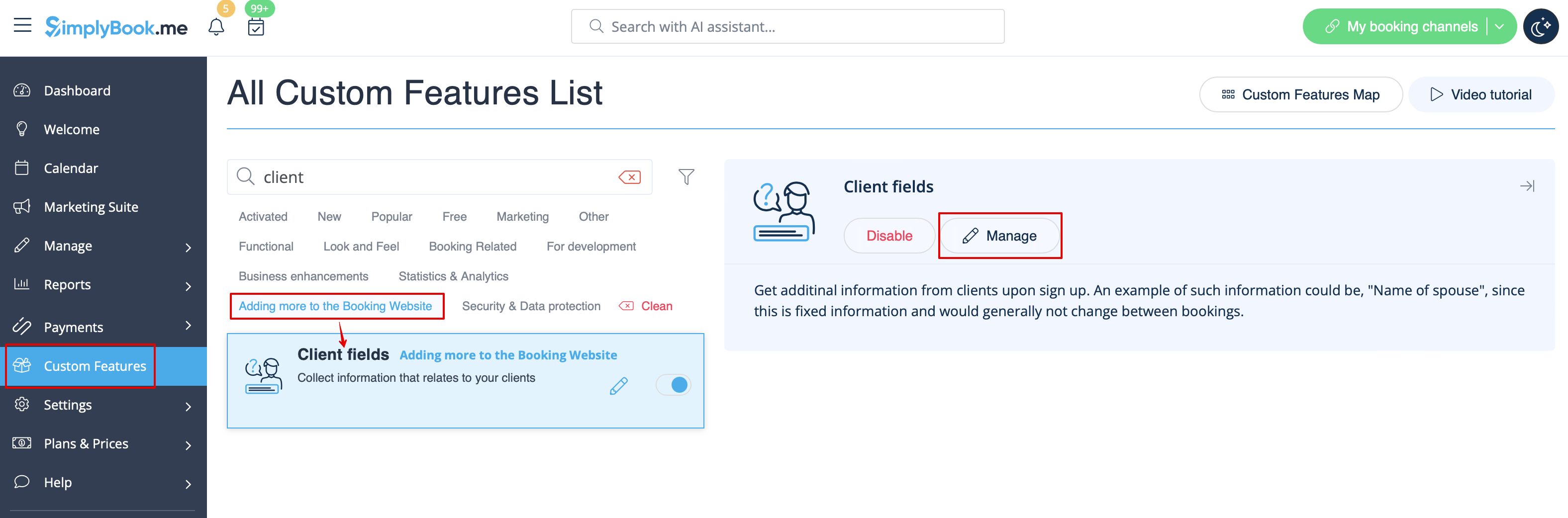
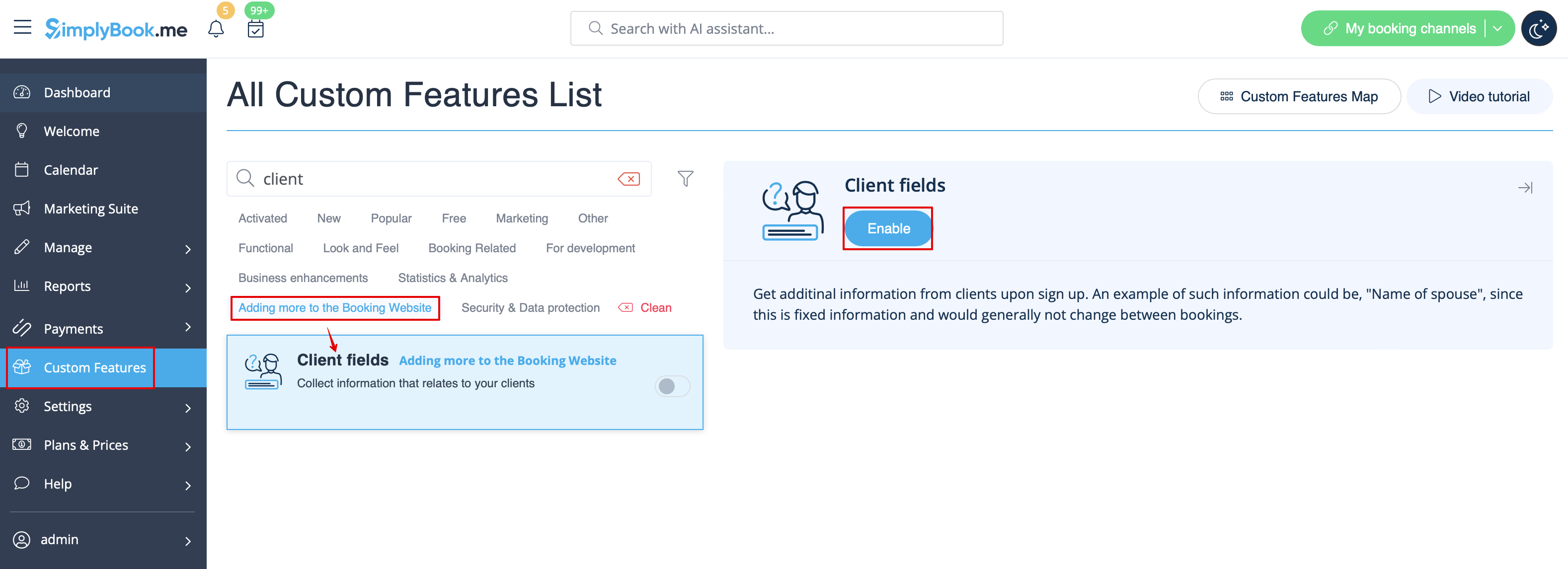
:1. Enable <span style="background-color:#d4f8e5; padding:5px; border-radius:5px;">Client Fields</span> custom feature on the <span style="background-color:#d4f8e5; padding:5px; border-radius:5px;">Custom Features</span> page.
[[File:Client fiedls enable path redesigned.png|1200px|border|center|link=https://help.simplybook.me/images/e/e3/Client_fiedls_enable_path_redesigned.png]]
<br><br>
:2. Go to its settings by clicking on <span style="background-color:#d4f8e5; padding:5px; border-radius:5px;">Manage</span> link.<br>
:Or navigate to <span style="background-color:#d4f8e5; padding:5px; border-radius:5px;">Manage</span> -> <span style="background-color:#d4f8e5; padding:5px; border-radius:5px;">Client fields</span> in the left-side menu.
[[File:Client fields settings path redesigned.png|1200px|border|center|link=https://help.simplybook.me/images/1/1d/Client_fields_settings_path_redesigned.png]]
<br><br>
gebruiken 1. Schakel de aangepaste functie Clientvelden in op de pagina Aangepaste functies.


2. Ga naar de instellingen door op de link Beheren te klikken.
Of ga naar Beheer -> Clientvelden in het menu aan de linkerkant.