Translations:First and Last Names/4/nl: Difference between revisions

From SimplyBook.me
Created page with ":3. U ziet daar de standaard registratievelden. Selecteer het eerste veld met de naam <span style="background-color:#d4f8e5; padding:5px; border-radius:5px;">Naam</span> en hernoem dit naar <span style="background-color:#d4f8e5; padding:5px; border-radius:5px;">Voornaam.</span> Sla op. 1200px|border|center|link=https://help.simplybook.me/images/6/64/Rename_name_to_first_name_redesigned.png <br><br> :4. Klik bovenaan op <s..."
 
(No difference)

Latest revision as of 12:11, 15 May 2025

Information about message (contribute)
This message has no documentation. If you know where or how this message is used, you can help other translators by adding documentation to this message.
Message definition (First and Last Names)
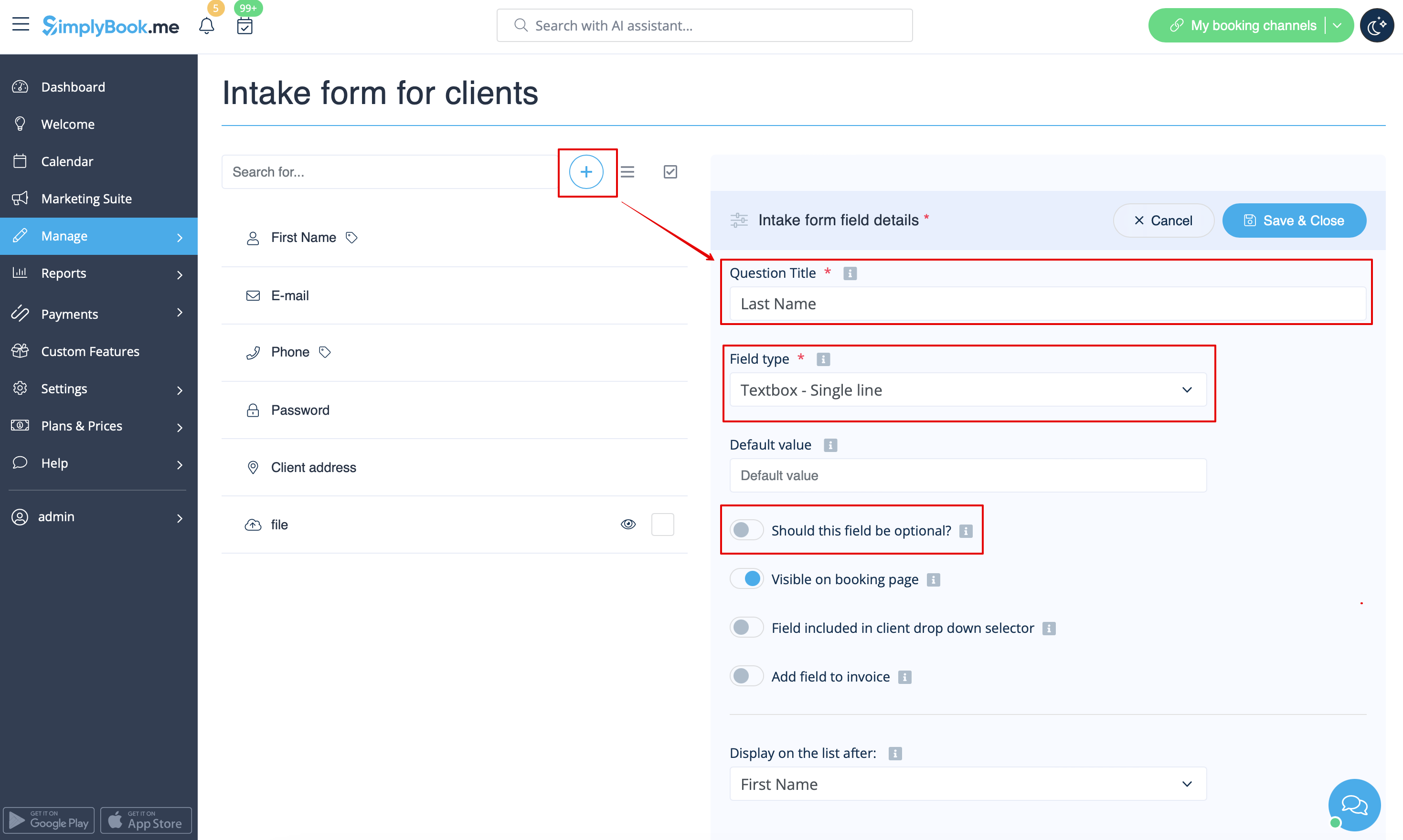
:3. You will see default registration fields there. Select the first one called <span style="background-color:#d4f8e5; padding:5px; border-radius:5px;">Name</span> and rename it to <span style="background-color:#d4f8e5; padding:5px; border-radius:5px;">First Name.</span> Save.
[[File:Rename name to first name redesigned.png|1200px|border|center|link=https://help.simplybook.me/images/6/64/Rename_name_to_first_name_redesigned.png]]
<br><br>
:4. Click on <span style="background-color:#d4f8e5; padding:5px; border-radius:5px;">+</span> at the top to create new client field, add <span style="background-color:#d4f8e5; padding:5px; border-radius:5px;">Last Name</span> as a <span style="background-color:#d4f8e5; padding:5px; border-radius:5px;">Question title</span> and select <span style="background-color:#d4f8e5; padding:5px; border-radius:5px;">Textbox - Single line</span> type.
:By default the field is set to be obligatory to fill in by clients but if you need to make it non-mandatory please use the corresponding switcher.
[[File:Last name field settings redesigned.png|1200px|border|center|link=https://help.simplybook.me/images/6/63/Last_name_field_settings_redesigned.png]]
<br><br>
3. U ziet daar de standaard registratievelden. Selecteer het eerste veld met de naam Naam en hernoem dit naar Voornaam. Sla op.
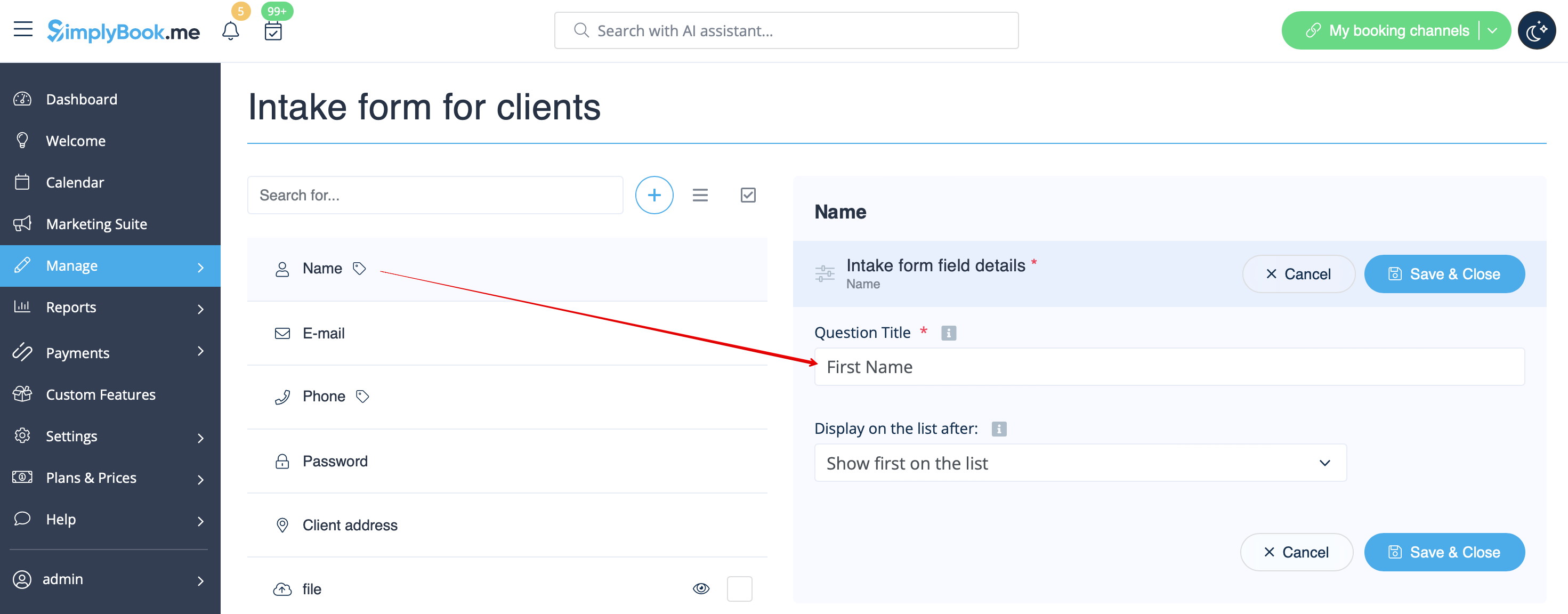


4. Klik bovenaan op + om een nieuw klantveld aan te maken, voeg Achternaam toe als vraag titel en selecteer Tekstvak - Enkele regel.
Standaard is het veld verplicht in te vullen door klanten, maar als u het niet verplicht wilt maken, gebruik dan de bijbehorende schakelaar.