Translations:How to set my availability/6/uk: Difference between revisions

From SimplyBook.me
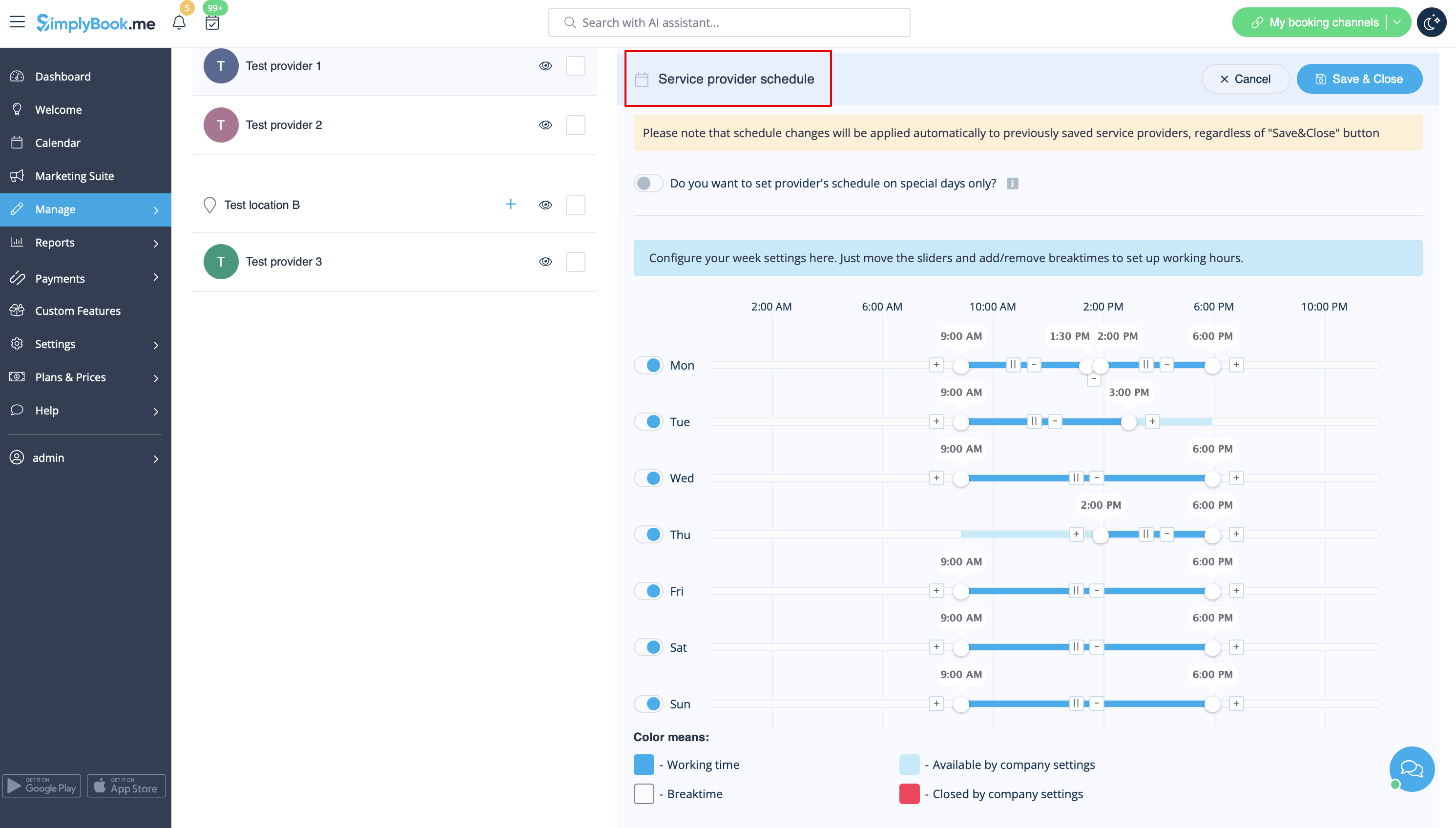
Created page with "1200px| center|link=https://help.simplybook.me/images/c/c7/Service_provider_schedule_for_location_redesigned.png <br><br> Ви можете встановити розклад для певної дати для постачальників у налаштуваннях // Розклад постачальників // вкладка «Розклад спеціальних днів». Наприклад, я..."
 
(No difference)

Latest revision as of 15:04, 15 May 2025
Information about message (contribute)
This message has no documentation. If you know where or how this message is used, you can help other translators by adding documentation to this message.
Message definition (How to set my availability)
[[File:Service provider schedule for location redesigned.png|1200px| center|link=https://help.simplybook.me/images/c/c7/Service_provider_schedule_for_location_redesigned.png]]
<br><br>
You can set schedule for some specific date for providers in Settings //  Providers schedule // Special days schedule tab. For example, if you work differently on certain date or have day off, you can click on the date and set schedule by clicking on the corresponding slots to make them available (bright blue)/not available (light blue or white).


Ви можете встановити розклад для певної дати для постачальників у налаштуваннях // Розклад постачальників // вкладка «Розклад спеціальних днів». Наприклад, якщо ви працюєте за іншим графіком у певну дату або маєте вихідний, ви можете натиснути на дату та встановити розклад, натиснувши на відповідні слоти, щоб зробити їх доступними (яскраво-синім) або недоступними (світло-синім або білим).