From SimplyBook.me
Created page with "1200px| center|link=https://help.simplybook.me/images/c/c7/Service_provider_schedule_for_location_redesigned.png <br><br> Du kan ställa in schema för vissa specifika datum för leverantörer i Inställningar // Leverantörers schema // fliken Specialdagar. Om du till exempel arbetar annorlunda på vissa datum eller har ledigt kan du klicka på datumet och ställa in schemat genom att klicka på motsvarande..." |
(No difference)
|
Latest revision as of 15:04, 15 May 2025
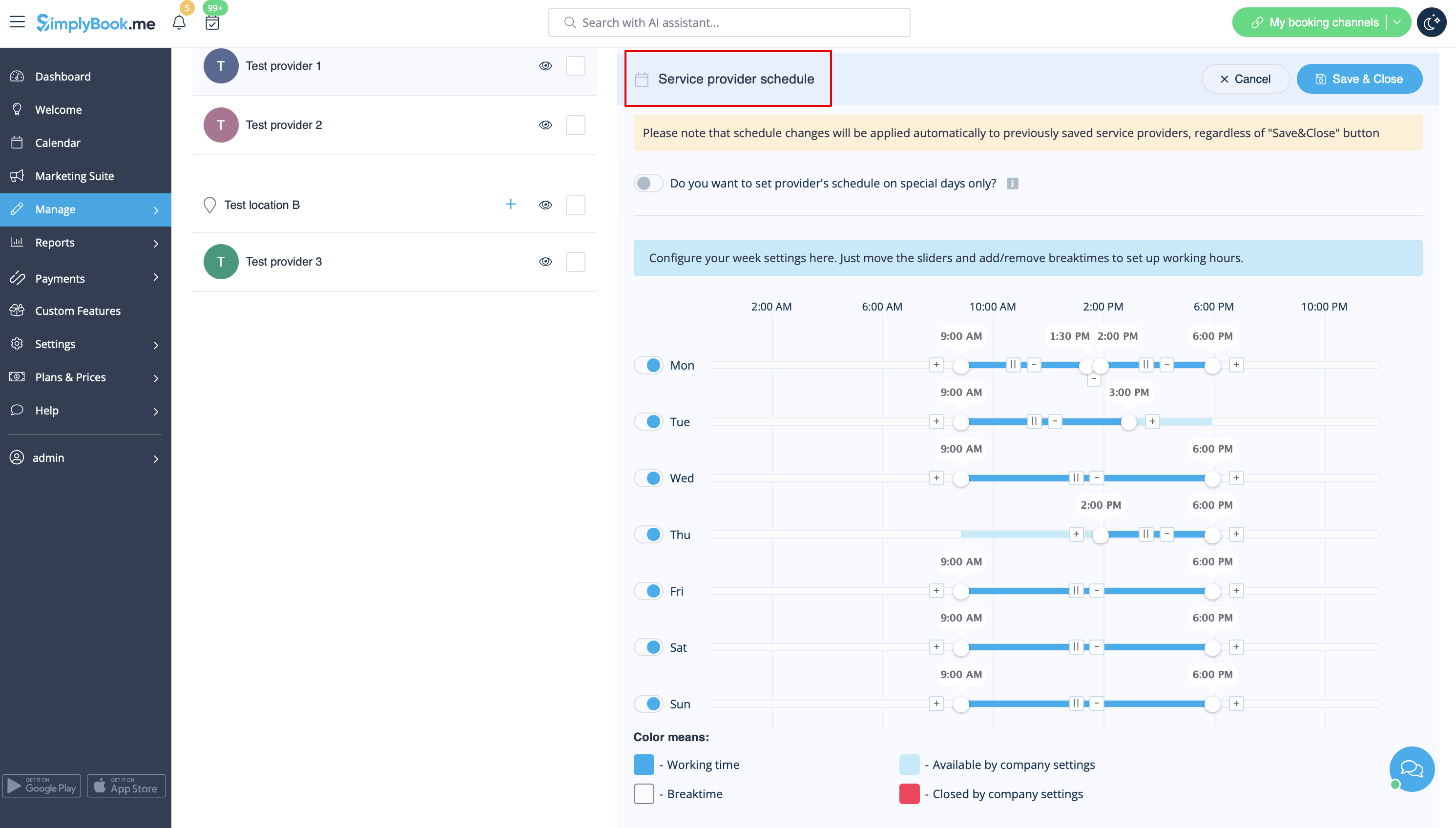
Du kan ställa in schema för vissa specifika datum för leverantörer i Inställningar // Leverantörers schema // fliken Specialdagar. Om du till exempel arbetar annorlunda på vissa datum eller har ledigt kan du klicka på datumet och ställa in schemat genom att klicka på motsvarande tidsluckor för att göra dem tillgängliga (ljusblå) eller otillgängliga (ljusblå eller vita).

