Translations:Break times/2/uk: Difference between revisions

From SimplyBook.me
Created page with "__FORCETOC__ <br><br> = Швидке блокування часу в календарі = Ви можете закрити доступність на сторінці Календаря, використовуючи режим «Додати примітку/Заблокувати час». Перейдіть до нього та натисніть на часовий проміжок, який ви хочете закрити.<br/> File:Note mode calendar redesigned..."
(No difference)

Revision as of 15:11, 15 May 2025

Information about message (contribute)
This message has no documentation. If you know where or how this message is used, you can help other translators by adding documentation to this message.
Message definition (Break times)
__FORCETOC__
<br><br>
=Quickly block times from Calendar=
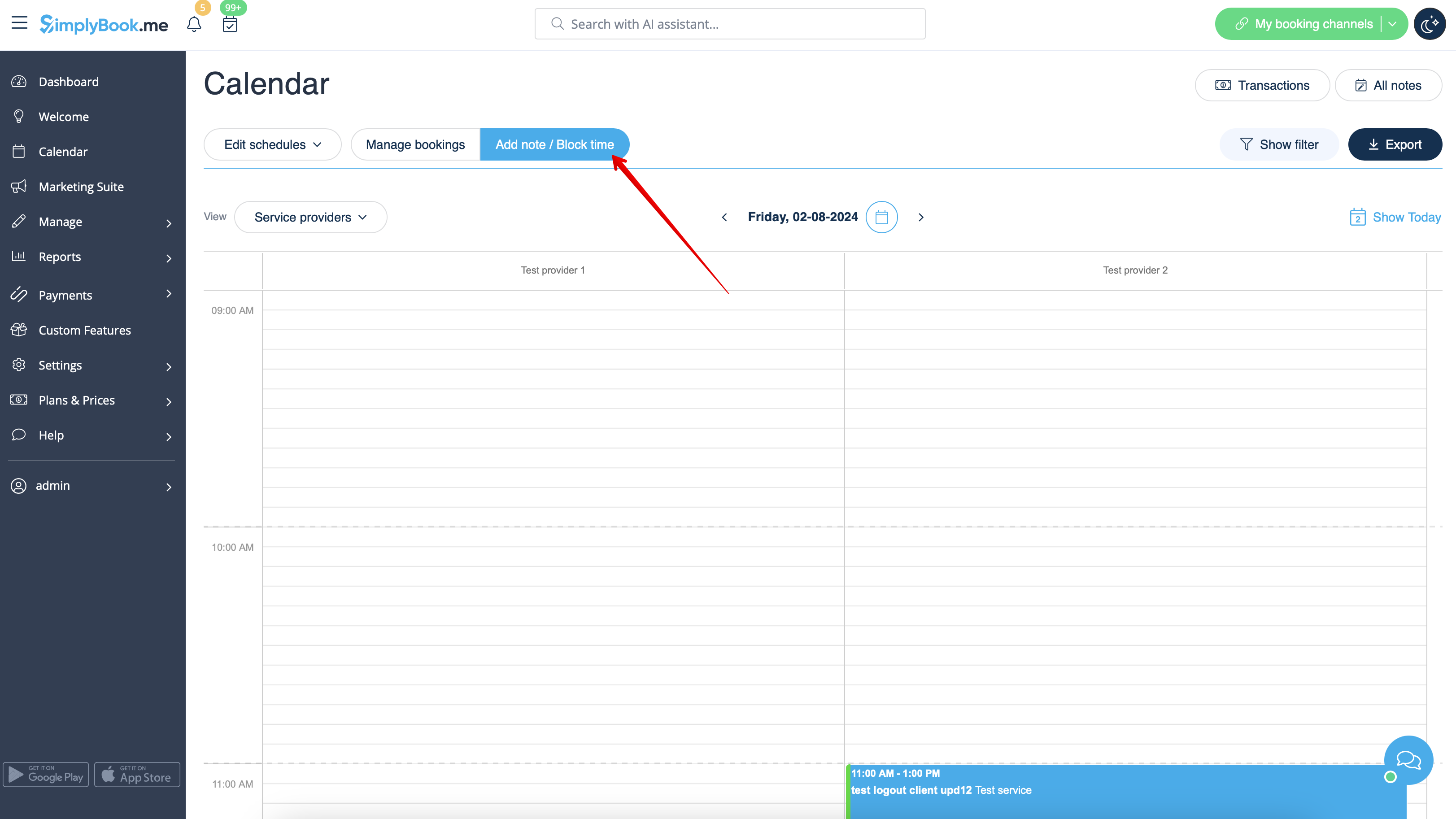
You can close the availability from Calendar page using "Add note/Block time" mode. Switch to it and click on the timeslot you want to close.<br/>
[[File:Note mode calendar redesigned.png|1200px|border|center|link=https://help.simplybook.me/images/b/b7/Note_mode_calendar_redesigned.png]]
<br><br>
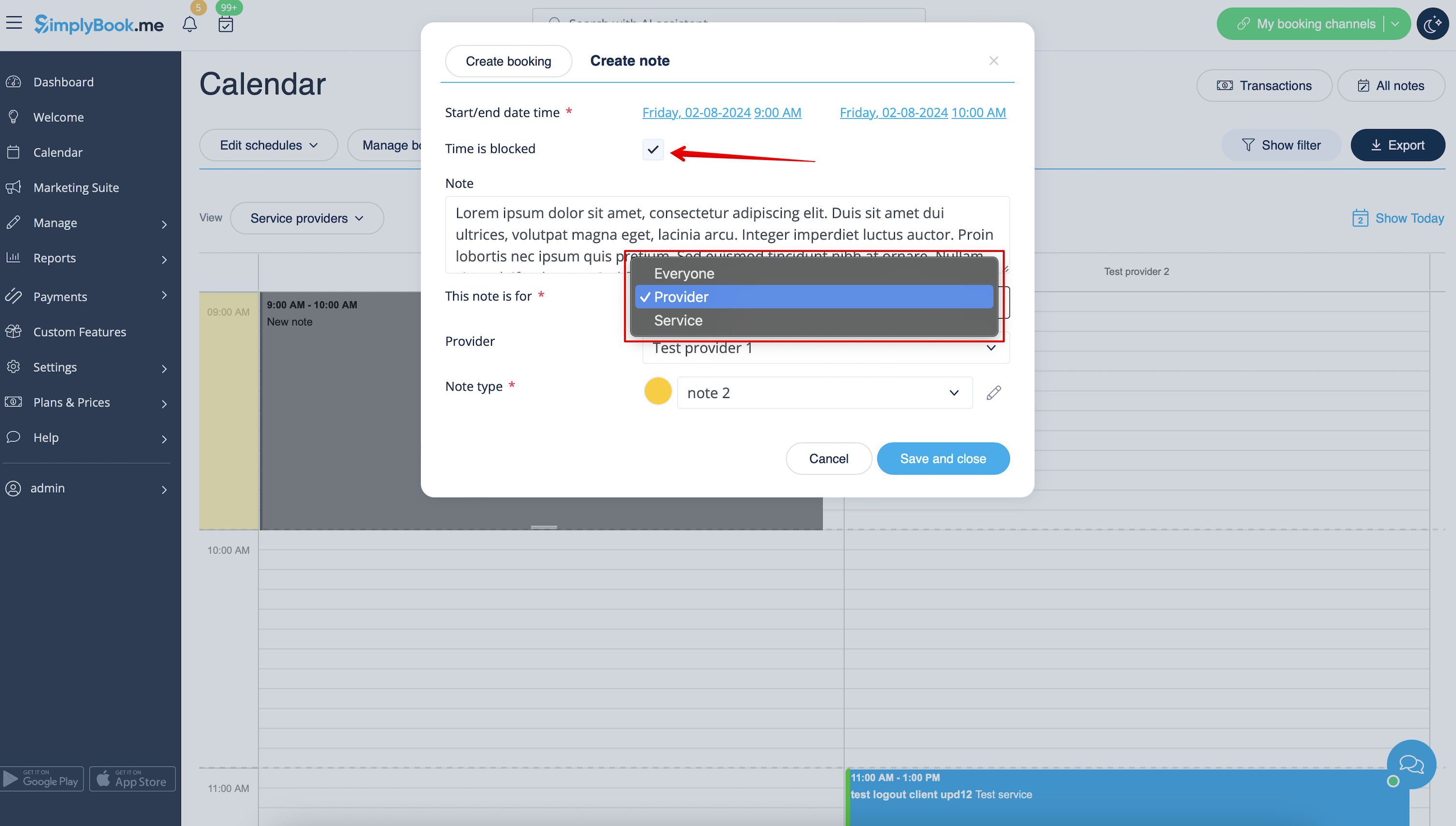
In the note popup check "Time is blocked" option and choose whether you need to block time period for everyone in your company or only for specific provider or service.<br>
Add the reason of blocking if necessary.
<br><br>
[[File:Adding note to block time redesigned.png|1200px|border|center|link=https://help.simplybook.me/images/4/43/Adding_note_to_block_time_redesigned.png]]
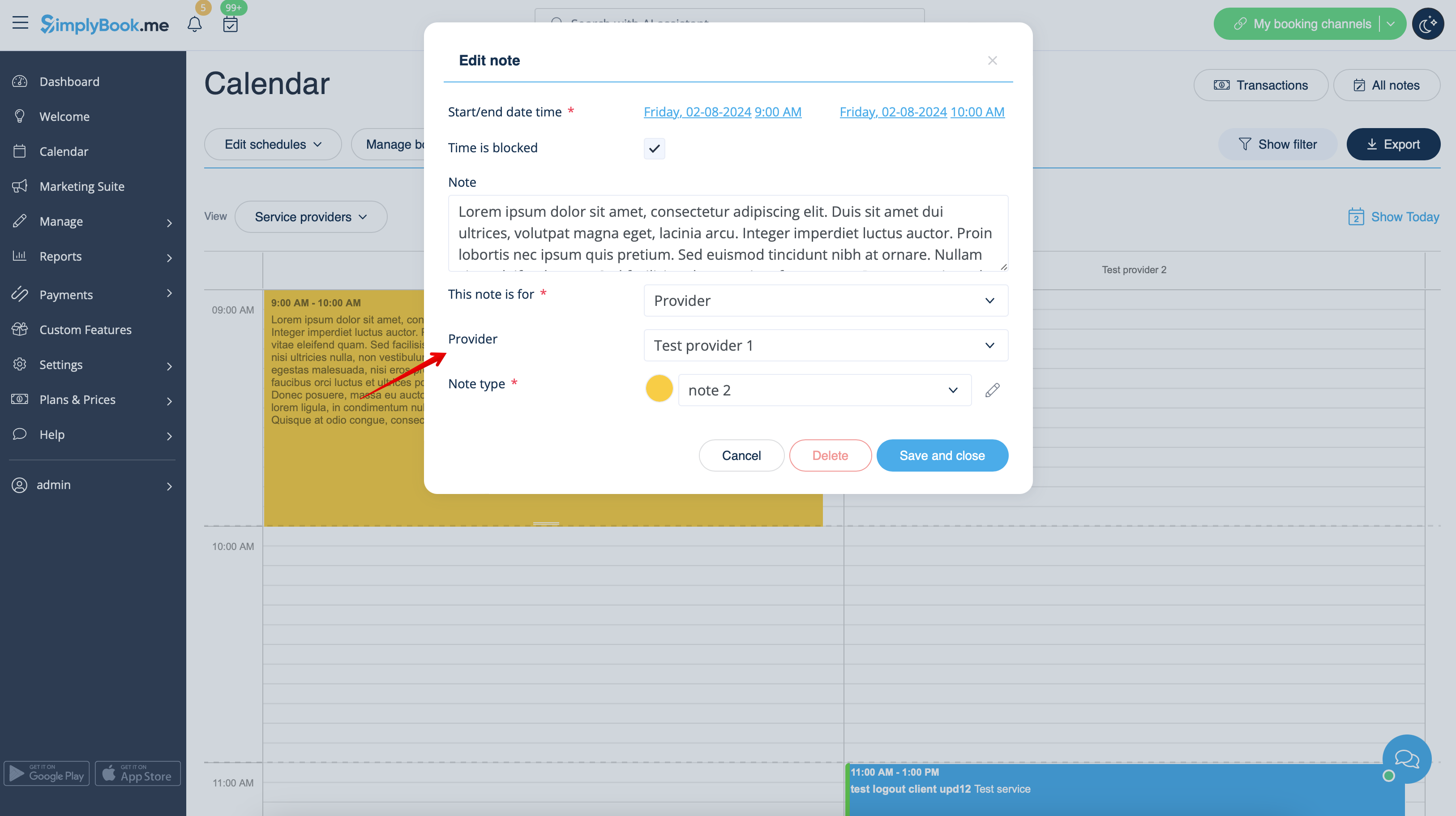
To remove or edit blocked time you simply can click on the corresponding note and delete it or update and save.
[[File:Click on note to update redesigned.png|1200px|border|center|link=https://help.simplybook.me/images/e/e0/Click_on_note_to_update_redesigned.png]]
<br><br>
<br><br>


Швидке блокування часу в календарі

Ви можете закрити доступність на сторінці Календаря, використовуючи режим «Додати примітку/Заблокувати час». Перейдіть до нього та натисніть на часовий проміжок, який ви хочете закрити.


У спливаючому вікні примітки встановіть опцію «Час заблоковано» та виберіть, чи потрібно заблокувати час для всіх у вашій компанії або тільки для певного постачальника чи служби.
За необхідності додайте причину блокування.
Щоб видалити або редагувати заблокований час, просто натисніть на відповідну примітку та видаліть її або оновлюйте та зберігайте.