From SimplyBook.me
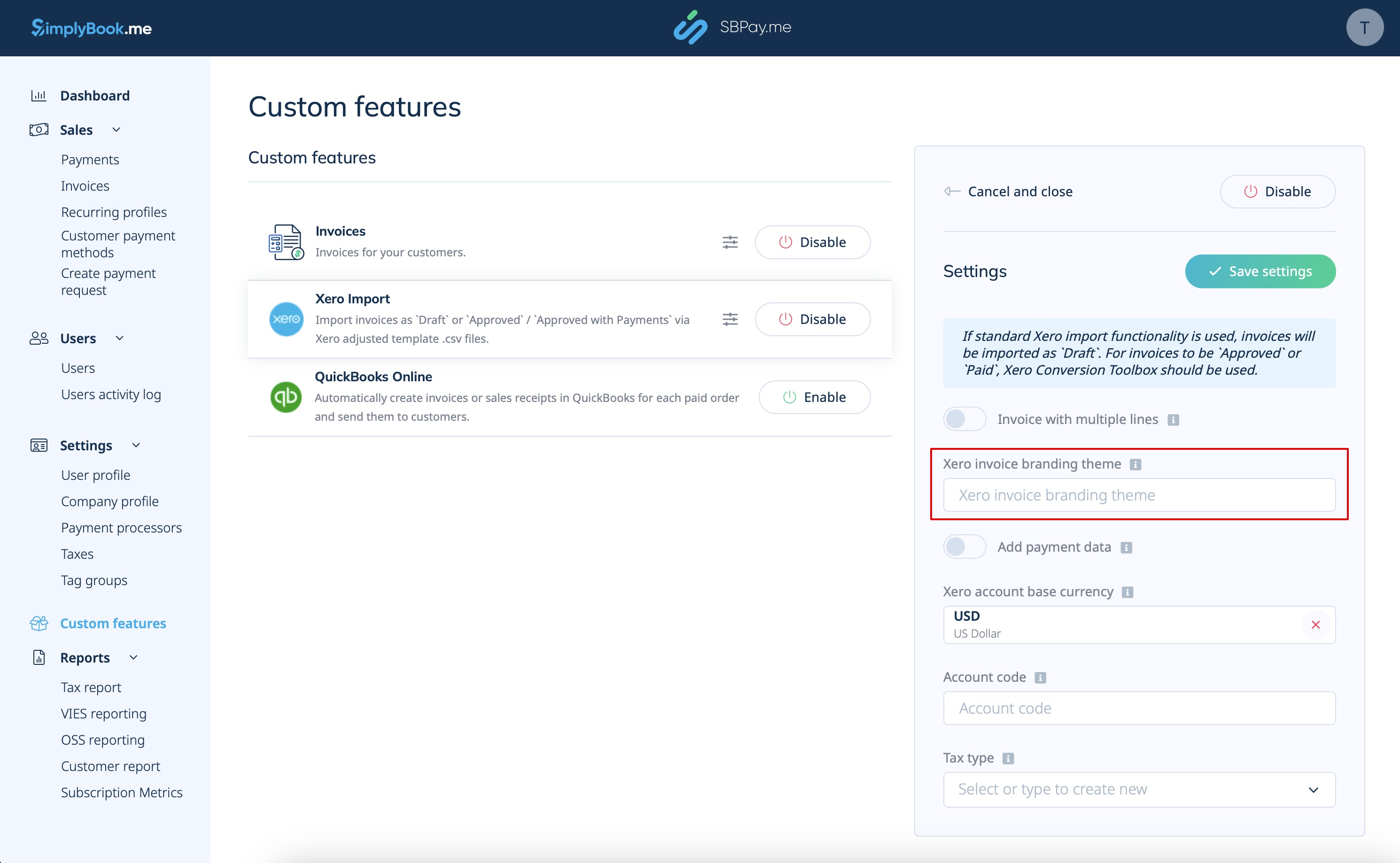
Created page with "3. Voeg <span style="background-color:#d4f8e5; padding:5px; border-radius:5px;">de naam van het Xero-factuurbrandingthema</span> in <span style="background-color:#d4f8e5; padding:5px; border-radius:5px;">.</span> In Xero is een brandingthemanaam de naam van de factuursjabloon die de lay-out en het ontwerp van uw facturen bepaalt. 1200px|center|link=https://help.simplybook.me/images/6/6d/Xero_branding_theme_name.png" |
(No difference)
|
Latest revision as of 17:37, 15 May 2025
3. Voeg de naam van het Xero-factuurbrandingthema in . In Xero is een brandingthemanaam de naam van de factuursjabloon die de lay-out en het ontwerp van uw facturen bepaalt.