From SimplyBook.me
Created page with "4. In sommige gevallen moet u de klanten toestaan om diensten te boeken die buffertijden aan het einde van de dag bevatten,<br> ook al past de planning alleen de duur van de dienst, maar niet de buffertijd.<br> Er is mogelijk geen reistijd nodig of u kunt indien nodig op de werkplek blijven en de beschikbaarheid niet dienovereenkomstig wijzigen.<br> Stel dat de dienst 1 uur duurt + 30 minuten buffertijd, maar de werkperiode in uw instellingen om 18.00 uur eindigt en u wi..." |
(No difference)
|
Latest revision as of 09:17, 16 May 2025
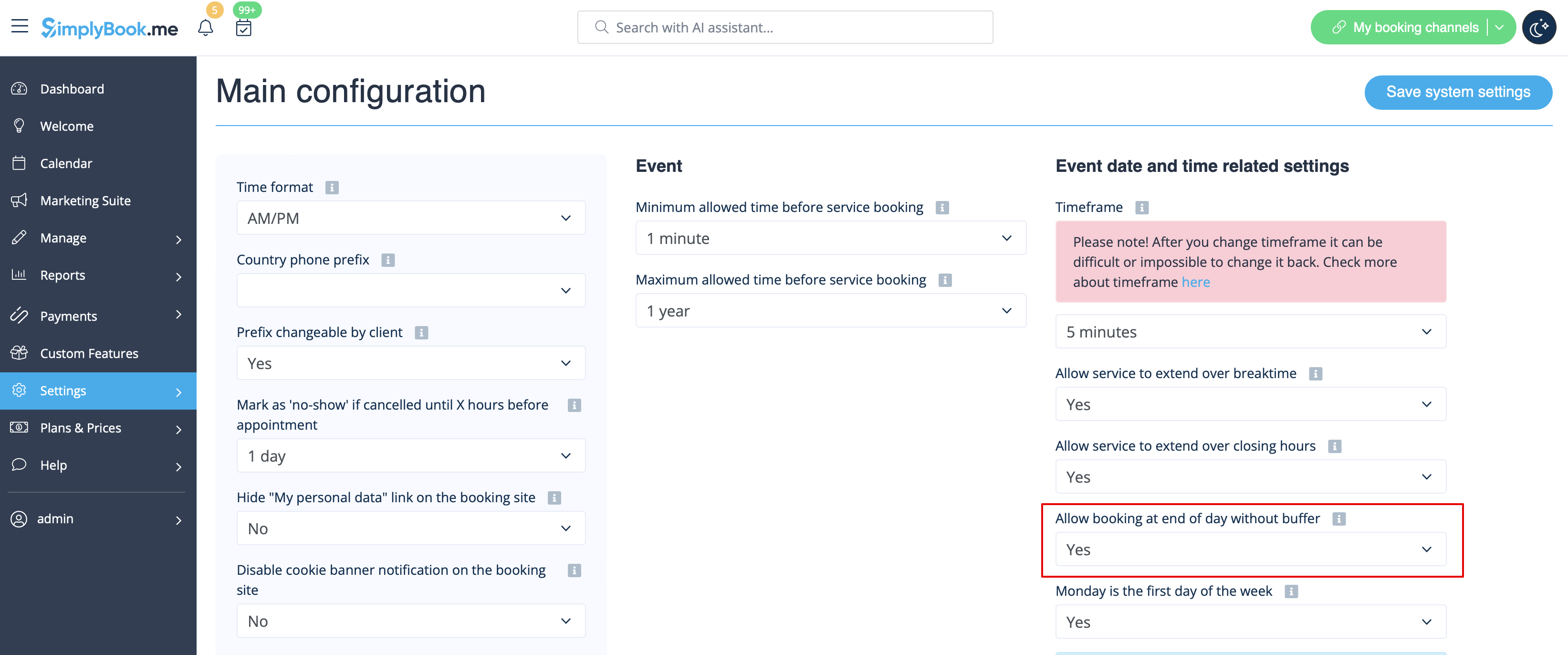
4. In sommige gevallen moet u de klanten toestaan om diensten te boeken die buffertijden aan het einde van de dag bevatten,
ook al past de planning alleen de duur van de dienst, maar niet de buffertijd.
Er is mogelijk geen reistijd nodig of u kunt indien nodig op de werkplek blijven en de beschikbaarheid niet dienovereenkomstig wijzigen.
Stel dat de dienst 1 uur duurt + 30 minuten buffertijd, maar de werkperiode in uw instellingen om 18.00 uur eindigt en u wilt dat de laatste klant om 17.00 uur kan boeken.
Om dit mogelijk te maken, stelt u de optie Boeking aan het einde van de dag zonder buffertijd toestaan in op Ja in Instellingen -> Hoofdconfiguratie en slaat u deze op.