Translations:How to manage bookings/2/en: Difference between revisions

From SimplyBook.me
FuzzyBot (talk | contribs)
Importing a new version from external source
 
(No difference)

Latest revision as of 09:47, 16 May 2025

Information about message (contribute)
This message has no documentation. If you know where or how this message is used, you can help other translators by adding documentation to this message.
Message definition (How to manage bookings)
__FORCETOC__
<br><br>
=Where to find all my bookings=
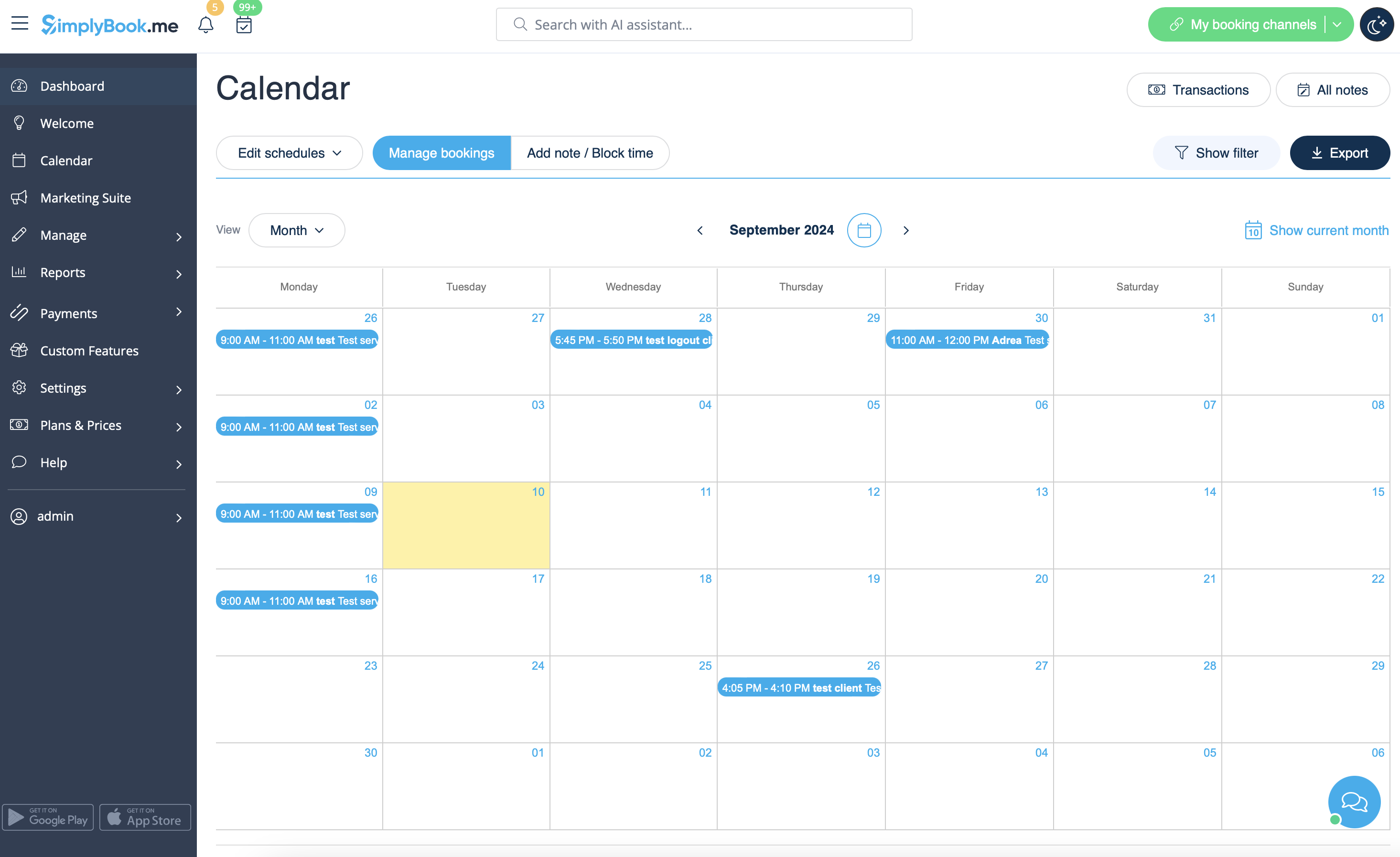
1. In <span style="background-color:#d4f8e5; padding:5px; border-radius:5px;">Calendar</span> (item in the left-side menu).<br/>
(you can choose the view convenient for you)
[[File:Calendar overview redesigned.png|1200px | center|link=https://help.simplybook.me/images/c/cf/Calendar_overview_redesigned.png]]
<br/><br/>
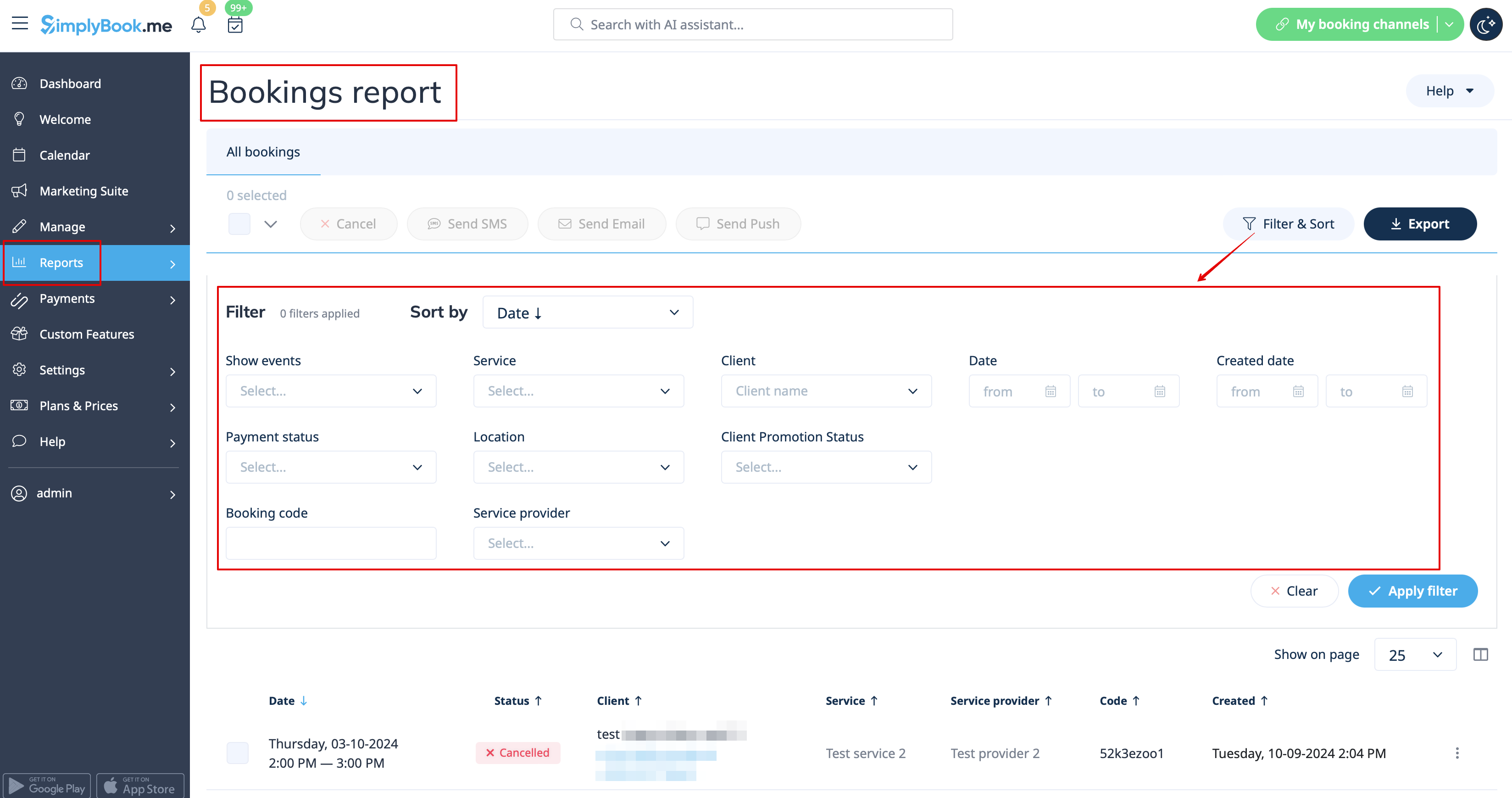
2. In <span style="background-color:#d4f8e5; padding:5px; border-radius:5px;">Reports</span> -> <span style="background-color:#d4f8e5; padding:5px; border-radius:5px;">Booking details.</span>
You can use filters to easily find your bookings for specific service, provider, client or date range. <br/>
[[File:Booking details report overview redesigned.png|1200px | center|link=https://help.simplybook.me/images/5/5c/Booking_details_report_overview_redesigned.png ]]<br/>
<br><br>


Where to find all my bookings

1. In Calendar (item in the left-side menu).
(you can choose the view convenient for you)
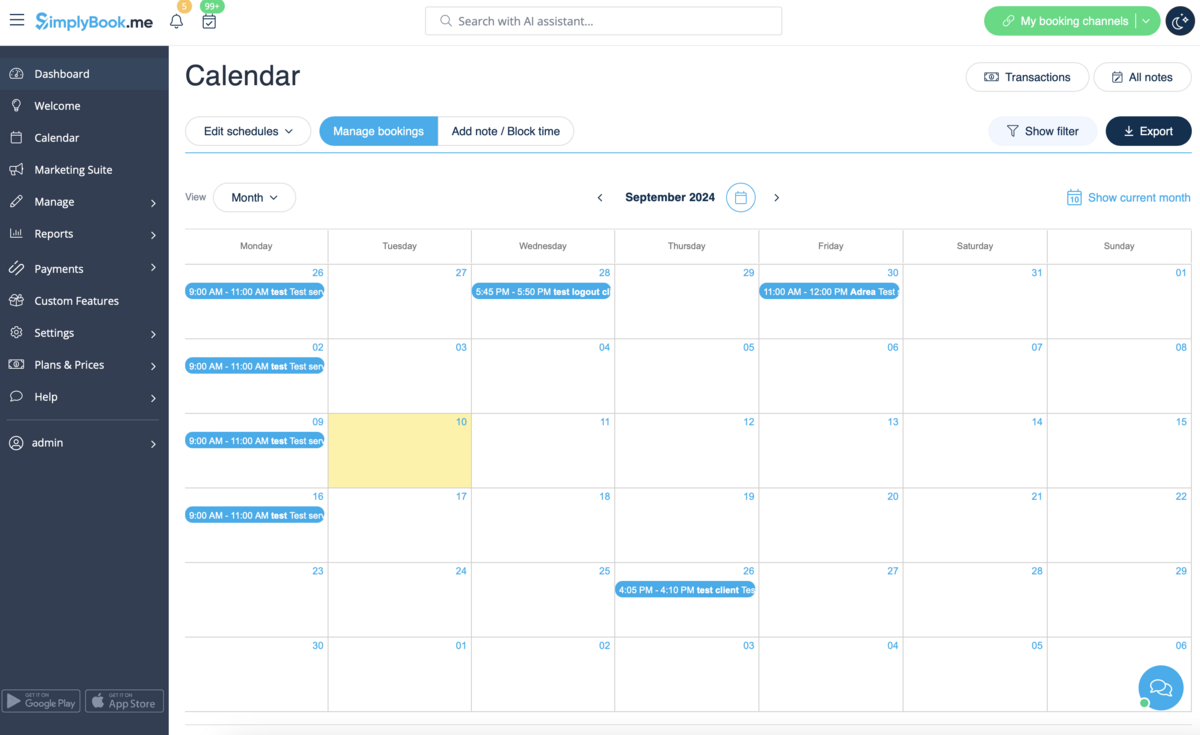


2. In Reports -> Booking details. You can use filters to easily find your bookings for specific service, provider, client or date range.