Translations:How to manage bookings/12/en: Difference between revisions

From SimplyBook.me
FuzzyBot (talk | contribs)
Importing a new version from external source
 
(No difference)

Latest revision as of 09:47, 16 May 2025

Information about message (contribute)
This message has no documentation. If you know where or how this message is used, you can help other translators by adding documentation to this message.
Message definition (How to manage bookings)
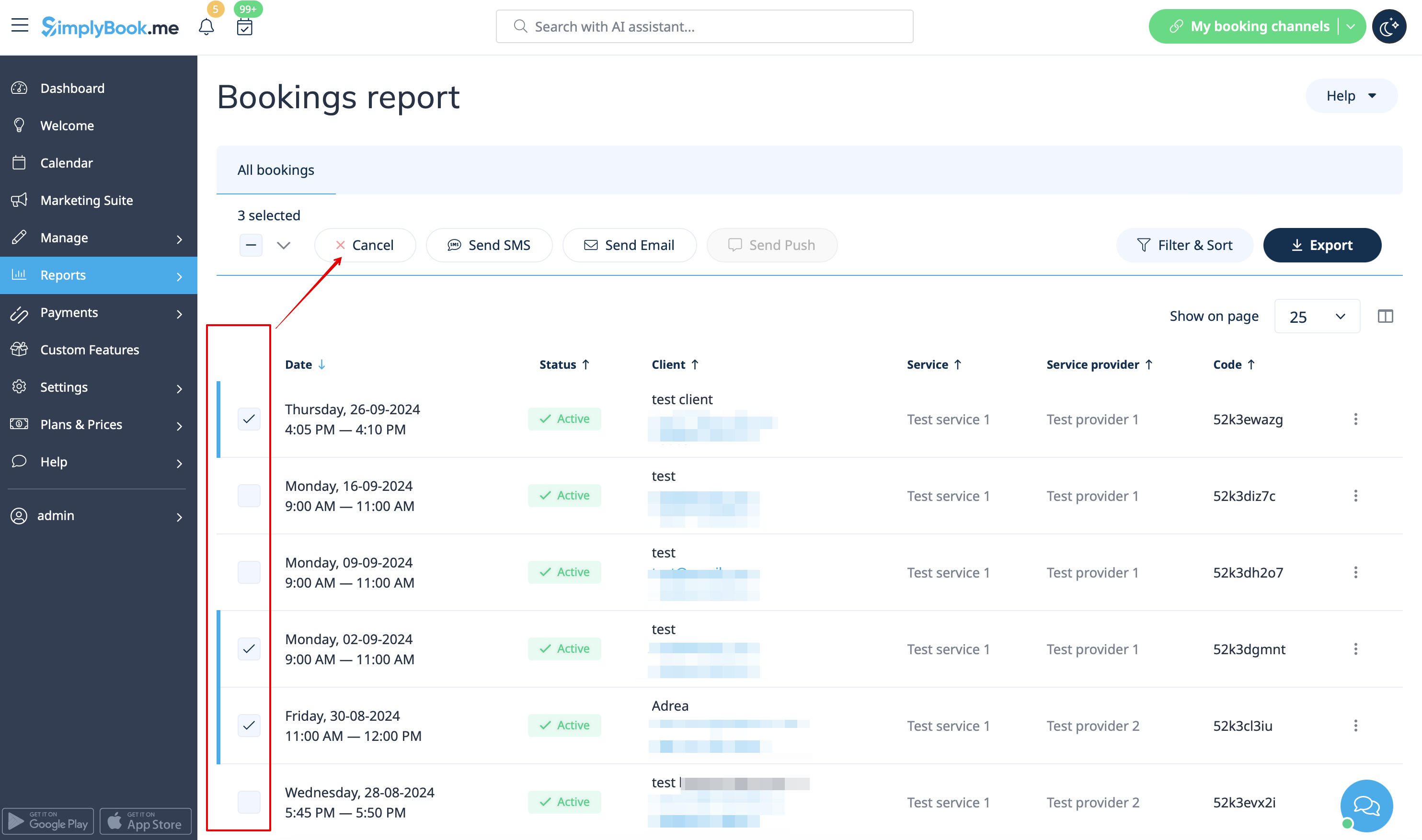
In case you need to cancel many bookings at once you can do that in <span style="background-color:#d4f8e5; padding:5px; border-radius:5px;">Reports</span> -> <span style="background-color:#d4f8e5; padding:5px; border-radius:5px;">Booking details.</span><br>
You can use the <span style="background-color:#d4f8e5; padding:5px; border-radius:5px;">filter</span> if necessary, <span style="background-color:#d4f8e5; padding:5px; border-radius:5px;">check the boxes</span> with the bookings to cancel and click on <span style="background-color:#d4f8e5; padding:5px; border-radius:5px;">Cancel selected</span> button at the top.<br>
<span style="background-color:#ffe9e9; padding:5px; border-radius:5px;">'''Please note!''' It is possible to cancel the appointments from one report page at a time.</span>
[[File:Cancel several bookings from report redesigned.png|1200px|border|center|link=https://help.simplybook.me/images/a/ac/Cancel_several_bookings_from_report_redesigned.png]]
<br/><br/>

In case you need to cancel many bookings at once you can do that in Reports -> Booking details.
You can use the filter if necessary, check the boxes with the bookings to cancel and click on Cancel selected button at the top.
Please note! It is possible to cancel the appointments from one report page at a time.