Translations:How to manage bookings/11/uk: Difference between revisions

From SimplyBook.me
Created page with "1. Для адміністратора або користувача У <span style="background-color:#d4f8e5; padding:5px; border-radius:5px;">календарі</span> (меню зліва) або в у <span style="background-color:#d4f8e5; padding:5px; border-radius:5px;">розділі «Звіти»</span> -> <span style="background-color:#d4f8e5; padding:5px; border-radius:5px;">«Деталі бронювання».</span> Клацніть на бронюва..."
 
(No difference)

Latest revision as of 09:48, 16 May 2025

Information about message (contribute)
This message has no documentation. If you know where or how this message is used, you can help other translators by adding documentation to this message.
Message definition (How to manage bookings)
1. For admin or user
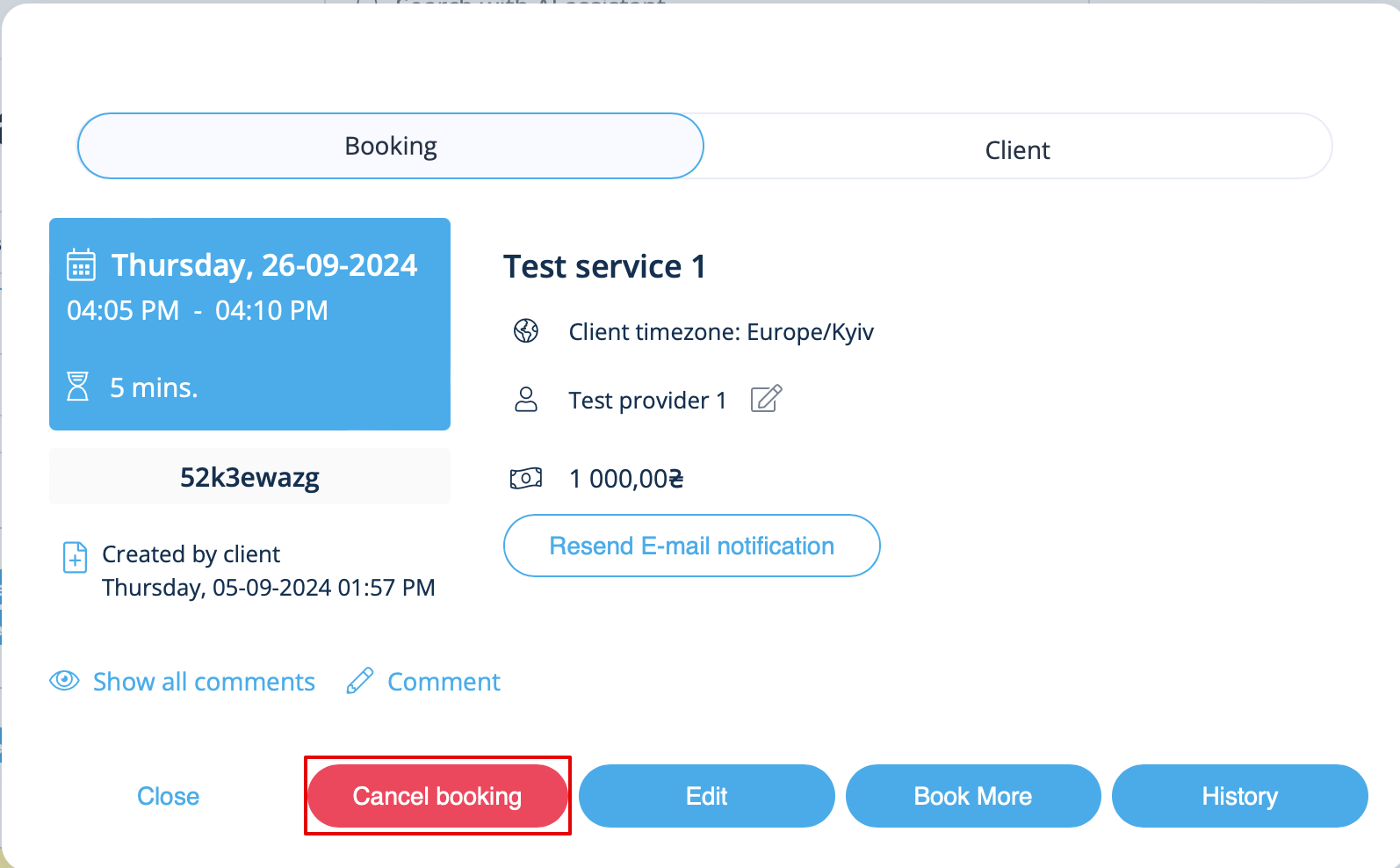
In <span style="background-color:#d4f8e5; padding:5px; border-radius:5px;">Calendar</span> (left-side menu) or in  in <span style="background-color:#d4f8e5; padding:5px; border-radius:5px;">Reports</span> -> <span style="background-color:#d4f8e5; padding:5px; border-radius:5px;">Booking details.</span> Click on the booking to open the details or use <span style="background-color:#d4f8e5; padding:5px; border-radius:5px;">View</span> option if in <span style="background-color:#d4f8e5; padding:5px; border-radius:5px;">Reports</span> and then press <span style="background-color:#d4f8e5; padding:5px; border-radius:5px;">Cancel booking</span> button. <br/>
[[File:Cancel booking in the booking info form.png|800px| center|link=https://help.simplybook.me/images/9/95/Cancel_booking_in_the_booking_info_form.png ]]
<br/><br/>

1. Для адміністратора або користувача

У календарі (меню зліва) або в у розділі «Звіти» -> «Деталі бронювання». Клацніть на бронювання, щоб відкрити деталі, або скористайтеся опцією «Переглянути», якщо ви перебуваєте в розділі «Звіти», а потім натисніть кнопку «Скасувати бронювання