Translations:How to manage bookings/4/sv: Difference between revisions

From SimplyBook.me
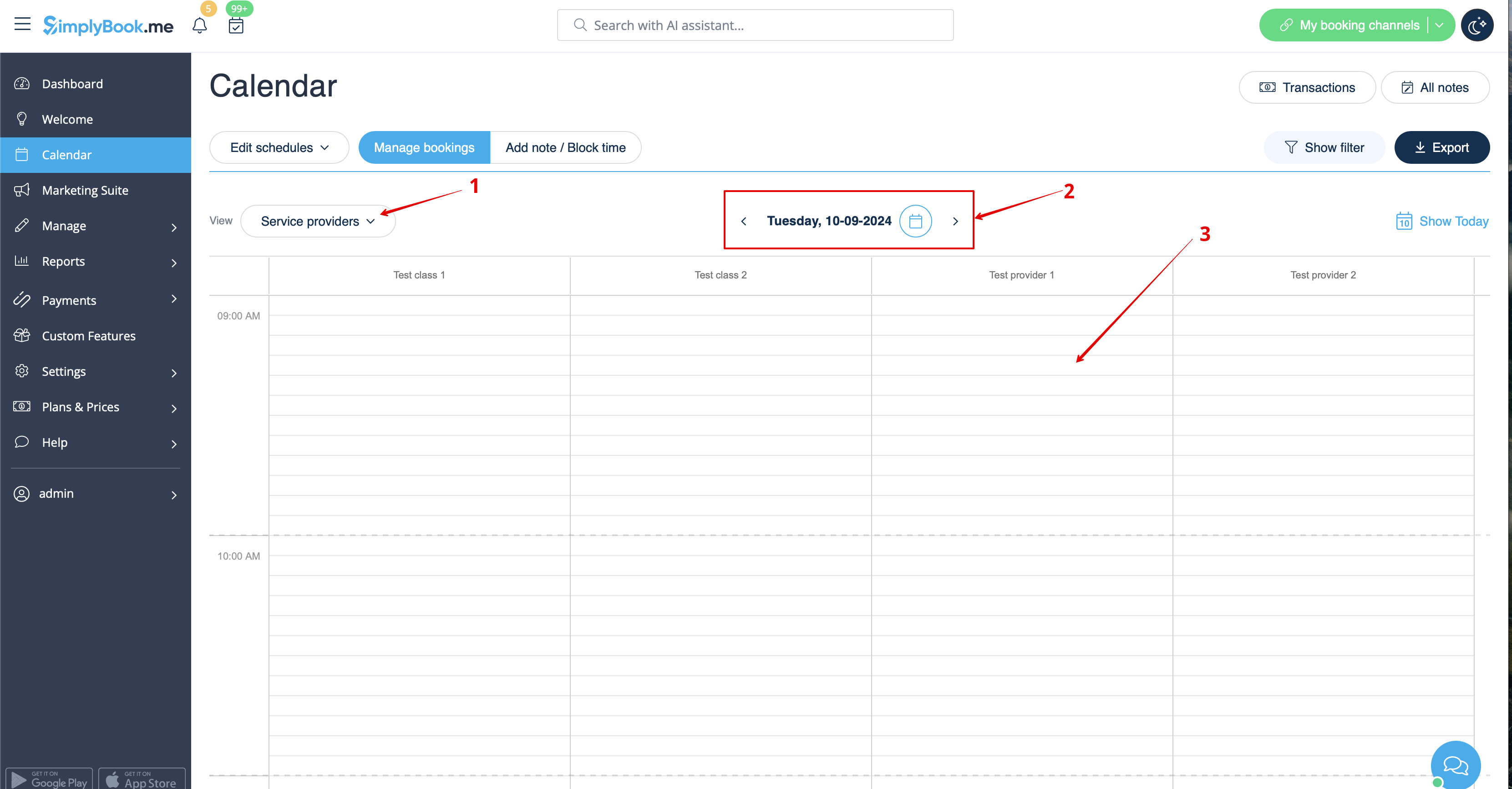
Created page with "1. I <span style="background-color:#d4f8e5; padding:5px; border-radius:5px;">Kalender</span> (objekt i menyn till vänster) väljer du önskad vy, det datum du vill lägga till bokningen (du kan också använda filtren högst upp för att underlätta) och antingen klicka på ledigt utrymme eller markera önskad tidsperiod genom att dra. File:Booking from admin calendar steps redesigned.png|1200px|border|center|link=https://help.simplybook.me/images/7/70/Booking_from_ad..."
 
(No difference)

Latest revision as of 09:48, 16 May 2025

Information about message (contribute)
This message has no documentation. If you know where or how this message is used, you can help other translators by adding documentation to this message.
Message definition (How to manage bookings)
1. In <span style="background-color:#d4f8e5; padding:5px; border-radius:5px;">Calendar</span> (item in the left-side menu) select the desirable view, the date you need to add the booking to (you may also use the filters at the top for convenience) and either simply click on free space or select the necessary time period by dragging.
[[File:Booking from admin calendar steps redesigned.png|1200px|border|center|link=https://help.simplybook.me/images/7/70/Booking_from_admin_calendar_steps_redesigned.png]]
<br><br>

1. I Kalender (objekt i menyn till vänster) väljer du önskad vy, det datum du vill lägga till bokningen (du kan också använda filtren högst upp för att underlätta) och antingen klicka på ledigt utrymme eller markera önskad tidsperiod genom att dra.