Translations:How to manage bookings/12/fr: Difference between revisions

From SimplyBook.me
Created page with "Si vous devez annuler plusieurs réservations à la fois, vous pouvez le faire dans <span style="background-color:#d4f8e5; padding:5px; border-radius:5px;">Rapports</span> -> <span style="background-color:#d4f8e5; padding:5px; border-radius:5px;">Détails de la réservation.</span><br> Vous pouvez utiliser le <span style="background-color:#d4f8e5; padding:5px; border-radius:5px;">filtre</span> si nécessaire, <span style="background-color:#d4f8e5; padding:5px; border-..."
 
(No difference)

Latest revision as of 09:49, 16 May 2025

Information about message (contribute)
This message has no documentation. If you know where or how this message is used, you can help other translators by adding documentation to this message.
Message definition (How to manage bookings)
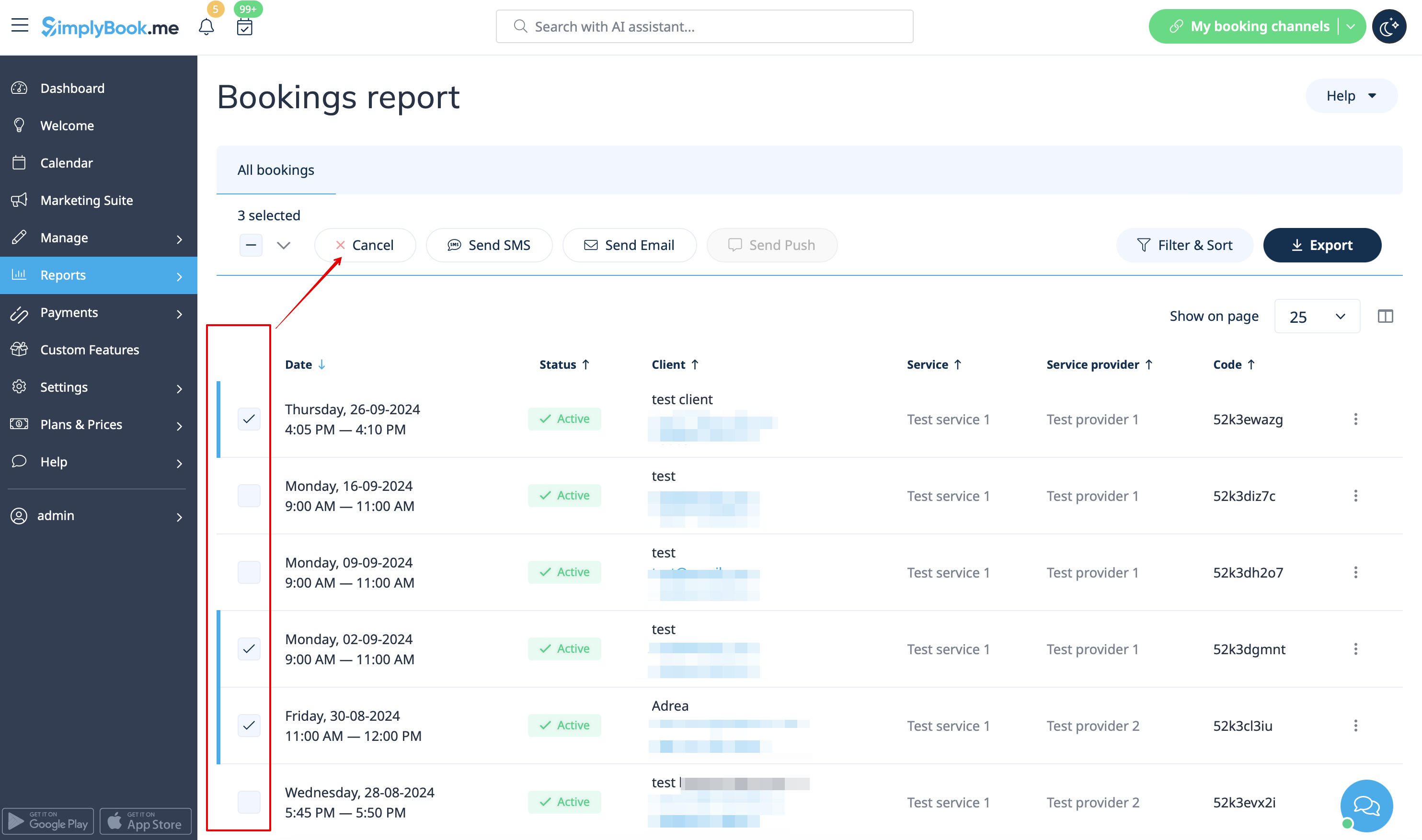
In case you need to cancel many bookings at once you can do that in <span style="background-color:#d4f8e5; padding:5px; border-radius:5px;">Reports</span> -> <span style="background-color:#d4f8e5; padding:5px; border-radius:5px;">Booking details.</span><br>
You can use the <span style="background-color:#d4f8e5; padding:5px; border-radius:5px;">filter</span> if necessary, <span style="background-color:#d4f8e5; padding:5px; border-radius:5px;">check the boxes</span> with the bookings to cancel and click on <span style="background-color:#d4f8e5; padding:5px; border-radius:5px;">Cancel selected</span> button at the top.<br>
<span style="background-color:#ffe9e9; padding:5px; border-radius:5px;">'''Please note!''' It is possible to cancel the appointments from one report page at a time.</span>
[[File:Cancel several bookings from report redesigned.png|1200px|border|center|link=https://help.simplybook.me/images/a/ac/Cancel_several_bookings_from_report_redesigned.png]]
<br/><br/>

Si vous devez annuler plusieurs réservations à la fois, vous pouvez le faire dans Rapports -> Détails de la réservation.
Vous pouvez utiliser le filtre si nécessaire, cocher les cases correspondant aux réservations à annuler et cliquer sur le bouton Annuler la sélection en haut.
Remarque : il est possible d'annuler les rendez-vous à partir d'une seule page de rapport à la fois.