Tags : Mobile edit Mobile web edit
(No difference)
Latest revision as of 09:55, 16 May 2025
Information about message (contribute ) This message has no documentation.
If you know where or how this message is used, you can help other translators by adding documentation to this message.
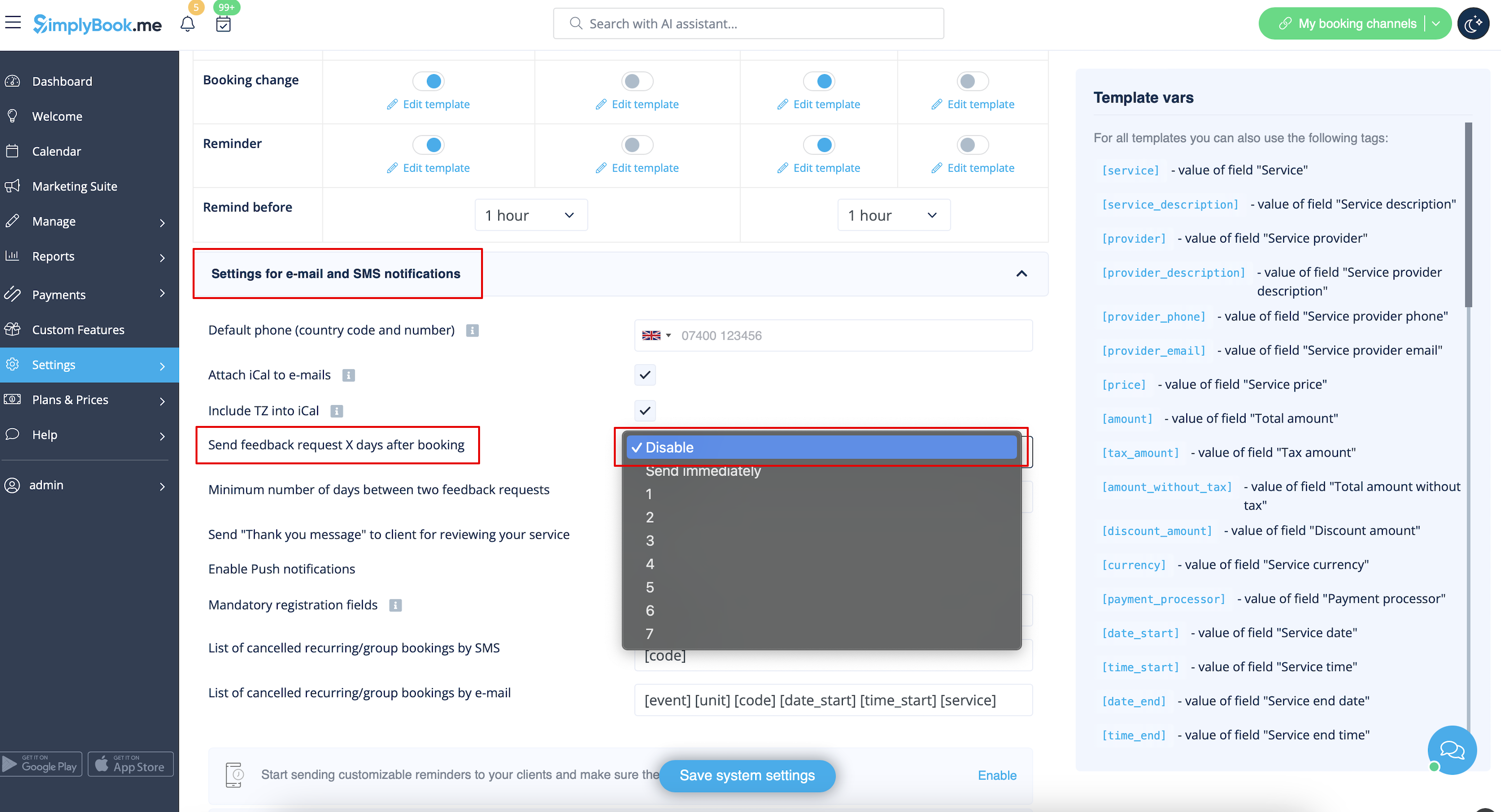
Message definition (Adjusting notifications ) =How to disable Feedbacks= You can view all your reviews in the <span style="background-color:#d4f8e5; padding:5px; border-radius:5px;">Reports</span> -> <span style="background-color:#d4f8e5; padding:5px; border-radius:5px;">Reviews</span> tab in left-side menu, delete or reply to them. If you wish to remove the option to leave a review and do not send feedback request in <span style="background-color:#d4f8e5; padding:5px; border-radius:5px;">Settings</span> -> <span style="background-color:#d4f8e5; padding:5px; border-radius:5px;">Email and SMS settings</span> -> <span style="background-color:#d4f8e5; padding:5px; border-radius:5px;">Settings for e-mail and SMS notifications</span> -> set <span style="background-color:#d4f8e5; padding:5px; border-radius:5px;">Number of days until feedback request is sent to client</span> to <span style="background-color:#d4f8e5; padding:5px; border-radius:5px;">Disable.</span><br/> [[File:Feedback disable path redesigned.png|1200px | center|link=https://help.simplybook.me/images/1/12/Feedback_disable_path_redesigned.png]] <br><br>
How to disable Feedbacks
You can view all your reviews in the Reports -> Reviews tab in left-side menu, delete or reply to them. If you wish to remove the option to leave a review and do not send feedback request in Settings -> Email and SMS settings -> Settings for e-mail and SMS notifications -> set Number of days until feedback request is sent to client to Disable.