Translations:Adjusting notifications/21/uk: Difference between revisions

From SimplyBook.me
Created page with "== Щоденний звіт == Коли ви ввімкнете та налаштуєте цю спеціальну функцію, вона автоматично надсилатиме електронний звіт про нові, майбутні та скасовані зустрічі на електронну адресу вашої компанії.<br> Шаблону для редагування немає, але ви мож..."
(No difference)

Revision as of 09:56, 16 May 2025

Information about message (contribute)
This message has no documentation. If you know where or how this message is used, you can help other translators by adding documentation to this message.
Message definition (Adjusting notifications)
==[[Special:MyLanguage/Daily Report custom feature|Daily report]]==
When you enable and set this custom feature it will automatically send the email report about new, upcoming and cancelled appointments to your company email address.<br>
There is not template to edit as such, but you can adjust the items included in <span style="background-color:#d4f8e5; padding:5px; border-radius:5px;">Custom features</span> -> [[Special:MyLanguage/Daily Report custom feature|Daily report]] -> on the <span style="background-color:#d4f8e5; padding:5px; border-radius:5px;">right side</span> of the page.
[[File:Daily report settings path redesigned.png|1200px|border|center|link=https://help.simplybook.me/images/e/e2/Daily_report_settings_path_redesigned.png]]
<br><br>
:''[[Special:MyLanguage/Daily Report custom feature|Read more]] about his custom feature use.''
--------

Щоденний звіт

Коли ви ввімкнете та налаштуєте цю спеціальну функцію, вона автоматично надсилатиме електронний звіт про нові, майбутні та скасовані зустрічі на електронну адресу вашої компанії.
Шаблону для редагування немає, але ви можете налаштувати елементи, що включаються, в розділі «Налаштовані функції» -> «Щоденний звіт» -> у правій частині сторінки.
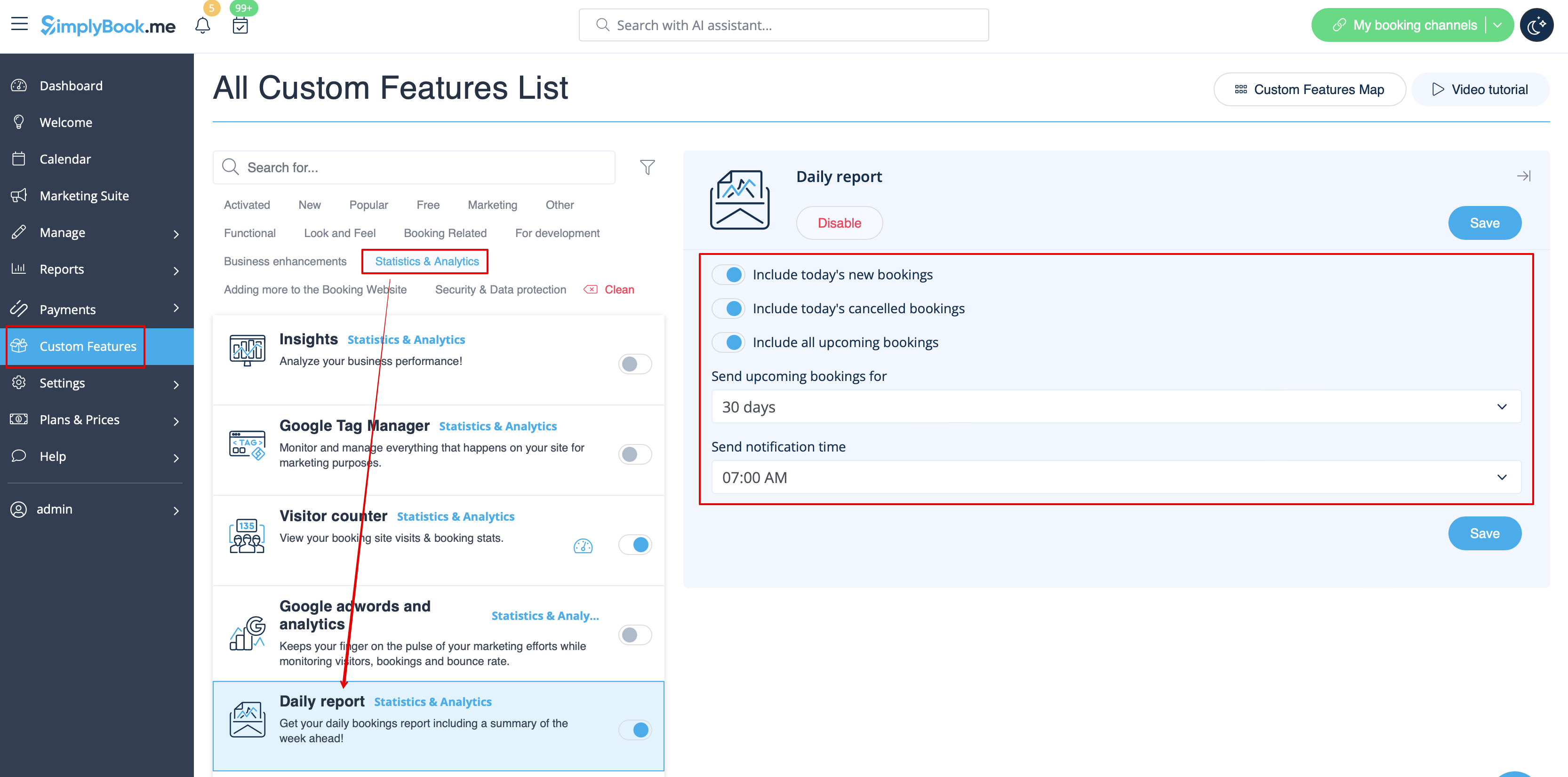


Дізнайтеся більше про використання цієї налаштованої функції.