Translations:Adjusting notifications/26/sv: Difference between revisions

From SimplyBook.me
Created page with "Variabler är element som kan infogas i e-post- och sms-mallar (<span style="background-color:#d4f8e5; padding:5px; border-radius:5px;">Inställningar</span> -> <span style="background-color:#d4f8e5; padding:5px; border-radius:5px;">E-post- och SMS-inställningar</span>). Dessa variabler anger det valda objektet efter att bokningen har gjorts. Du har till exempel två leverantörer: Mary och John. I e-postmallen infogar du texten "Du har bokat en tjänst med [leverant..."
 
(No difference)

Latest revision as of 09:59, 16 May 2025

Information about message (contribute)
This message has no documentation. If you know where or how this message is used, you can help other translators by adding documentation to this message.
Message definition (Adjusting notifications)
Variables are elements that can be inserted in email and sms templates (<span style="background-color:#d4f8e5; padding:5px; border-radius:5px;">Settings</span> -> <span style="background-color:#d4f8e5; padding:5px; border-radius:5px;">Email and SMS settings</span>). These variables will denote the chosen item after the booking is made. For example you have 2 providers: Mary and John. In email template you insert text "You have booked a service with [provider]". If the client chose on the booking page provider Mary, they would receive the following text "You have booked a service with Mary", if they chose John, they would receive the text "You have booked a service with John."<br>
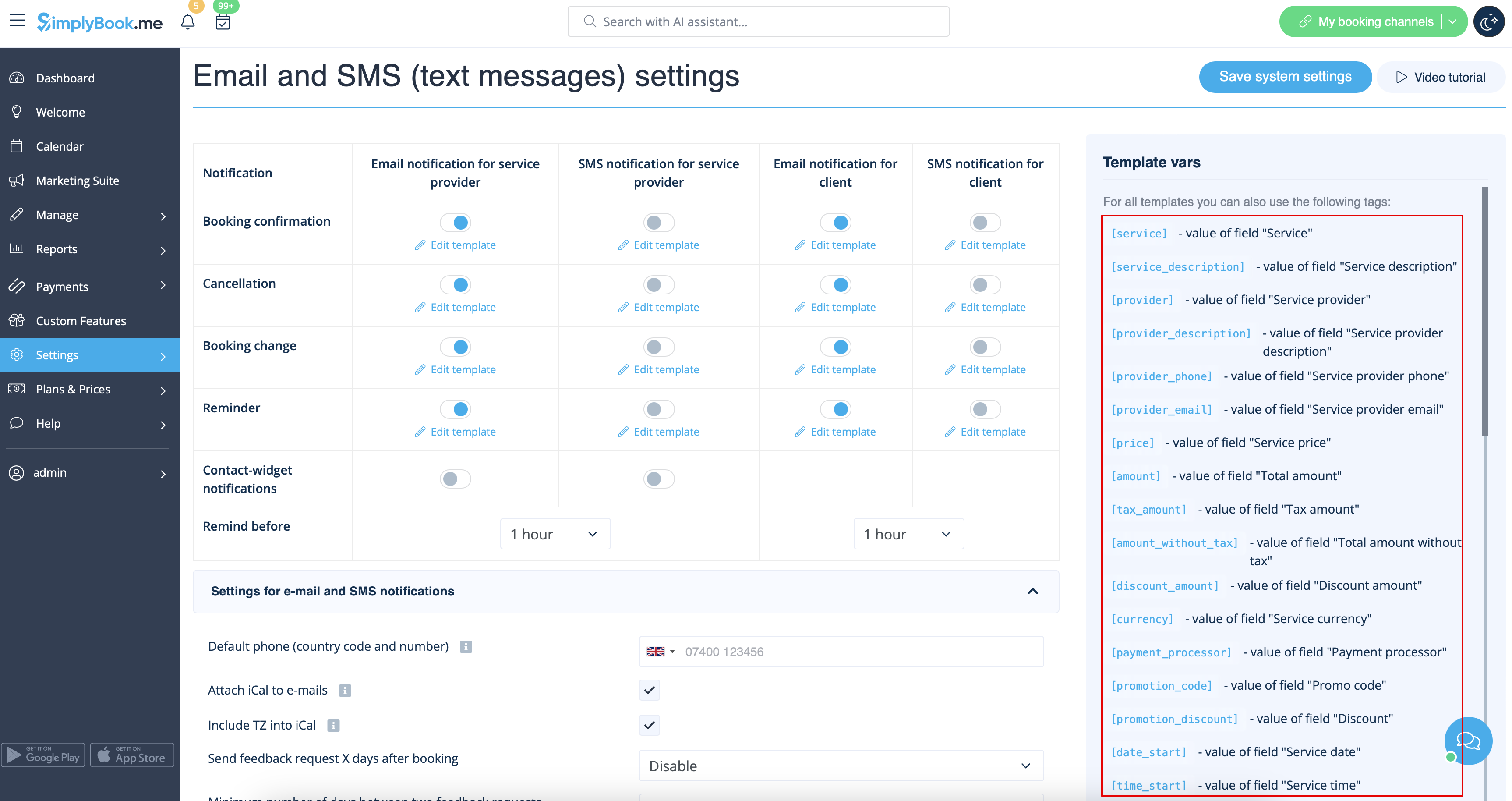
You can always find the variables that can be used with the certain notification type near the template either on the right side of the page or in the popup that can be access by click on "Variables" button.
[[File:Variables overview redesigned.png|1200px|border|center|link=https://help.simplybook.me/images/d/d3/Variables_overview_redesigned.png]]
<br><br>

Variabler är element som kan infogas i e-post- och sms-mallar (Inställningar -> E-post- och SMS-inställningar). Dessa variabler anger det valda objektet efter att bokningen har gjorts. Du har till exempel två leverantörer: Mary och John. I e-postmallen infogar du texten "Du har bokat en tjänst med [leverantör]". Om kunden valde leverantören Mary på bokningssidan skulle de få följande text: "Du har bokat en tjänst med Mary". Om de valde John skulle de få texten "Du har bokat en tjänst med John"
Du kan alltid hitta de variabler som kan användas med en viss typ av meddelande nära mallen, antingen på höger sida av sidan eller i popup-fönstret som du kommer åt genom att klicka på knappen "Variabler".