Created page with "{{#seo: |title=Моя підписка на SimplyBook.me та як її поновити |description=Ознайомтеся з деталями вашої підписки та процесом її поновлення. Дотримуйтесь інструкцій, щоб зберегти свій обліковий запис SimplyBook.me. |titlemode=додати |keywords=fAQ, поширені запитання, програмне забезпечення для..." |
Created page with "*'''Банківський переказ''' на рахунок:<br><br>" |
||
| Line 27: | Line 27: | ||
*'''Кредитна картка''' через системи SafeCharge або Stripe<br><br> | *'''Кредитна картка''' через системи SafeCharge або Stripe<br><br> | ||
*'''Банківський переказ''' на рахунок:<br><br> | |||
*''' | |||
<div lang="en" dir="ltr" class="mw-content-ltr"> | <div lang="en" dir="ltr" class="mw-content-ltr"> | ||
Revision as of 12:41, 16 May 2025
Де перевірити деталі підписки
Деталі підписки можна переглянути в декількох місцях
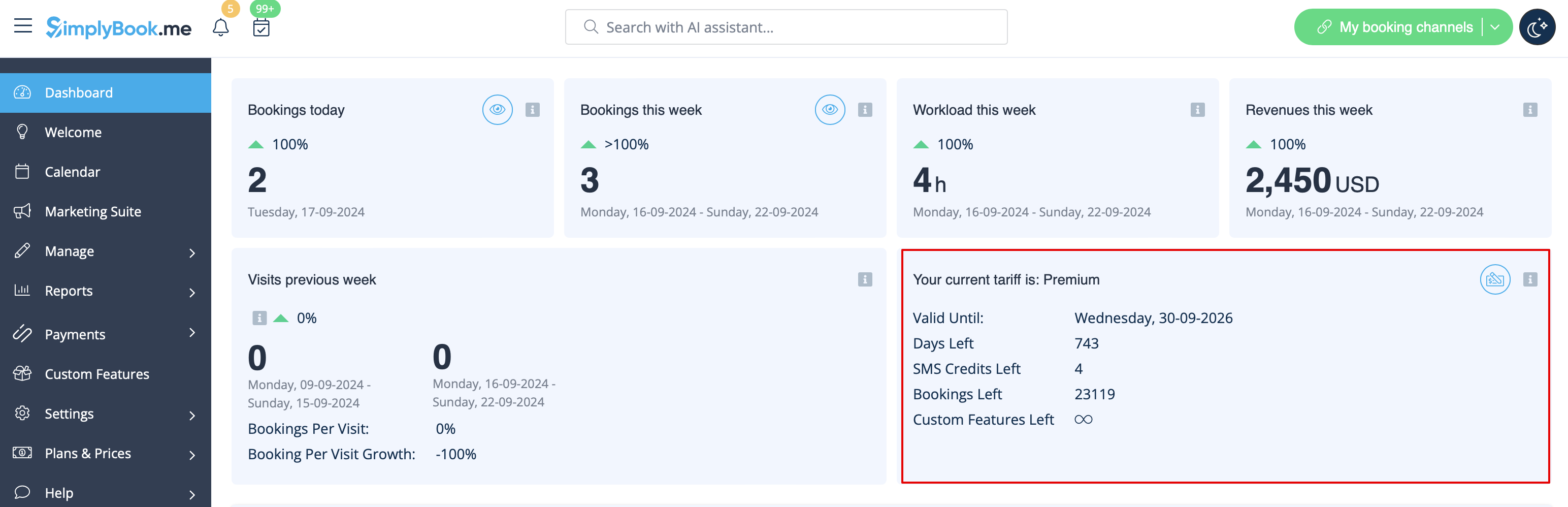
- 1. Панель управління, розділ «Ваш поточний тариф»
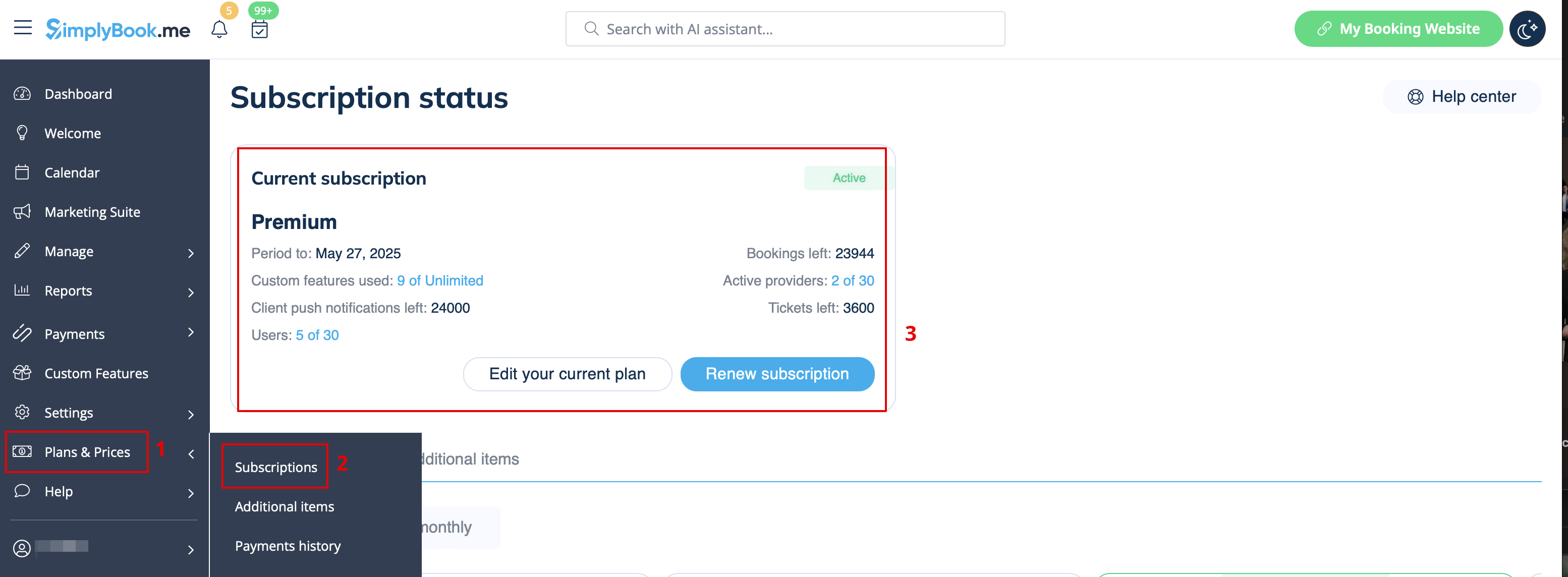
- 2. Плани та ціни//Підписки над таблицею «Підписки»
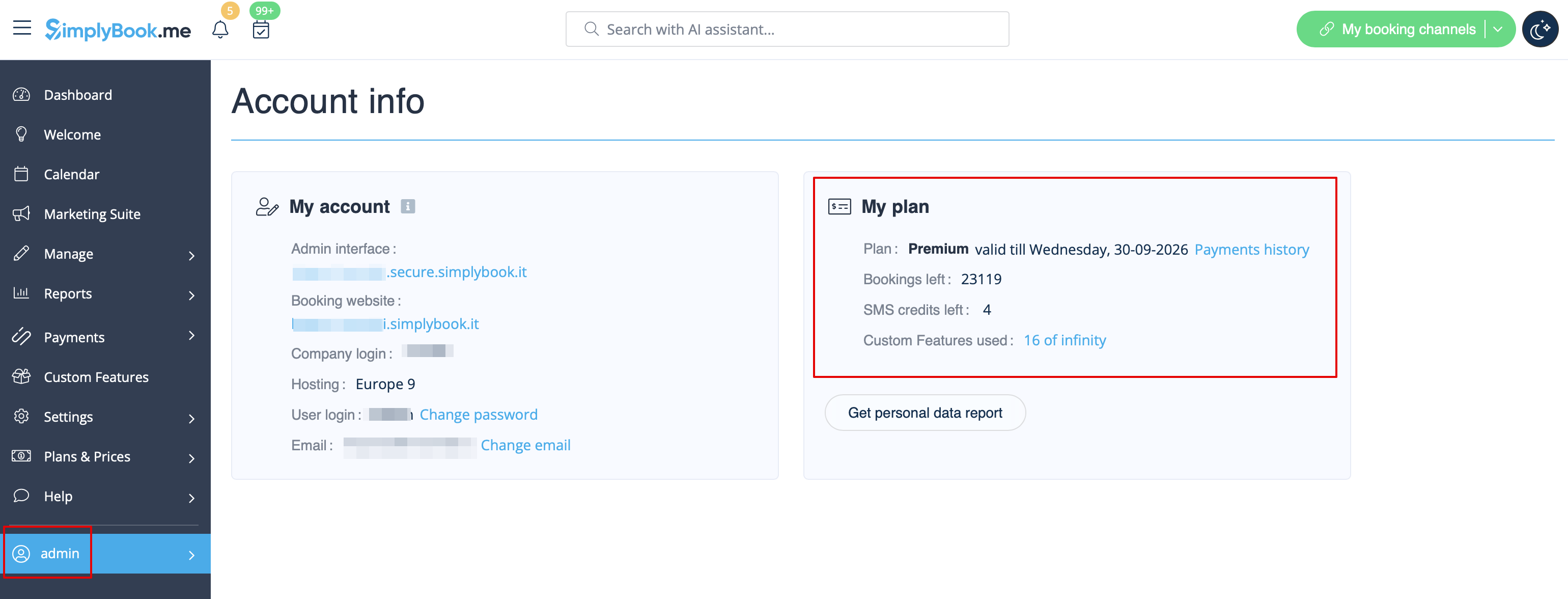
- 3. На сторінці «Інформація про обліковий запис», праворуч.
Як поновити підписку
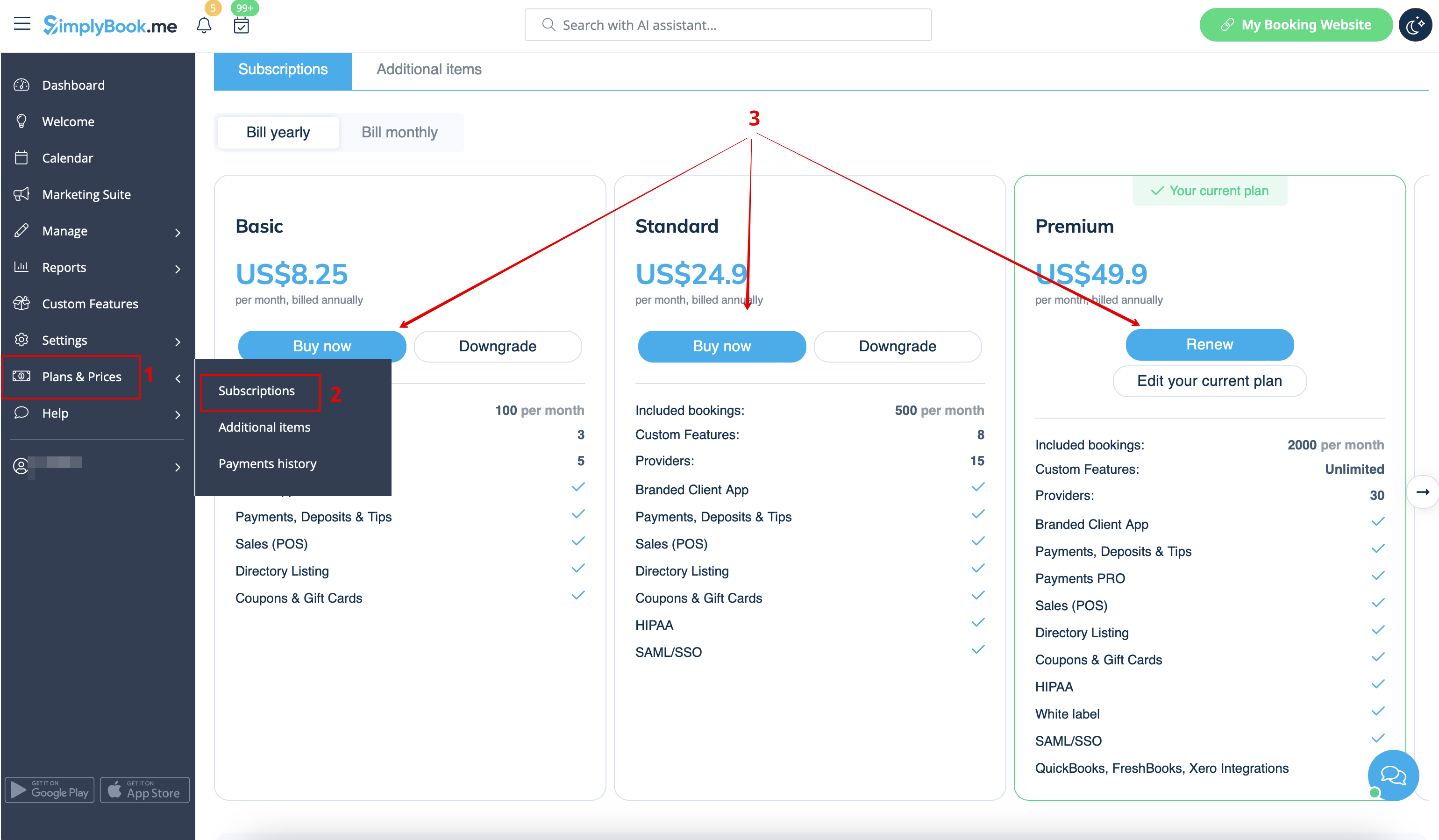
У розділі «Плани та ціни» // «Підписки» виберіть потрібний пакет і натисніть «Купити/Поновити» під ним.
Залежно від вашого регіону/валюти, для оплати підписки доступні кілька платіжних шлюзів:
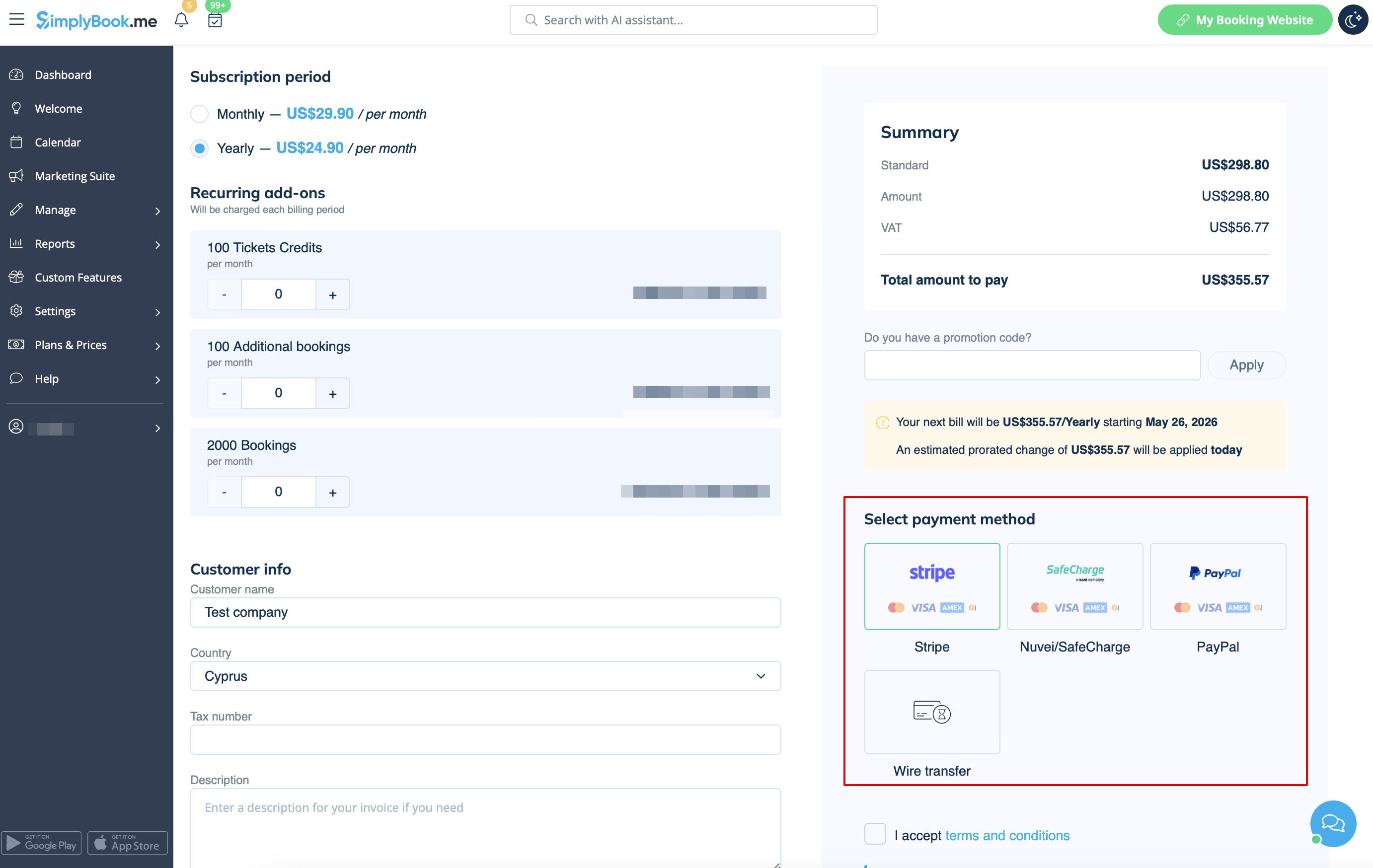
- Кредитна картка через системи SafeCharge або Stripe
- Банківський переказ на рахунок:
- Beneficiary: SimplyBook.me ltd
- Address: 21 Karaiskaki str., Oasis Center, 3032 Limassol, Cyprus
- IBAN EURO: IS800537387113314509189970
- IBAN GBP: IS920537382003884509189970
- IBAN USD: IS280537381011334509189970
- SWIFT: GLITISRE
- REMARK: Minimum transfer is $50/50Eur/40GBP
Please note! Subscription payments made for your SimplyBook.me account via SafeCharge, Stripe (or PayPal if you have difficulties with Safecharge system) are set as recurring and will automatically renew based on the selected subscription period.
You can cancel recurring payment at any time in Plans & Prices -> Payments history -> Recurring payment profiles.
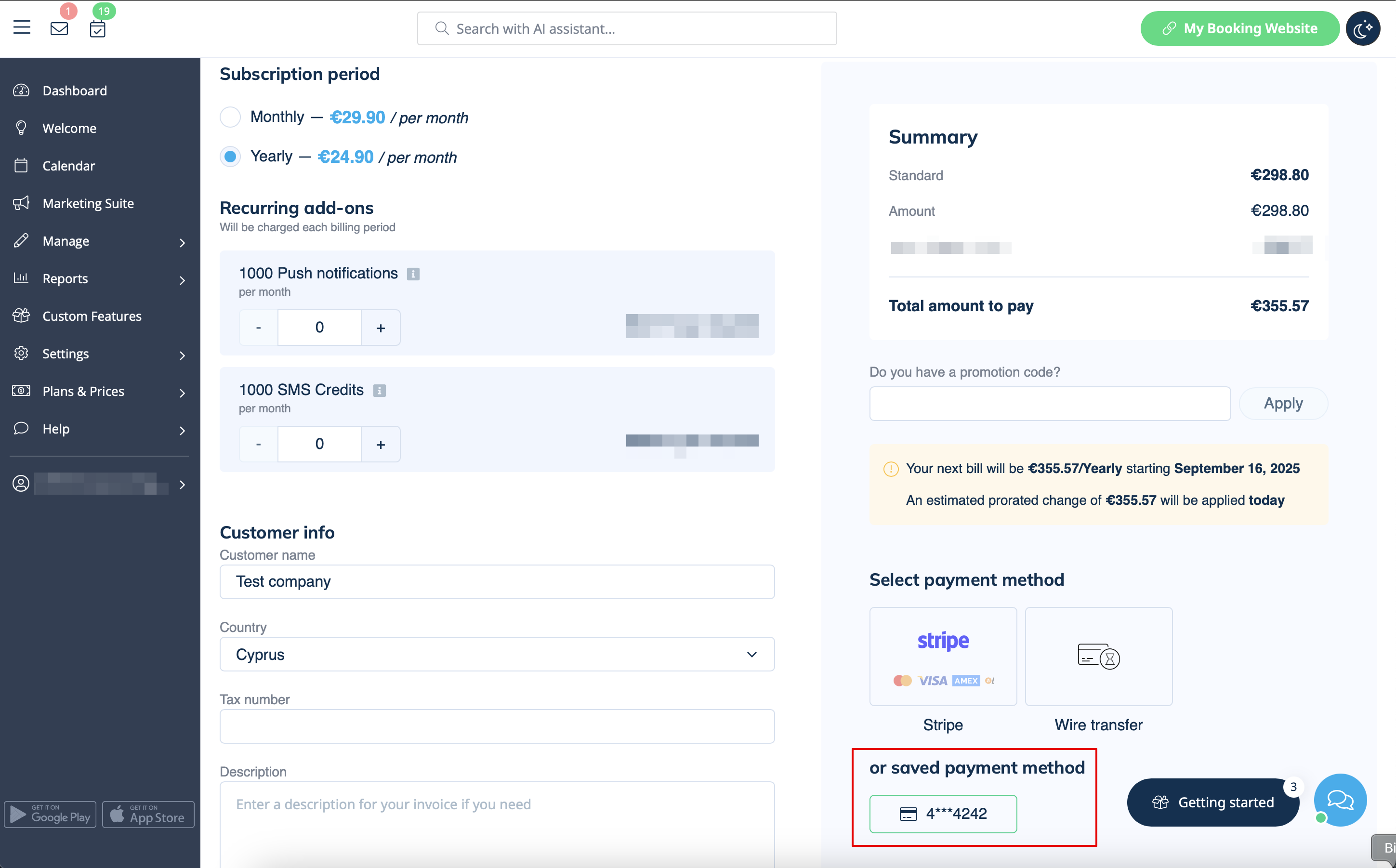
When you select to pay with your bank card (via SafeCharge, Stripe systems or PayPal) your payment method gets saved in Plans & Prices -> Payments history -> Payment methods
and you will be able to use these saved methods for the future purchases of subscriptions and/or additional items so that you will not need to remember the credentials each time you need to add something to your system.
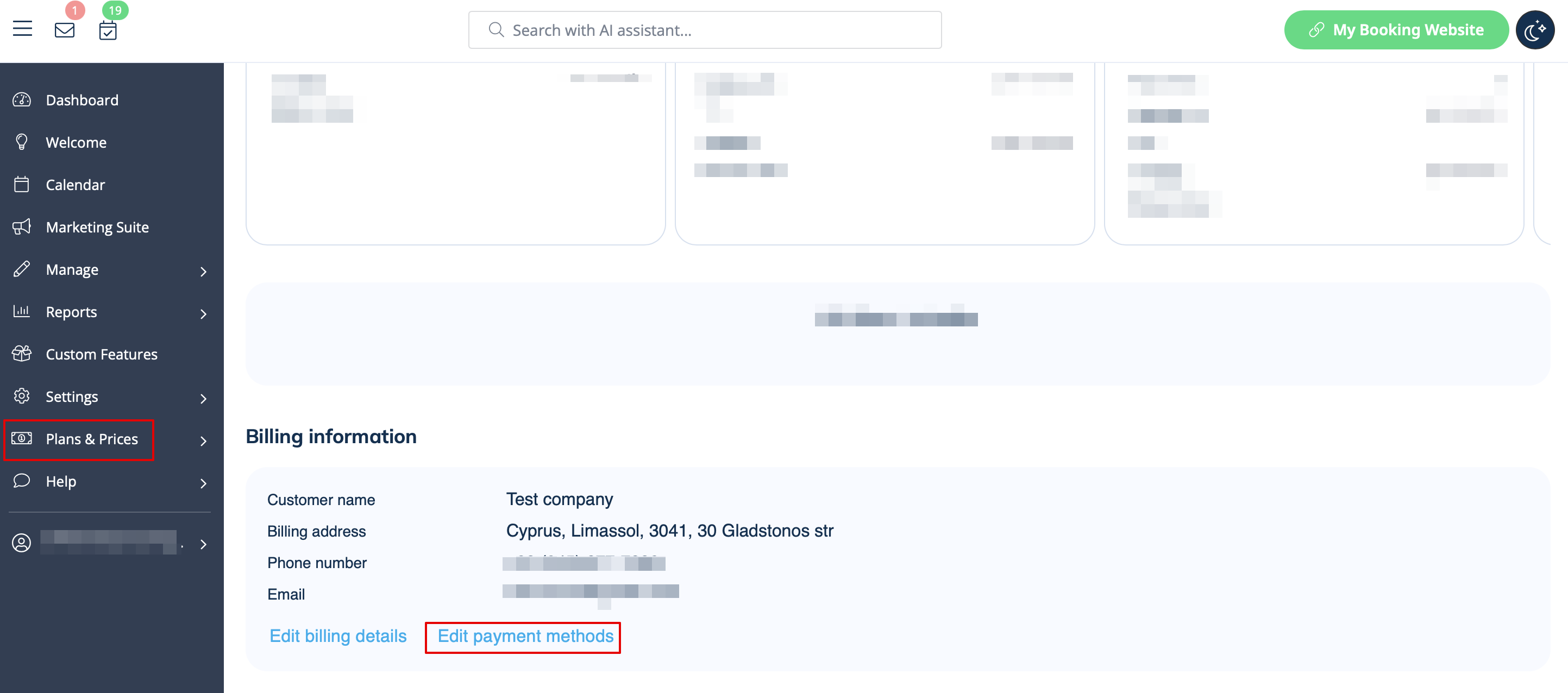
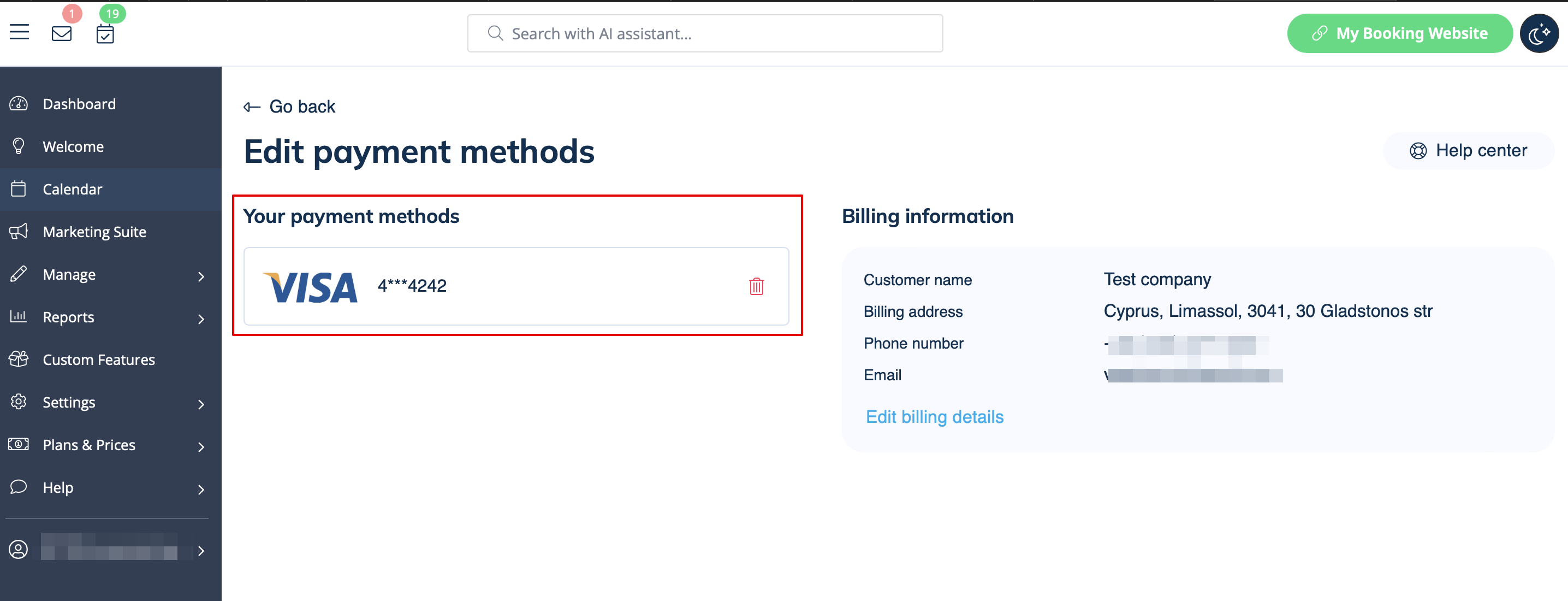
You can always disable the methods that were previously saved in Plans & Prices -> Subscriptions -> scroll the page down -> Edit payment methods.
How to change payment method
It may happen that you need to change either your credit card details or switch between payment options.
You can simply make a new payment for the desired plan by clicking on "Buy"/"Renew"/"Upgrade" under the corresponding option in the "Subscriptions" tab.
Choose the preferred payment method, provide you details and confirm payment. New payment method will be automatically saved when your payment is confirmed.
