Created page with "Як увімкнути спеціальну функцію" Tags: Mobile edit Mobile web edit |
Created page with "{{#seo: |title=Як увімкнути спеціальну функцію — SimplyBook.me |description=Увімкніть користувацькі функції, щоб розширити функціональність вашої системи бронювання. Дотримуйтесь нашого посібника, щоб розпочати вже сьогодні! |titlemode=додати |keywords=fAQ, поширені запитання, програм..." |
||
| Line 1: | Line 1: | ||
<languages/> | <languages/> | ||
{{#seo: |title=Як увімкнути спеціальну функцію — SimplyBook.me |description=Увімкніть користувацькі функції, щоб розширити функціональність вашої системи бронювання. Дотримуйтесь нашого посібника, щоб розпочати вже сьогодні! |titlemode=додати |keywords=fAQ, поширені запитання, програмне забезпечення для бронювання, запитання про систему бронювання, онлайн-бронювання, програмне забезпечення для календаря, система бронювання, календар бронювання, програмне забезпечення для планування, онлайн-планування зустрічей, онлайн-планування, плагіни, налаштовані функції, посилання на налаштовану сторінку бронювання, доменне ім'я, налаштоване доменне ім'я, налаштоване URL-адреса }} | |||
{{#seo: | |||
|title= | |||
|description= | |||
|titlemode= | |||
|keywords= | |||
}} | |||
<div lang="en" dir="ltr" class="mw-content-ltr"> | <div lang="en" dir="ltr" class="mw-content-ltr"> | ||
Revision as of 07:10, 19 May 2025
To enable Custom Feature, go to the Custom Feature section in the left-side menu. Find the necessary Custom Feature and press "Enable" button near it or set the switcher to an active position.
For example:
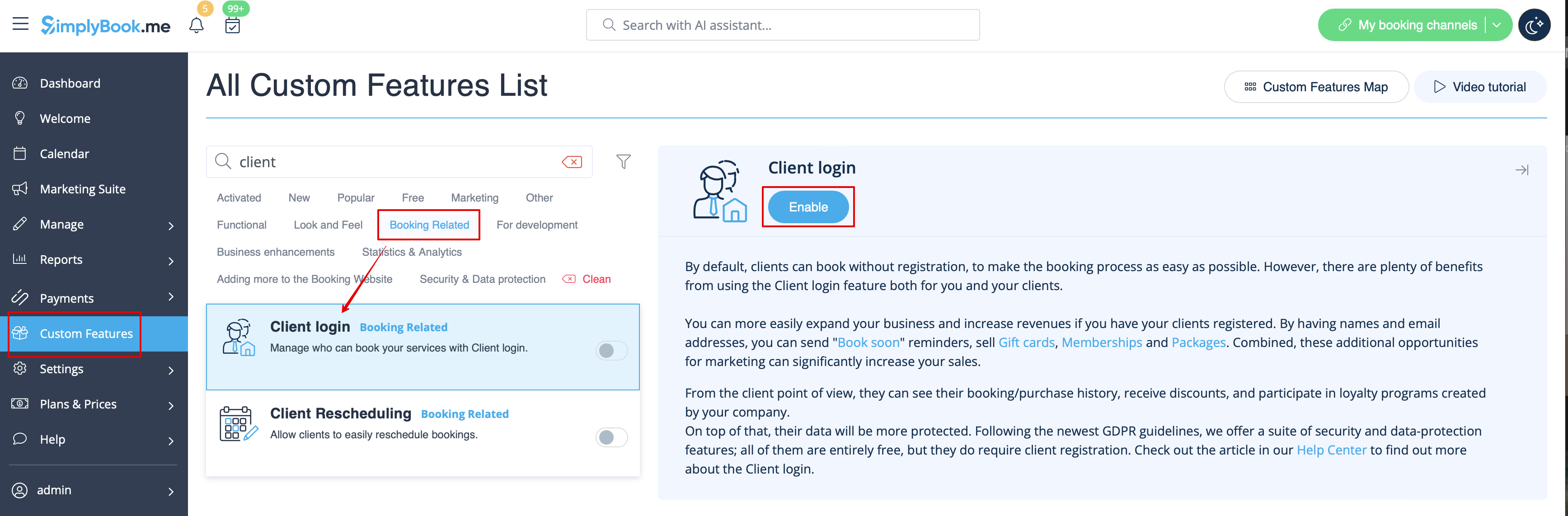
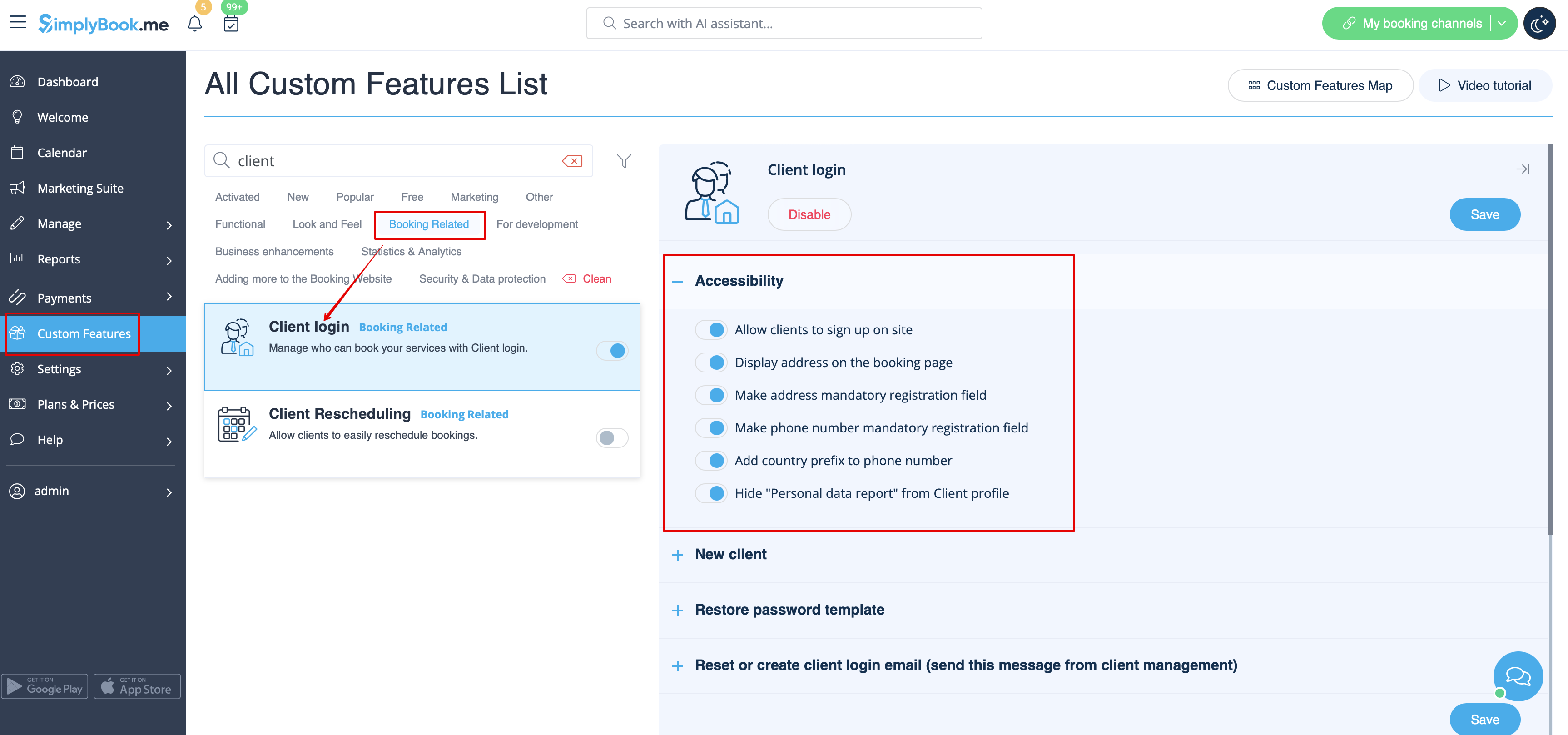
As the result you will see the success message at the bottom and settings options/links on the right if there are any for the particular feature.
- There is no "Enable" button near the Custom Feature or it is disabled.
Please check how many Custom Features your subscription allows, maybe you have reached maximum number of enabled Custom Features. Free plan allows using only 1 Custom Feature (unlimited during first 14 trial days only).
You can check your subscription details in Plans&Prices//Subscriptions by scrolling down to the bottom of the page. If you want to have more Custom Features, please upgrade to a larger subscription in Plans&Prices//Subscriptions.
