Translations:How to enable custom feature/3/uk: Difference between revisions

From SimplyBook.me
Created page with "Наприклад: <br> 1200px | center|link=https://help.simplybook.me/images/2/2c/Client_login_enable_path_redesigned.png<br/> <br/> В результаті ви побачите повідомлення про успішне виконання внизу та параметри налаштувань/посилання праворуч, якщо вони є для конкретної функції. File:Client logi..."
 
(No difference)

Latest revision as of 07:10, 19 May 2025

Information about message (contribute)
This message has no documentation. If you know where or how this message is used, you can help other translators by adding documentation to this message.
Message definition (How to enable custom feature)
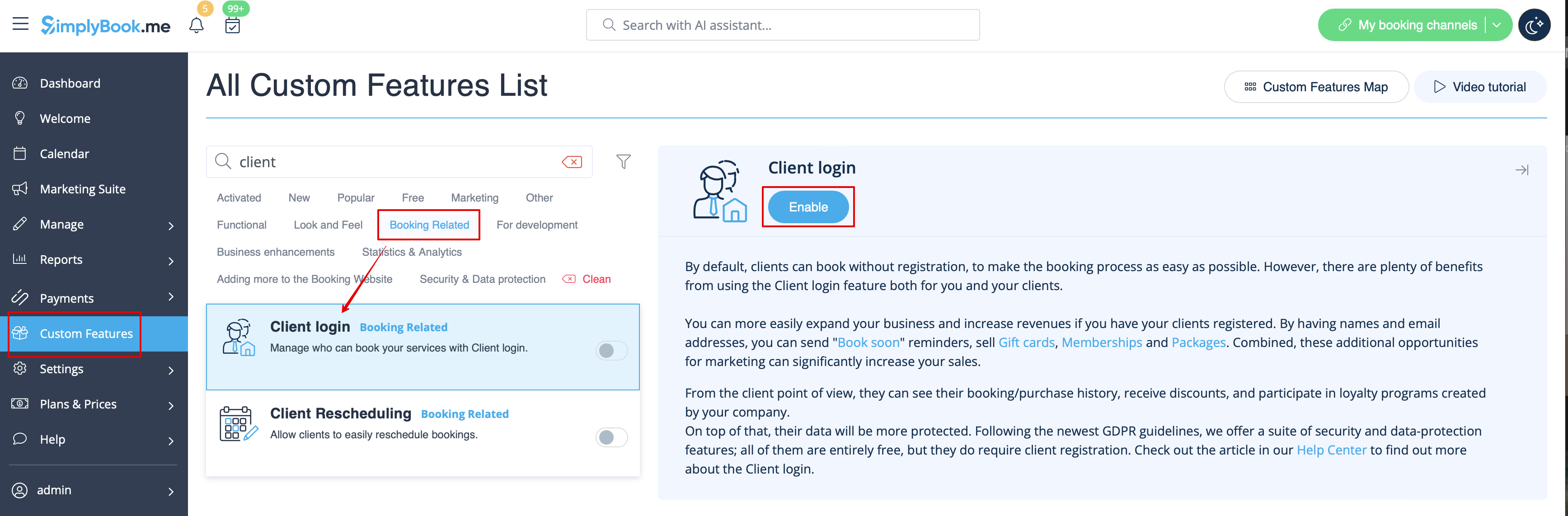
For example:
<br>
[[File:Client login enable path redesigned.png|1200px | center|link=https://help.simplybook.me/images/2/2c/Client_login_enable_path_redesigned.png]]<br/> <br/>
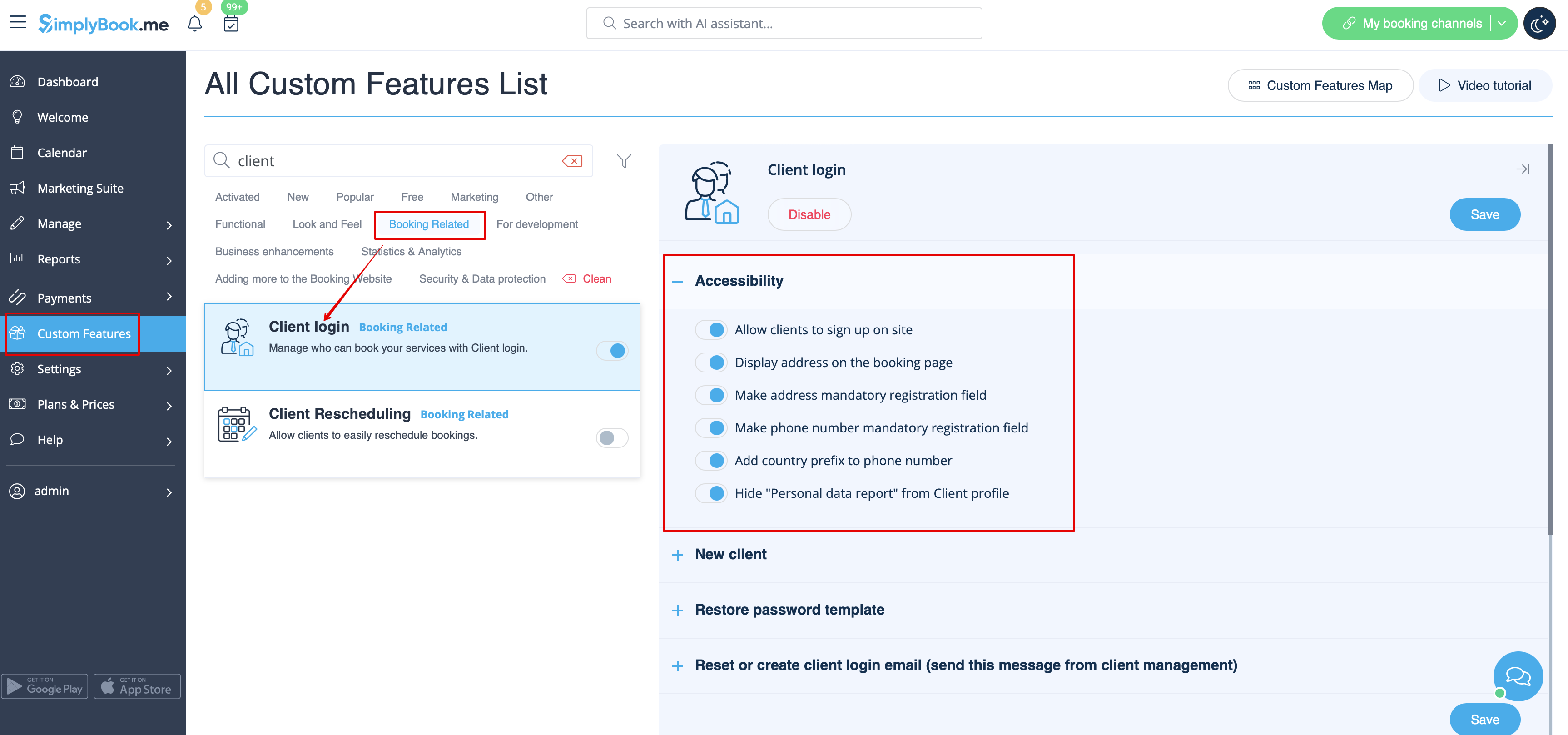
As the result you will see the success message at the bottom and settings options/links on the right if there are any for the particular feature.
[[File:Client login settings redesigned.png|1200px| center|link=https://help.simplybook.me/images/e/e5/Client_login_settings_redesigned.png]]
<br/> <br/>

Наприклад:


В результаті ви побачите повідомлення про успішне виконання внизу та параметри налаштувань/посилання праворуч, якщо вони є для конкретної функції.