Translations:Calendar Notes/7/da: Difference between revisions

From SimplyBook.me
Created page with ":Hvis du har tilføjet en note <span style="background-color:#d4f8e5; padding:5px; border-radius:5px;">pr. service</span>, kan du se den i visningerne <span style="background-color:#d4f8e5; padding:5px; border-radius:5px;">Service,</span> <span style="background-color:#d4f8e5; padding:5px; border-radius:5px;">Dag,</span> <span style="background-color:#d4f8e5; padding:5px; border-radius:5px;">Uge</span> og <span style="background-color:#d4f8e5; padding:5px; border-radius:..."
 
(No difference)

Latest revision as of 09:16, 19 May 2025

Information about message (contribute)
This message has no documentation. If you know where or how this message is used, you can help other translators by adding documentation to this message.
Message definition (Calendar Notes)
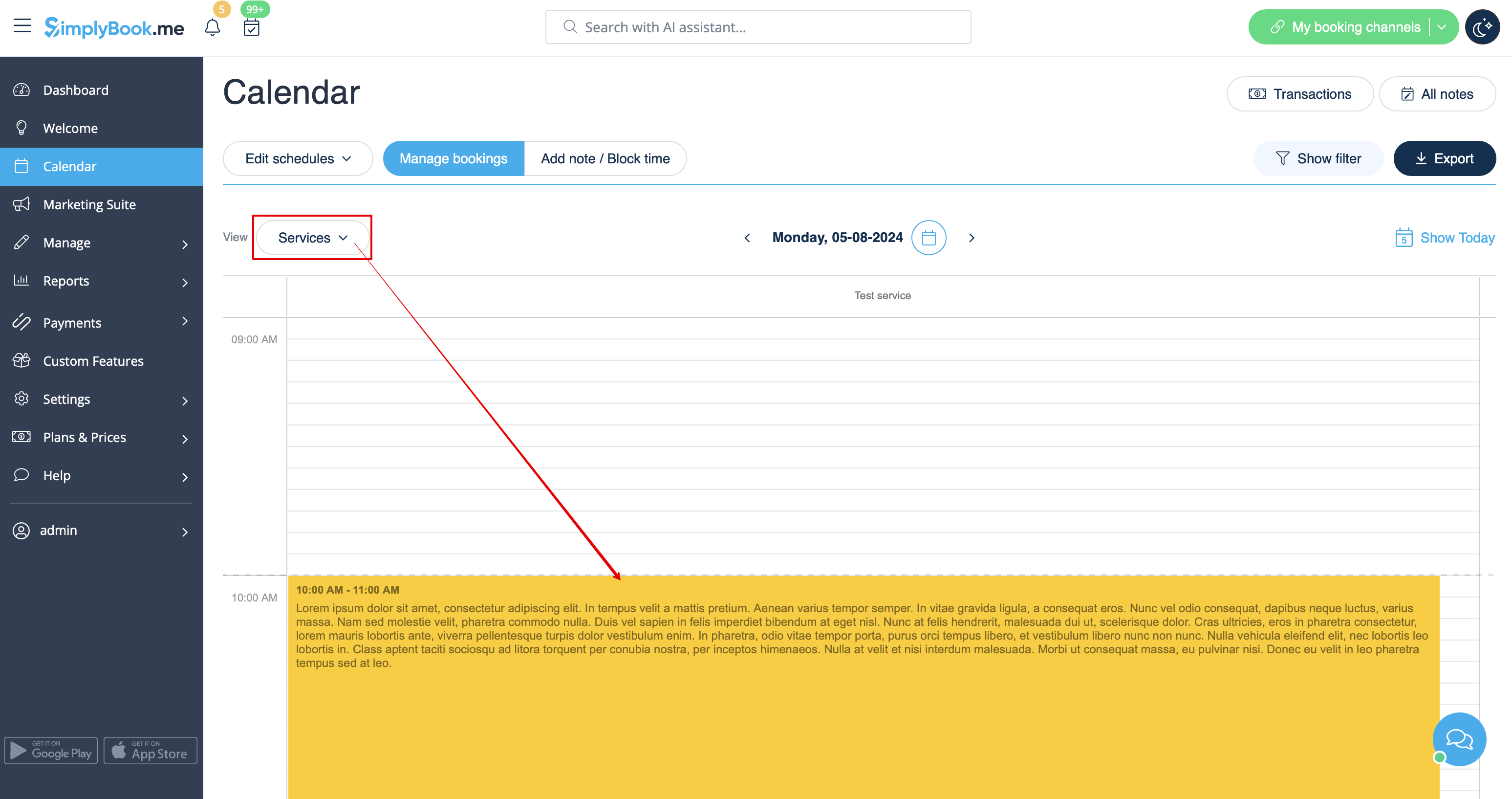
:If you have added a note <span style="background-color:#d4f8e5; padding:5px; border-radius:5px;">per service</span> you will be able to see it in <span style="background-color:#d4f8e5; padding:5px; border-radius:5px;">Service,</span> <span style="background-color:#d4f8e5; padding:5px; border-radius:5px;">Day,</span> <span style="background-color:#d4f8e5; padding:5px; border-radius:5px;">Week</span> and <span style="background-color:#d4f8e5; padding:5px; border-radius:5px;">Month</span> views.
[[File:Services notes view redesigned.png|1200px|border|center|link=https://help.simplybook.me/images/0/0b/Services_notes_view_redesigned.png]]
<br><br>
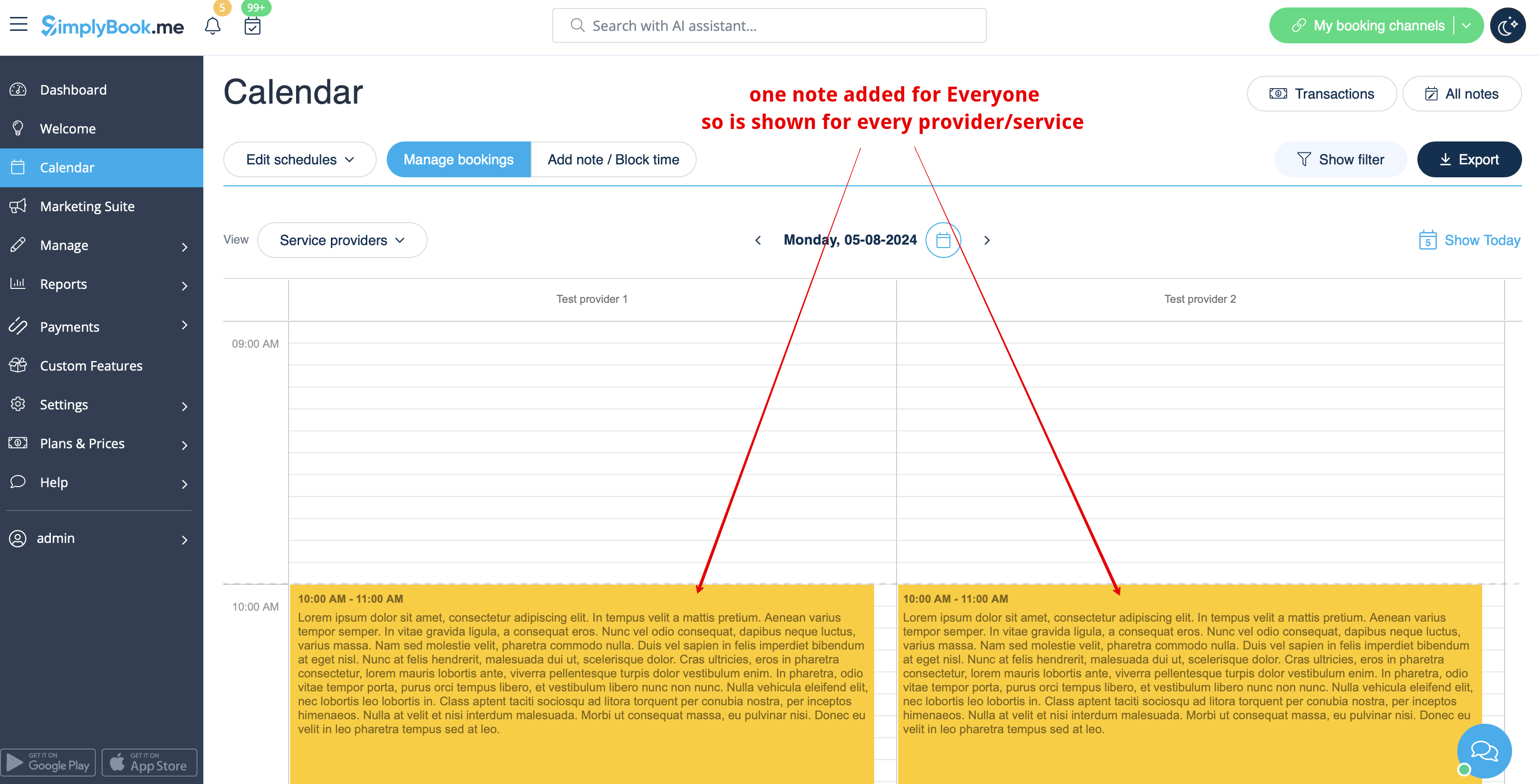
:The notes for <span style="background-color:#d4f8e5; padding:5px; border-radius:5px;">Everyone</span> are displayed in <span style="background-color:#d4f8e5; padding:5px; border-radius:5px;">all calendar views.</span>
[[File:Note for everyone view redesigned.png|1200px|border|center|link=https://help.simplybook.me/images/a/ad/Note_for_everyone_view_redesigned.png]]
<br><br>
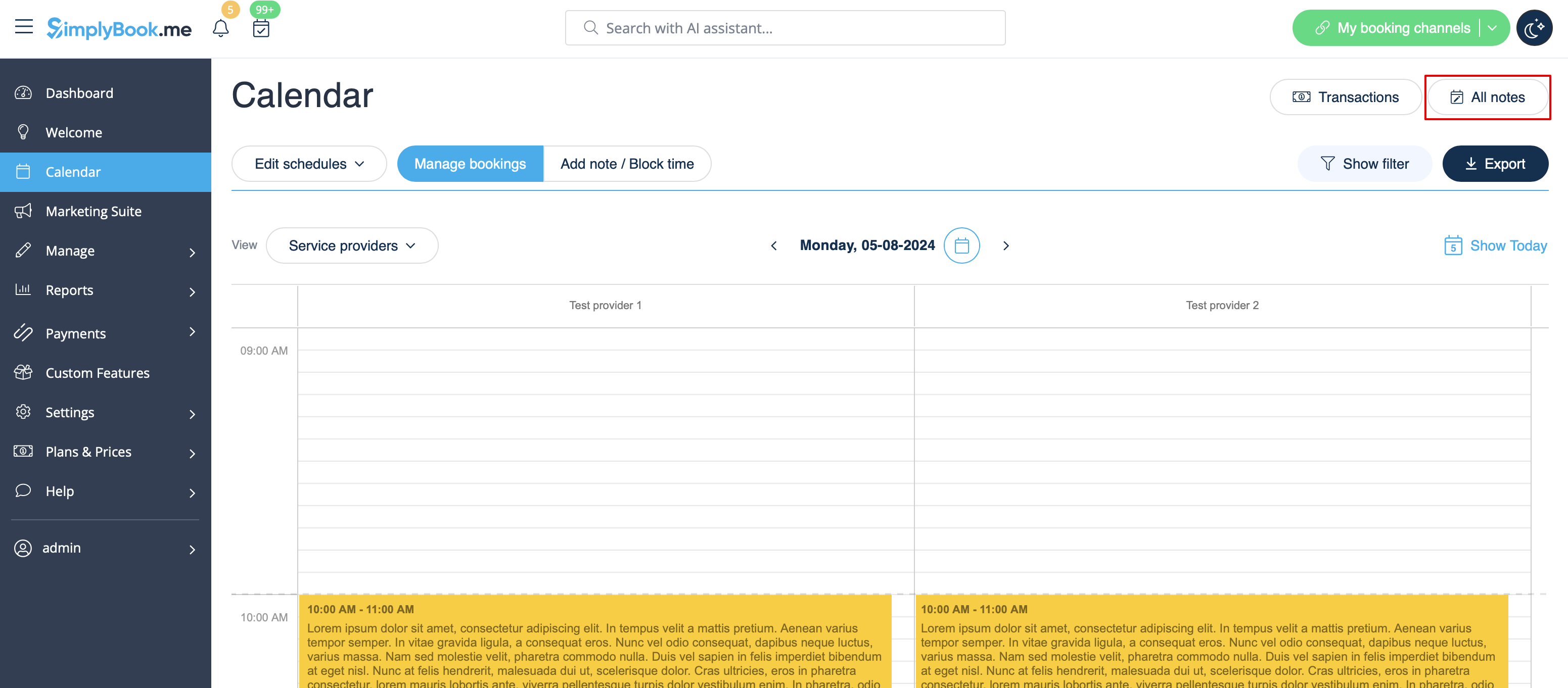
:As well you can access <span style="background-color:#d4f8e5; padding:5px; border-radius:5px;">the list of all the notes</span> added, use filters and export notes to excel in Calendar notes report by navigating either directly from <span style="background-color:#d4f8e5; padding:5px; border-radius:5px;">Calendar page</span> or from <span style="background-color:#d4f8e5; padding:5px; border-radius:5px;">Reports</span> section in <span style="background-color:#d4f8e5; padding:5px; border-radius:5px;">left-side menu.</span>
[[File:All notes list path redesigned.png|1200px |border|center|link=https://help.simplybook.me/images/d/d9/All_notes_list_path_redesigned.png]]
<br><br>
Hvis du har tilføjet en note pr. service, kan du se den i visningerne Service, Dag, Uge og Måned.


Noterne for Alle vises i alle kalendervisninger.


Du kan også få adgang til listen over alle tilføjede noter, bruge filtre og eksportere noter til Excel i Kalender-noter-rapporten ved at navigere enten direkte fra Kalender-siden eller fra Rapporter -sektionen i menuen til venstre.