Translations:Calendar Notes/4/nl: Difference between revisions

From SimplyBook.me
Created page with ":2. Wanneer alle typen klaar zijn voor gebruik, navigeert u naar de pagina <span style="background-color:#d4f8e5; padding:5px; border-radius:5px;">Agenda</span> via het <span style="background-color:#d4f8e5; padding:5px; border-radius:5px;">menu aan de linkerkant.</span> <br><br> :3. Schakel <span style="background-color:#d4f8e5; padding:5px; border-radius:5px;">boven de agenda</span> over naar <span style="background-color:#d4f8e5; padding:5px; border-radius:5px;">de</s..."
 
(No difference)

Latest revision as of 09:16, 19 May 2025

Information about message (contribute)
This message has no documentation. If you know where or how this message is used, you can help other translators by adding documentation to this message.
Message definition (Calendar Notes)
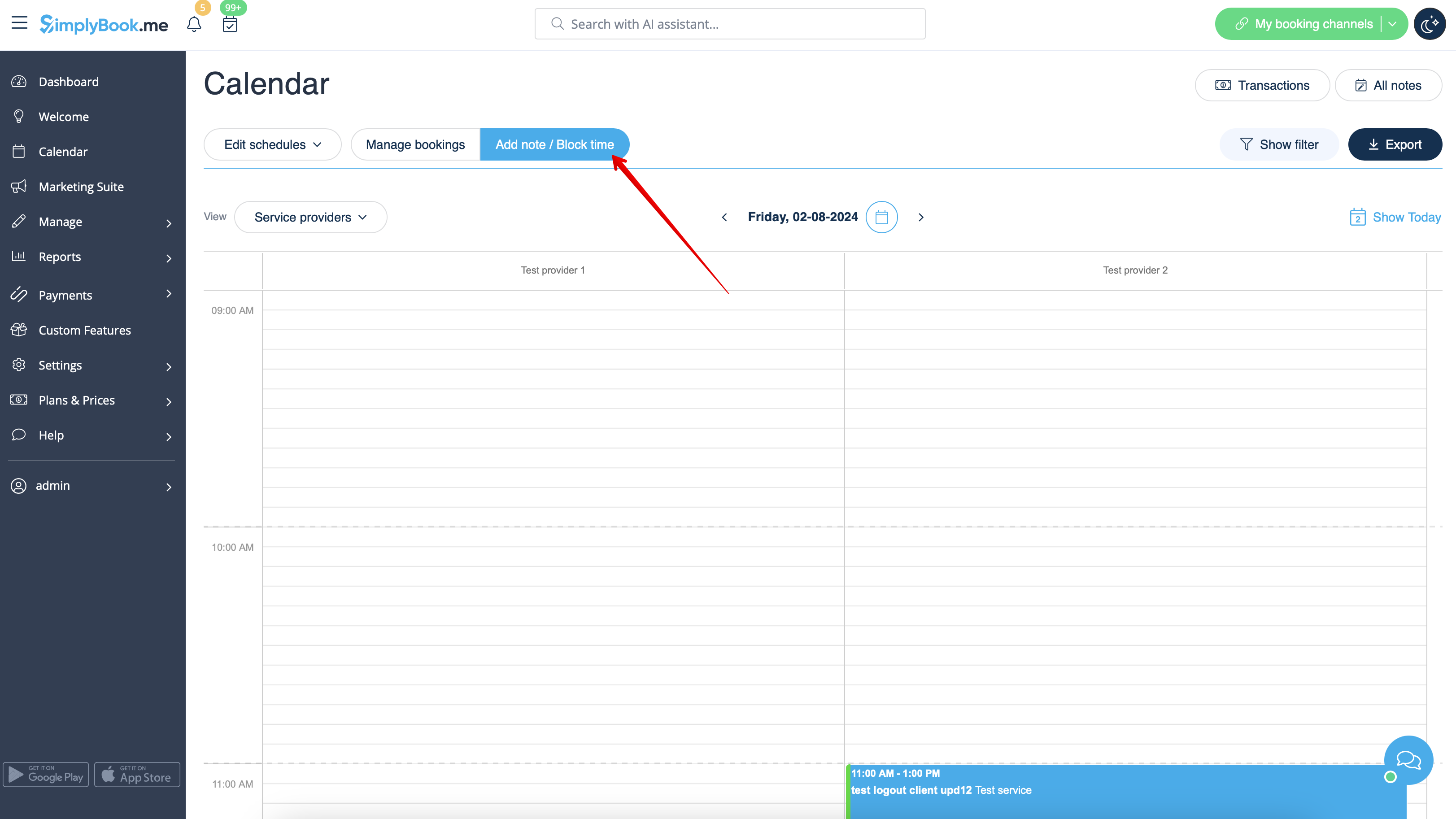
:2. When all types are ready for use navigate to <span style="background-color:#d4f8e5; padding:5px; border-radius:5px;">Calendar</span> page using the <span style="background-color:#d4f8e5; padding:5px; border-radius:5px;">left-side menu.</span>
<br><br>
:3. Switch to <span style="background-color:#d4f8e5; padding:5px; border-radius:5px;">Add note/Block time</span> mode <span style="background-color:#d4f8e5; padding:5px; border-radius:5px;">above the calendar.</span>
[[File:Note mode calendar redesigned.png|1200px|border|center|link=https://help.simplybook.me/images/b/b7/Note_mode_calendar_redesigned.png]]
<br><br>
2. Wanneer alle typen klaar zijn voor gebruik, navigeert u naar de pagina Agenda via het menu aan de linkerkant.


3. Schakel boven de agenda over naar de modus Notitie toevoegen/Tijd blokkeren .