From SimplyBook.me
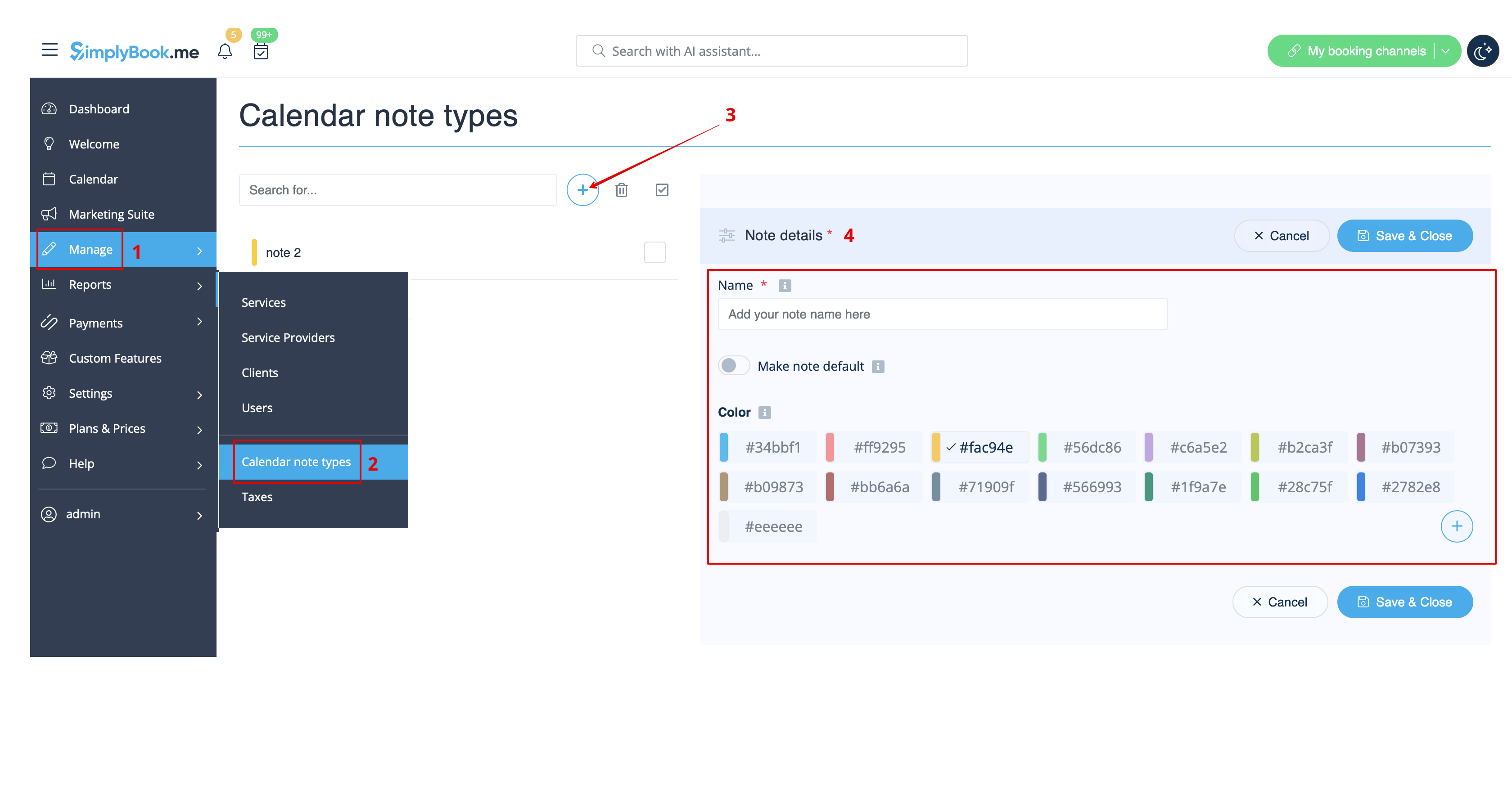
Created page with "comment utiliser : :1. Par défaut, un type de note est ajouté pour vous dans le système, mais vous pouvez aller dans <span style="background-color:#d4f8e5; padding:5px; border-radius:5px;">Gérer</span> -> <span style="background-color:#d4f8e5; padding:5px; border-radius:5px;">Types de notes du calendrier</span> pour ajouter de nouveaux types de notes et leur attribuer les couleurs souhaitées. File:Create note type flow redesigned.png|1200px|border|center|link=h..." |
(No difference)
|
Latest revision as of 09:17, 19 May 2025
comment utiliser :
- 1. Par défaut, un type de note est ajouté pour vous dans le système, mais vous pouvez aller dans Gérer -> Types de notes du calendrier pour ajouter de nouveaux types de notes et leur attribuer les couleurs souhaitées.