Translations:Quest rooms/3/en: Difference between revisions

From SimplyBook.me
FuzzyBot (talk | contribs)
Importing a new version from external source
 
(No difference)

Latest revision as of 10:33, 19 May 2025

Information about message (contribute)
This message has no documentation. If you know where or how this message is used, you can help other translators by adding documentation to this message.
Message definition (Quest rooms)
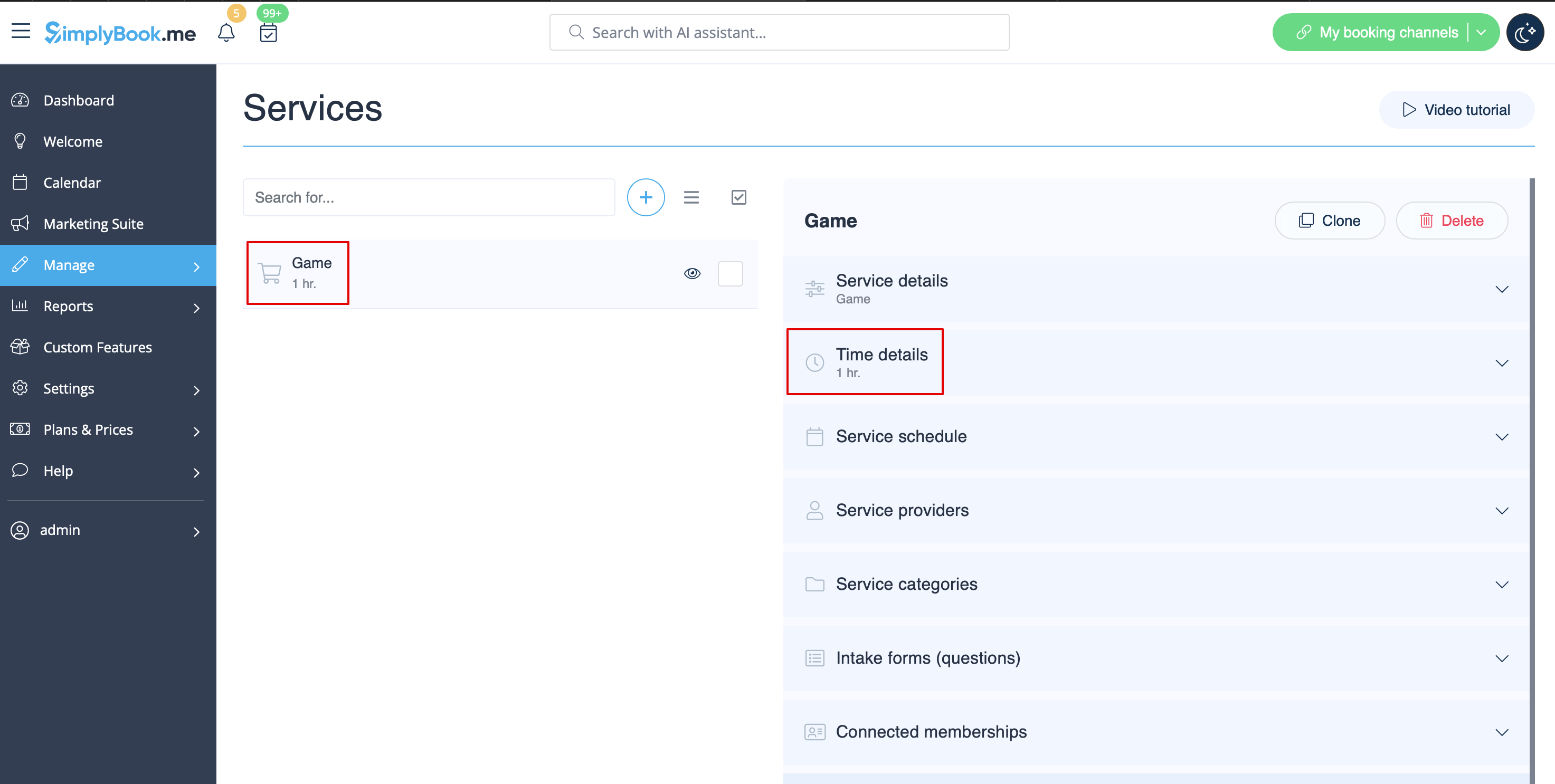
:1. Create service as game with corresponding duration in Manage // Services // "+". Use Manage // Services // Time details to edit service duration.<br>
[[File:Quest rooms service redesigned.png|1200px | center|link=https://help.simplybook.me/images/2/2f/Quest_rooms_service_redesigned.png ]]<br><br>
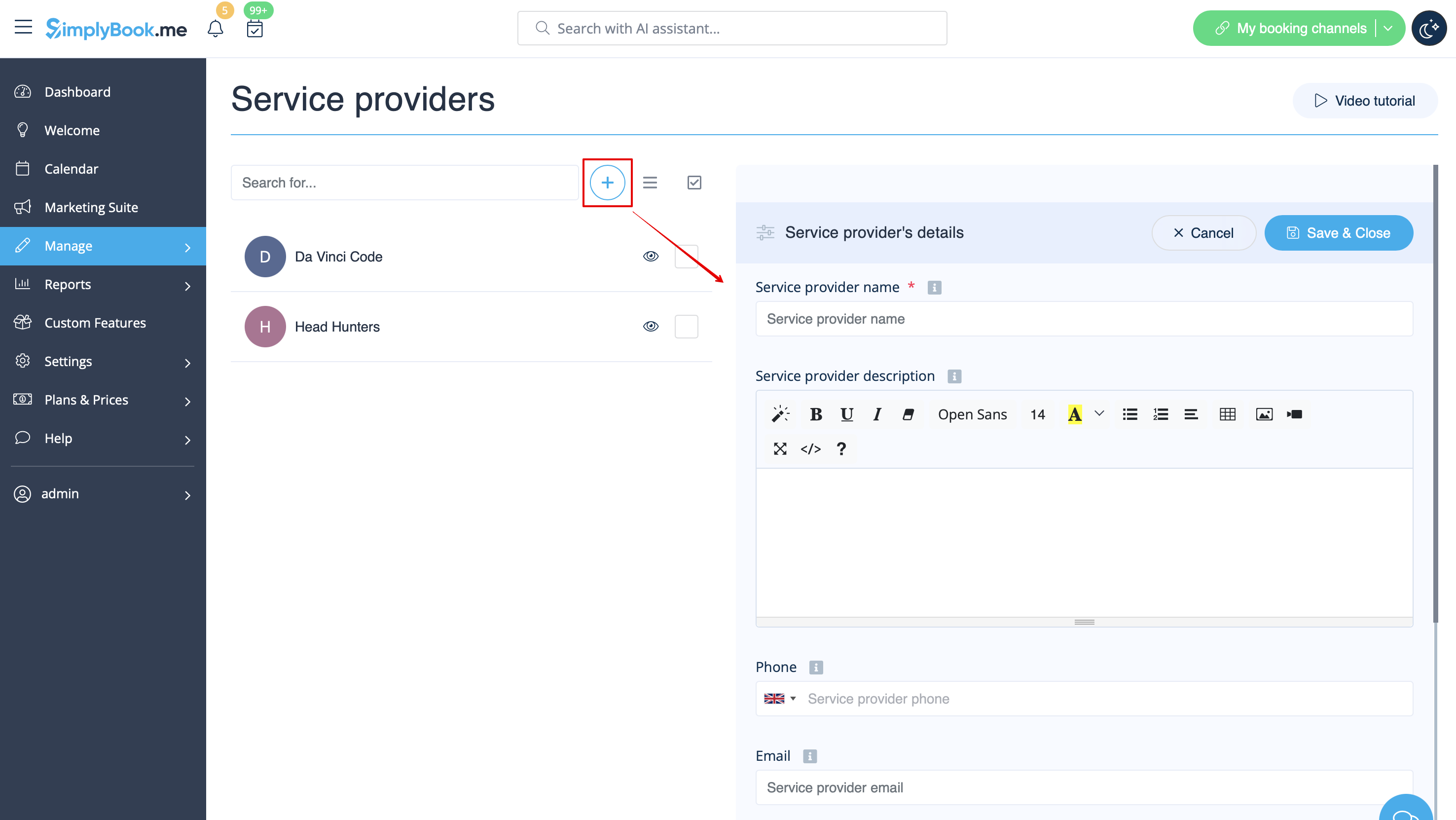
:2. Make providers as rooms. In Manage // Service Providers // "+" to add new service provider - create the number of providers equal to the rooms you have.<br>
[[File:Quest rooms add provider redesigned.png|1200px | center|link=https://help.simplybook.me/images/6/6f/Quest_rooms_add_provider_redesigned.png ]]<br><br>
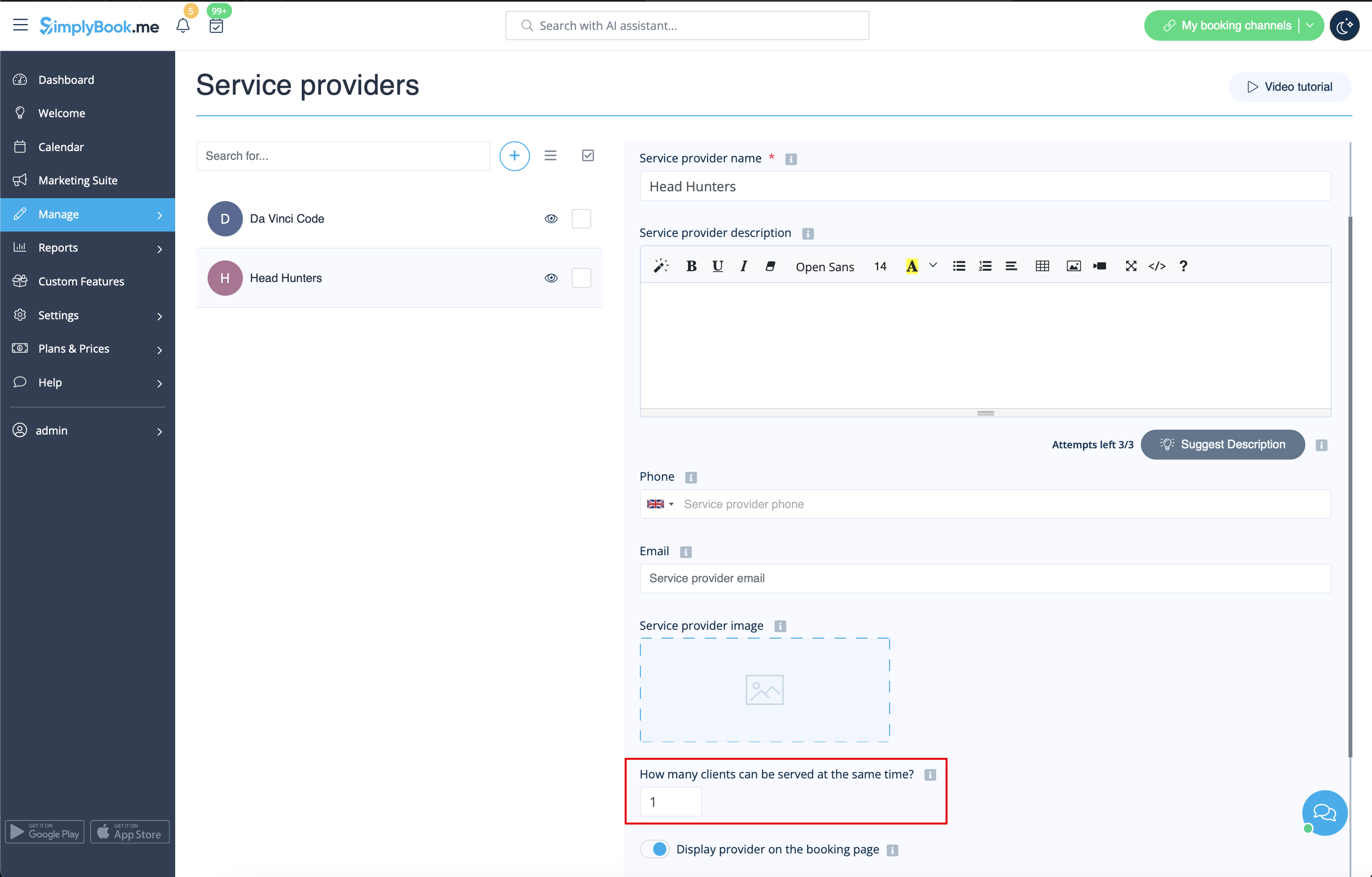
:3. Make sure that each provider can serve 1 client at a time. <br>
[[File:Quest rooms 1 client per provider redesigned.png|1200px | center|link=https://help.simplybook.me/images/2/20/Quest_rooms_1_client_per_provider_redesigned.png ]]<br><br>
:4. You can also set specific availability for that room by clicking on "Customize time settings for this provider" on "Service provider schedule" tab in Manage // Service Providers.<br><br>
:5. Rename the word "Employee" on the booking page to "Room" or "Game" in Settings // Custom wording & translations.
[[File:Quest rooms booking page view v3.png | center ]]<br><br>
:6. If each room has different price and you plan to accept payments online with our [[Custom_Features#Accept_Payments| Accept Payments]] custom feature, create more services in Manage // Services // Add service, set price for those services and relate with rooms by checking correponding boxes in "Service providers" tab.<br>
1. Create service as game with corresponding duration in Manage // Services // "+". Use Manage // Services // Time details to edit service duration.


2. Make providers as rooms. In Manage // Service Providers // "+" to add new service provider - create the number of providers equal to the rooms you have.


3. Make sure that each provider can serve 1 client at a time.


4. You can also set specific availability for that room by clicking on "Customize time settings for this provider" on "Service provider schedule" tab in Manage // Service Providers.

5. Rename the word "Employee" on the booking page to "Room" or "Game" in Settings // Custom wording & translations.


6. If each room has different price and you plan to accept payments online with our Accept Payments custom feature, create more services in Manage // Services // Add service, set price for those services and relate with rooms by checking correponding boxes in "Service providers" tab.