From SimplyBook.me
No edit summary |
Marked this version for translation |
||
| (2 intermediate revisions by the same user not shown) | |||
| Line 1: | Line 1: | ||
<languages/> | |||
<translate> | |||
<!--T:1--> | |||
{{#seo: | {{#seo: | ||
|title= | |title=Rentals - SimplyBook.me | ||
|description=Manage rental bookings efficiently with this feature. Offer hourly or daily rentals with ease. Activate it now! | |description=Manage rental bookings efficiently with this feature. Offer hourly or daily rentals with ease. Activate it now! | ||
|titlemode=append | |titlemode=append | ||
|keywords=faq, frequently asked questions, booking software, appointment system questions, appointments online, calendar software, booking system, booking calendar, scheduling software, online appointment scheduling, online scheduling, setup, setup help, support, help content | |keywords=faq, frequently asked questions, booking software, appointment system questions, appointments online, calendar software, booking system, booking calendar, scheduling software, online appointment scheduling, online scheduling, setup, setup help, support, help content | ||
}} | }}</translate> | ||
<translate> | |||
<!--T:2--> | |||
<br><br> | <br><br> | ||
If you are offering renting services, [https://simplybook.me/ Simplybook] can become a suitable booking software for you. | If you are offering renting services, [https://simplybook.me/ Simplybook] can become a suitable booking software for you. | ||
| Line 12: | Line 17: | ||
:Make your items as providers. For example if you rent musical instruments, create providers Flute, Bass, Violin, etc. | :Make your items as providers. For example if you rent musical instruments, create providers Flute, Bass, Violin, etc. | ||
:If you rent for different duration you will need to create multiple services with different duration. For example: Renting 1 hour, Renting 2 hours, Renting 6 hours, etc. | :If you rent for different duration you will need to create multiple services with different duration. For example: Renting 1 hour, Renting 2 hours, Renting 6 hours, etc. | ||
<br> | <br></translate> | ||
<translate> | |||
<!--T:3--> | |||
;If you rent items for days | ;If you rent items for days | ||
:1. In Settings // Main configuration set both "Allow service to extend over breaktime" and "Allow service to extend over closing hours" to "Yes".<br/> | :1. In Settings // Main configuration set both "Allow service to extend over breaktime" and "Allow service to extend over closing hours" to "Yes".<br/> | ||
| Line 21: | Line 28: | ||
[[File:Book days service schedule redesigned.png|1200px| center |link=https://help.simplybook.me/images/3/30/Book_days_service_schedule_redesigned.png]] <br/><br/> | [[File:Book days service schedule redesigned.png|1200px| center |link=https://help.simplybook.me/images/3/30/Book_days_service_schedule_redesigned.png]] <br/><br/> | ||
:4. The system will then book the number of hours indicated in service duration as the number of days.<br/> | :4. The system will then book the number of hours indicated in service duration as the number of days.<br/> | ||
[[File:Booked days calendar view redesigned.png|1200px | center|link=https://help.simplybook.me/images/6/69/Booked_days_calendar_view_redesigned.png]]<br/><br/> | [[File:Booked days calendar view redesigned.png|1200px | center|link=https://help.simplybook.me/images/6/69/Booked_days_calendar_view_redesigned.png]]<br/><br/></translate> | ||
Latest revision as of 12:17, 19 May 2025
If you are offering renting services, Simplybook can become a suitable booking software for you.
- If you rent items for hours
- Make your items as providers. For example if you rent musical instruments, create providers Flute, Bass, Violin, etc.
- If you rent for different duration you will need to create multiple services with different duration. For example: Renting 1 hour, Renting 2 hours, Renting 6 hours, etc.
- If you rent items for days
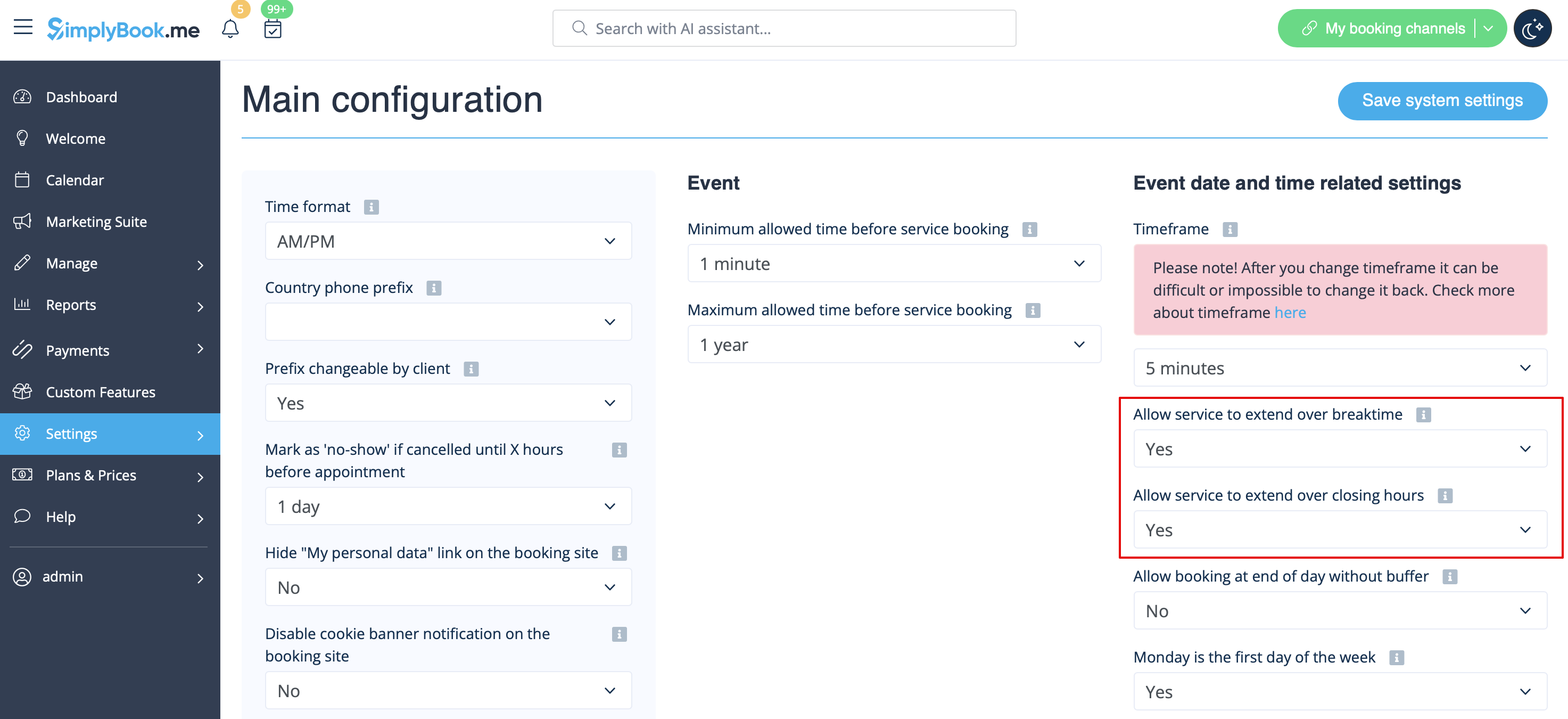
- 1. In Settings // Main configuration set both "Allow service to extend over breaktime" and "Allow service to extend over closing hours" to "Yes".
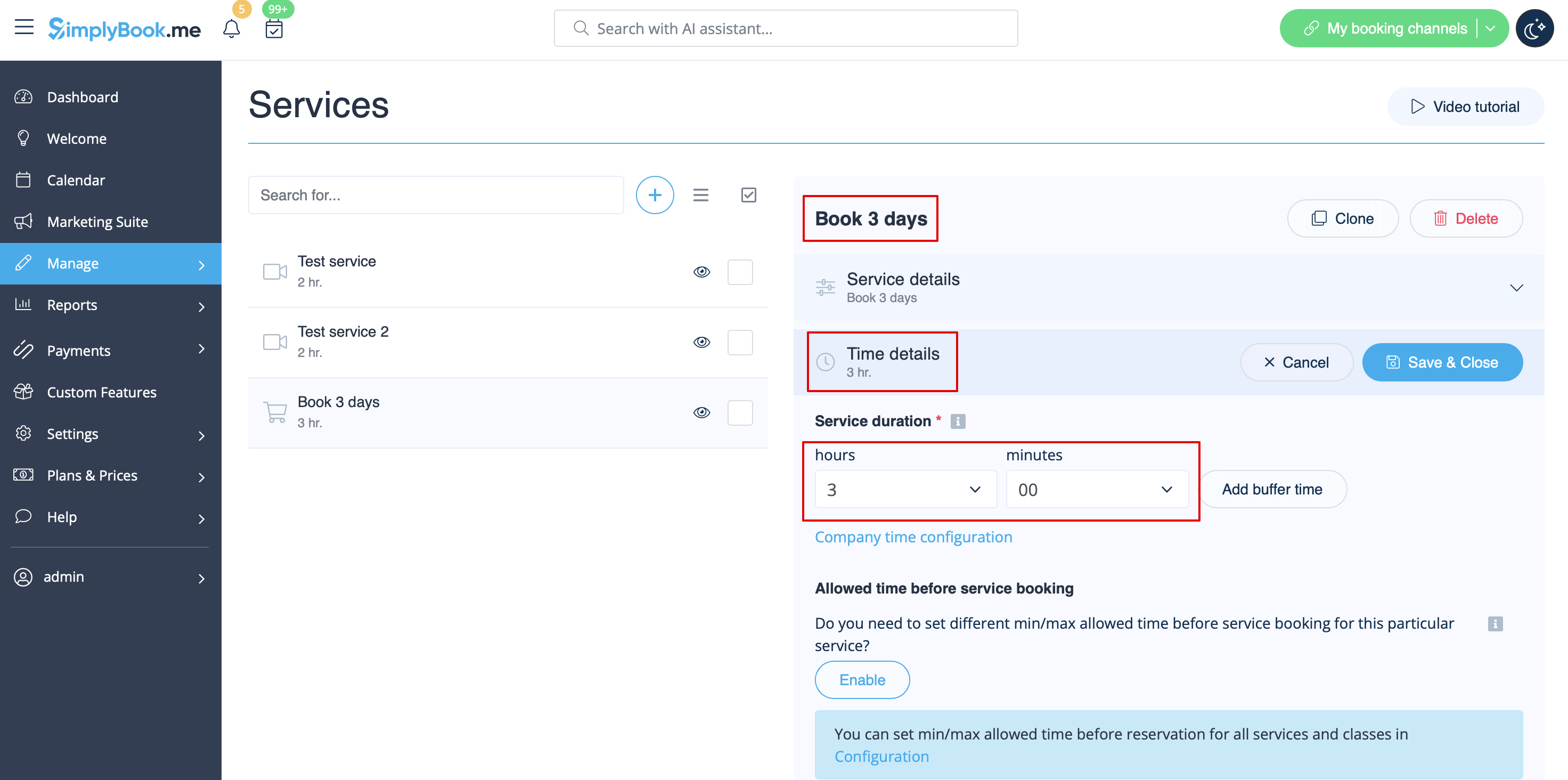
- 2. In Manage // Services // "+" create service with the duration corresponding to the amount of days your service will be offered for (3 days=3 hours, 7 days=7 hours).
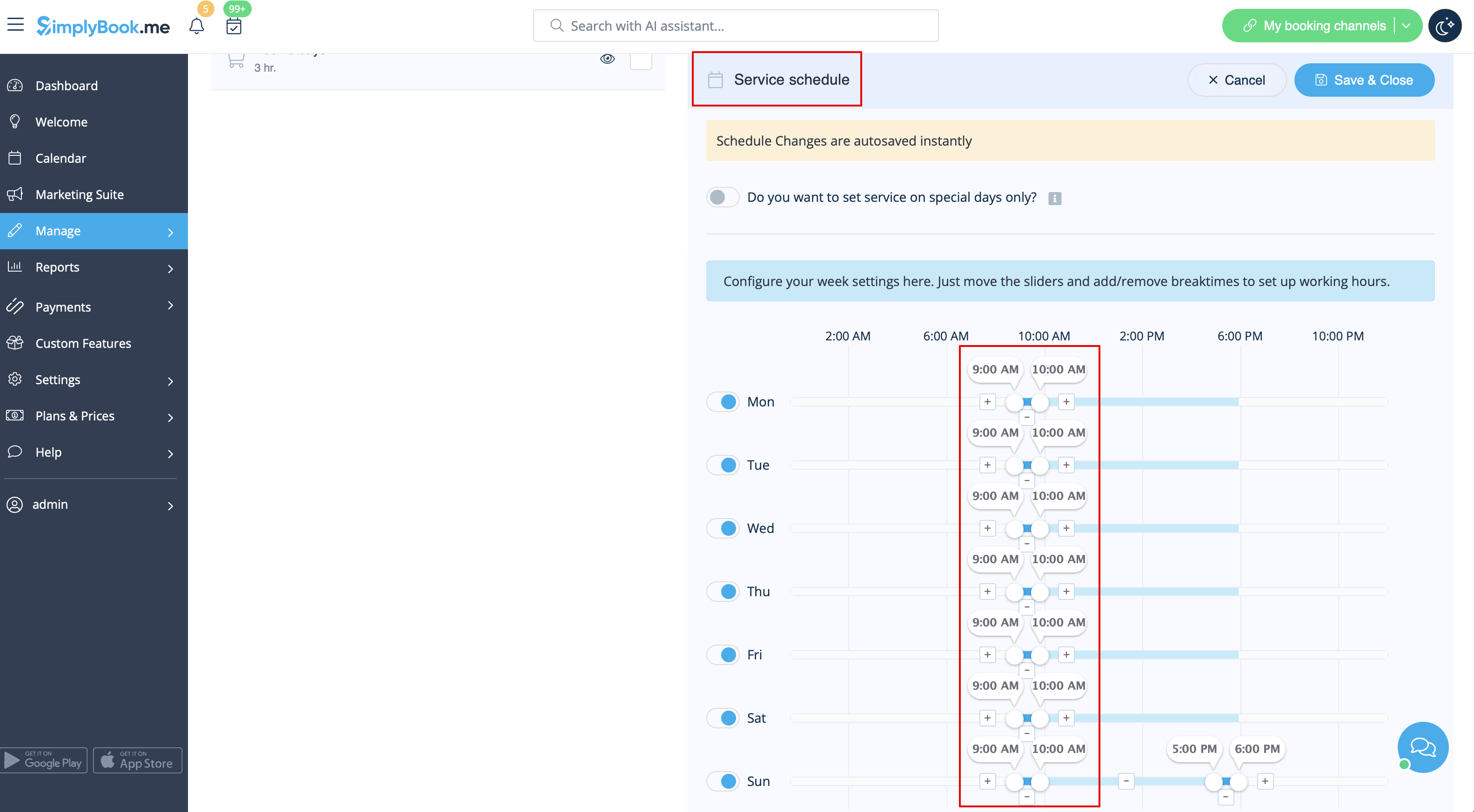
- 3. In the Settings // Company opening hours (when you have only 1 service) or in the working hours of the service (Manage // Services // Service schedule) open only 1 hour each day.
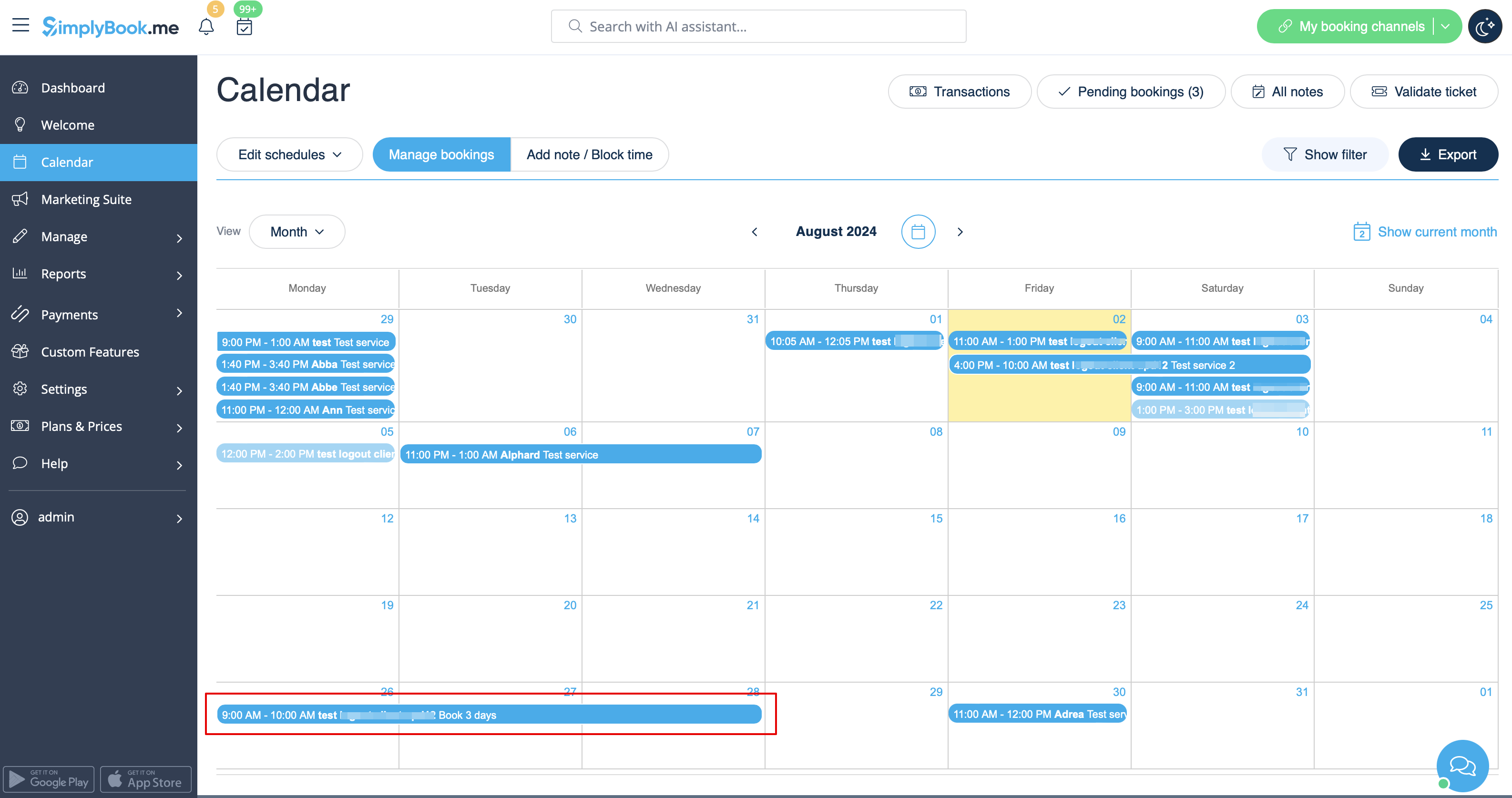
- 4. The system will then book the number of hours indicated in service duration as the number of days.