Translations:Rentals/3/uk: Difference between revisions

From SimplyBook.me
Created page with ";Якщо ви орендуєте предмети на кілька днів :1. У налаштуваннях // Основні налаштування встановіть для параметрів «Дозволити продовження послуги під час перерви» та «Дозволити продовження послуги після закінчення робочого часу» значення «Так».<br/> File:Allow to extend..."
 
(No difference)

Latest revision as of 12:19, 19 May 2025

Information about message (contribute)
This message has no documentation. If you know where or how this message is used, you can help other translators by adding documentation to this message.
Message definition (Rentals)
;If you rent items for days
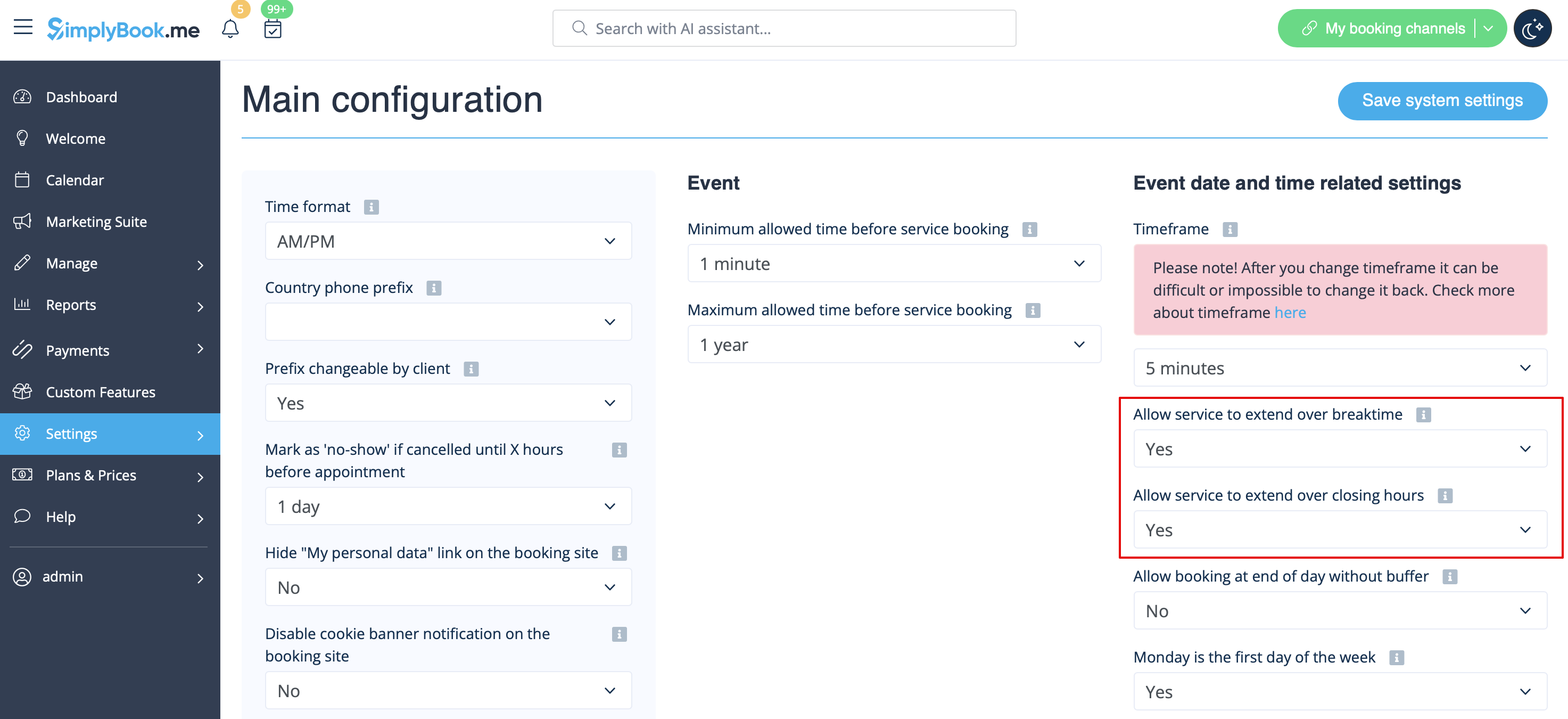
:1. In Settings // Main configuration set both "Allow service to extend over breaktime" and "Allow service to extend over closing hours" to "Yes".<br/>
[[File:Allow to extend over settings redesigned.png|1200px | center|link=https://help.simplybook.me/images/1/1a/Allow_to_extend_over_settings_redesigned.png]]<br/><br/>
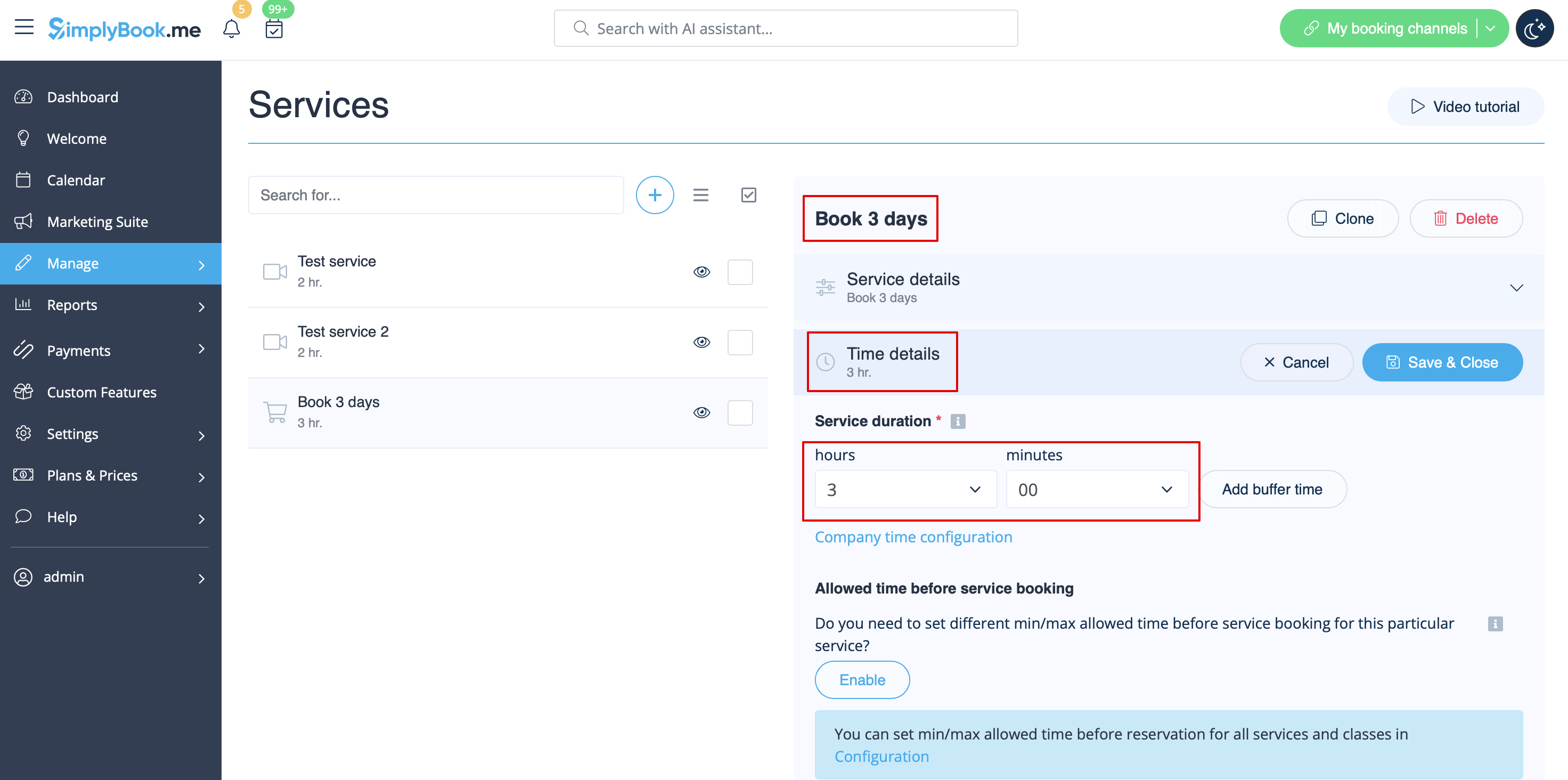
:2. In Manage // Services // "+" create service with the duration corresponding to the amount of days your service will be offered for (3 days=3 hours, 7 days=7 hours).<br/>
[[File:3 days service duration redesigned.png|1200px |center|link=https://help.simplybook.me/images/a/a4/3_days_service_duration_redesigned.png]]<br/><br/>
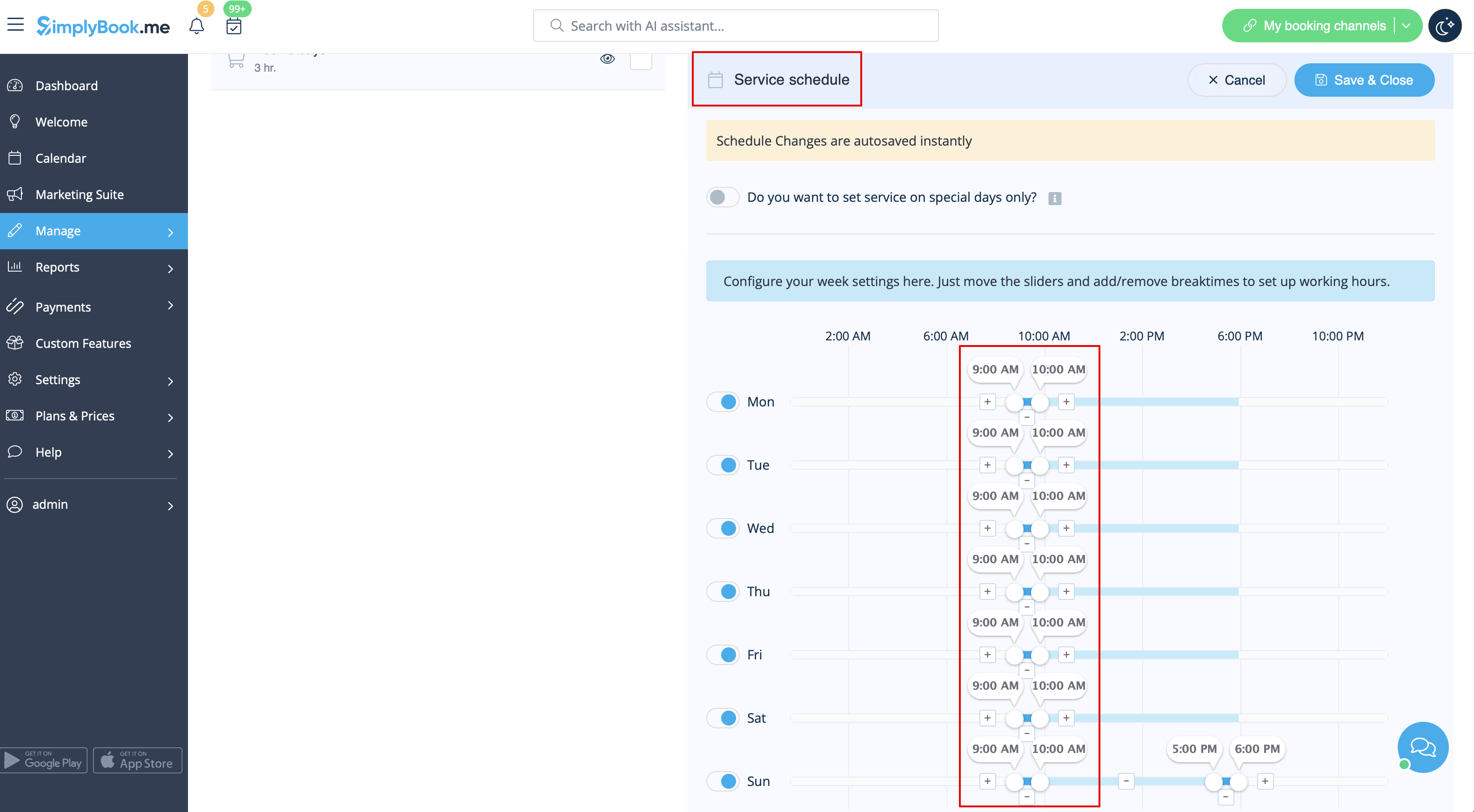
:3. In the Settings // Company opening hours (when you have only 1 service) or in the working hours of the service (Manage // Services // Service schedule) open only 1 hour each day.<br/>
[[File:Book days service schedule redesigned.png|1200px| center |link=https://help.simplybook.me/images/3/30/Book_days_service_schedule_redesigned.png]] <br/><br/>
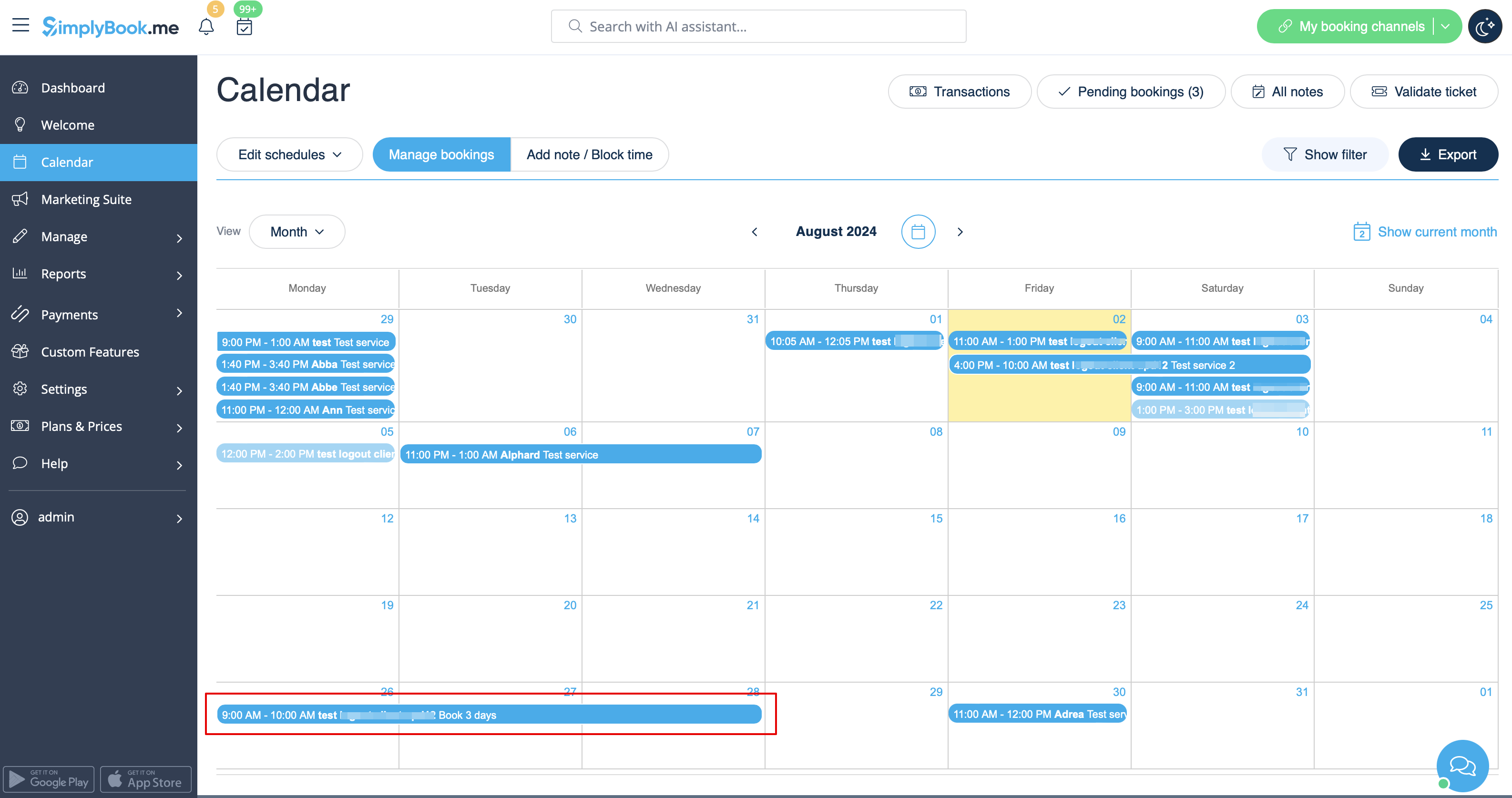
:4. The system will then book the number of hours indicated in service duration as the number of days.<br/>
[[File:Booked days calendar view redesigned.png|1200px | center|link=https://help.simplybook.me/images/6/69/Booked_days_calendar_view_redesigned.png]]<br/><br/>
Якщо ви орендуєте предмети на кілька днів
1. У налаштуваннях // Основні налаштування встановіть для параметрів «Дозволити продовження послуги під час перерви» та «Дозволити продовження послуги після закінчення робочого часу» значення «Так».


2. У розділі «Управління» // «Послуги» // «+» створіть послугу з тривалістю, що відповідає кількості днів, протягом яких буде надаватися ваша послуга (3 дні = 3 години, 7 днів = 7 годин).


3. У розділі «Налаштування» // «Години роботи компанії» (якщо у вас є тільки 1 послуга) або в робочих годинах послуги (Управління // Послуги // Розклад послуг) відкрийте тільки 1 годину на день.


4. Система забронює кількість годин, вказану в тривалості послуги, як кількість днів.