Translations:Rentals/3/nl: Difference between revisions

From SimplyBook.me
Created page with ";Als u artikelen per dag verhuurt :1. Stel in Instellingen // Hoofdconfiguratie zowel "Dienst mag worden verlengd tijdens pauzes" als "Dienst mag worden verlengd buiten openingstijden" in op "Ja".<br/> 1200px | center|link=https://help.simplybook.me/images/1/1a/Allow_to_extend_over_settings_redesigned.png<br/><br/> :2. Maak in Beheer // Diensten // "+" een dienst aan met de duur die overeenkomt met het aantal dagen da..."
 
(No difference)

Latest revision as of 12:19, 19 May 2025

Information about message (contribute)
This message has no documentation. If you know where or how this message is used, you can help other translators by adding documentation to this message.
Message definition (Rentals)
;If you rent items for days
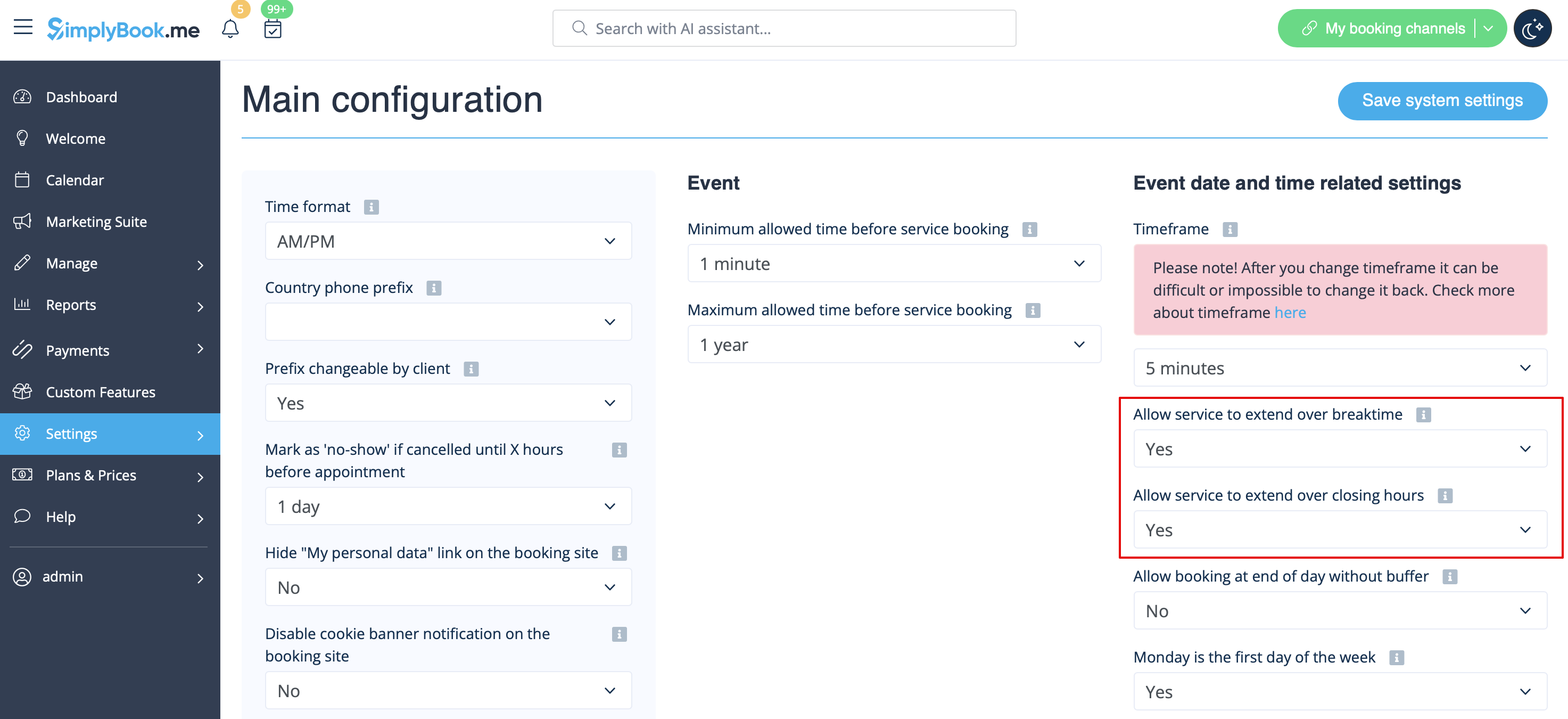
:1. In Settings // Main configuration set both "Allow service to extend over breaktime" and "Allow service to extend over closing hours" to "Yes".<br/>
[[File:Allow to extend over settings redesigned.png|1200px | center|link=https://help.simplybook.me/images/1/1a/Allow_to_extend_over_settings_redesigned.png]]<br/><br/>
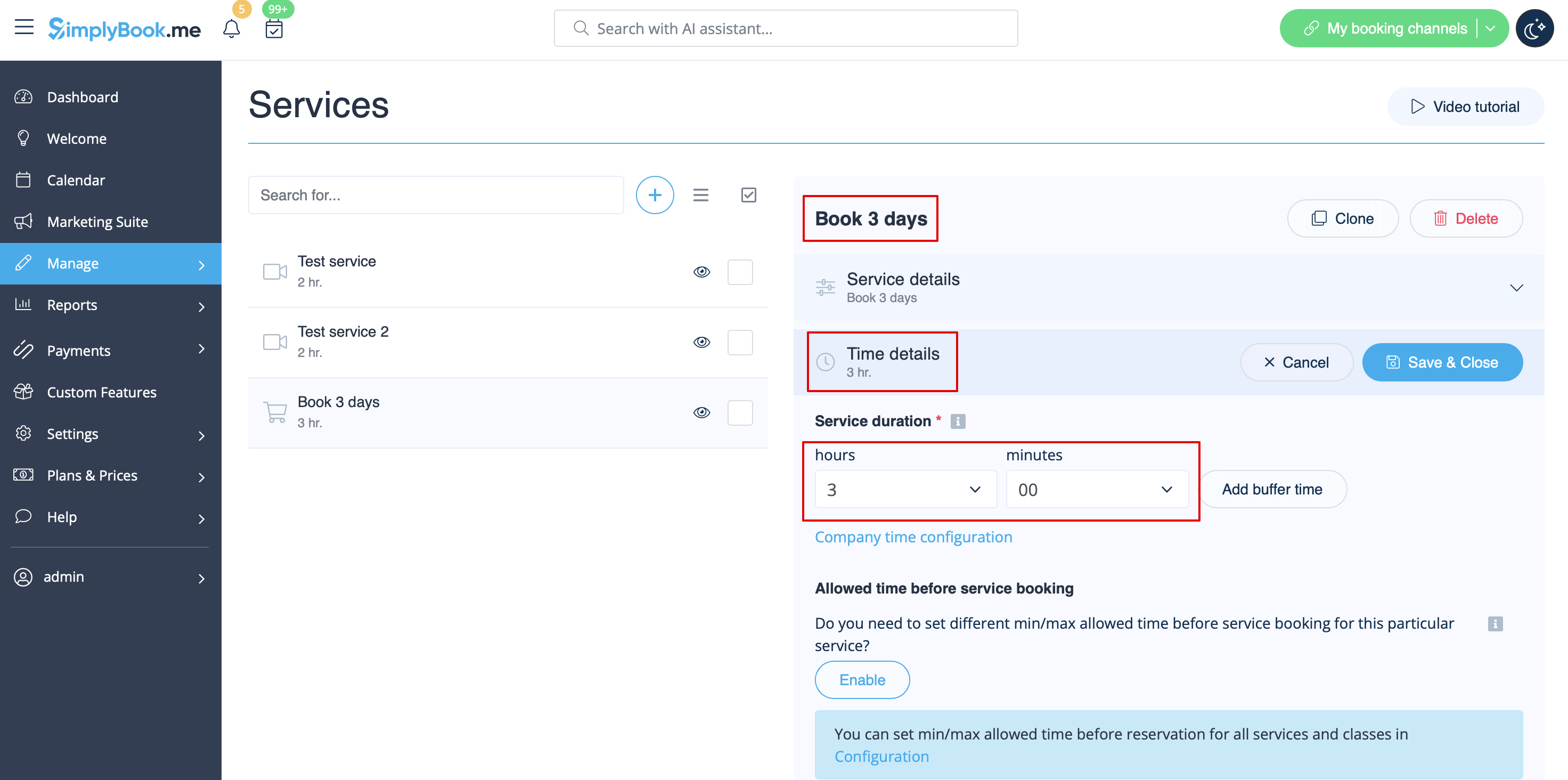
:2. In Manage // Services // "+" create service with the duration corresponding to the amount of days your service will be offered for (3 days=3 hours, 7 days=7 hours).<br/>
[[File:3 days service duration redesigned.png|1200px |center|link=https://help.simplybook.me/images/a/a4/3_days_service_duration_redesigned.png]]<br/><br/>
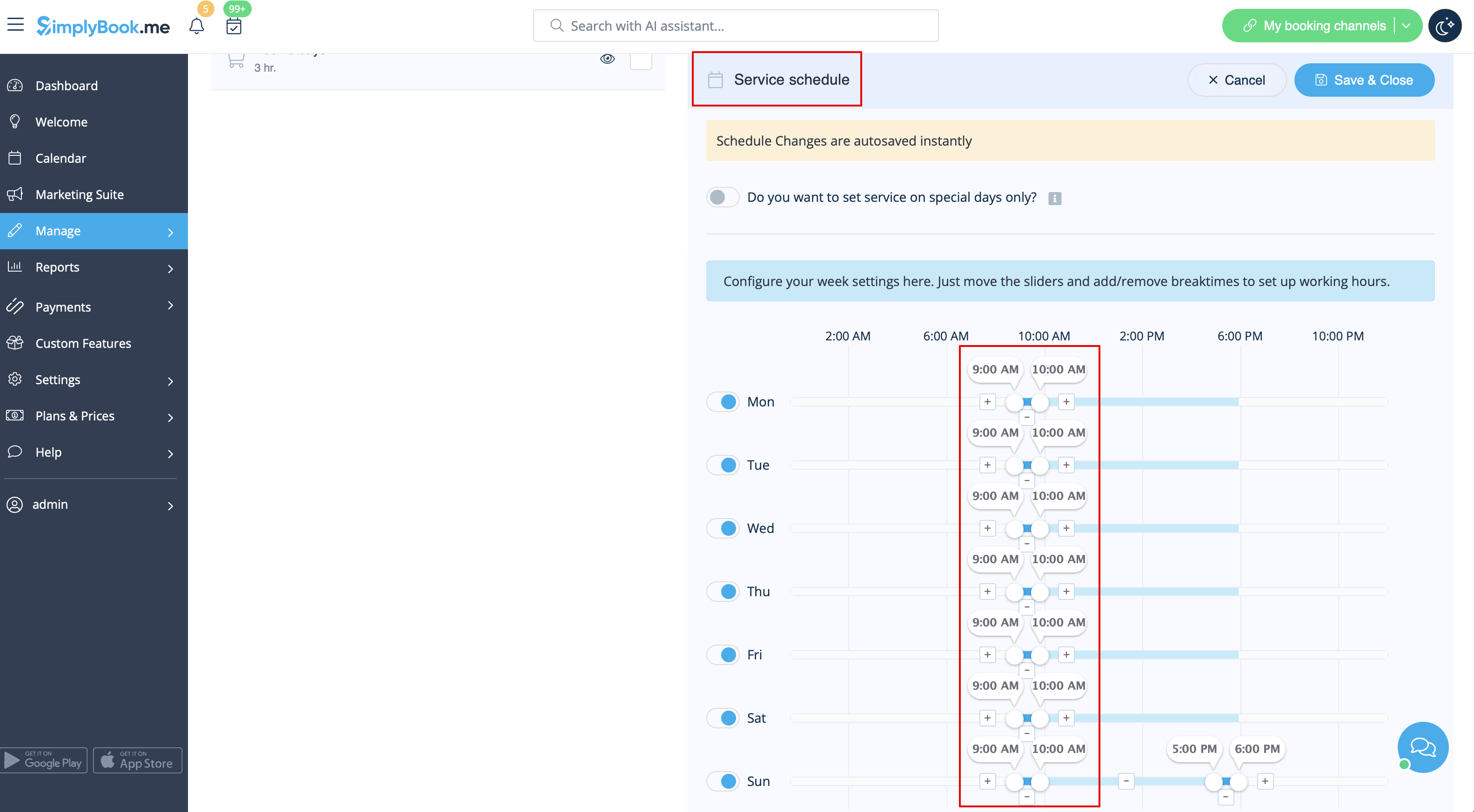
:3. In the Settings // Company opening hours (when you have only 1 service) or in the working hours of the service (Manage // Services // Service schedule) open only 1 hour each day.<br/>
[[File:Book days service schedule redesigned.png|1200px| center |link=https://help.simplybook.me/images/3/30/Book_days_service_schedule_redesigned.png]] <br/><br/>
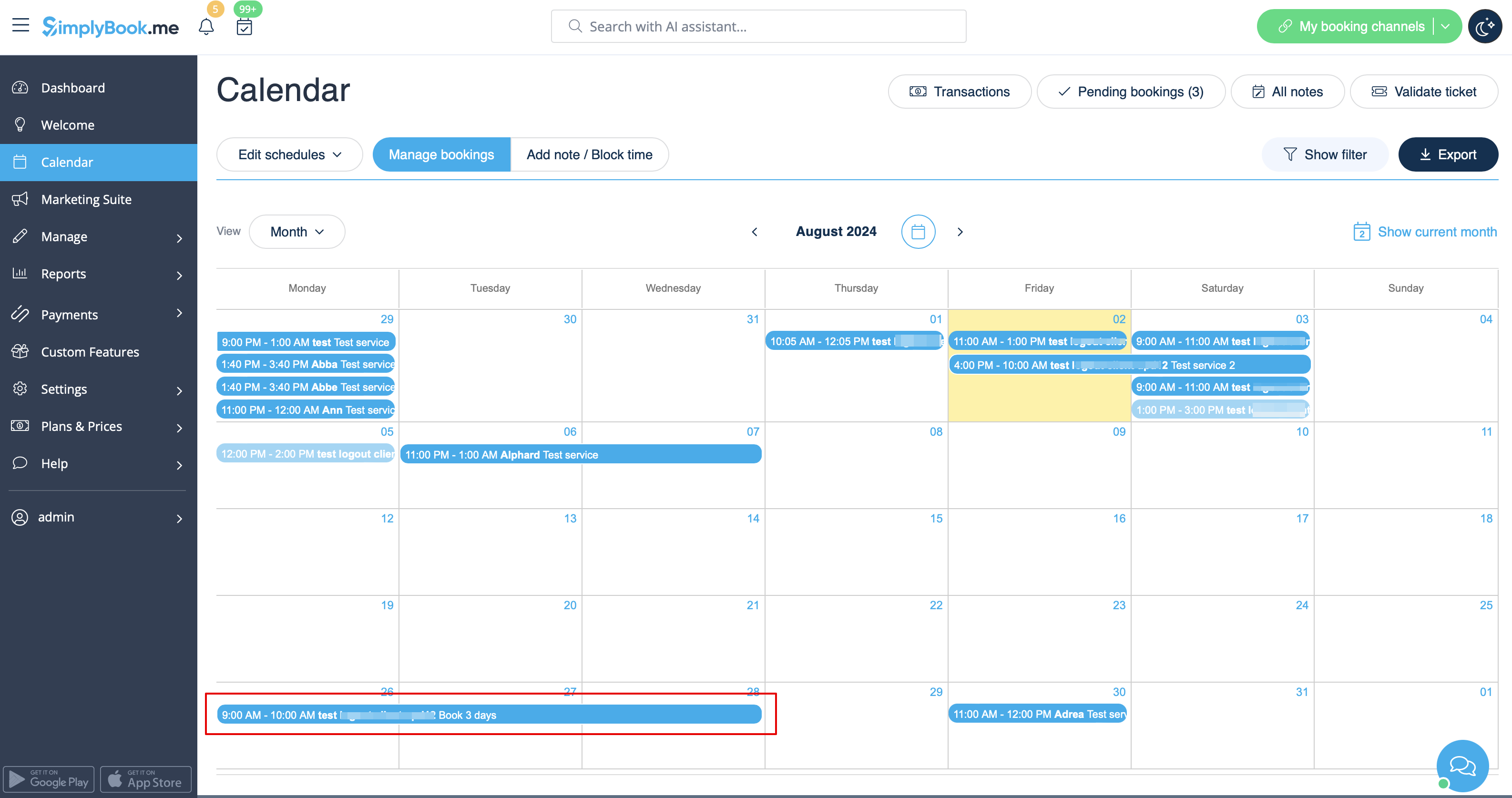
:4. The system will then book the number of hours indicated in service duration as the number of days.<br/>
[[File:Booked days calendar view redesigned.png|1200px | center|link=https://help.simplybook.me/images/6/69/Booked_days_calendar_view_redesigned.png]]<br/><br/>
Als u artikelen per dag verhuurt
1. Stel in Instellingen // Hoofdconfiguratie zowel "Dienst mag worden verlengd tijdens pauzes" als "Dienst mag worden verlengd buiten openingstijden" in op "Ja".


2. Maak in Beheer // Diensten // "+" een dienst aan met de duur die overeenkomt met het aantal dagen dat uw dienst wordt aangeboden (3 dagen = 3 uur, 7 dagen = 7 uur).


3. Open in Instellingen // Openingstijden van het bedrijf (als u slechts 1 dienst hebt) of in de werktijden van de dienst (Beheer // Diensten // Dienstrooster) slechts 1 uur per dag.


4. Het systeem boekt vervolgens het aantal uren dat is aangegeven in de duur van de dienst als het aantal dagen.