Translations:Widgets for your own website/22/uk: Difference between revisions

From SimplyBook.me
Created page with "= Відгуки = <br><br> Хочете додати відгуки, які ваші клієнти залишають на сторінці бронювання, на свій веб-сайт?<br> Просто дотримуйтесь цих інструкцій: :1. Перейдіть до <span style="background-color:#d4f8e5; padding:5px; border-radius:5px;">Налаштування</span> -> <span style="background-color:#d4f8e5; padding:5px; border-radius:5px;"..."
 
(No difference)

Latest revision as of 12:23, 19 May 2025

Information about message (contribute)
This message has no documentation. If you know where or how this message is used, you can help other translators by adding documentation to this message.
Message definition (Widgets for your own website)
=Reviews Widget=
<br><br>
Wish to add reviews your clients leave on the booking page to your website?<br>
Just follow these instructions:
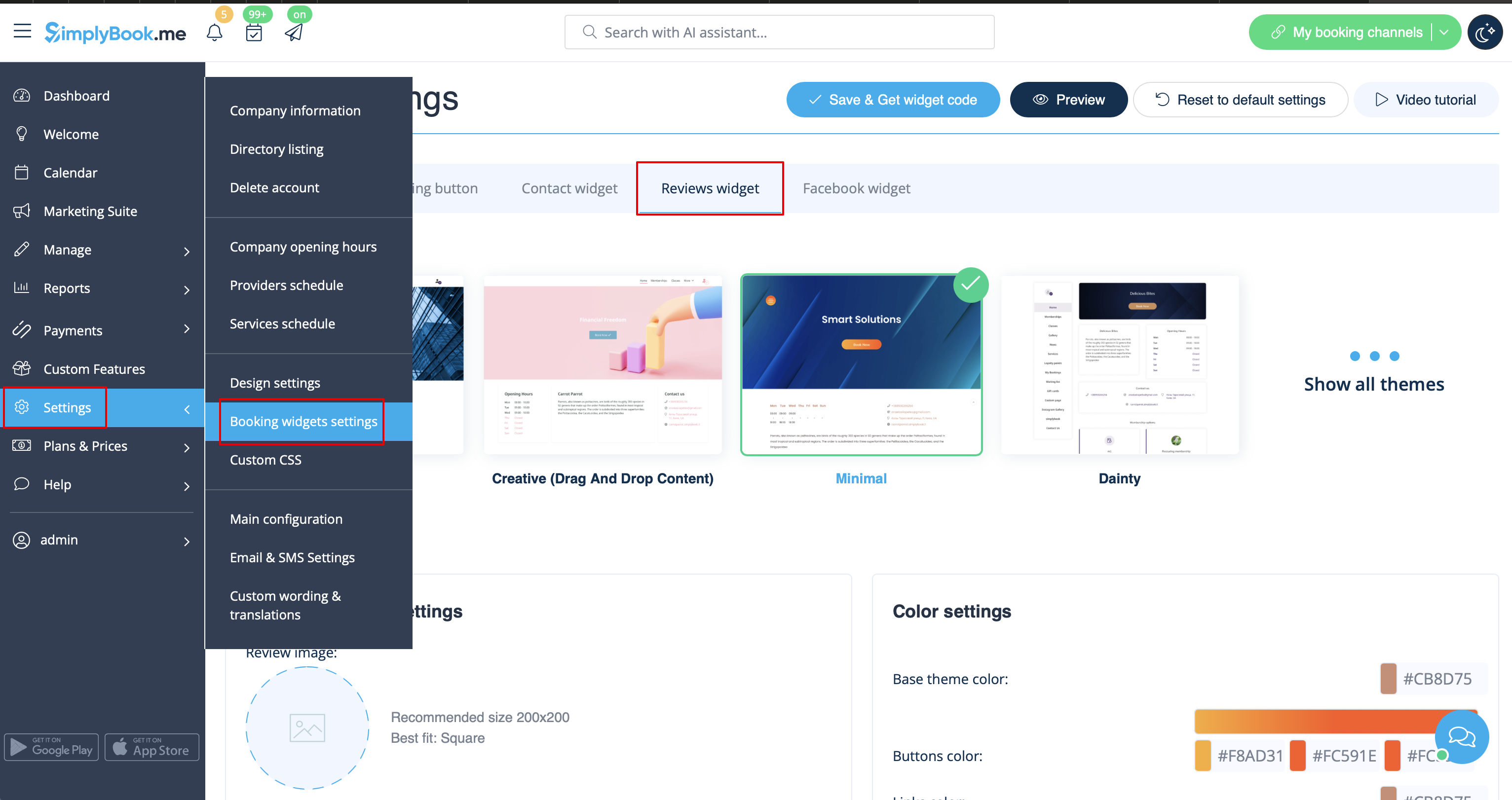
:1. Please go to <span style="background-color:#d4f8e5; padding:5px; border-radius:5px;">Settings</span> -> <span style="background-color:#d4f8e5; padding:5px; border-radius:5px;">Booking widgets settings</span> -> <span style="background-color:#d4f8e5; padding:5px; border-radius:5px;">Reviews widget.</span>
[[File:Reviews widget path redesigned.png|1200px | center|link=https://help.simplybook.me/images/5/5b/Reviews_widget_path_redesigned.png]]
<br><br>
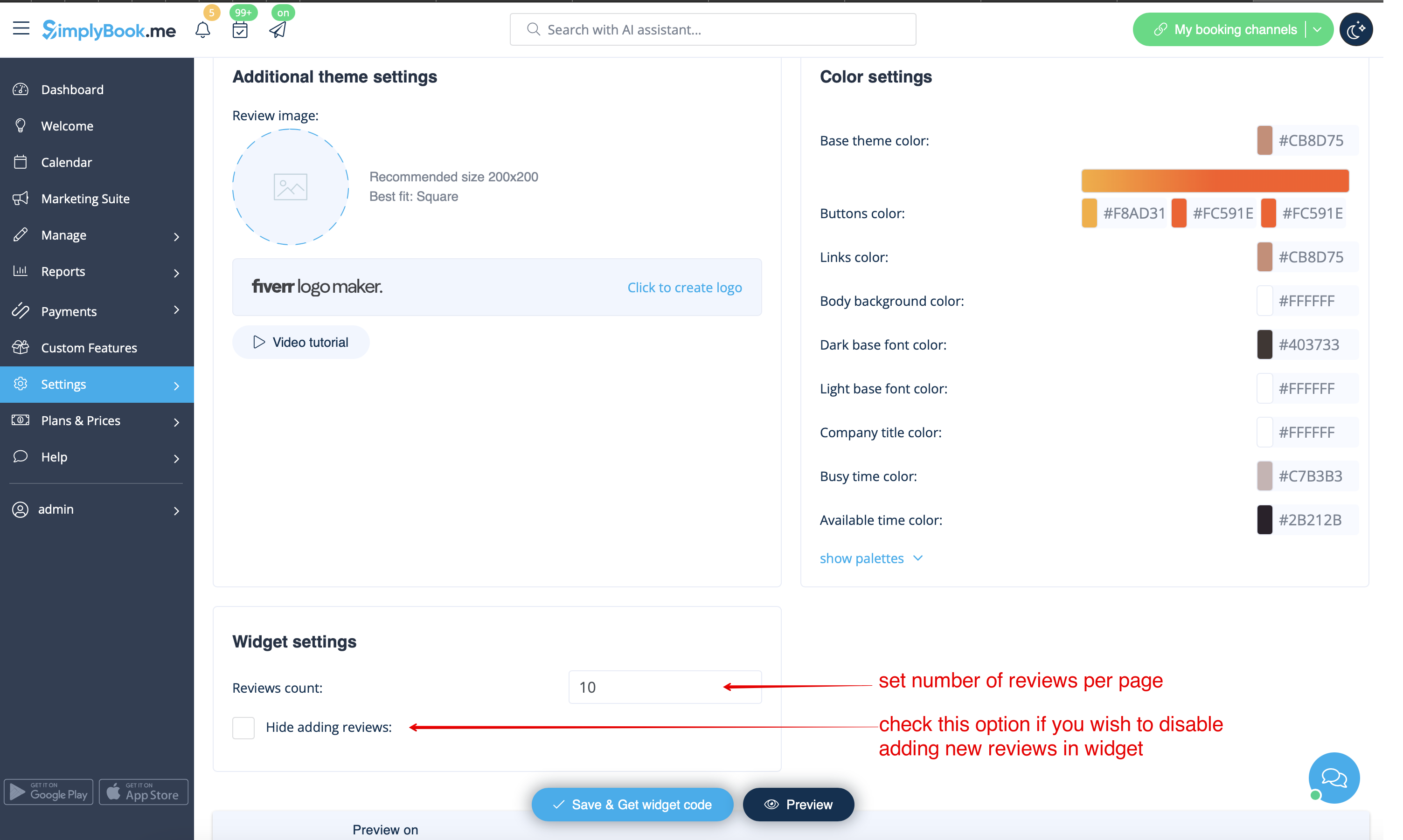
:2. On the page you will be able to select the theme, set colors, decide on the number of reviews you wish to display and whether you wish your clients to be able to add reviews using the widget. 
[[File:Reviews widget settings redesigned.png|1200px| center|link=https://help.simplybook.me/images/6/6d/Reviews_widget_settings_redesigned.png]]
<br><br>
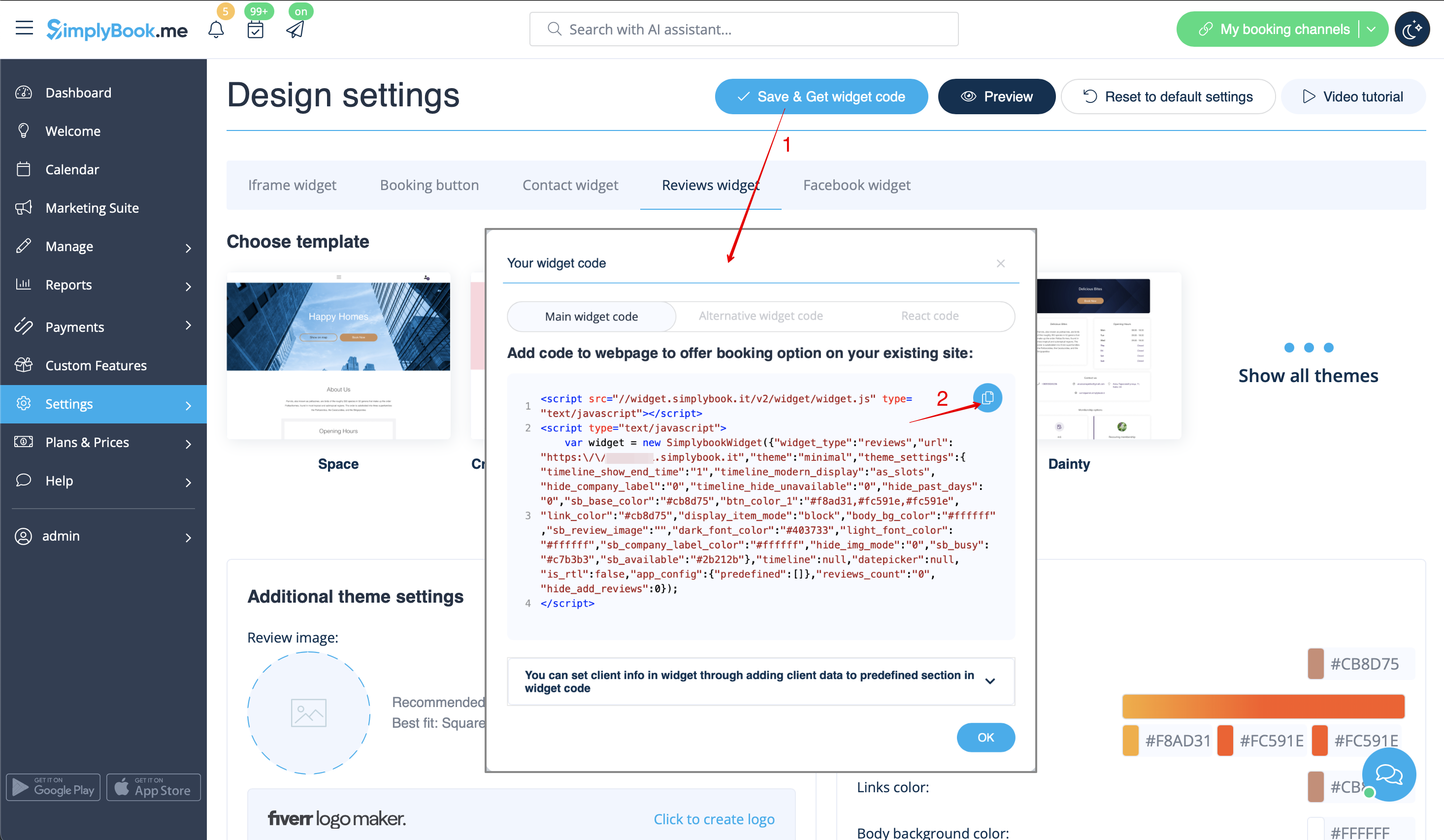
:3. And now, when design is set, just click on <span style="background-color:#d4f8e5; padding:5px; border-radius:5px;">Get widget code</span> button, copy the code and insert it to your website to the desired place.
[[File:Get reviews widget code redesigned.png|1200px | center|link=https://help.simplybook.me/images/f/f8/Get_reviews_widget_code_redesigned.png]]
<br>
Congratulations! Widget is now ready, your reviews will be published and updated on your website!
<br><br>

Відгуки


Хочете додати відгуки, які ваші клієнти залишають на сторінці бронювання, на свій веб-сайт?
Просто дотримуйтесь цих інструкцій:

1. Перейдіть до Налаштування -> Налаштування віджетів бронювання -> Віджет відгуків.


2. На цій сторінці ви зможете вибрати тему, встановити кольори, визначити кількість відгуків, які ви хочете відображати, та чи хочете ви, щоб ваші клієнти могли додавати відгуки за допомогою віджета.


3. Тепер, коли дизайн налаштований, просто натисніть кнопку «Отримати код віджета», скопіюйте код і вставте його на свій веб-сайт у потрібне місце.


Вітаємо! Віджет готовий, ваші відгуки будуть опубліковані та оновлюватися на вашому веб-сайті!