From SimplyBook.me
Created page with "= Widget för bokning och kontakt = <br><br> :1. Aktivera <span style="background-color:#cdeffc; padding:5px; border-radius:5px;">kontaktwidget</span> i <span style="background-color:#d4f8e5; padding:5px; border-radius:5px;">Anpassade funktioner</span> -> <span style="background-color:#d4f8e5; padding:5px; border-radius:5px;">För utveckling</span>. File:Contact widget enable path redesigned.png|1200px| center|link=https://help.si..." |
(No difference)
|
Revision as of 12:24, 19 May 2025
Widget för bokning och kontakt
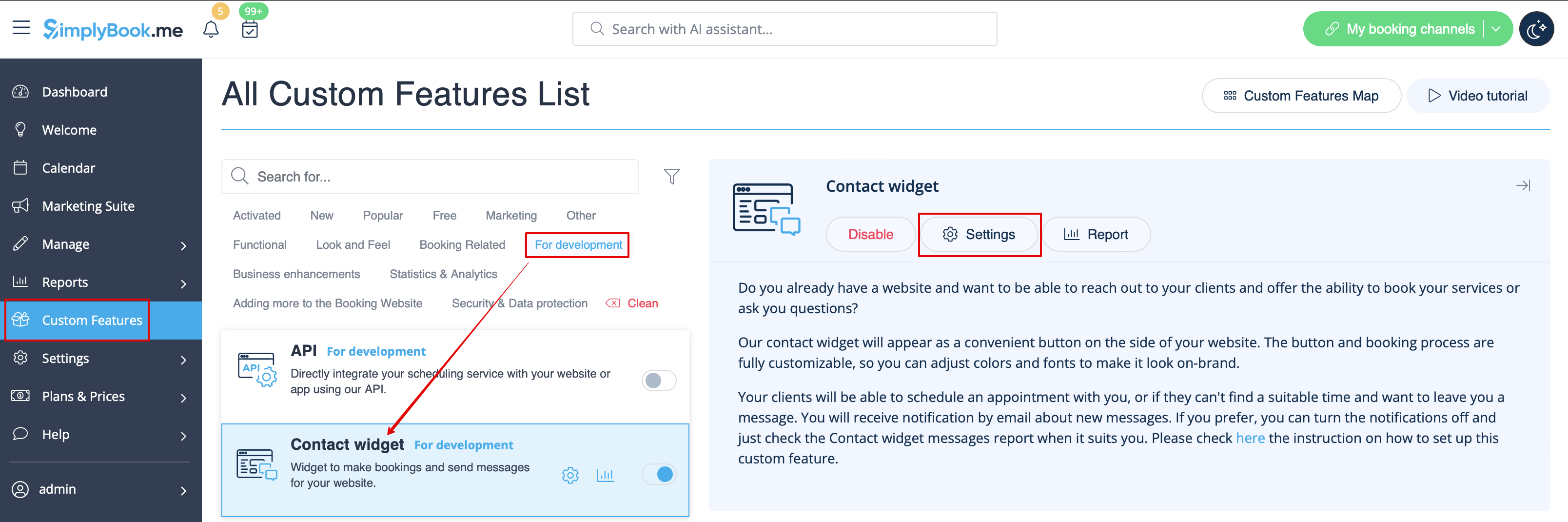
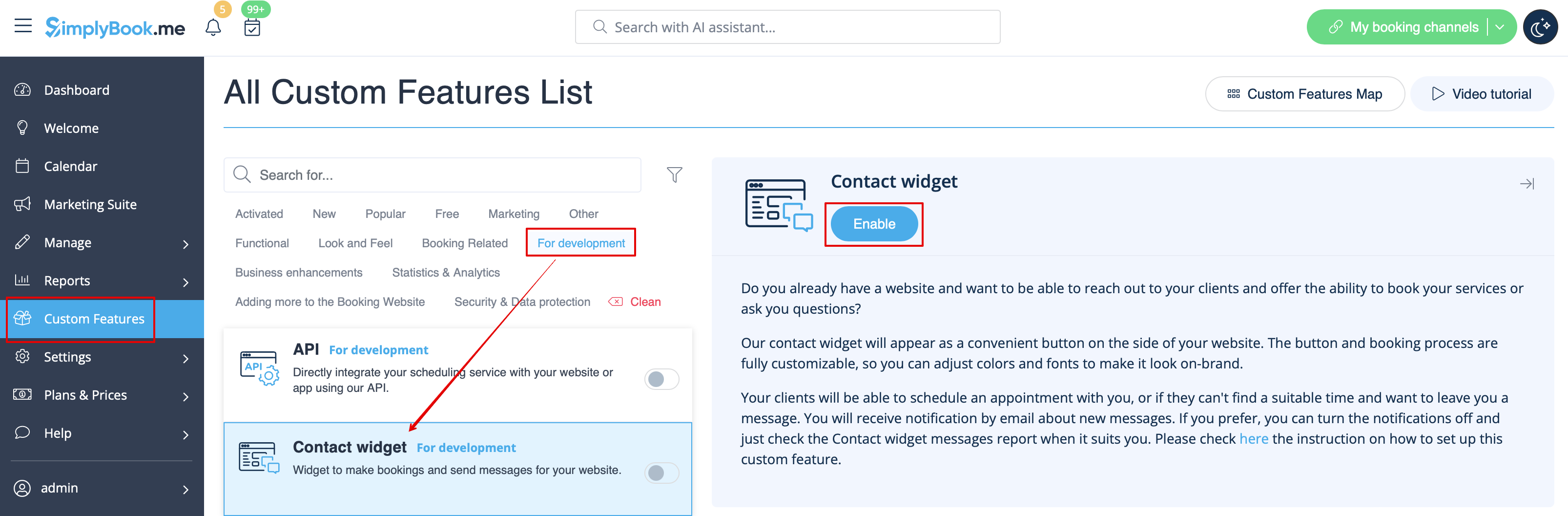
- 1. Aktivera kontaktwidget i Anpassade funktioner -> För utveckling.
- 2. Hämta bokningsknappens kod från din bokningssida genom att navigera till Inställningar nära denna anpassade funktion eller i Inställningar i menyn till vänster -> Inställningar för bokningswidgets -> Kontaktwidget -> Hämta widgetkod.