Translations:Widgets for your own website/22/sv: Difference between revisions

From SimplyBook.me
Created page with "= Recensionswidget = <br><br> Vill du lägga till recensioner som dina kunder lämnar på bokningssidan till din webbplats?<br> Följ bara dessa instruktioner: :1. Gå till <span style="background-color:#d4f8e5; padding:5px; border-radius:5px;">Inställningar</span> -> <span style="background-color:#d4f8e5; padding:5px; border-radius:5px;">Inställningar för bokningswidgets</span> -> <span style="background-color:#d4f8e5; padding:5px; border-radius:5px;">Recension..."
 
(No difference)

Latest revision as of 12:24, 19 May 2025

Information about message (contribute)
This message has no documentation. If you know where or how this message is used, you can help other translators by adding documentation to this message.
Message definition (Widgets for your own website)
=Reviews Widget=
<br><br>
Wish to add reviews your clients leave on the booking page to your website?<br>
Just follow these instructions:
:1. Please go to <span style="background-color:#d4f8e5; padding:5px; border-radius:5px;">Settings</span> -> <span style="background-color:#d4f8e5; padding:5px; border-radius:5px;">Booking widgets settings</span> -> <span style="background-color:#d4f8e5; padding:5px; border-radius:5px;">Reviews widget.</span>
[[File:Reviews widget path redesigned.png|1200px | center|link=https://help.simplybook.me/images/5/5b/Reviews_widget_path_redesigned.png]]
<br><br>
:2. On the page you will be able to select the theme, set colors, decide on the number of reviews you wish to display and whether you wish your clients to be able to add reviews using the widget. 
[[File:Reviews widget settings redesigned.png|1200px| center|link=https://help.simplybook.me/images/6/6d/Reviews_widget_settings_redesigned.png]]
<br><br>
:3. And now, when design is set, just click on <span style="background-color:#d4f8e5; padding:5px; border-radius:5px;">Get widget code</span> button, copy the code and insert it to your website to the desired place.
[[File:Get reviews widget code redesigned.png|1200px | center|link=https://help.simplybook.me/images/f/f8/Get_reviews_widget_code_redesigned.png]]
<br>
Congratulations! Widget is now ready, your reviews will be published and updated on your website!
<br><br>

Recensionswidget


Vill du lägga till recensioner som dina kunder lämnar på bokningssidan till din webbplats?
Följ bara dessa instruktioner:

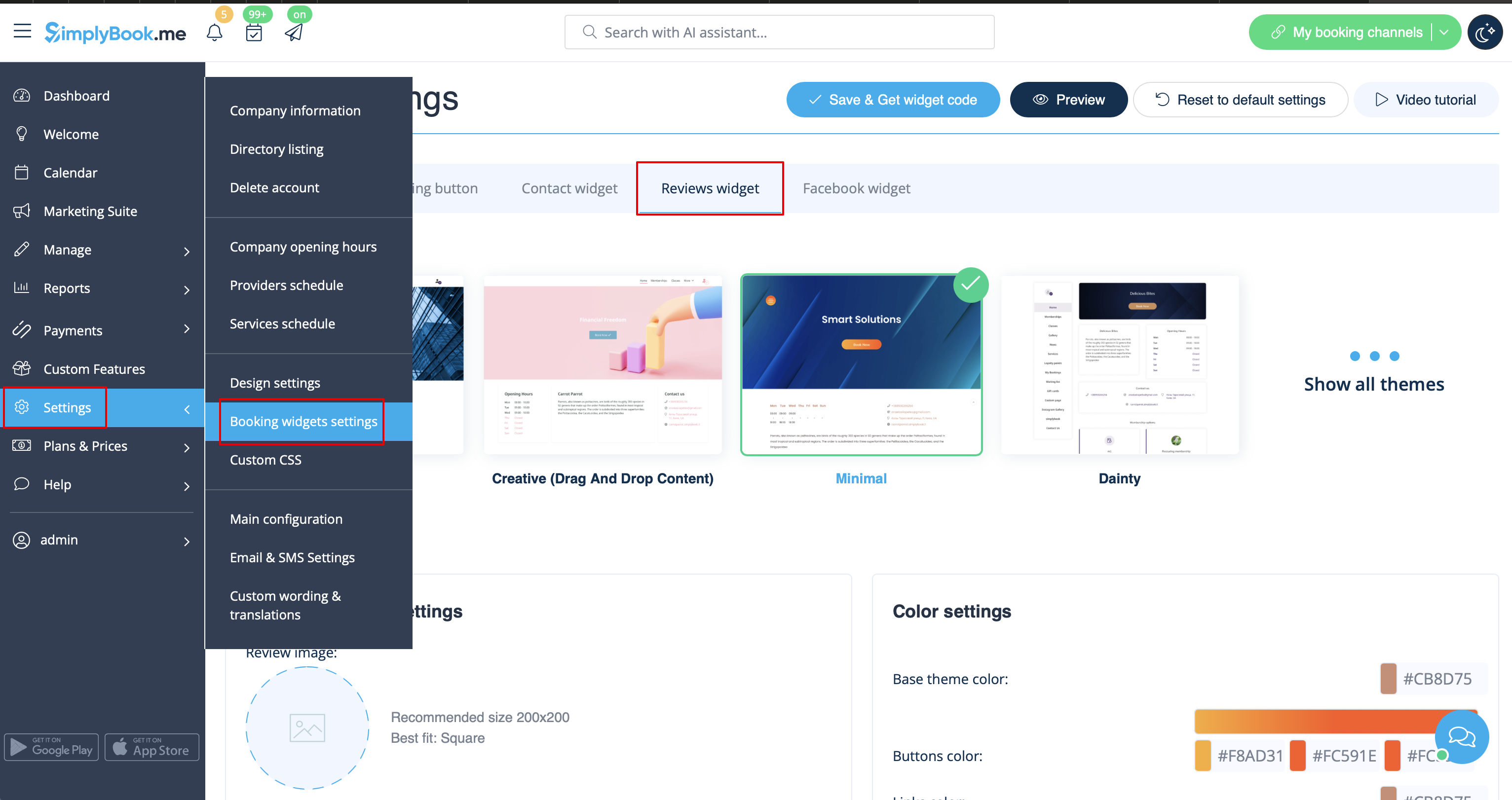
1. Gå till Inställningar -> Inställningar för bokningswidgets -> Recensionswidget.


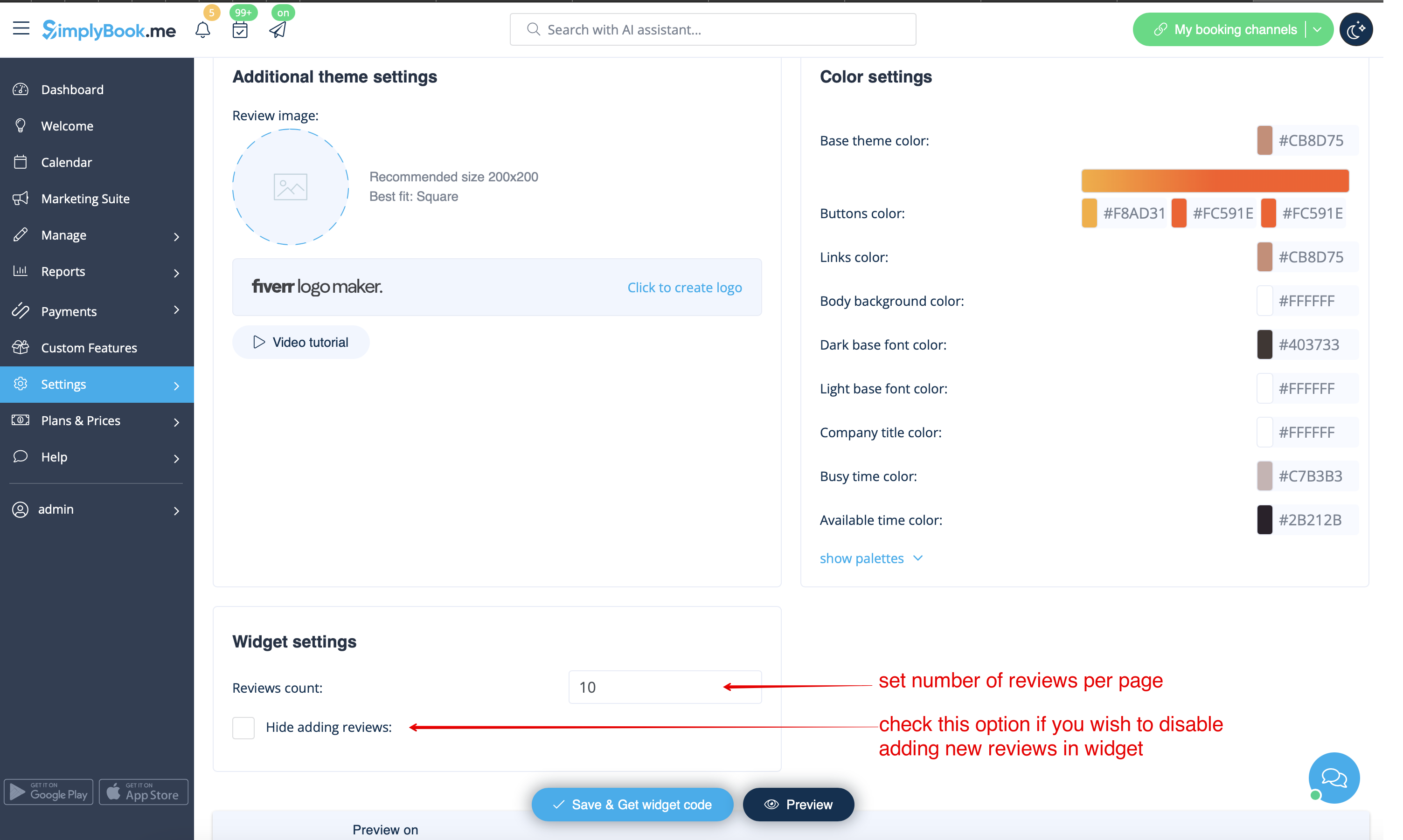
2. På sidan kan du välja tema, ställa in färger, bestämma hur många recensioner du vill visa och om du vill att dina kunder ska kunna lägga till recensioner med hjälp av widgeten.


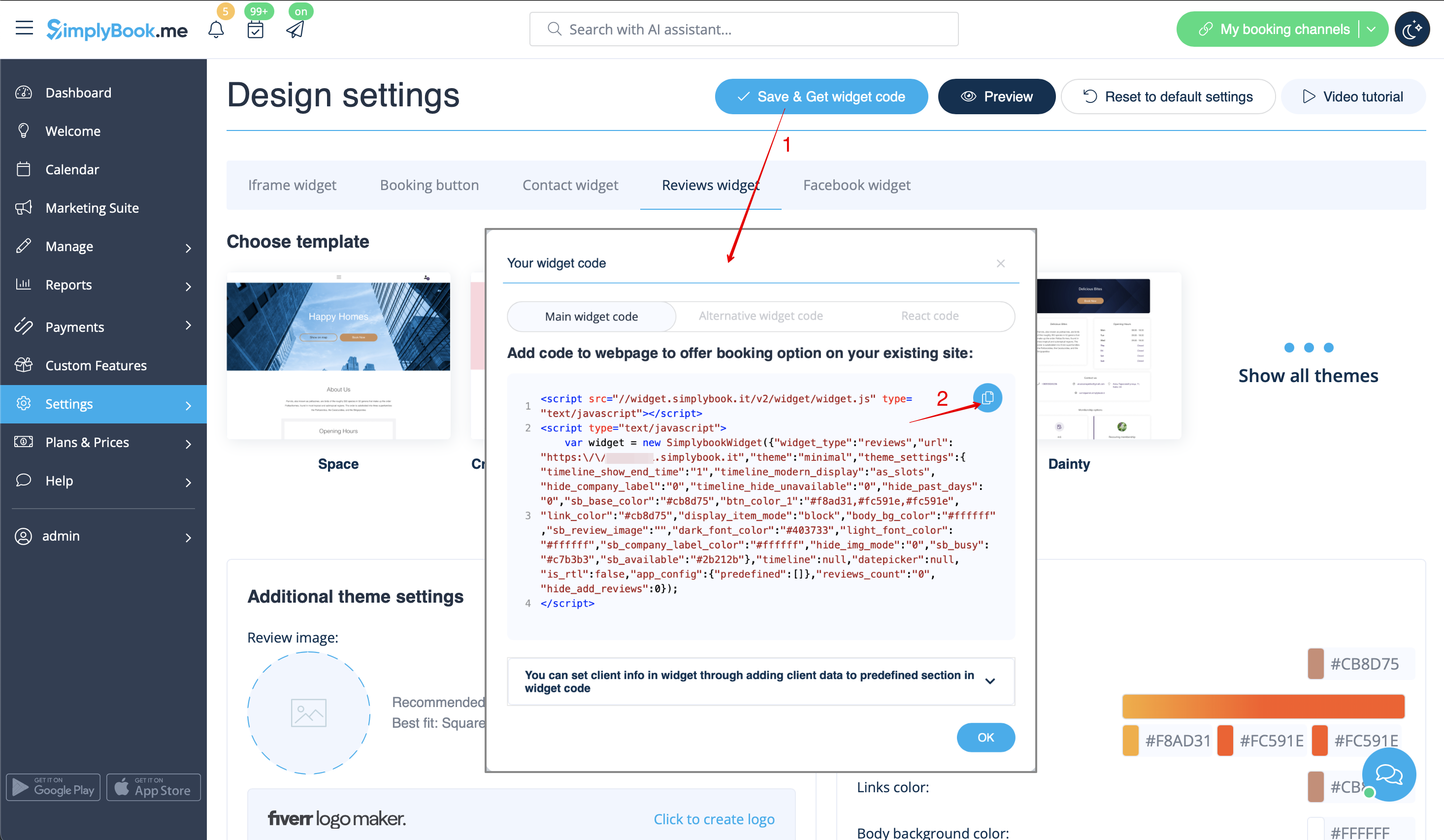
3. När designen är klar klickar du bara på knappen Hämta widgetkod, kopierar koden och klistrar in den på önskad plats på din webbplats.

Grattis! Widgeten är nu klar och dina recensioner kommer att publiceras och uppdateras på din webbplats!