From SimplyBook.me
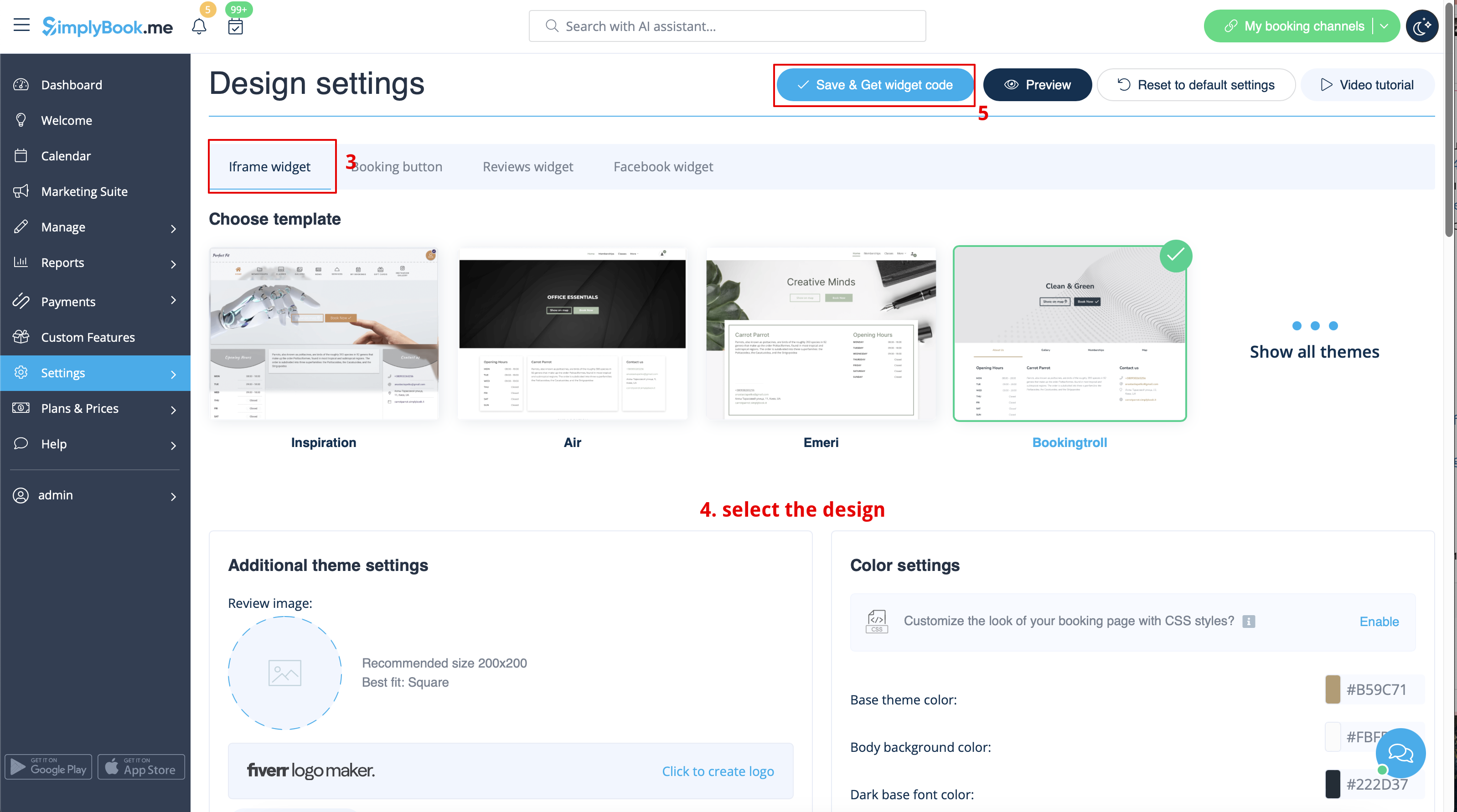
Created page with "1200px | center|link=https://help.simplybook.me/images/6/68/Booking_widget_path_redesigned.png <br><br> 1200px | center|link=https://help.simplybook.me/images/3/37/Booking_widget_design_path_redesigned.png <br><br> 1200px | center|link=https://help.simplybook.me/images/b/b4/Copy_widget_code_redesigned.png <br><br> :2. Перейдіть..." |
(No difference)
|
Latest revision as of 12:30, 19 May 2025


- 2. Перейдіть до адміністративної панелі WordPress і створіть нову сторінку або перейдіть до вже створеної, де ви плануєте додати віджет. Натисніть на значок +.

- 3. Знайдіть опцію HTML.

- 4. Вставте раніше скопійований код.

- 5. Опублікуйте зміни.


