Translations:WordPress integration/3/nl: Difference between revisions

From SimplyBook.me
Created page with "== Met behulp van de WordPress-plugin == :1. Ga in uw WordPress-beheerdersinterface naar <span style="background-color:#d4f8e5; padding:5px; border-radius:5px;">Plugins</span> -> <span style="background-color:#d4f8e5; padding:5px; border-radius:5px;">Nieuwe plugin toevoegen</span> en zoek naar '''Simplybook'''.<br> :Installeer deze en activeer hem. [[File:Add sb plugin to wp new.png|1200px|center|link=https://help.simplybook.me/images/c/c5/Add_sb_plugin_to_wp_new.png]..."
(No difference)

Revision as of 12:30, 19 May 2025

Information about message (contribute)
This message has no documentation. If you know where or how this message is used, you can help other translators by adding documentation to this message.
Message definition (WordPress integration)
==With the help of WordPress plugin==
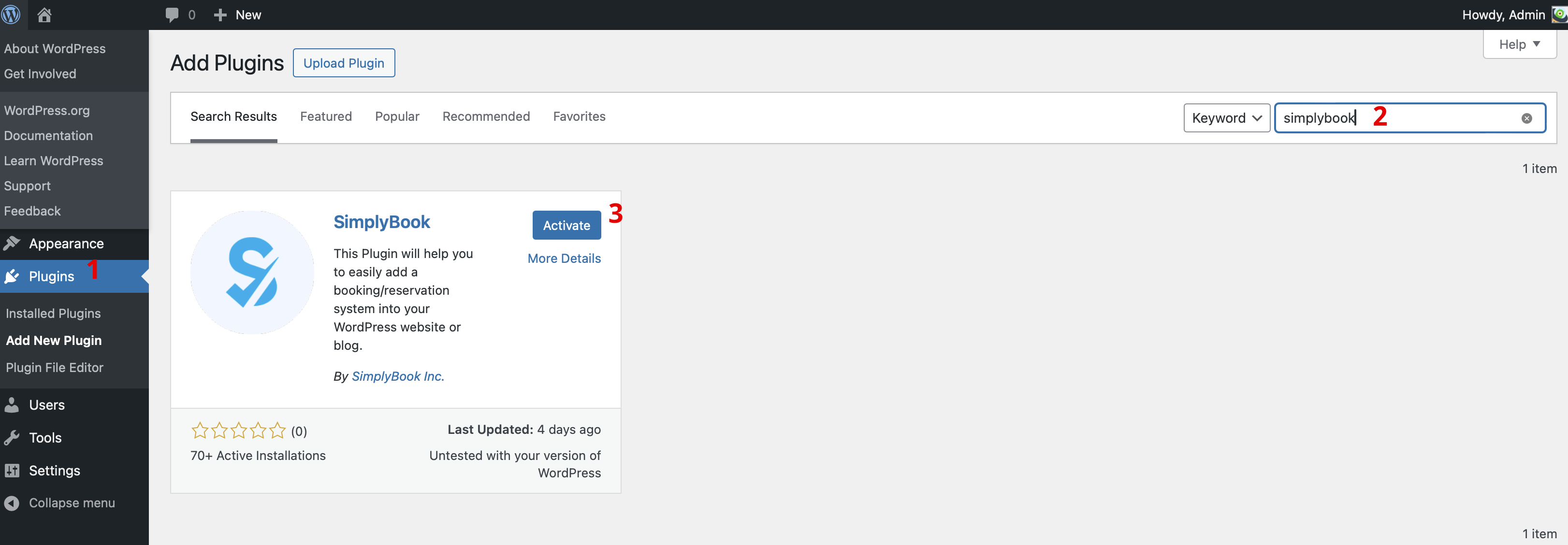
:1. In your WordPress admin interface navigate to <span style="background-color:#d4f8e5; padding:5px; border-radius:5px;">Plugins</span> -> <span style="background-color:#d4f8e5; padding:5px; border-radius:5px;">Add new Plugin</span> and search for '''Simplybook'''.<br>
:Install it and Activate.
[[File:Add simplybook to wp new.png|1200px|center|link=https://help.simplybook.me/images/4/47/Add_simplybook_to_wp_new.png]]
<br><br>
[[File:Activate new wp plugin.png|1200px|center|link=https://help.simplybook.me/images/3/32/Activate_new_wp_plugin.png]]
<br><br>
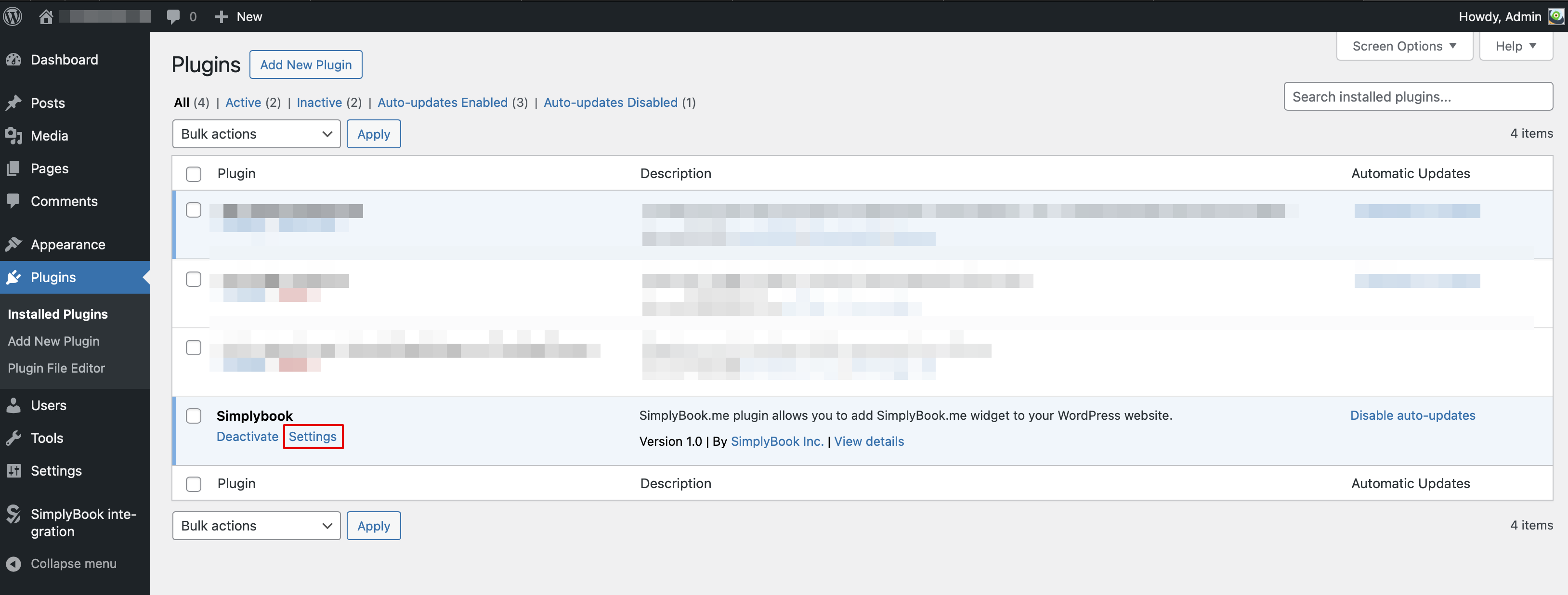
:2. Navigate to plugin <span style="background-color:#d4f8e5; padding:5px; border-radius:5px;">Settings.</span>
<br><br>

Met behulp van de WordPress-plugin

1. Ga in uw WordPress-beheerdersinterface naar Plugins -> Nieuwe plugin toevoegen en zoek naar Simplybook.
Installeer deze en activeer hem.


2. Ga naar plugin-instellingen.