Translations:Accept payments custom feature/21/uk: Difference between revisions

From SimplyBook.me
Created page with "= Як змінити валюту = <br><br> Ви можете налаштувати валюту в налаштуваннях <span style="background-color:#cdeffc; padding:5px; border-radius:5px;"> Приймати платежі</span>. <br><br> <span style="background-color:#ffe9e9; padding:5px; border-radius:5px;">'''Зверніть увагу!'''</span> *<span style="background-color:#ffe9e9; padding:5px..."
(No difference)

Revision as of 12:37, 19 May 2025

Information about message (contribute)
This message has no documentation. If you know where or how this message is used, you can help other translators by adding documentation to this message.
Message definition (Accept payments custom feature)
=How to change currency=
<br><br>
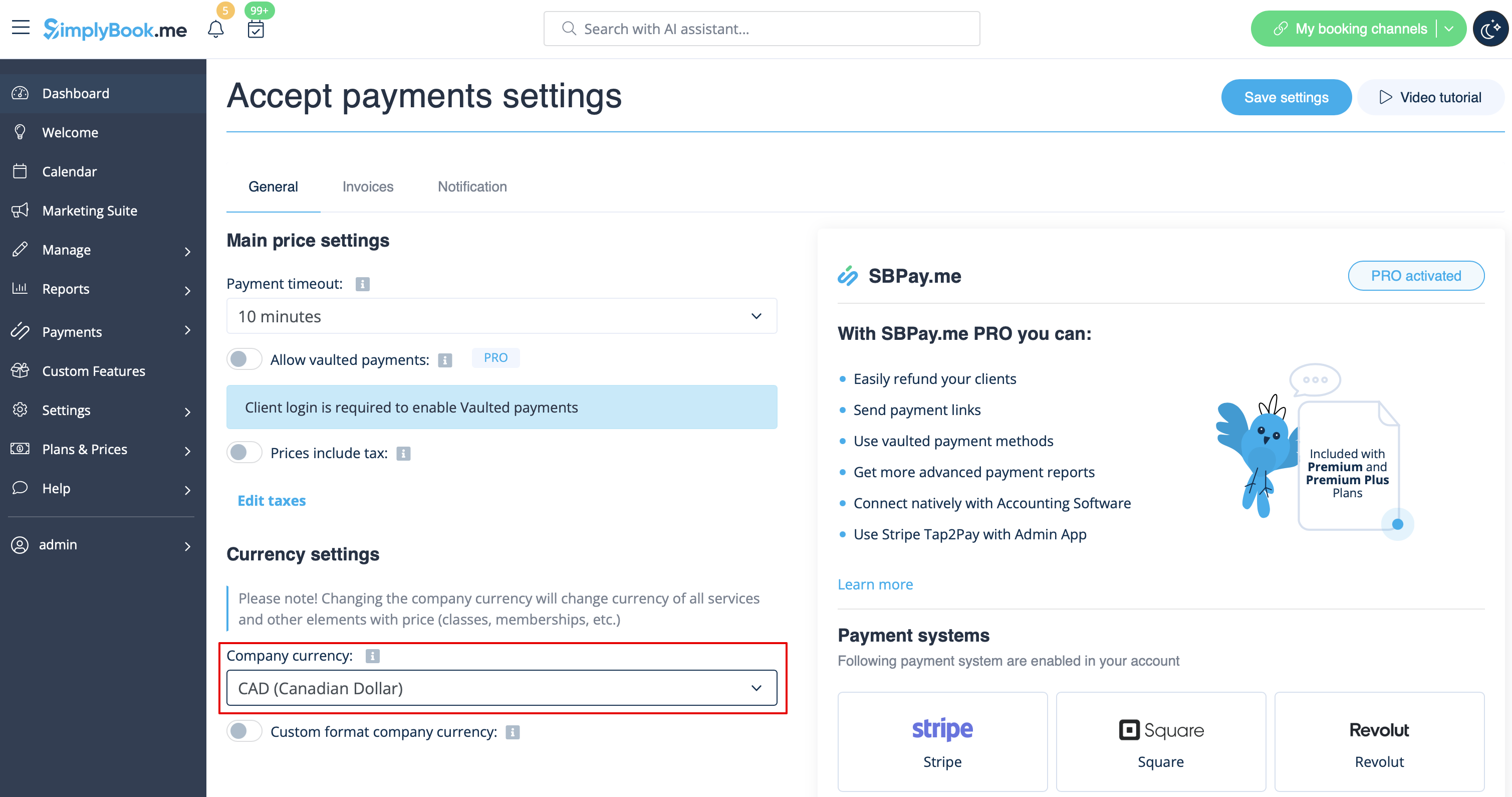
You can adjust the currency in the settings of  <span style="background-color:#cdeffc; padding:5px; border-radius:5px;">[[Special:MyLanguage/Accept_payments_custom_feature | Accept payments]]</span> custom feature. <br><br>
<span style="background-color:#ffe9e9; padding:5px; border-radius:5px;">'''Please note!'''</span> 
*<span style="background-color:#ffe9e9; padding:5px; border-radius:5px;">Some payment processors do not support all currencies. Before setting the currency, check if the selected payment processor supports it.</span> 
*<span style="background-color:#ffe9e9; padding:5px; border-radius:5px;">There is no option to select multiple company currencies. The currency you choose will be the same for all your offerings.</span>
[[File:Currency settings path redesigned.png|1200px|border|center|link=https://help.simplybook.me/images/a/a9/Currency_settings_path_redesigned.png]]
<br><br>
In the <span style="background-color:#d4f8e5; padding:5px; border-radius:5px;">Currency settings</span>, you can enable <span style="background-color:#d4f8e5; padding:5px; border-radius:5px;">Custom formatting company currency</span> to adjust the following: 
<br><br>
*<span style="background-color:#d4f8e5; padding:5px; border-radius:5px;">Currency Symbol:</span> Customize the currency symbol if needed.
*<span style="background-color:#d4f8e5; padding:5px; border-radius:5px;">Decimal Separator:</span> Choose between "," or "." to be displayed in your prices. 
*<span style="background-color:#d4f8e5; padding:5px; border-radius:5px;">Digits:</span> In this section, select the number of digits displayed after decimal separator in the amount, ranging from 0 to 3. For example, if the service price is set to $10 and the number of digits in Currency settings is set to 0, the price on the booking website will be $10. If set to 2, the format will be $10.00. If the number of digits is set to 0, it will not be possible to add amounts less than $1 (where $ stands for your company currency in this example). 
*<span style="background-color:#d4f8e5; padding:5px; border-radius:5px;">Positioning</span> of the Currency Symbol
*Add <span style="background-color:#d4f8e5; padding:5px; border-radius:5px;">space</span> between the amount and symbol if desired.
<br><br>

Як змінити валюту


Ви можете налаштувати валюту в налаштуваннях Приймати платежі.

Зверніть увагу!

  • Деякі платіжні системи не підтримують усі валюти. Перед тим, як встановити валюту, перевірте, чи підтримує її обрана платіжна система.
  • Немає можливості вибрати кілька валют для компанії. Вибрана валюта буде однаковою для всіх ваших пропозицій.


У налаштуваннях валюти ви можете увімкнути опцію «Налаштувати форматування валюти компанії », щоб налаштувати наступне:

  • Символ валюти: Налаштуйте символ валюти за потреби.
  • Роздільник десяткових знаків: Виберіть «,» або «.» для відображення в цінах.
  • Цифри: У цьому розділі виберіть кількість цифр, що відображаються після роздільника десяткових знаків у сумі, від 0 до 3. Наприклад, якщо ціна послуги встановлена на 10 доларів, а кількість цифр у налаштуваннях валюти встановлена на 0, ціна на веб-сайті бронювання буде 10 доларів.
  • Якщо встановити 2, формат буде $10.00. Якщо кількість цифр встановлено на 0, не можна буде додавати суми менше $1 (де $ означає валюту вашої компанії в цьому прикладі).Розташування символу валюти (
  • ) Додайте пробіл між сумою та символом, якщо потрібно.