Translations:API custom feature/4/fr: Difference between revisions

From SimplyBook.me
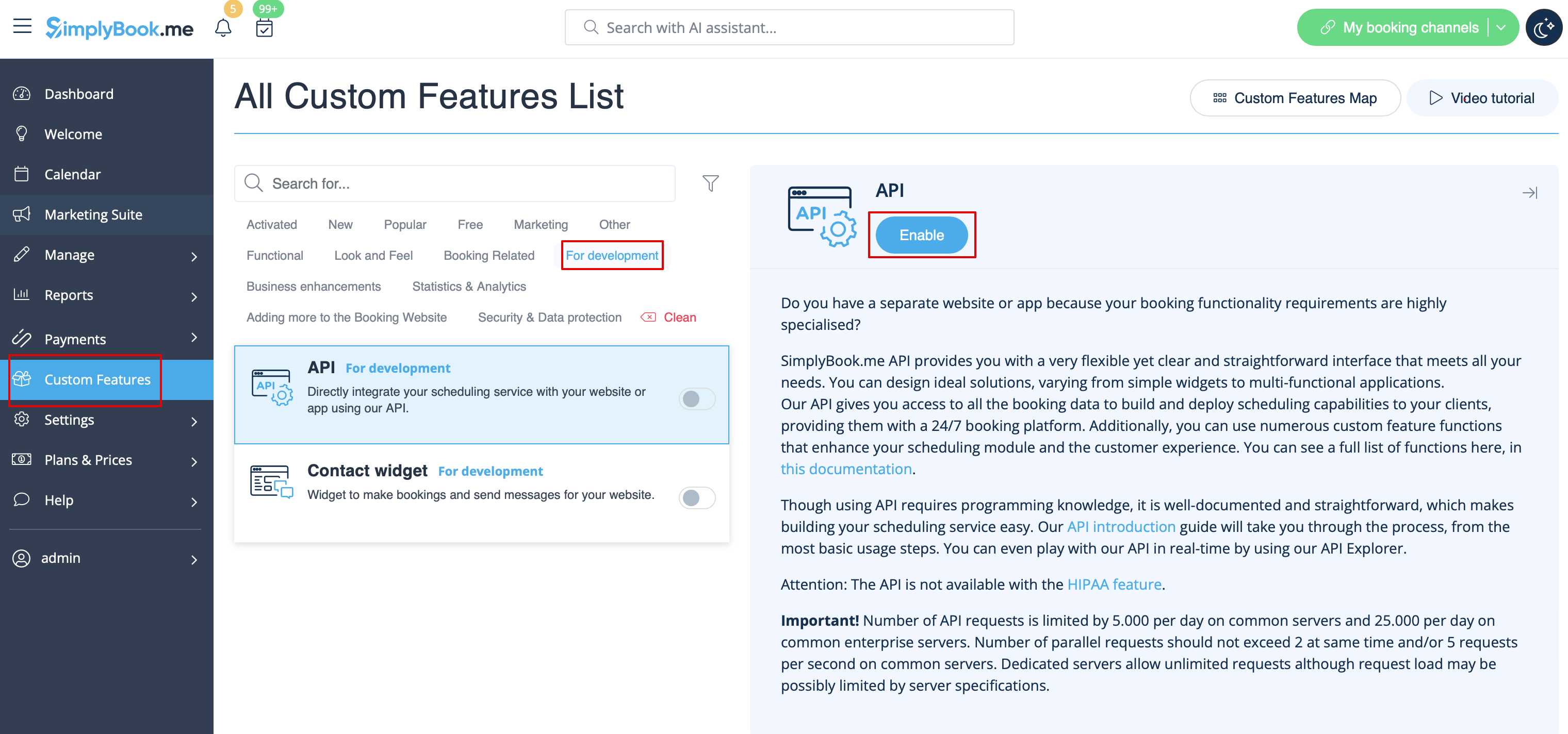
Created page with "*[https://simplybook.me/api/explorer Explorateur API] <br><br> ; Comment utiliser :1. Accédez à la section <span style="background-color:#d4f8e5; padding:5px; border-radius:5px;">Fonctionnalités personnalisées</span> à l'aide du menu de gauche de votre interface d'administration,<br> :recherchez la fonctionnalité correspondante et activez-la. File:Api enable path redesigned.png|1200px | center|link=https://help.simplybook.me/images/c/ce/Api_enable_path_redesigne..."
 
(No difference)

Latest revision as of 14:25, 19 May 2025

Information about message (contribute)
This message has no documentation. If you know where or how this message is used, you can help other translators by adding documentation to this message.
Message definition (API custom feature)
*[https://simplybook.me/api/explorer API explorer]
<br><br>
;How to use
:1. Navigate to <span style="background-color:#d4f8e5; padding:5px; border-radius:5px;">Custom features</span> section using the left-side menu of your admin interface,<br> 
:find the corresponding feature and enable it.
[[File:Api enable path redesigned.png|1200px | center|link=https://help.simplybook.me/images/c/ce/Api_enable_path_redesigned.png]]
<br><br>
:2. Go to <span style="background-color:#d4f8e5; padding:5px; border-radius:5px;">Settings</span> on the right to access the <span style="background-color:#d4f8e5; padding:5px; border-radius:5px;">API keys.</span>
[[File:Api settings path redesigned.png|1200px | center|link=https://help.simplybook.me/images/d/d6/Api_settings_path_redesigned.png]]
<br><br>
:3. (optional) Use <span style="background-color:#d4f8e5; padding:5px; border-radius:5px;">Callback URL</span> and other available options for your own development.
<br><br>


Comment utiliser
1. Accédez à la section Fonctionnalités personnalisées à l'aide du menu de gauche de votre interface d'administration,
recherchez la fonctionnalité correspondante et activez-la.


2. Accédez à Paramètres à droite pour accéder aux clés API.
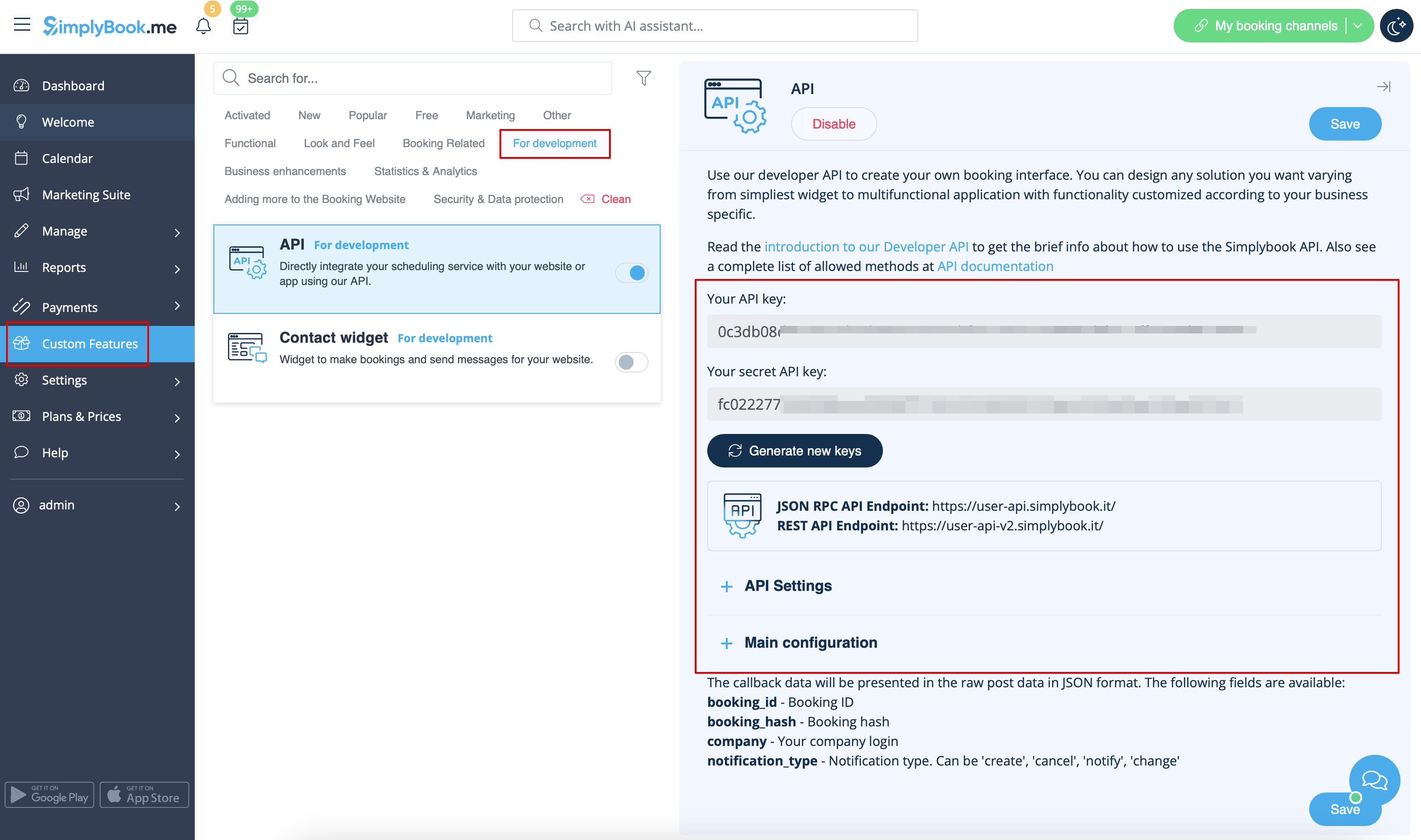


3. (facultatif) Utilisez l'URL de rappel et les autres options disponibles pour votre propre développement.