Translations:Approve Bookings custom feature/4/uk: Difference between revisions

From SimplyBook.me
Created page with "<br><br> ;Як користуватися функцією « :» 1. Увімкніть функцію «Approve bookings» у розділі «Custom features». 1200px| center|link=https://help.simplybook.me/images/b/b8/Approve_bookings_enable_path_redesigned.png <br><br> :2. Перейдіть до «Calendar//Pending bookings», щоб перевірити замовлення, які чекають на затве..."
 
(No difference)

Latest revision as of 14:25, 19 May 2025

Information about message (contribute)
This message has no documentation. If you know where or how this message is used, you can help other translators by adding documentation to this message.
Message definition (Approve Bookings custom feature)
<br><br>
;How to use
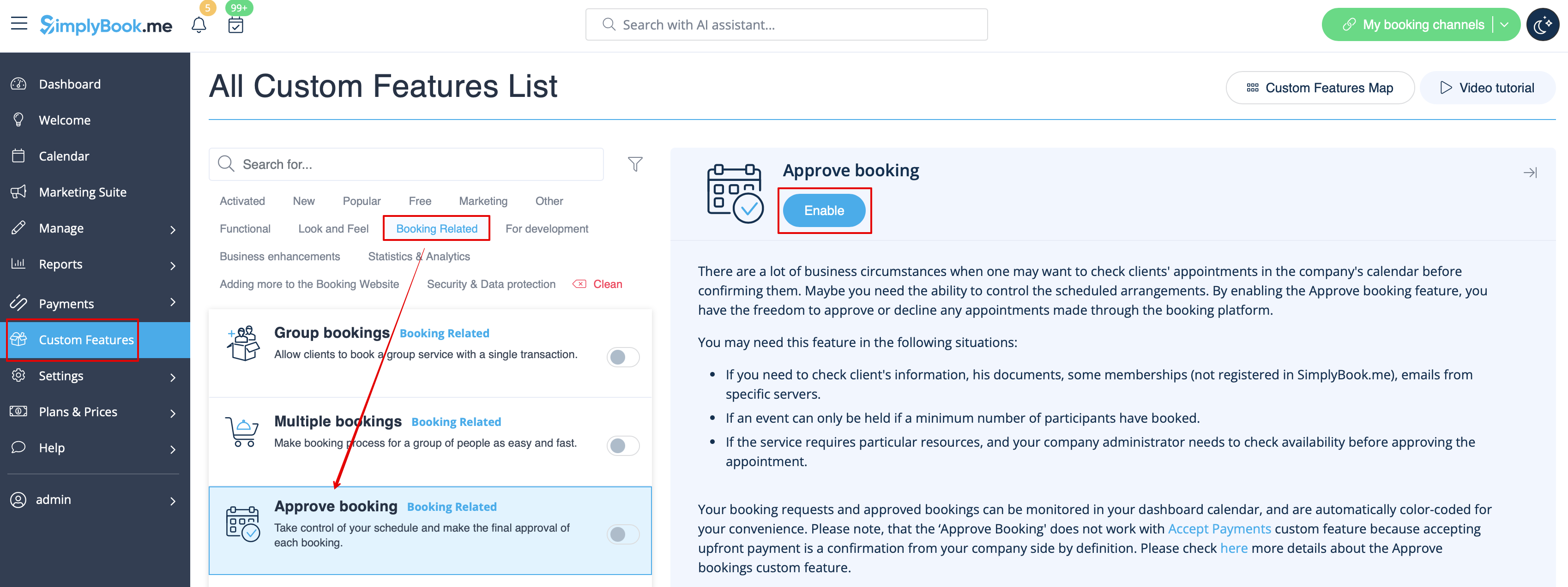
:1. Enable Approve bookings custom feature in your Custom features section.
[[File:Approve bookings enable path redesigned.png|1200px| center|link=https://help.simplybook.me/images/b/b8/Approve_bookings_enable_path_redesigned.png]]
<br><br>
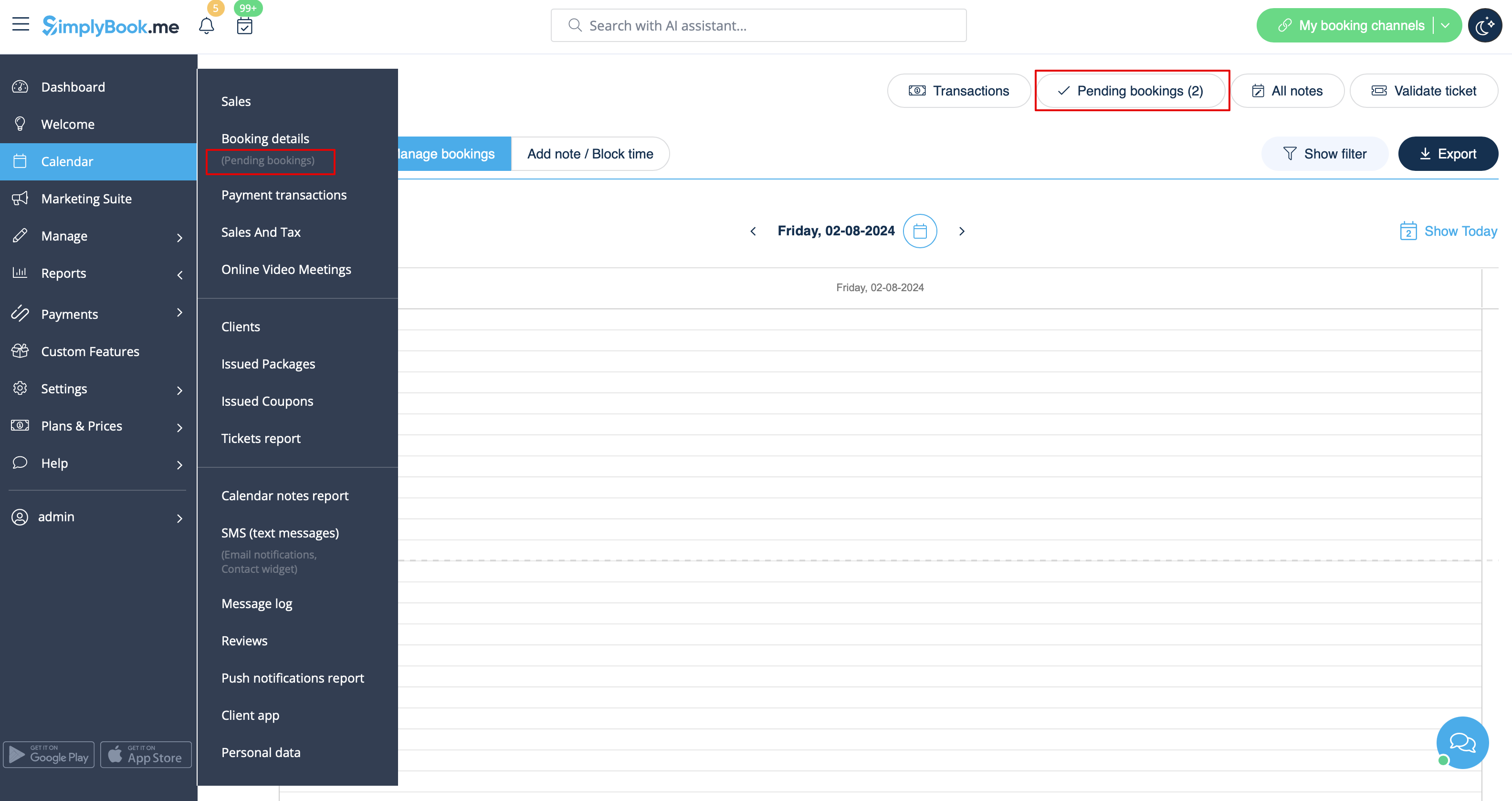
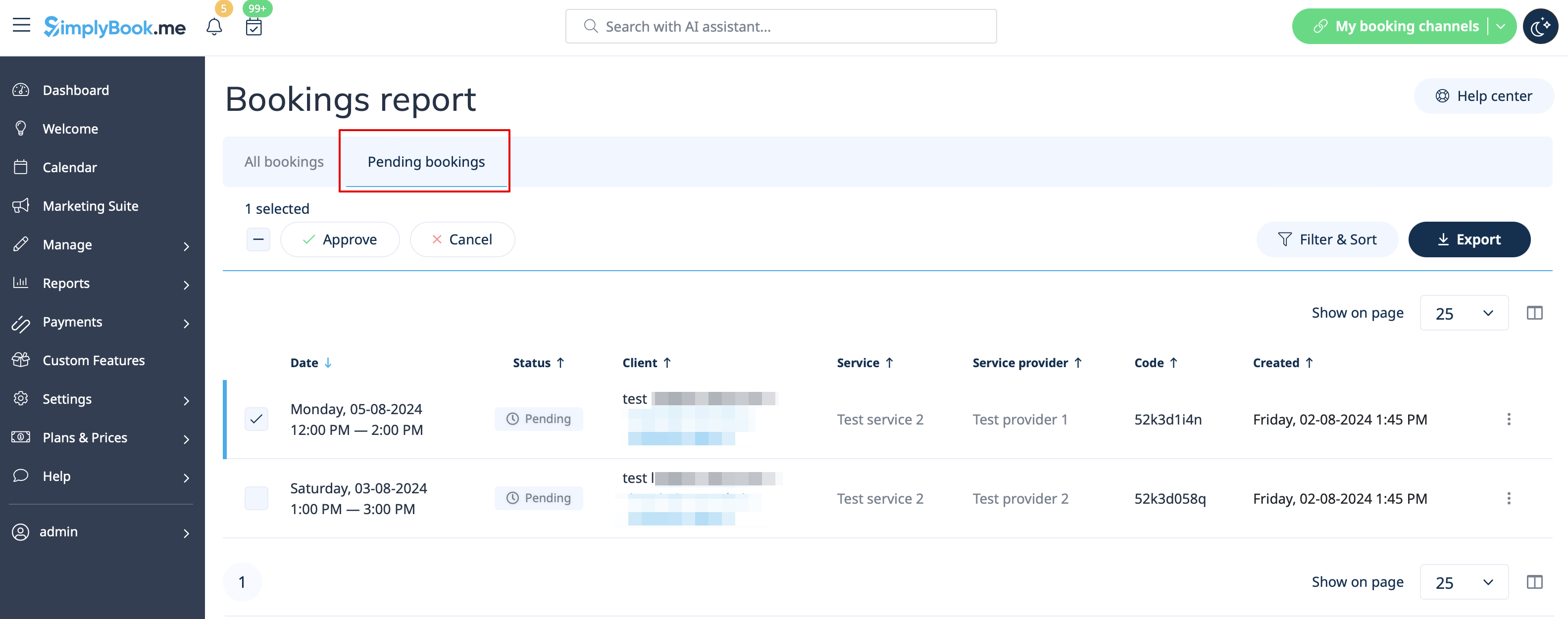
:2. Navigate to Calendar//Pending bookings to check the bookings waiting for approval and accept or decline them.
:The client will receive the confirmation email only after your approval.
:If you decline the booking there will be no notification to the client.
[[File:Pending bookings report path redesigned.png|1200px|center|link=https://help.simplybook.me/images/c/c7/Pending_bookings_report_path_redesigned.png]]<br><br>
[[File:Pending bookimgs report overview redesigned.png|1200px | center|link=https://help.simplybook.me/images/9/97/Pending_bookimgs_report_overview_redesigned.png]]
<br><br>


Як користуватися функцією «
» 1. Увімкніть функцію «Approve bookings» у розділі «Custom features».


2. Перейдіть до «Calendar//Pending bookings», щоб перевірити замовлення, які чекають на затвердження, та прийняти або відхилити їх.
Клієнт отримає підтвердження електронною поштою лише після вашого затвердження.
Якщо ви відхилите замовлення, клієнт не отримає жодного повідомлення.