Translations:Cancellation Policy custom feature/3/sv: Difference between revisions

From SimplyBook.me
Created page with "hur använder man :1. Aktivera funktionen Avbokningspolicy på sidan Anpassade funktioner. 1200px| center|link=https://help.simplybook.me/images/e/ec/Cancellation_policy_enable_path_redesigned.png <br><br> :2. Gå till inställningarna till höger. 1200px | center|link=https://help.simplybook.me/images/f/f9/Cancellation_poilicy_settings_path_redesigned.png <..."
 
(No difference)

Latest revision as of 14:29, 19 May 2025

Information about message (contribute)
This message has no documentation. If you know where or how this message is used, you can help other translators by adding documentation to this message.
Message definition (Cancellation Policy custom feature)
;How to use
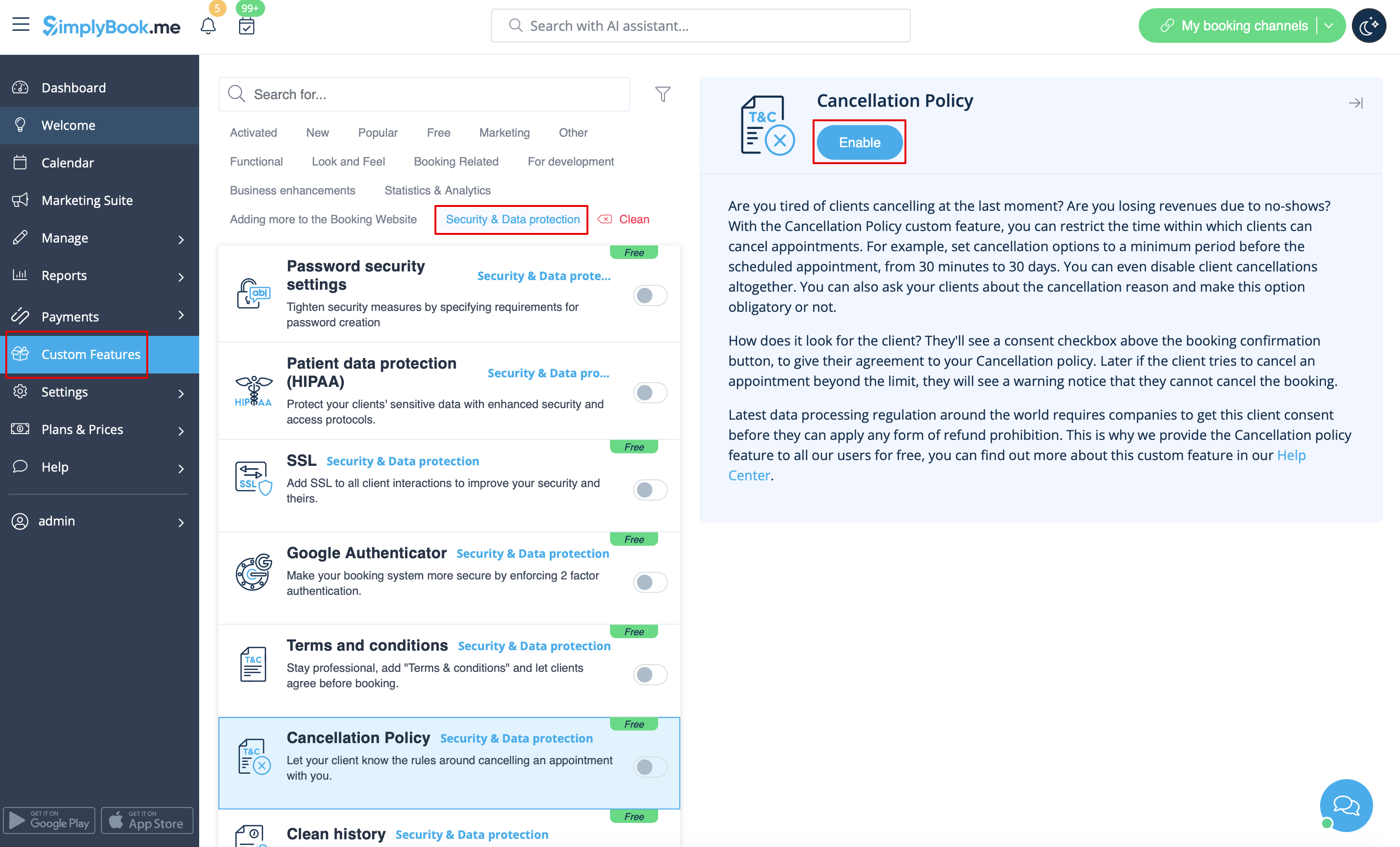
:1. Enable Cancellation policy fature on your Custom Features page.
[[File:Cancellation policy enable path redesigned.png|1200px| center|link=https://help.simplybook.me/images/e/ec/Cancellation_policy_enable_path_redesigned.png]]
<br><br>
:2. Go to its settings on the right.
[[File:Cancellation poilicy settings path redesigned.png|1200px | center|link=https://help.simplybook.me/images/f/f9/Cancellation_poilicy_settings_path_redesigned.png]]
<br><br>
:3. Add your text to the corresponding field and select the period when bookings can be canceled<br>
:(you can use HTML tags there to format the text to your needs).
<br>
:4. You can also ask your clients about the cancellation reason and make this option obligatory or not.
<br><br>

hur använder man

1. Aktivera funktionen Avbokningspolicy på sidan Anpassade funktioner.


2. Gå till inställningarna till höger.
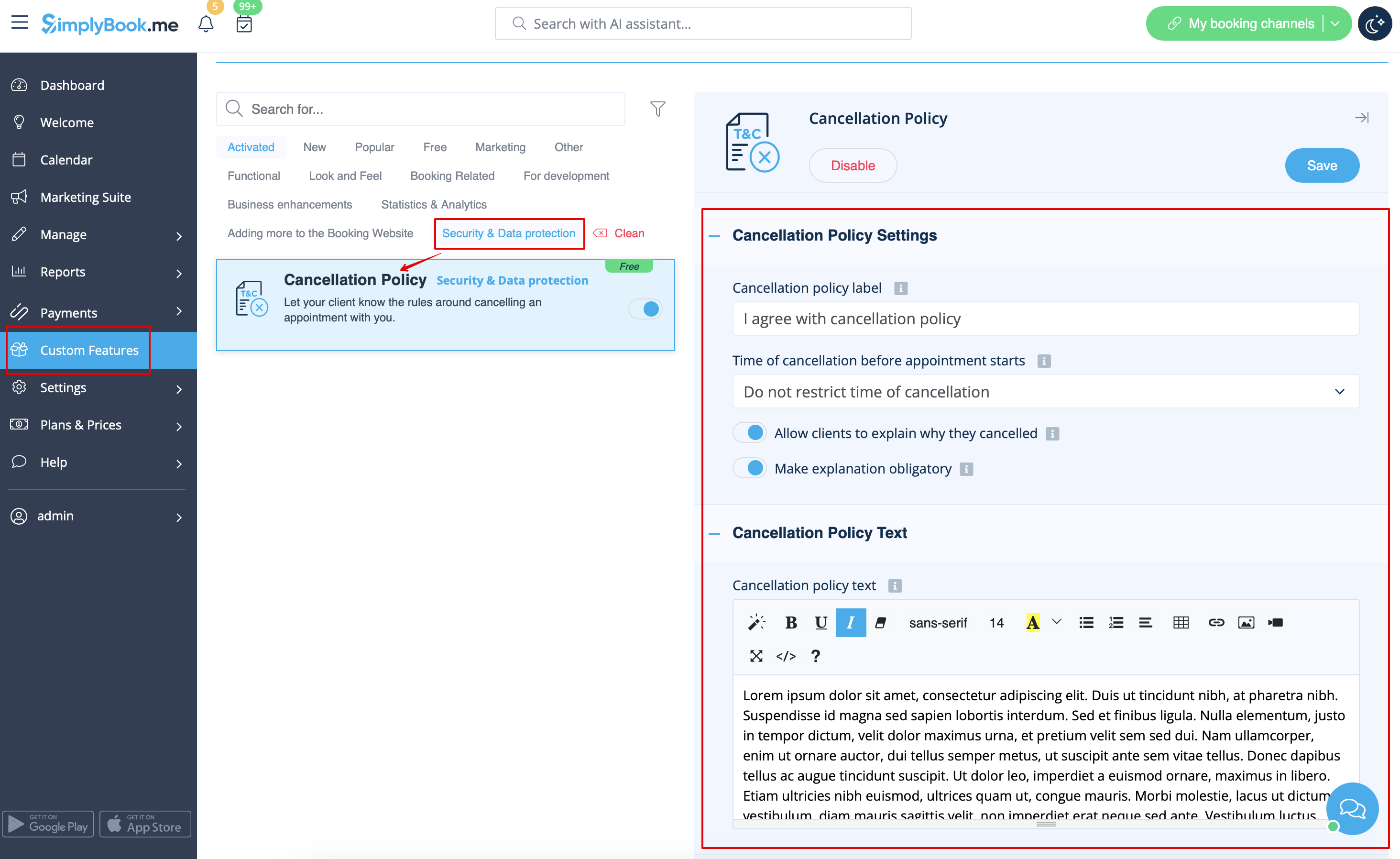


3. Lägg till din text i motsvarande fält och välj den period då bokningar kan avbokas
(du kan använda HTML-taggar där för att formatera texten efter dina behov).


4. Du kan också fråga dina kunder om orsaken till avbokningen och göra detta val obligatoriskt eller inte.