Translations:Clean History custom feature/3/nl: Difference between revisions

From SimplyBook.me
Created page with ";Hoe gebruik je ' :' 1. Schakel deze functie in in het gedeelte 'Aangepaste functies'. 1200px | center|link=https://help.simplybook.me/images/1/1f/Clean_history_enable_path_redesigned.png <br><br> :2. Ga naar de instellingen aan de rechterkant om je voorkeuren in te stellen en selecteer het tijdstip waarop de boekingen moeten worden verwijderd. File:Clean history settings redesigned.png|1200px | center|link=https://help..."
 
(No difference)

Latest revision as of 14:34, 19 May 2025

Information about message (contribute)
This message has no documentation. If you know where or how this message is used, you can help other translators by adding documentation to this message.
Message definition (Clean History custom feature)
;How to use
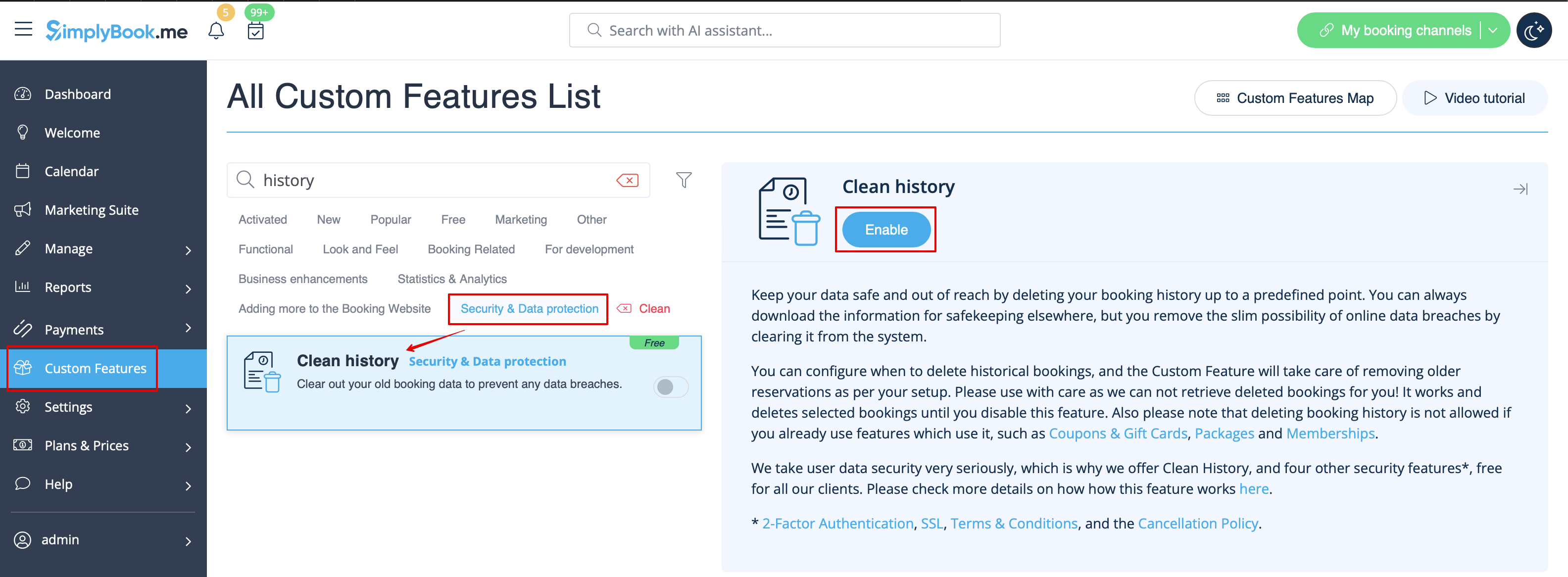
:1. Enable this feature in your Custom features section.
[[File:Clean history enable path redesigned.png|1200px | center|link=https://help.simplybook.me/images/1/1f/Clean_history_enable_path_redesigned.png]]
<br><br>
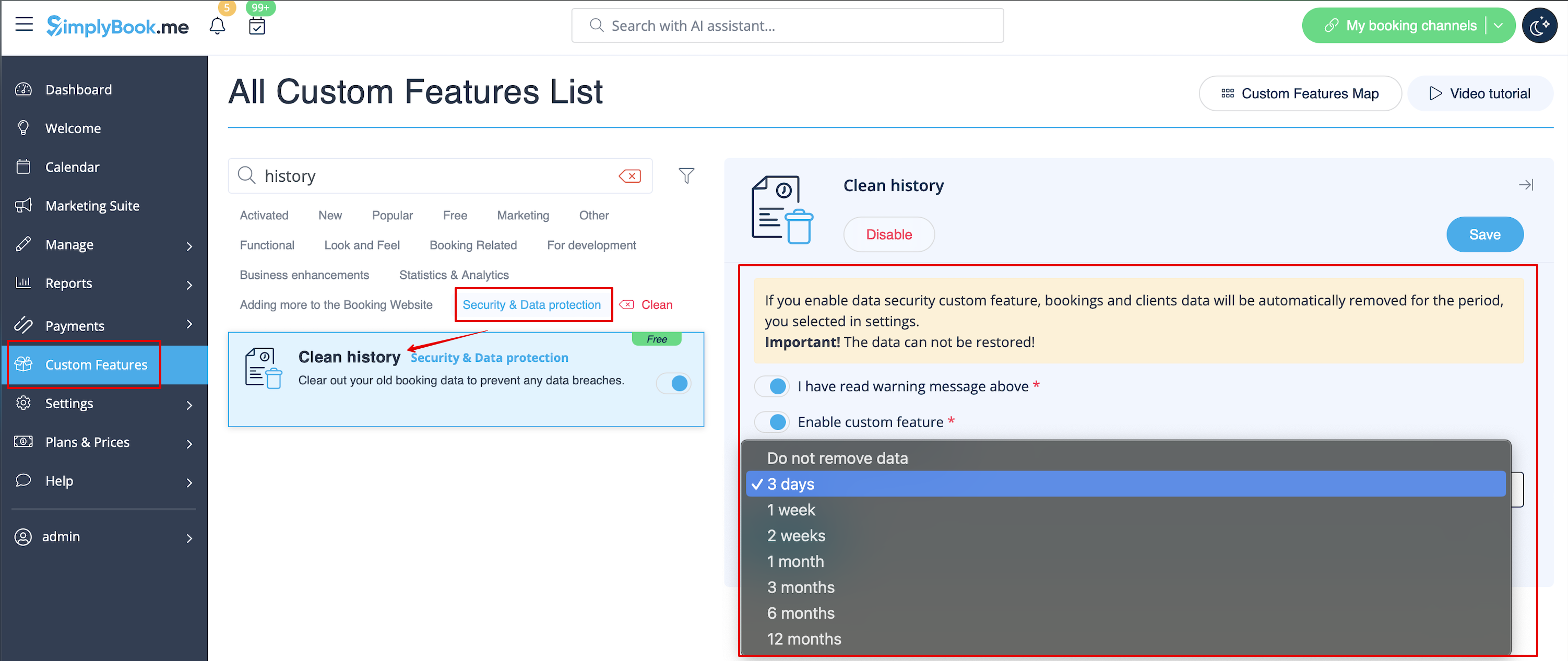
:2. Navigate to settings on the right to set your preferences and select the time when the bookings should be deleted.
[[File:Clean history settings redesigned.png|1200px | center|link=https://help.simplybook.me/images/5/53/Clean_history_settings_redesigned.png]]
<br><br>
Hoe gebruik je '
' 1. Schakel deze functie in in het gedeelte 'Aangepaste functies'.


2. Ga naar de instellingen aan de rechterkant om je voorkeuren in te stellen en selecteer het tijdstip waarop de boekingen moeten worden verwijderd.