Translations:Contact Widget custom feature/3/sv: Difference between revisions

From SimplyBook.me
Created page with "hur använder man :1. För att aktivera detta alternativ, klicka på "Aktivera" bredvid motsvarande alternativ på sidan Anpassade funktioner. 1200px| center|link=https://help.simplybook.me/images/8/8c/Contact_widget_enable_path_redesigned.png <br><br> :2. Välj "Inställningar" för att ställa in widgetens utseende och generera den nödvändiga koden. File:Contact widget settings path redesigned.png|1200px | center|l..."
 
(No difference)

Latest revision as of 14:39, 19 May 2025

Information about message (contribute)
This message has no documentation. If you know where or how this message is used, you can help other translators by adding documentation to this message.
Message definition (Contact Widget custom feature)
;How to use
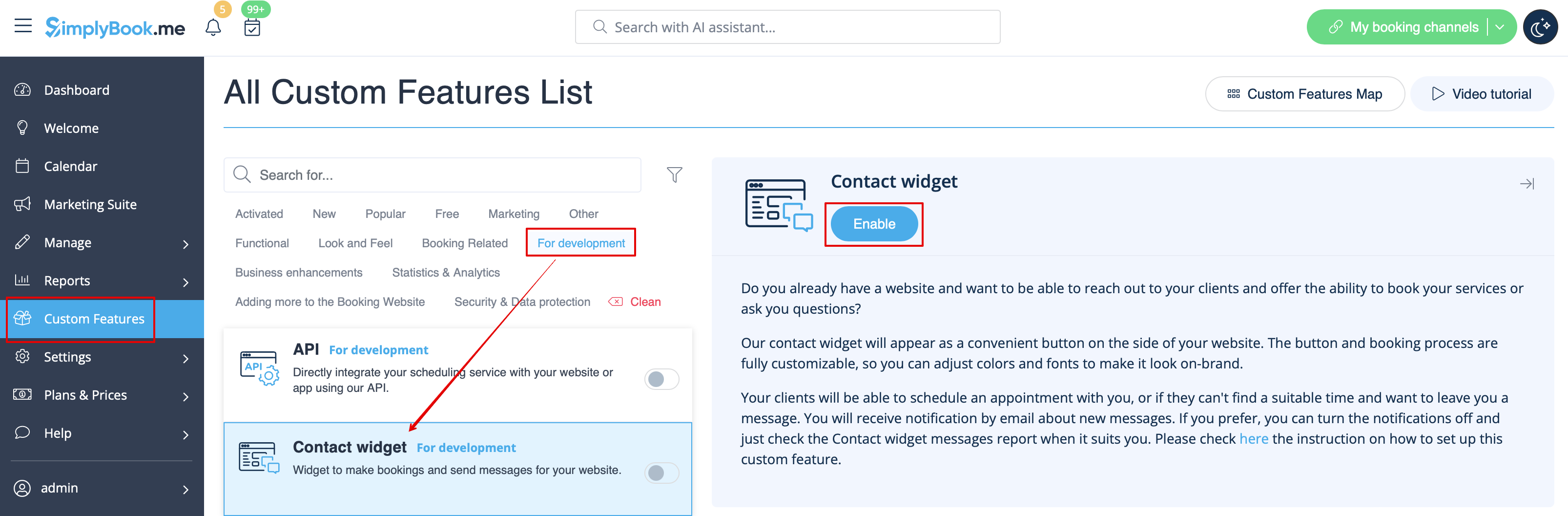
:1. To switch this option on please click on "Enable" near the corresponding option on your Custom features page.
[[File:Contact widget enable path redesigned.png|1200px| center|link=https://help.simplybook.me/images/8/8c/Contact_widget_enable_path_redesigned.png]]
<br><br>
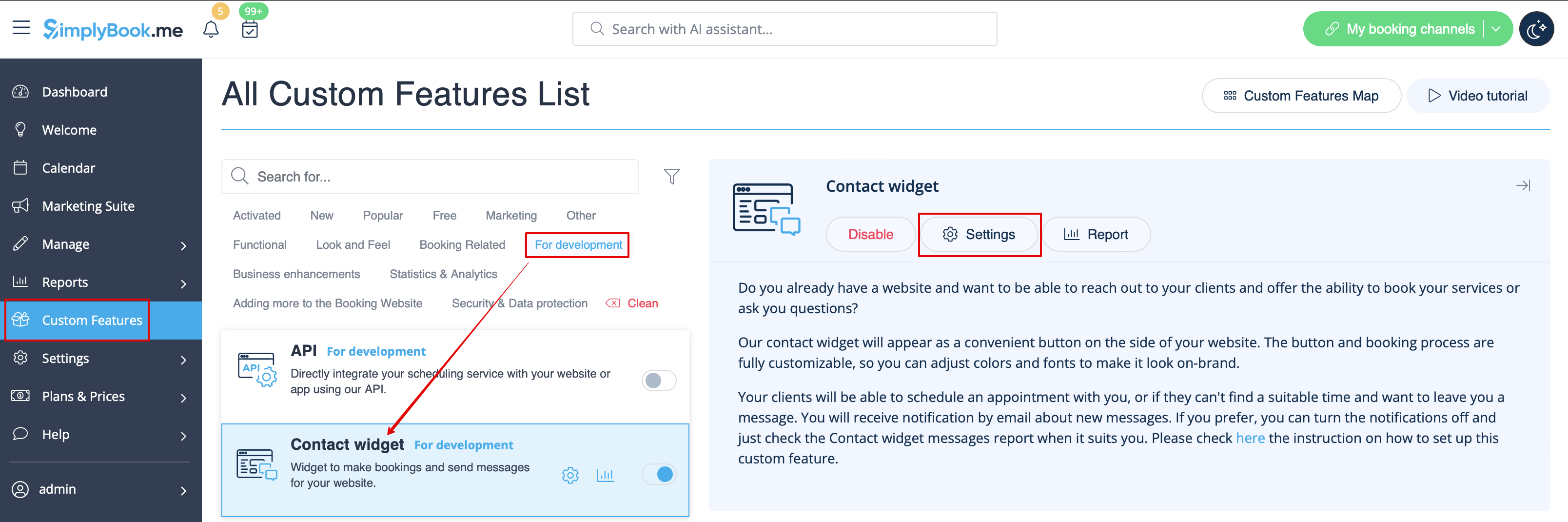
:2. Please choose "Settings" to set up the look of the widget and generate the necessary code.
[[File:Contact widget settings path redesigned.png|1200px | center|link=https://help.simplybook.me/images/0/09/Contact_widget_settings_path_redesigned.png]]
<br><br>
:See the instructions [[Special:MyLanguage/Widgets_for_your_own_website#Booking_and_Contact_Button_Widget| how to add booking widget to your website]]
<br><br>
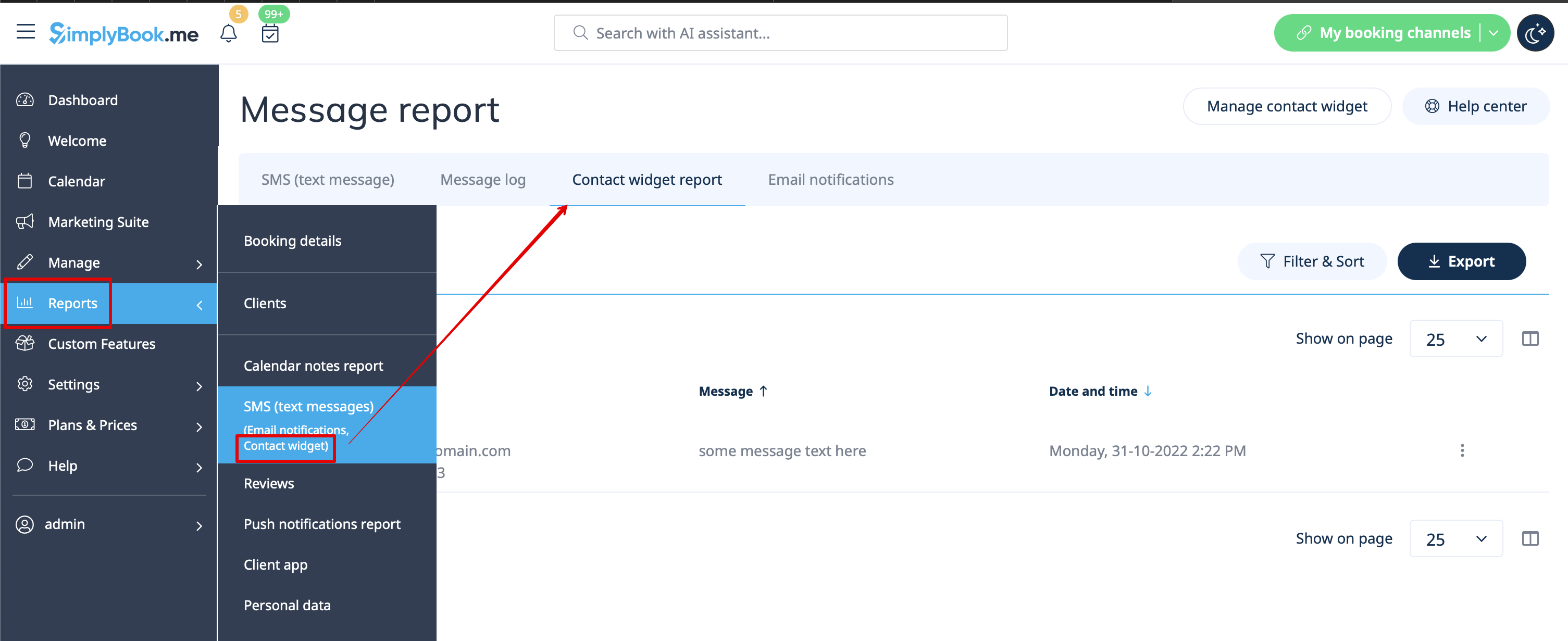
:3. To check received messages from your customers please go to Reports -> SMS(text messages) -> Contact widget
[[File:Contact widget report path redesigned.png|1200px| center|link=https://help.simplybook.me/images/2/2a/Contact_widget_report_path_redesigned.png]]
<br><br>

hur använder man

1. För att aktivera detta alternativ, klicka på "Aktivera" bredvid motsvarande alternativ på sidan Anpassade funktioner.


2. Välj "Inställningar" för att ställa in widgetens utseende och generera den nödvändiga koden.


Se instruktionerna för hur du lägger till bokningswidgeten på din webbplats


3. För att kontrollera mottagna meddelanden från dina kunder, gå till Rapporter -> SMS (textmeddelanden) -> Kontaktwidget