Translations:Custom Page custom feature/5/uk: Difference between revisions

From SimplyBook.me
Created page with ":1. Натисніть на значок «+» у верхній частині та виберіть опцію «Додати посилання до панелі меню». 1200px | center|link=https://help.simplybook.me/images/1/19/Add_custom_links_redesigned.png <br><br> :2. Додайте назву, яку ви хочете відображати в заголовку сторінки бронювання, у поле «..."
 
(No difference)

Latest revision as of 14:46, 19 May 2025

Information about message (contribute)
This message has no documentation. If you know where or how this message is used, you can help other translators by adding documentation to this message.
Message definition (Custom Page custom feature)
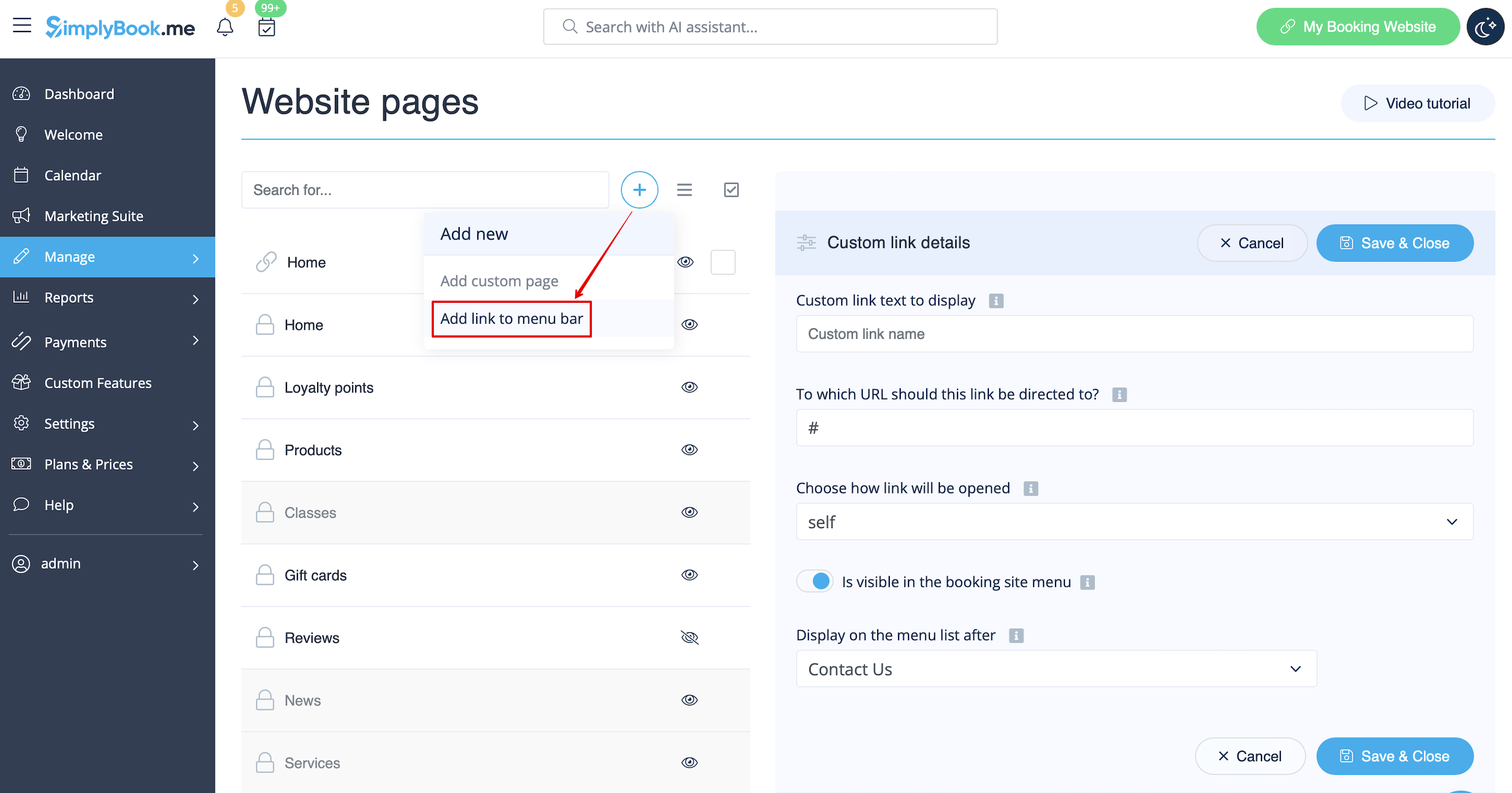
:1.  Click on “+” icon at the top and choose “Add link to menu bar” option. 
[[File:Add custom links redesigned.png|1200px | center|link=https://help.simplybook.me/images/1/19/Add_custom_links_redesigned.png]]
<br><br>
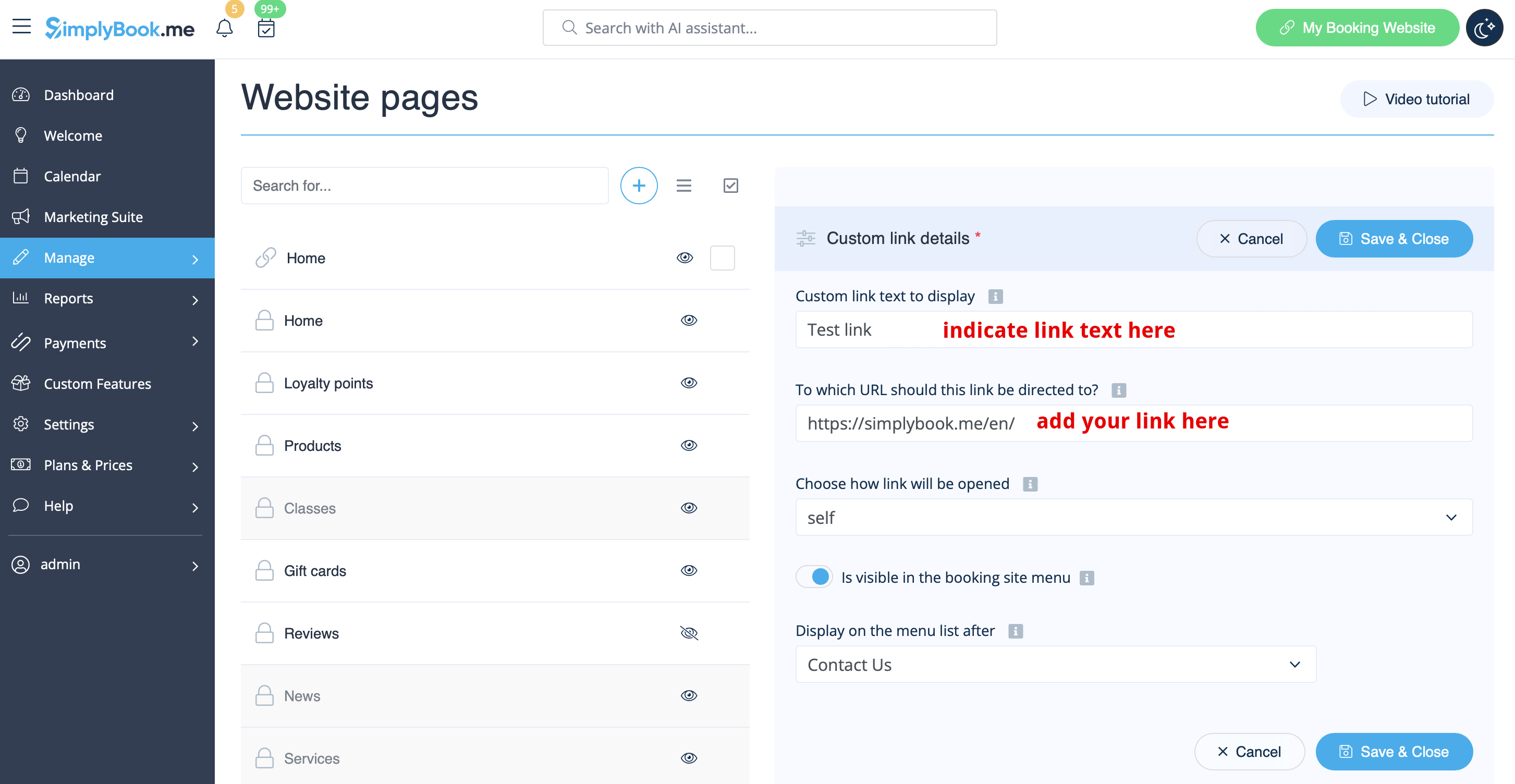
:2. Add the title you wish to show in the booking page header to “Custom link text to display” field and indicate the link itself in the corresponding field. 
[[File:Custom link main settings redesigned.png|1200px | center|link=https://help.simplybook.me/images/f/f9/Custom_link_main_settings_redesigned.png]]
<br><br>
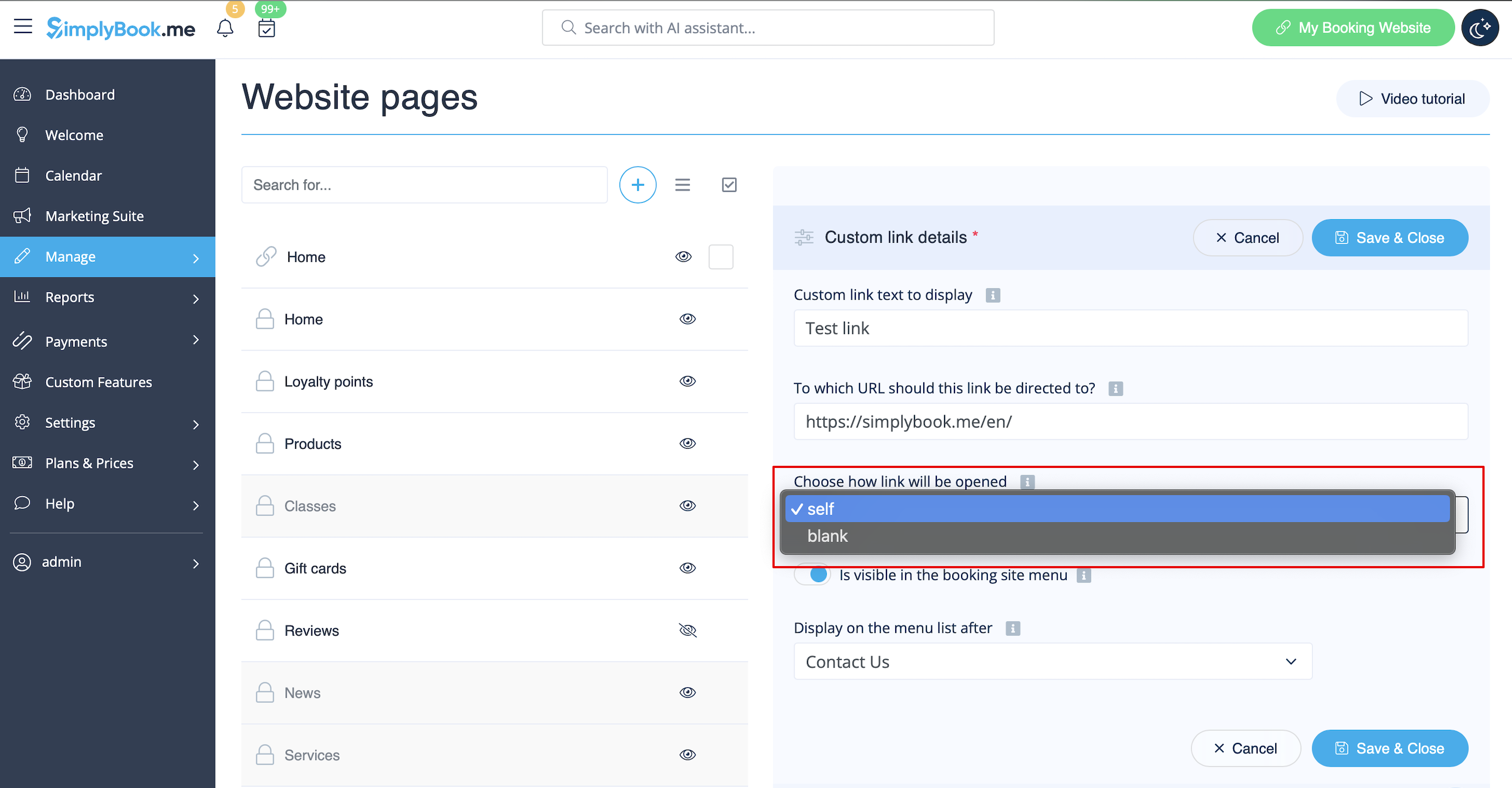
:3. You can also choose whether the link should be opened in the new browser tab or in the same one. <br>
:For this please choose “''self''” if you wish the page to be opened in the same tab or “''blank''” if you wish to be opened in the separate tab in the “Choose how link will be opened” setting. 
[[File:Custom link blank or self redesigned.png|1200px | center|link=https://help.simplybook.me/images/2/2b/Custom_link_blank_or_self_redesigned.png]]
<br><br>
1. Натисніть на значок «+» у верхній частині та виберіть опцію «Додати посилання до панелі меню».


2. Додайте назву, яку ви хочете відображати в заголовку сторінки бронювання, у поле «Текст власного посилання для відображення» та вкажіть саме посилання у відповідному полі.


3. Ви також можете вибрати, чи має посилання відкриватися в новій вкладці браузера чи в тій самій.
Для цього виберіть«self», якщо хочете, щоб сторінка відкривалася в тій самій вкладці, або«blank», якщо хочете, щоб вона відкривалася в окремій вкладці, в налаштуванні «Виберіть, як відкривати посилання».